Introduction
From the September 2025 payroll cycle, the single Loan EMI component will be replaced by category‑based EMI components. If employees have loans across multiple categories, their EMIs will now appear as separate components (e.g., Personal loan EMI, Medical loan EMI, Housing loan EMI, Education loan EMI). This improves payslip clarity and enables accurate accounting mappings for each loan type.
Why this change
Currently, all loan repayments are grouped under one component (Loan EMI), regardless of the loan type or the number of loans. As a result:
-
Employees and admins cannot view a clear breakdown of repayments by loan type.
-
Customers using separate charts of accounts for different loan types cannot post deductions accurately in their accounting tools.
The new design introduces one EMI component per loan category, ensuring transparent reporting and accounting alignment.
What is changing
-
The single Loan EMI component will be replaced by multiple components, one per loan category.
-
The change applies automatically when payroll is processed for September 2025 and later cycles.
-
Impacted surfaces: Pay register, Payslip, and Payroll run reports.
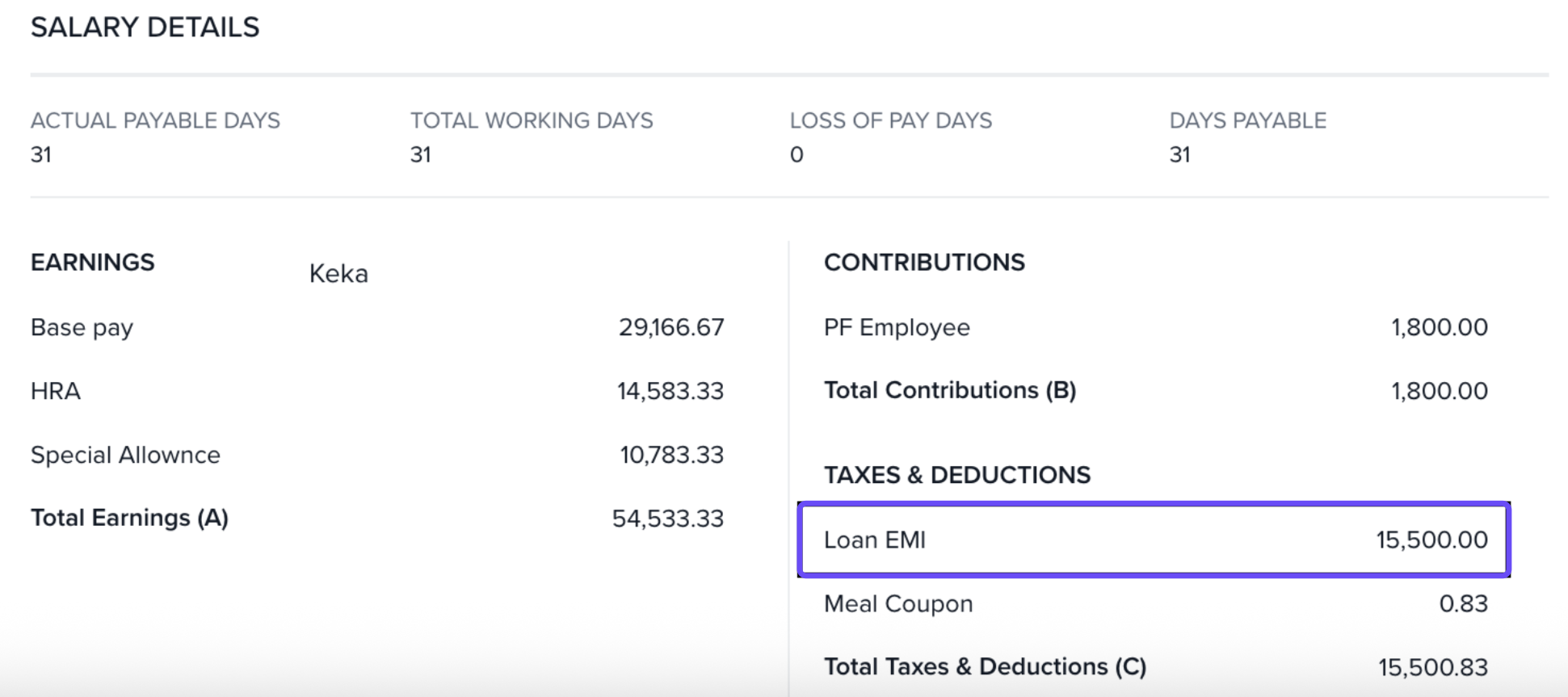
Before (current system)
-
Payslip / Reports: A single line item Loan EMI shows the total of all loan categories.
After (from September payroll)
-
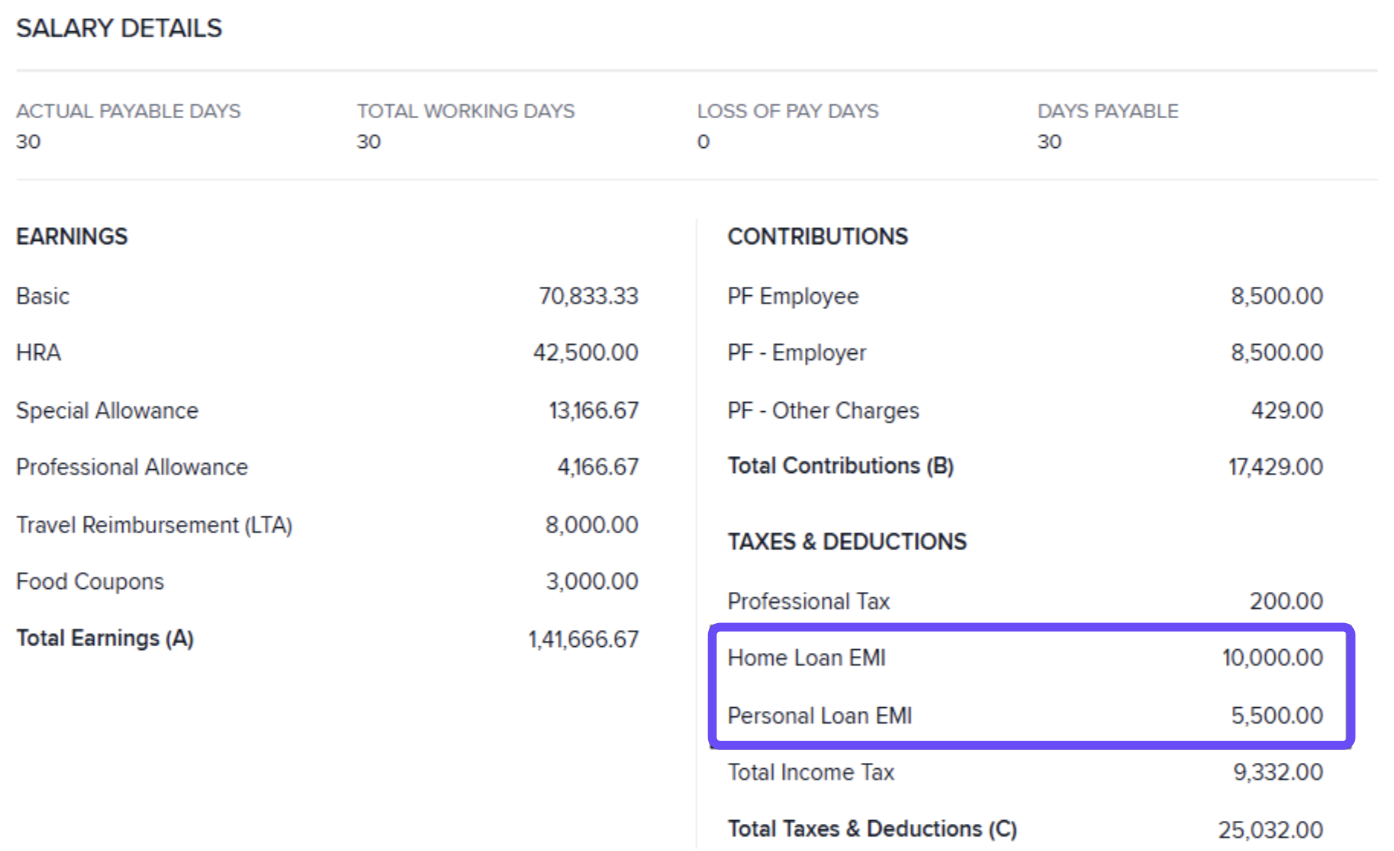
Payslip / Reports: Separate line items per category—e.g., Personal loan EMI, Medical loan EMI, Housing loan EMI, Education loan EMI.
Example
-
If an employee has loans in Personal, Medical and Housing categories:
-
Before: Loan EMI = ₹3,500 (sum of all categories)
-
After: Personal loan EMI = ₹1,500; Medical loan EMI = ₹1,000; Housing loan EMI = ₹1,000
-
If a customer uses only one loan category, they will continue to see a single EMI line, now named after that category.
What customers need to do (post‑release)
Perform the following checks after your first September 2025 payroll run:
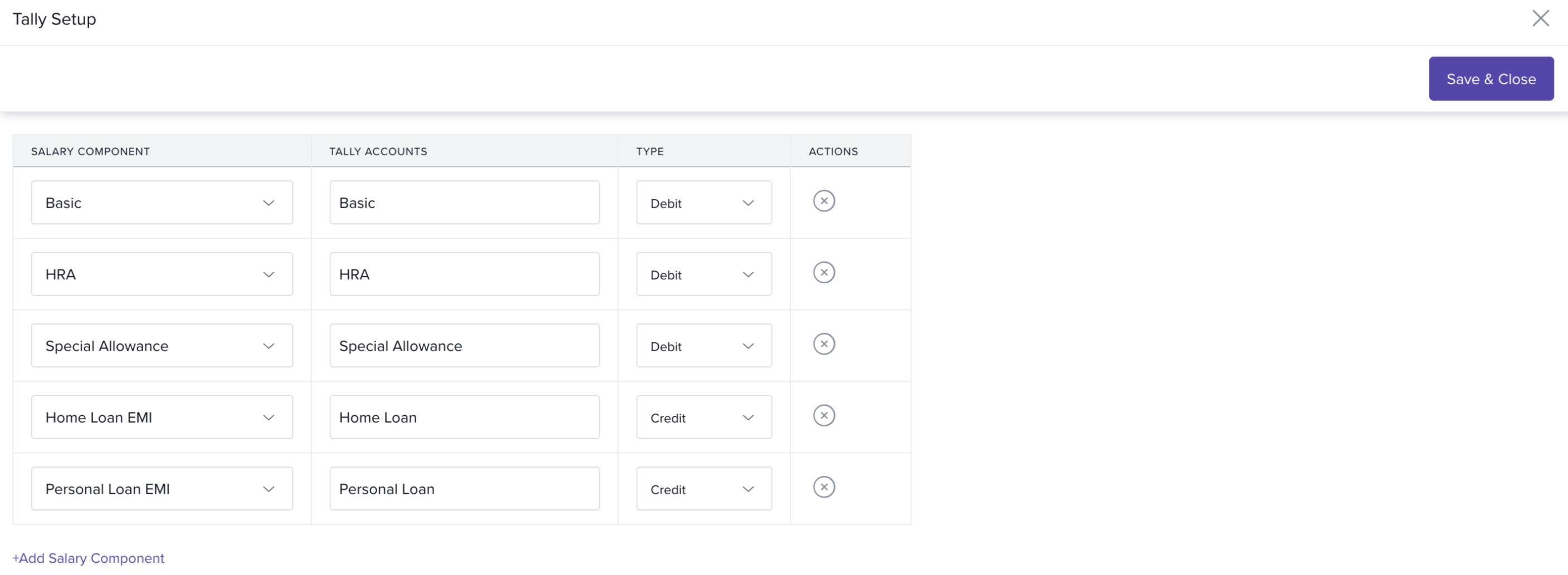
Update accounting integrations (Tally / Zoho Books / Xero – GCC)
1. Go to Payroll Admin → Accounting → Integrations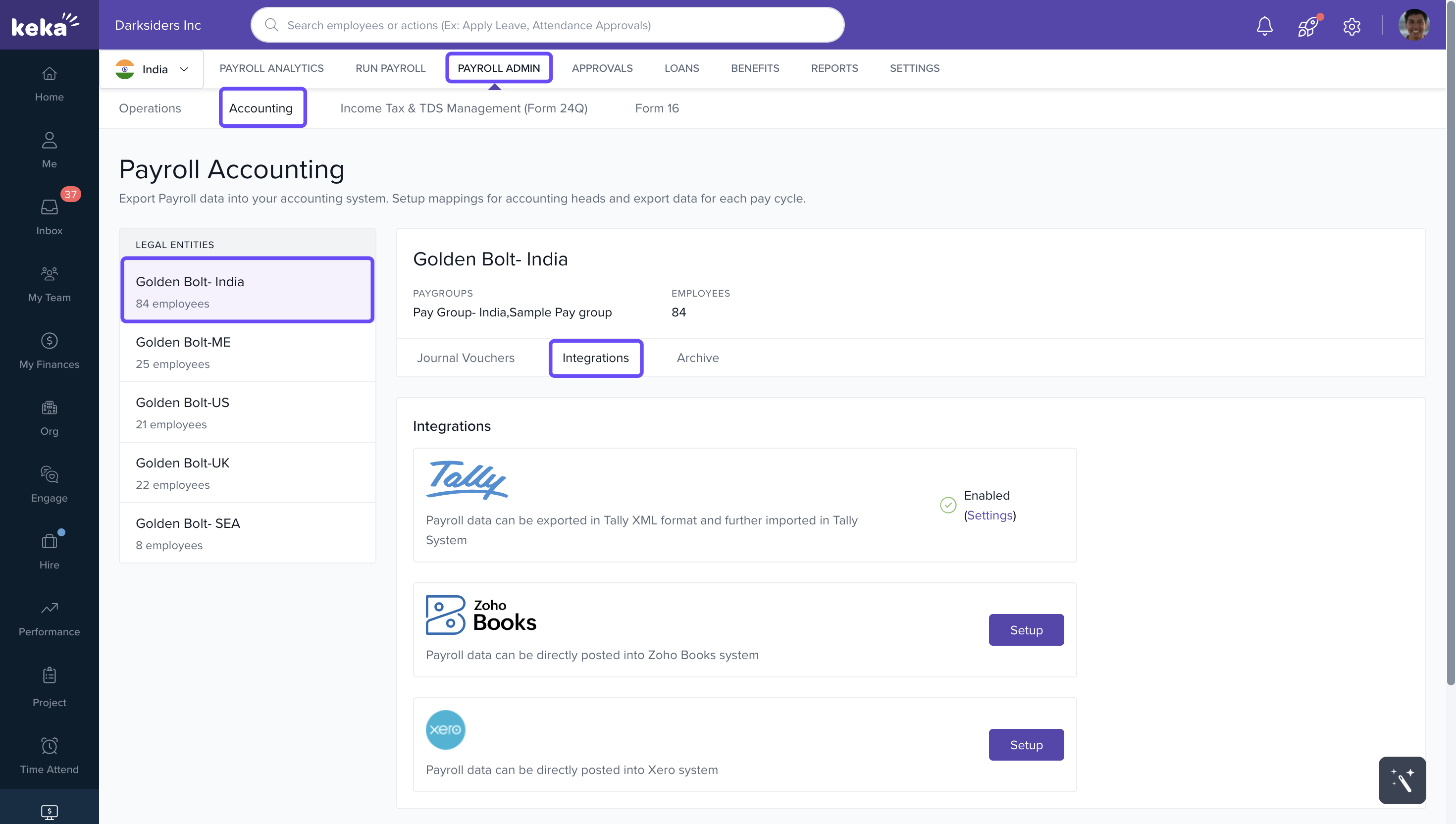
2. Then select Account Mapping to map the new EMI components.
Add accounting/GL codes to new EMI components (if used)
- If accounting/GL codes are used under component settings for journal reports or external APIs, add codes for each new EMI component.
Review customized salary component order
- Path: Settings → Pay Group → Salary Components
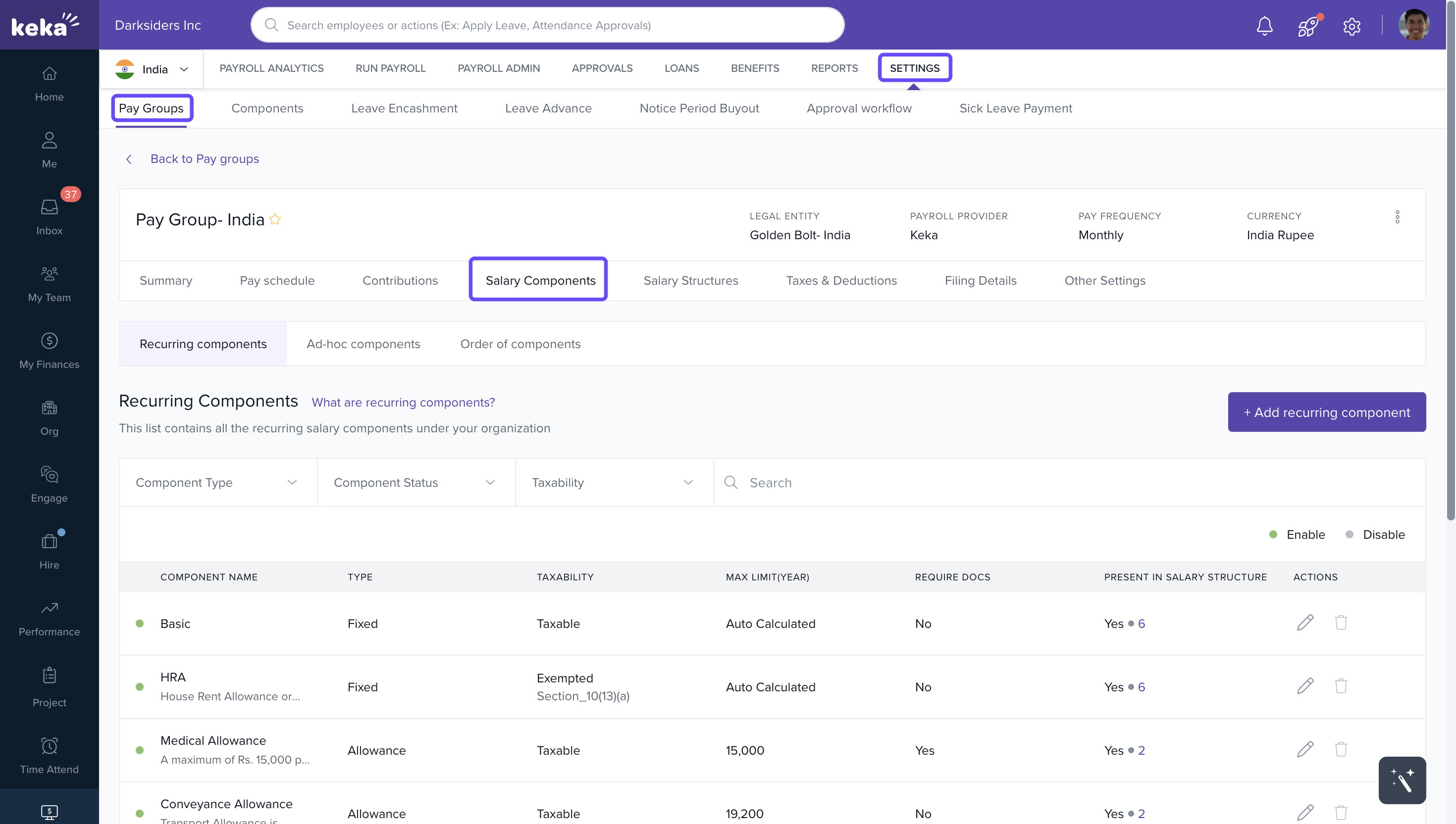
- If a custom component order is configured, adjust the order to position the new EMI components appropriately on payslips and reports.
Review downstream reports/APIs
- If any downstream report, middleware, or API integration filters on component names or codes, update those references to include the new EMI components.
If there are ad‑hoc deductions with the same name as any loan category, it can cause payroll processing issues. It is strongly recommended to rename such ad‑hoc components before running September payroll
If you’d like to learn more about creating and managing loans, click here
Comments
0 comments
Please sign in to leave a comment.