Introduction
Ongoing loans are loans that have already been disbursed and partially repaid by employees outside of Keka. Using Keka Payroll, these loans can be added, tracked, and managed efficiently, allowing for smooth recovery of the remaining amount directly through payroll.
Adding ongoing loans on Keka
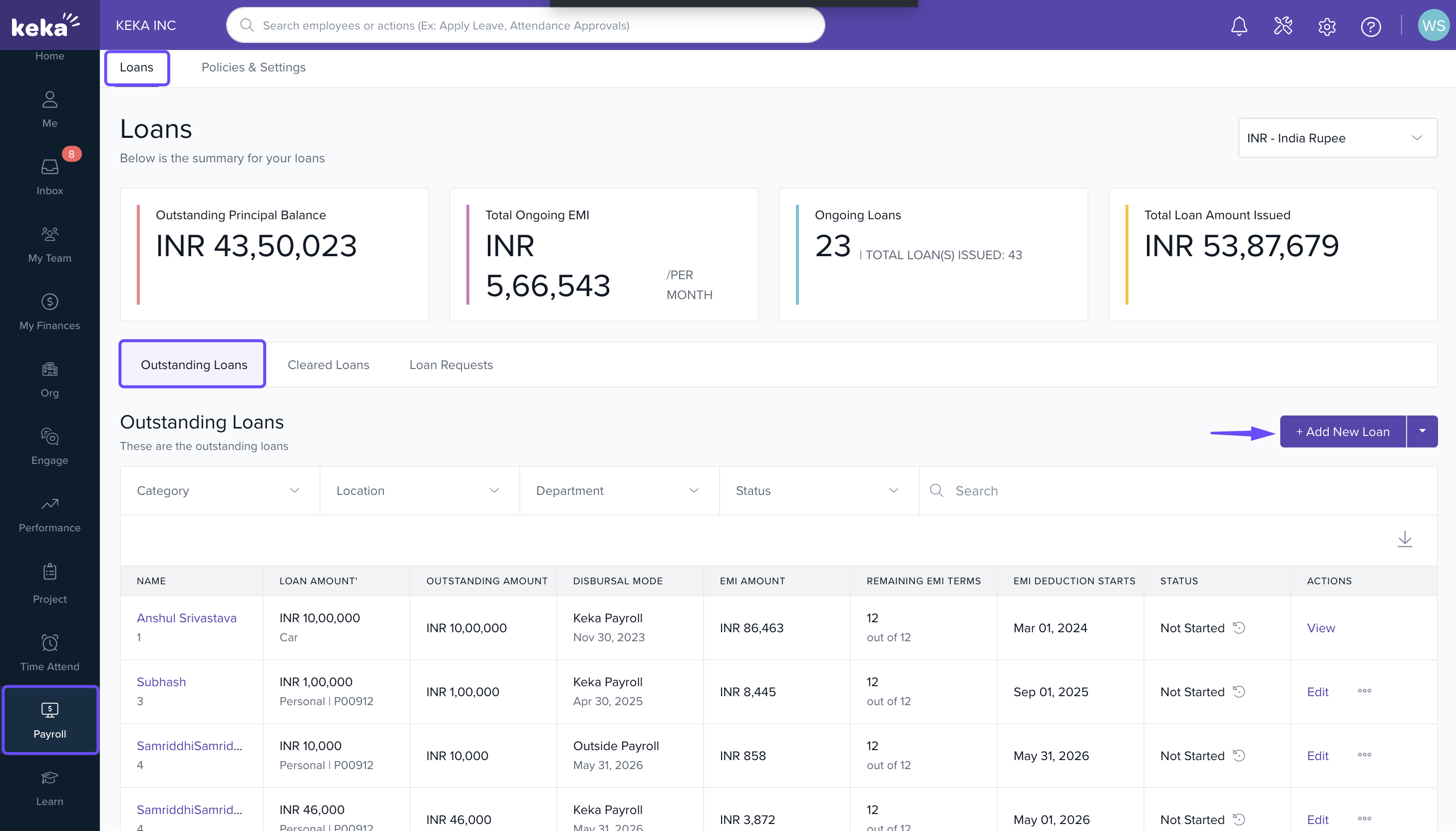
Navigate to Add Loan
Go to Payroll → Loans → Outstanding Loans.
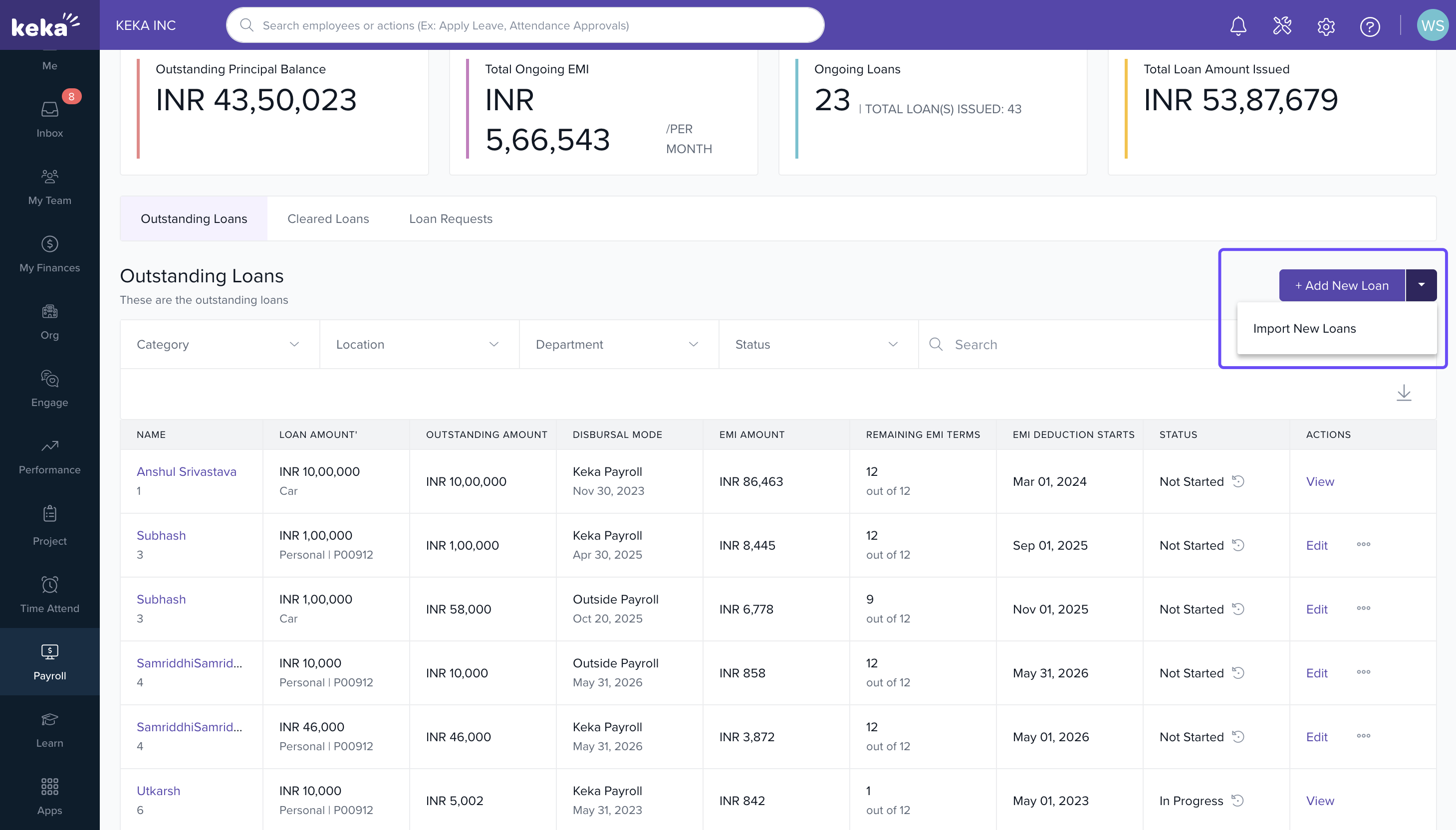
Click +Add New Loan.
Search for the employee to whom you want to assign the ongoing loan.
Note: A loan policy must be assigned to the employee before adding an ongoing loan.
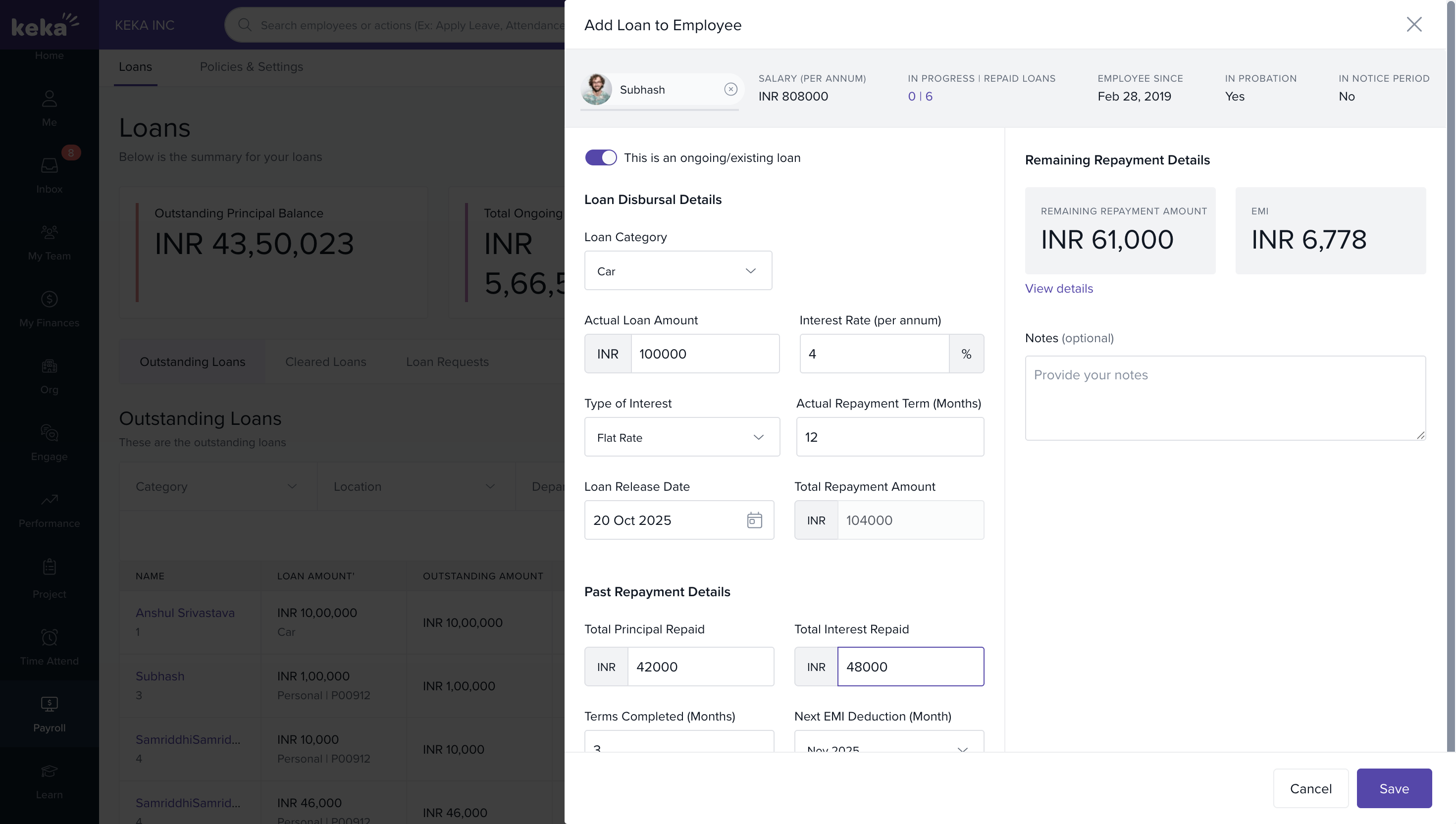
Assign Loan Policy and Enter Details
- Enable the option “This is an ongoing/existing loan.”
- Fill in all relevant loan details, including the original loan amount.
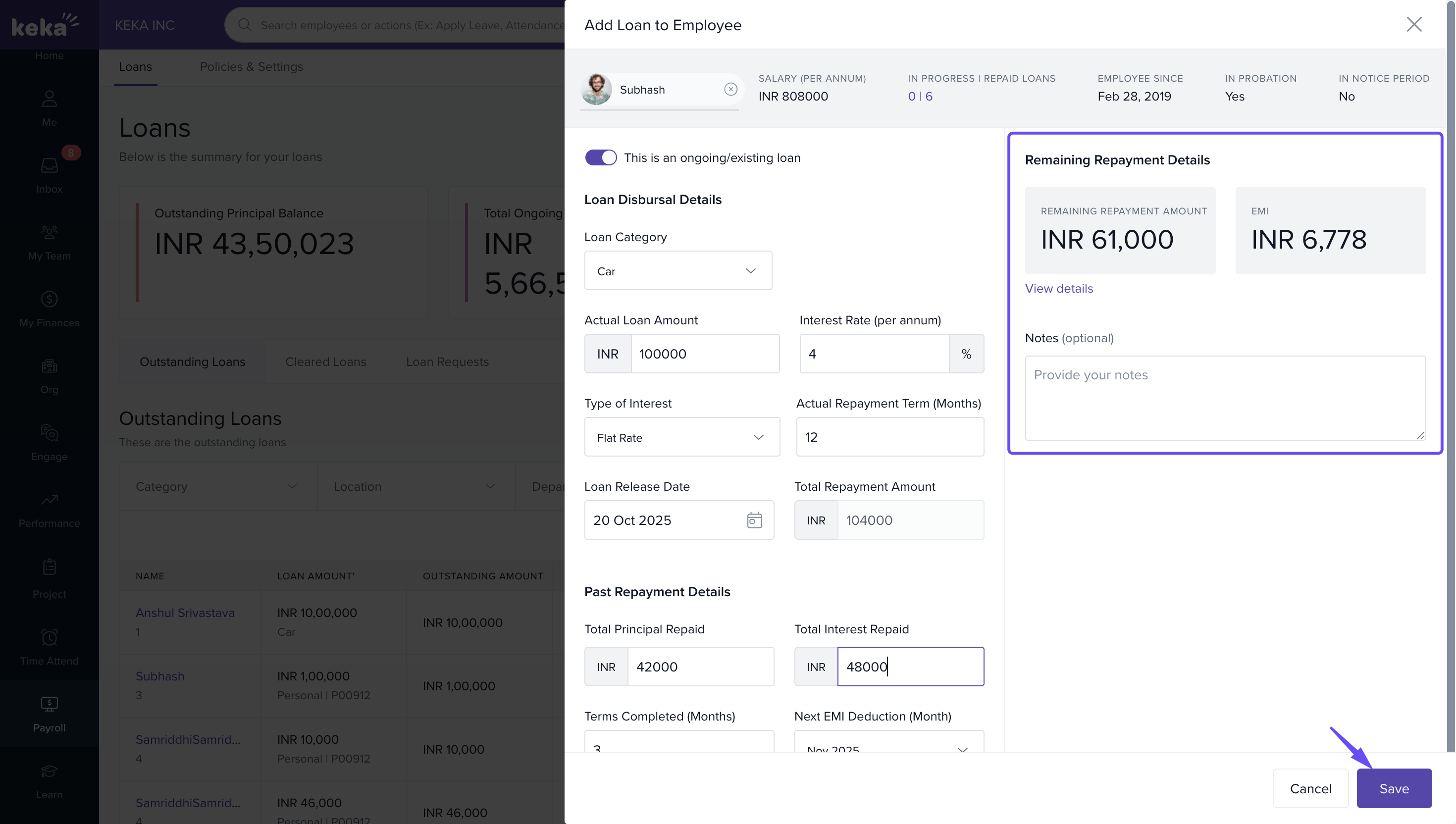
Verify Repayment Details
Review the remaining repayment schedule.
Once verified, click Save to add the ongoing loan to the system.
Managing Ongoing Loans
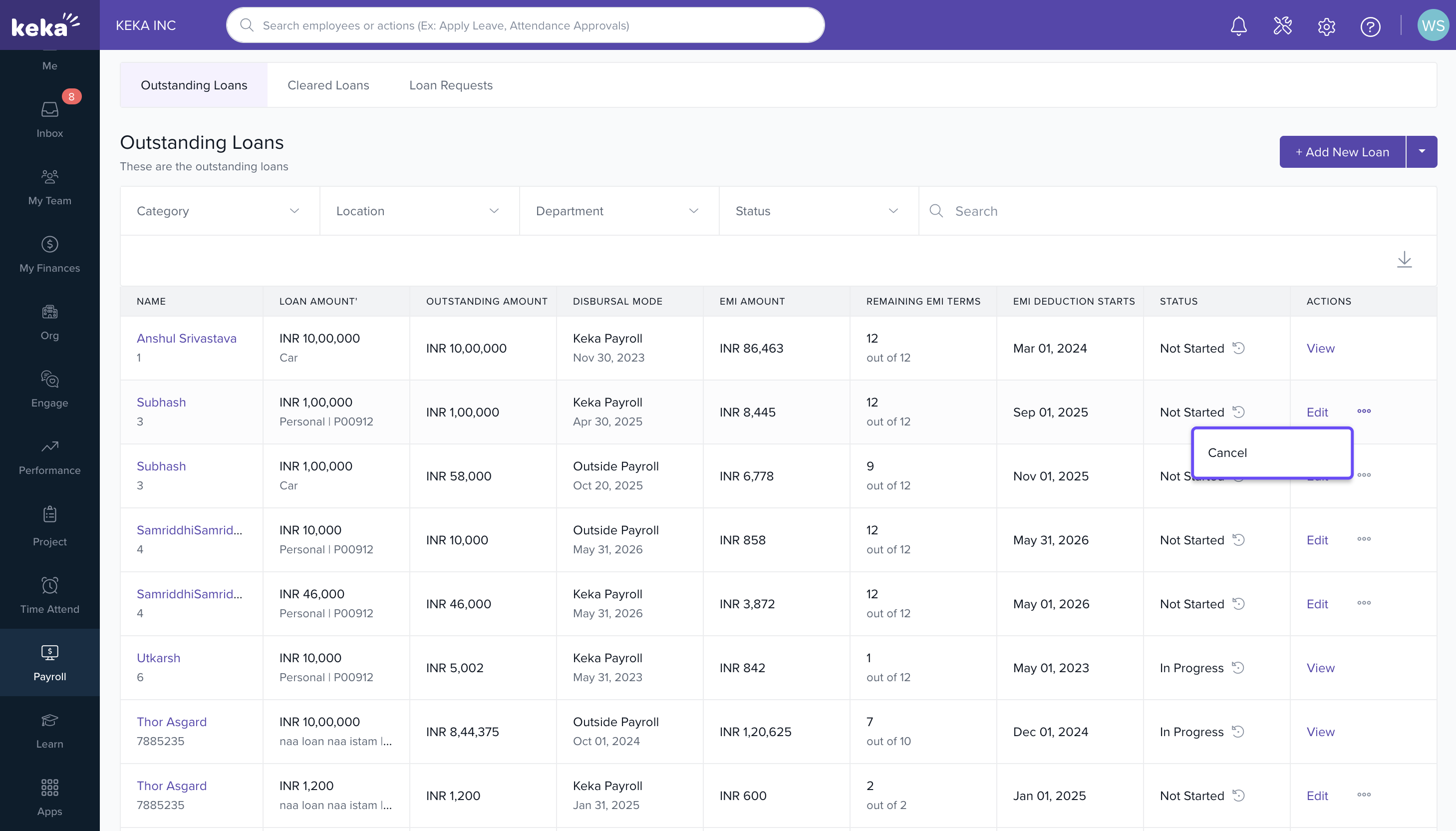
Editing or Cancelling Loans
-
If discrepancies or errors are found, you can edit or cancel the ongoing loan.
Edits or cancellations can only be performed before repayments start in Keka.
Adding Ongoing Loans in Bulk
To import multiple ongoing loans at once:
1. Use the Loan Import feature.
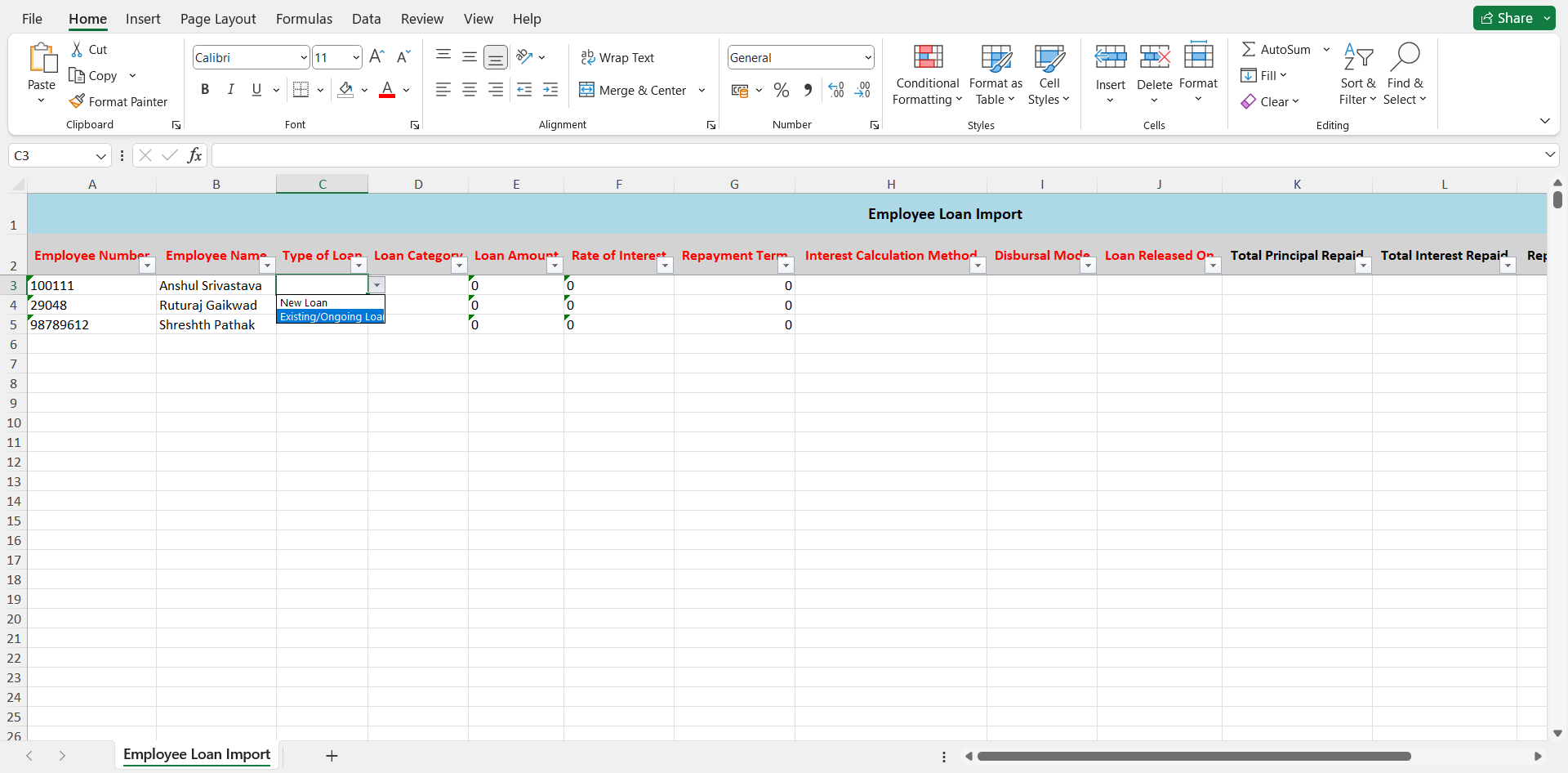
2. Select Loan Type → Existing/Ongoing Loan.
3. Fill in all necessary details for each loan.
4. Import the file to add all loans in bulk to Keka.
Hope this helps you manage ongoing loans on your Keka HR Portal.
Comments
0 comments
Please sign in to leave a comment.