Overview
In the My Team section of Keka, managers and department heads can assess team members' strengths and assign career tracks that align with both their growth goals and the organisation’s needs.
Steps to manage team strengths and assign Career Paths
Go to the Performance section.
Click on Growth.
Select Career Path.
Choose My Team.
From here, you can view Direct and Indirect reports for different departments. This will open a detailed window with all the reports under your supervision.
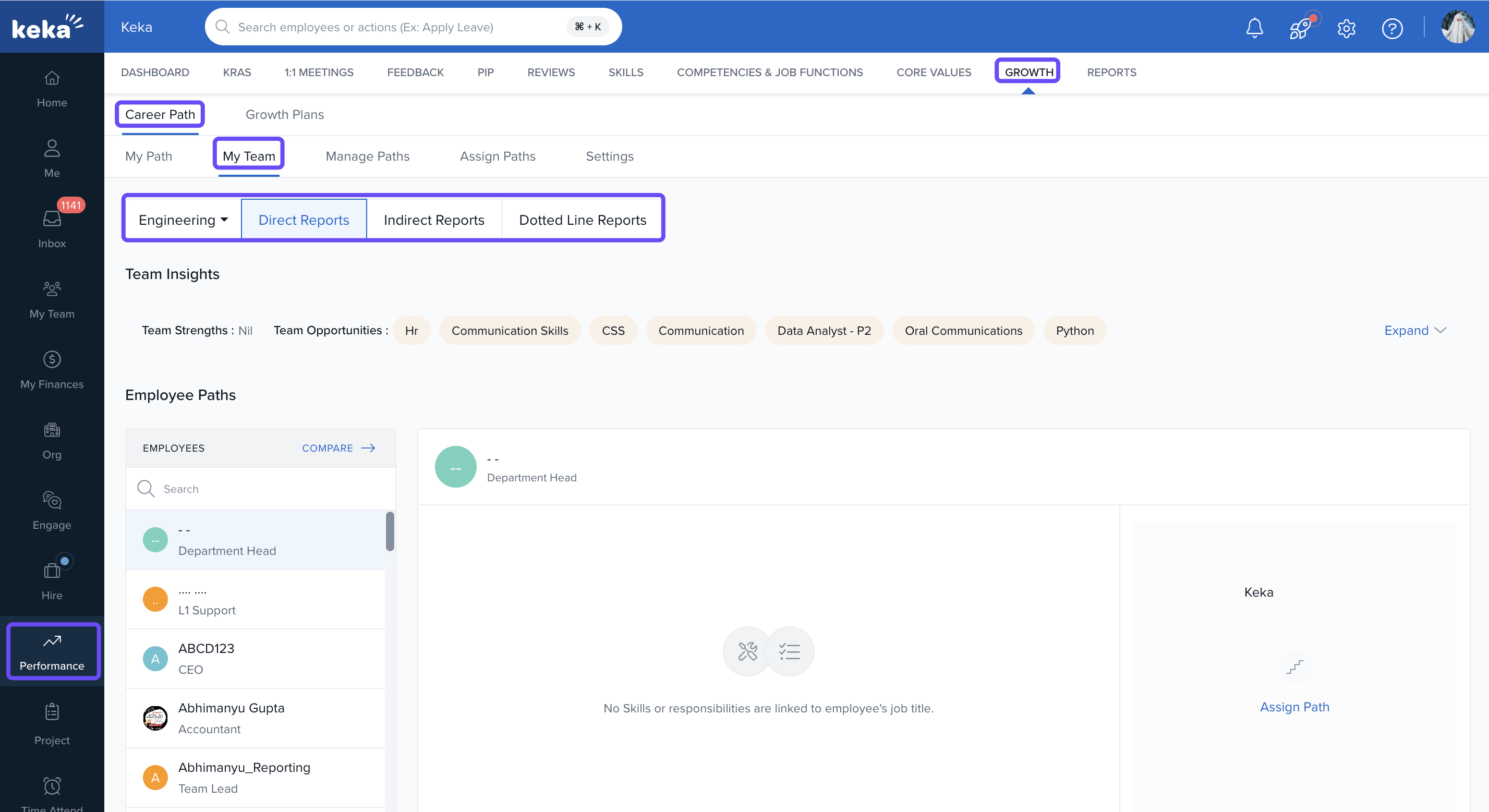
The data displayed in My Team is specific to the user’s permissions and privileges.
Analysing Team Strengths
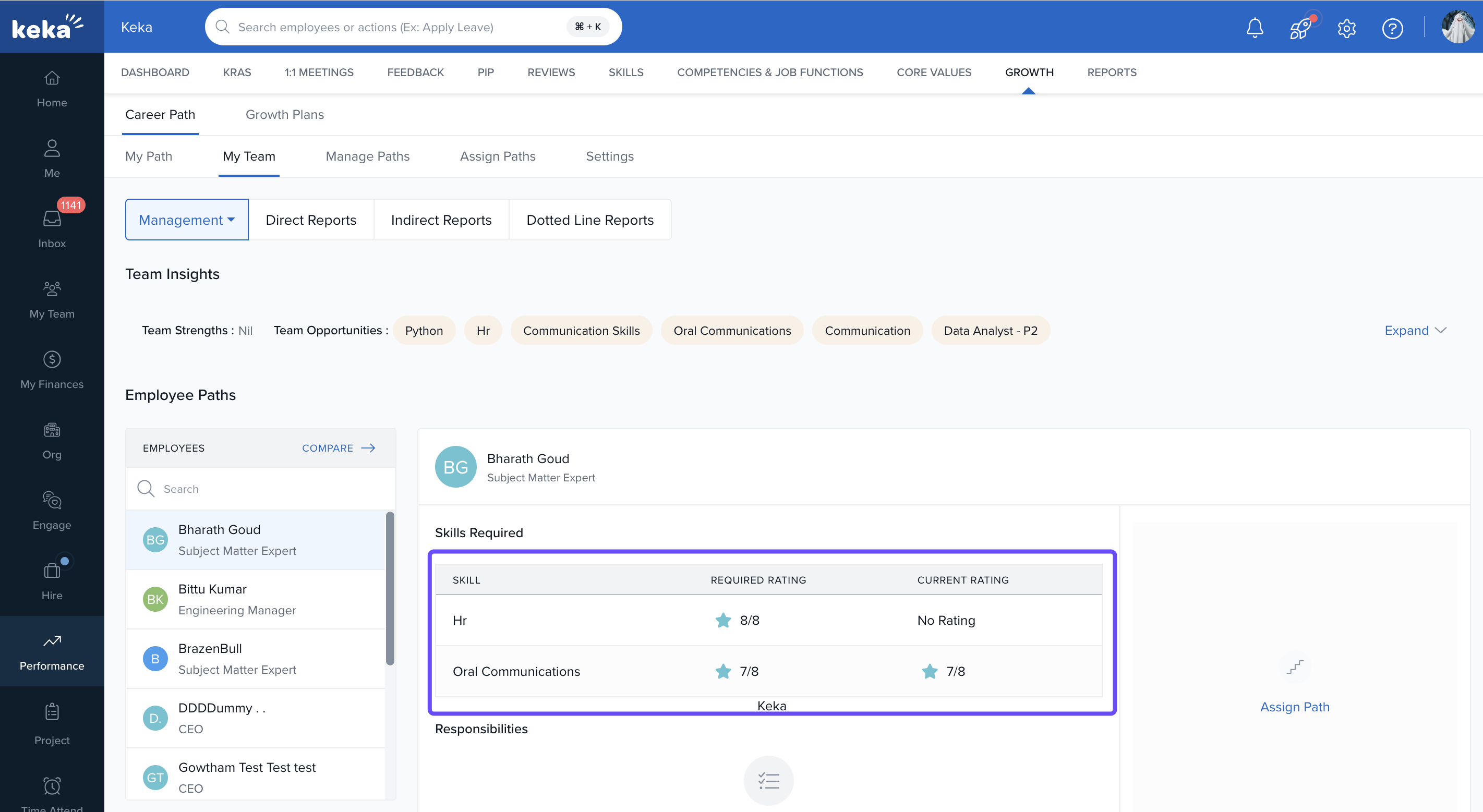
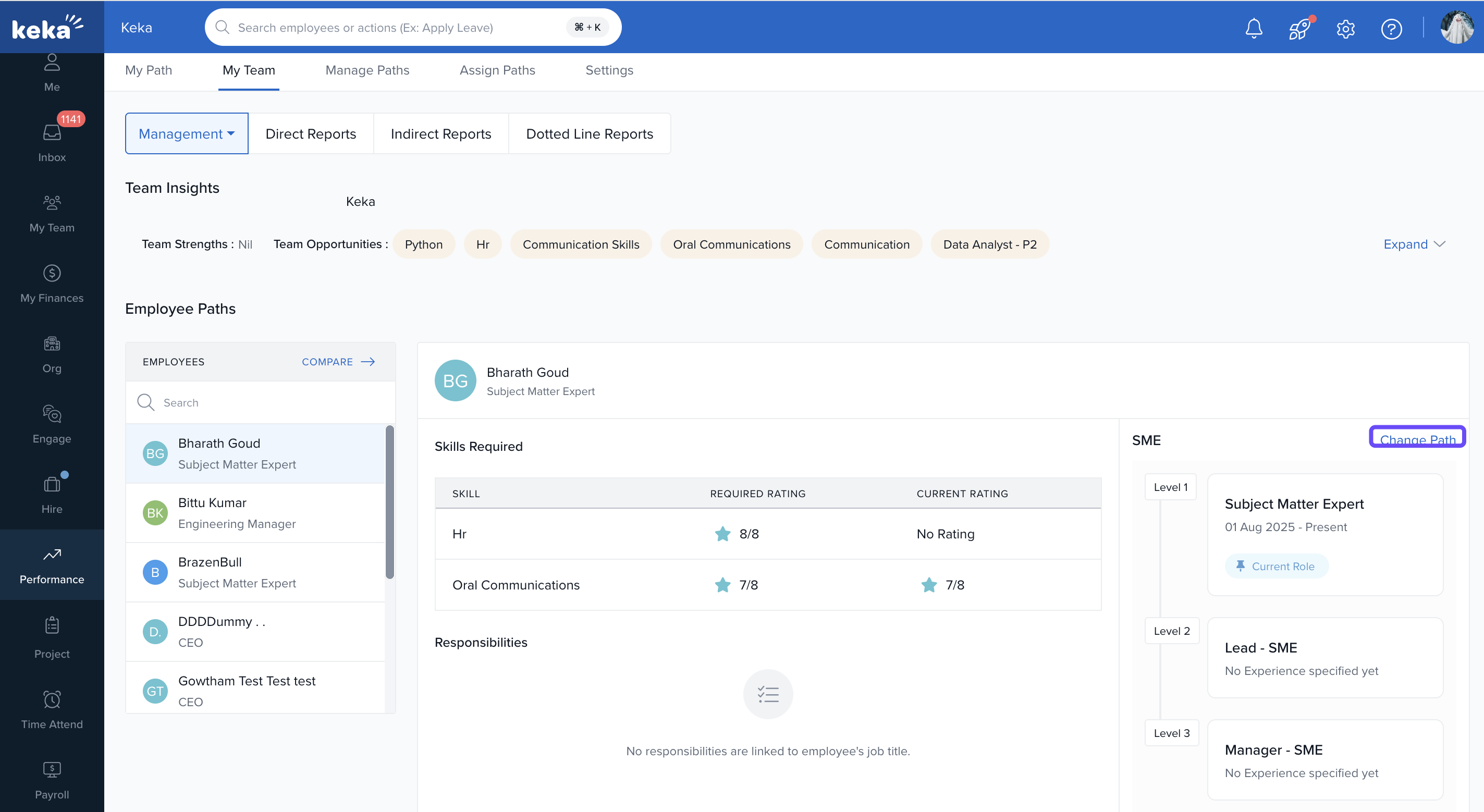
The table in My Team offer a visual representation of your team's skills.
-
These charts highlight skill gaps by comparing actual versus expected skills, helping you identify strengths and areas for improvement across your team.
Assigning Career Paths
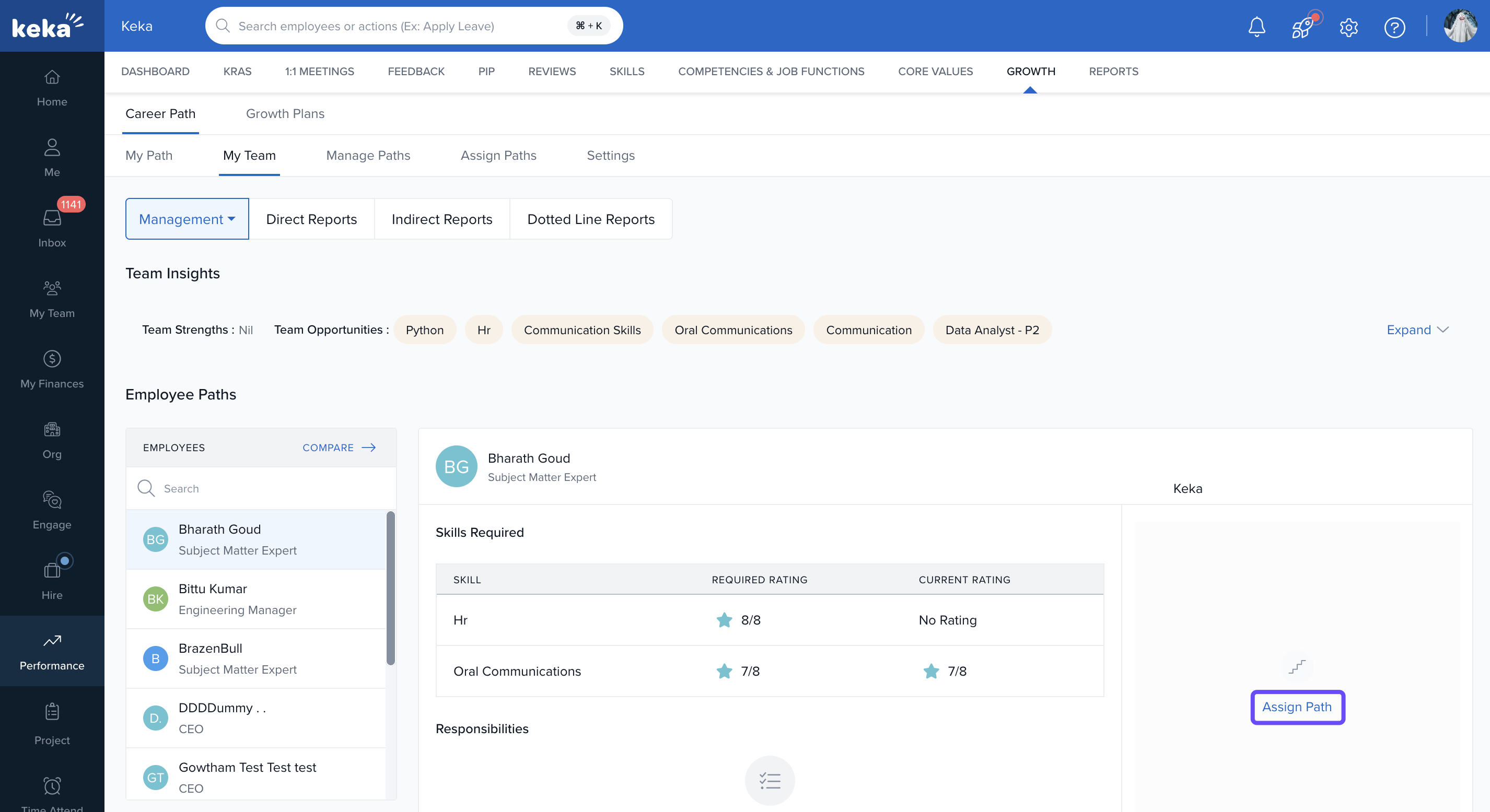
To assign a new career path, select an employee.
-
Click Assign Path to begin the process.
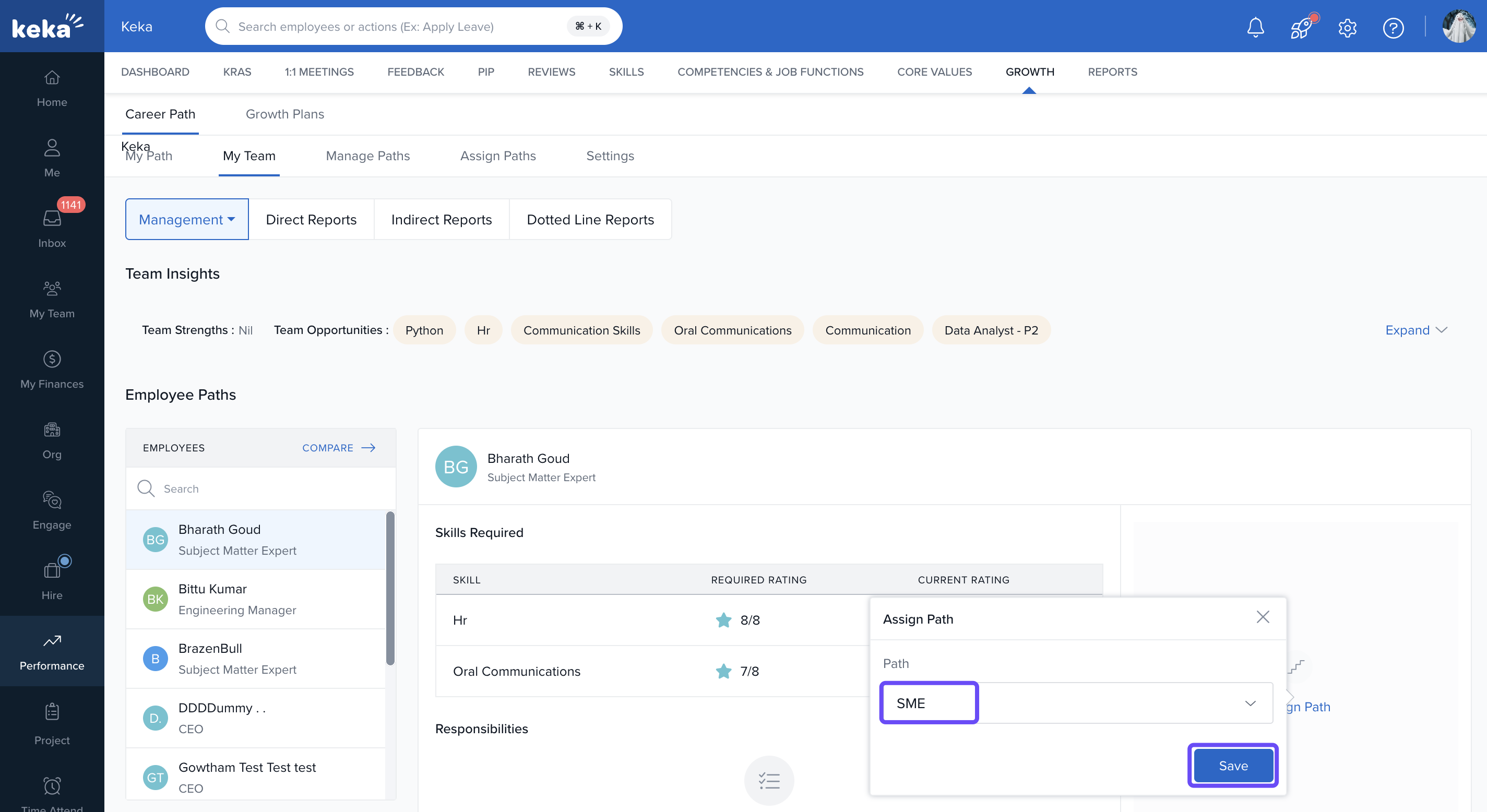
Choose the career path that aligns with the employee’s role and career goals.
-
Click Save to finalise the assignment.
-
To change an existing path, simply click Change Path, select the new career track, and click Save.
Conducting Skill Gap Analysis
Identify growth opportunities for your team. Managers can use the Report section to conduct skill gap analyses across the team. This consolidated view identifies areas where employees need improvement, helping you strategically plan development initiatives and promote career progression.
Regularly review and refresh career paths as strengths evolve.
Encourage open career discussions aligned with these assignments.
Comments
0 comments
Please sign in to leave a comment.