Overview
Keka enables you to create detailed job profiles by defining job titles, and enriching them with key responsibilities, required skills, experience expectations, and performance metrics. This helps ensure transparency in role expectations and supports structured evaluations.
Steps to Set up Job Titles
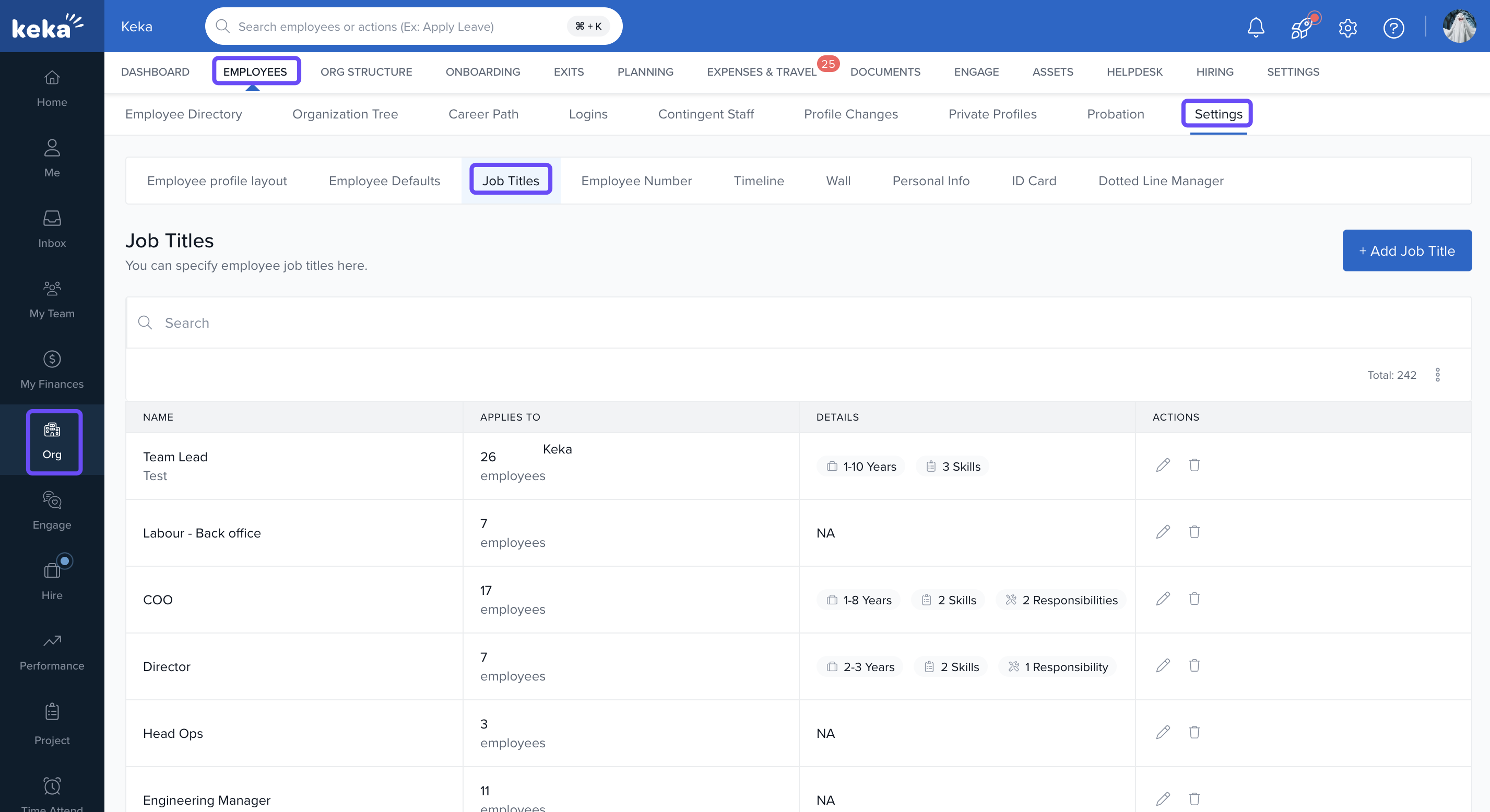
Navigating the Job Titles Page
To manage job profiles:
Go to the Org section.
Click the Employees tab.
Select Settings.
-
Choose Job Titles.
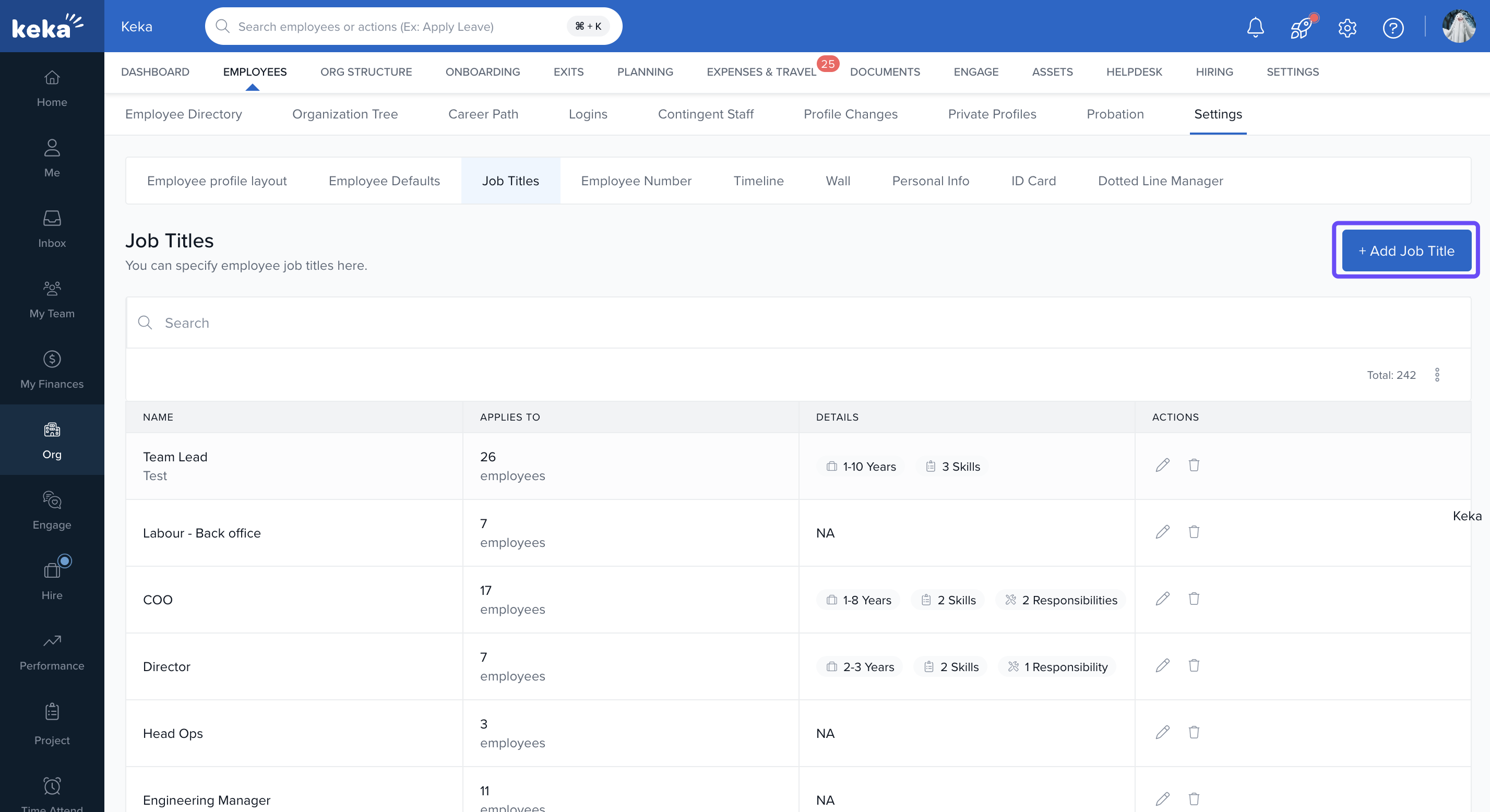
Adding New Job Title
-
In the Job Titles section, click Add Job Titles.
-
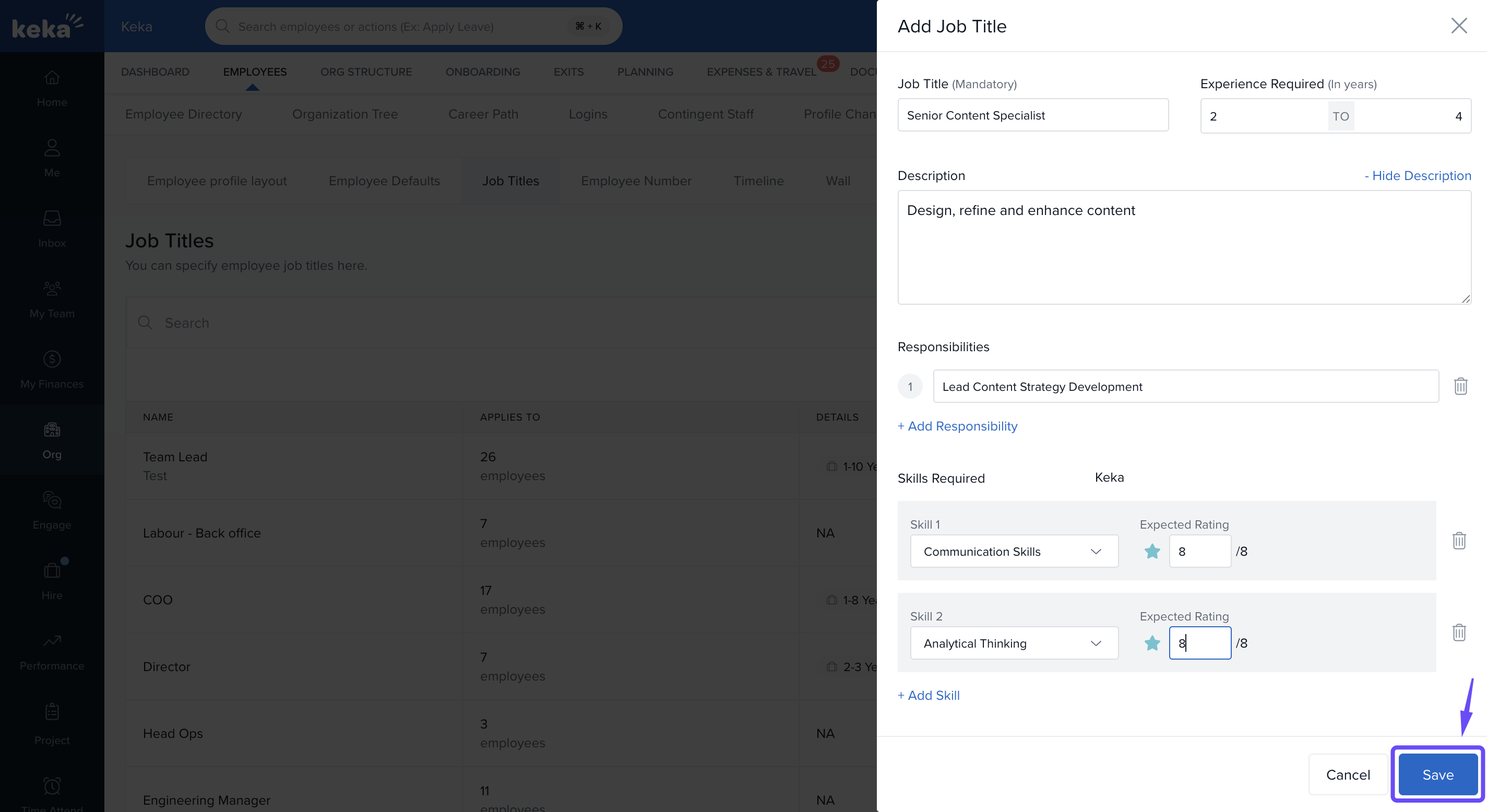
Enter:
The job title name.
A detailed description of the role.
Main responsibilities and required skills.
-
Click Save to add the job title.
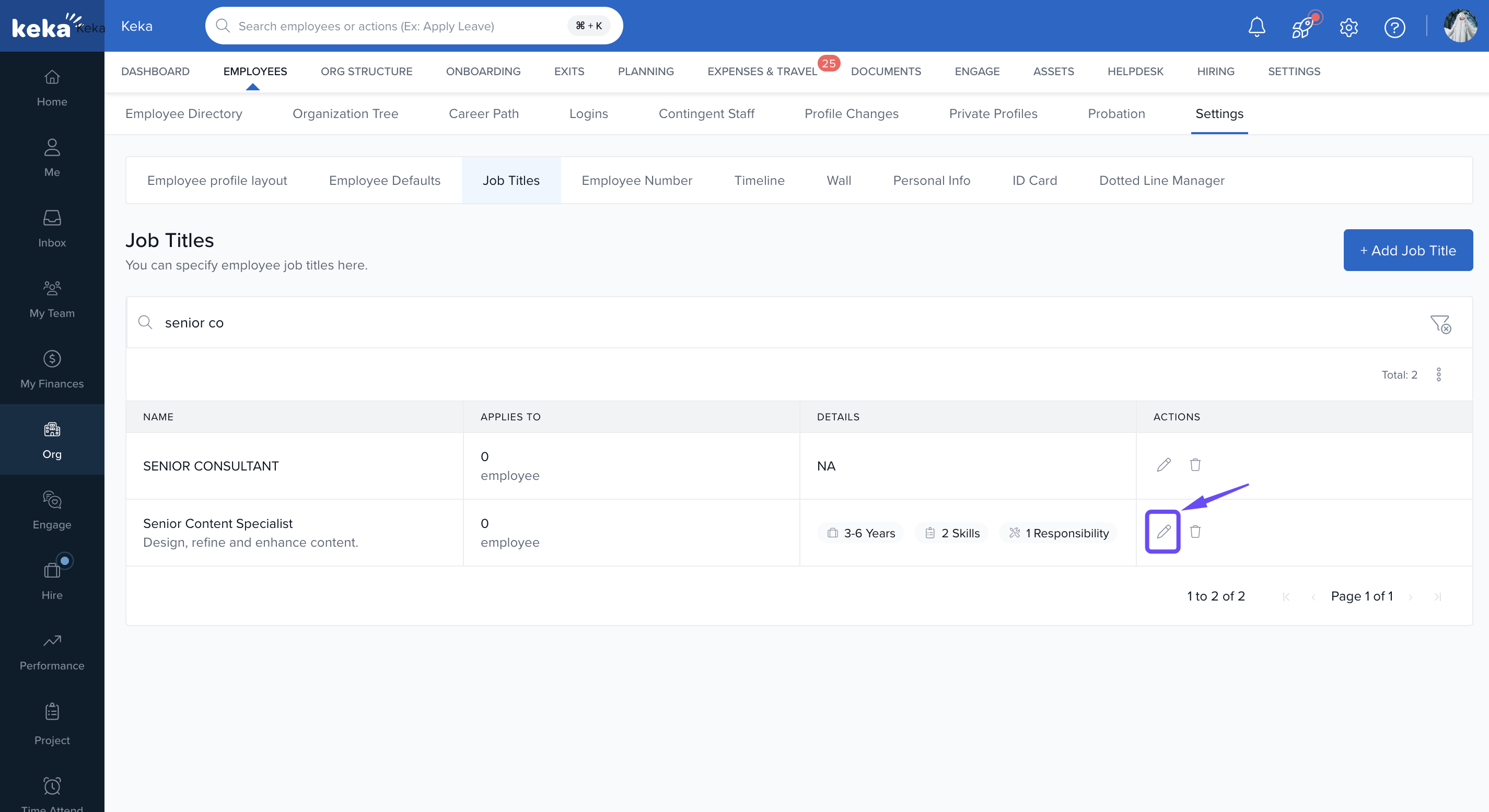
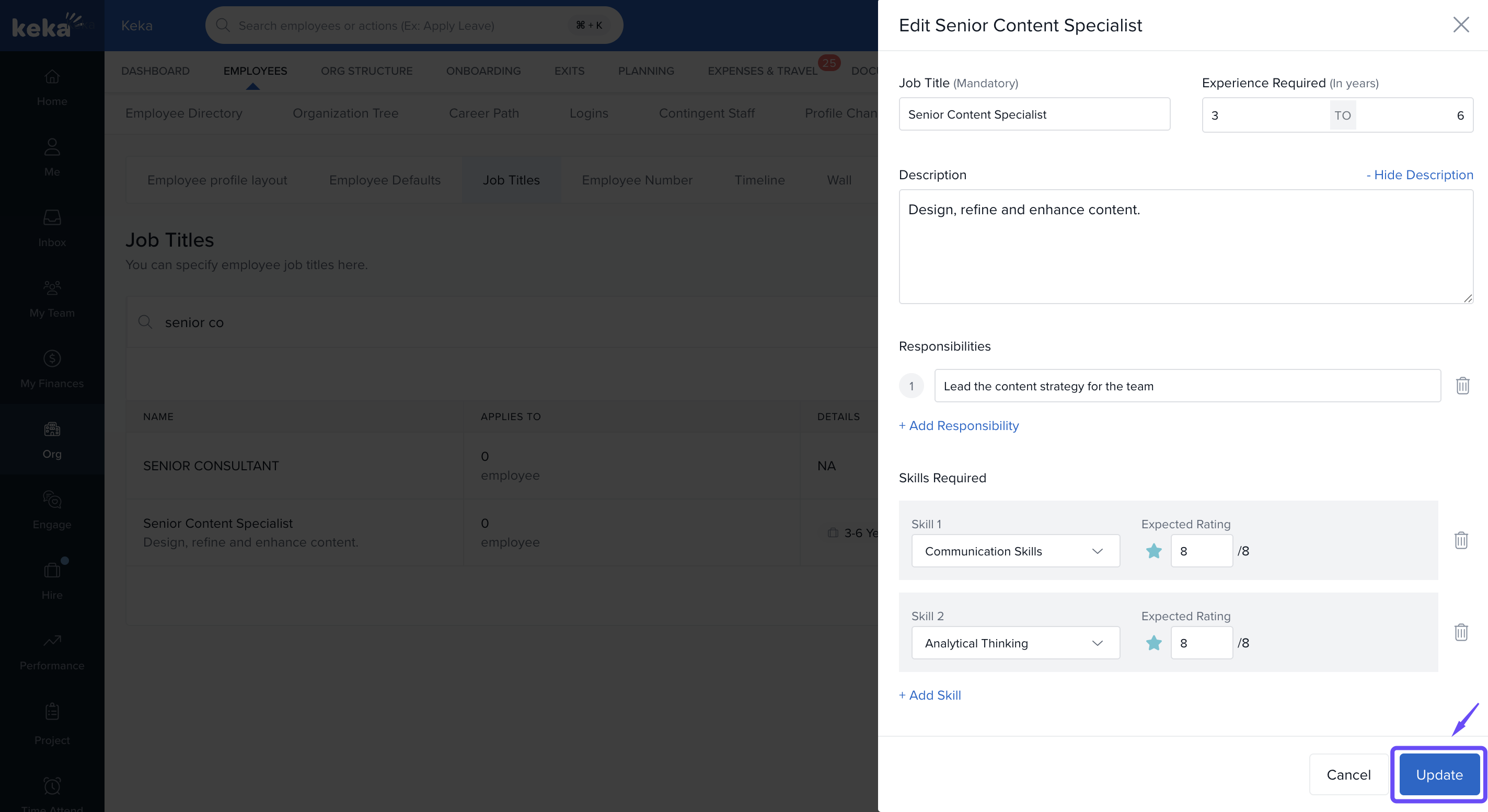
Editing Job Title
Select the job title you want to modify.
-
Click on the pencil icon.
-
Update the following fields as needed:
Experience Required
Responsibilities
Skills
Skill ratings (to assess proficiency levels)
Weightages (to prioritise certain skills)
Click Update to save your changes.
Notes & Tips
Keep descriptions concise but comprehensive.
Align skills and responsibilities with your career paths and evaluation criteria.
Use skill ratings to define what “good” looks like for each role.
Regularly review and update job titles as roles evolve.
Comments
0 comments
Please sign in to leave a comment.