Introduction
Keka HRMS provides the Regularize & Cancel Penalties workflow to help HR managers and team leaders review attendance penalties for multiple employees in one place. This is useful when attendance discrepancies occur across teams due to technical glitches, mass updates, or policy changes.
Instead of reviewing penalised records one by one, you can regularise attendance or cancel penalties in bulk—saving time and keeping attendance records accurate.
What is Bulk Regularisation?
Bulk Regularisation allows you to regularise multiple employees’ attendance at once.
Typical scenarios where this feature is useful:
A biometric system glitch prevents punches from being captured.
A policy change requires a mass update of attendance records.
A team-wide event or error affects multiple employees.
How to Use Regularize & Cancel Penalties
Follow these steps to regularise attendance or cancel penalties in bulk:
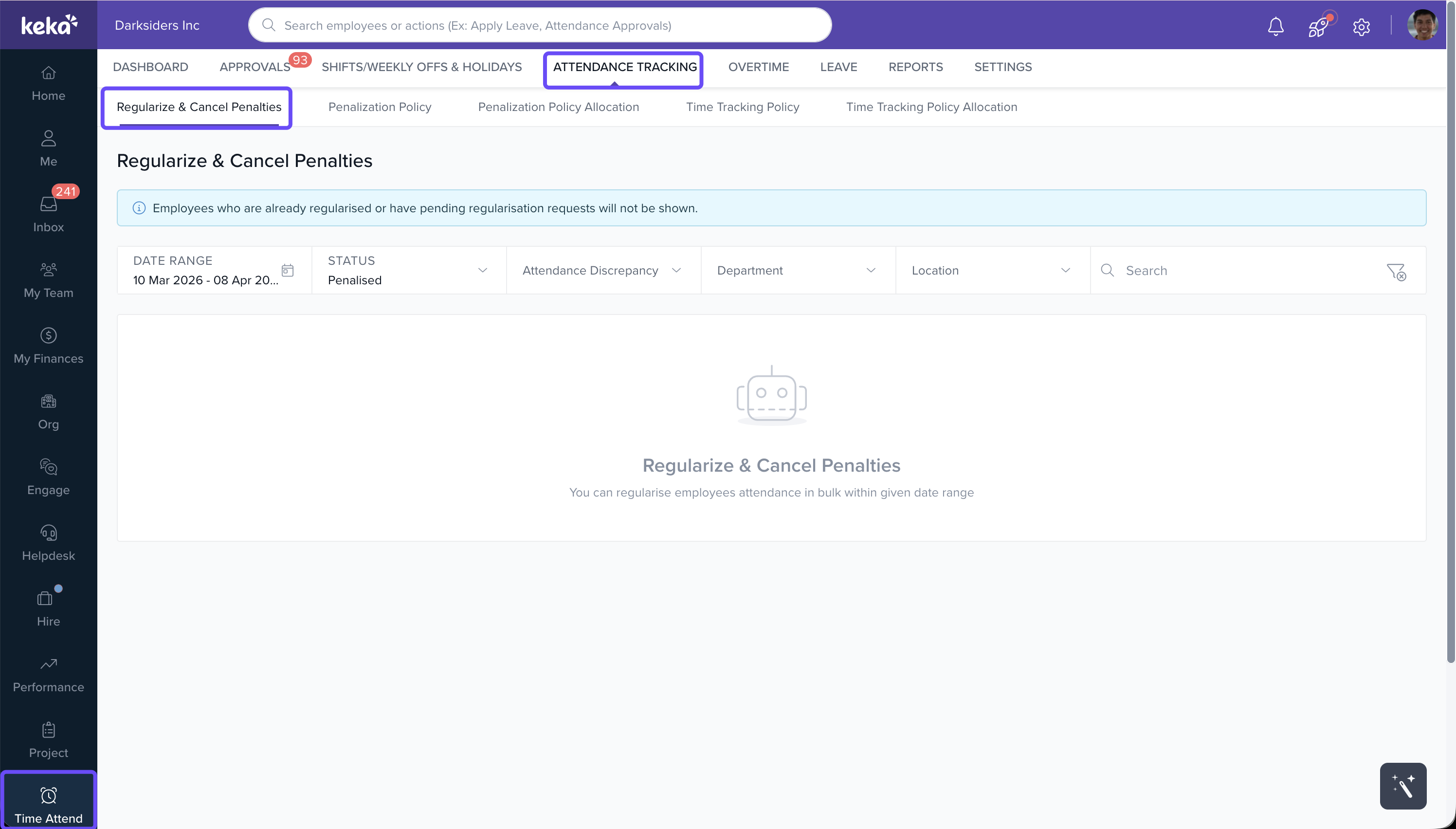
Navigate to Time Attend > Attendance Tracking > Regularize & Cancel Penalties.
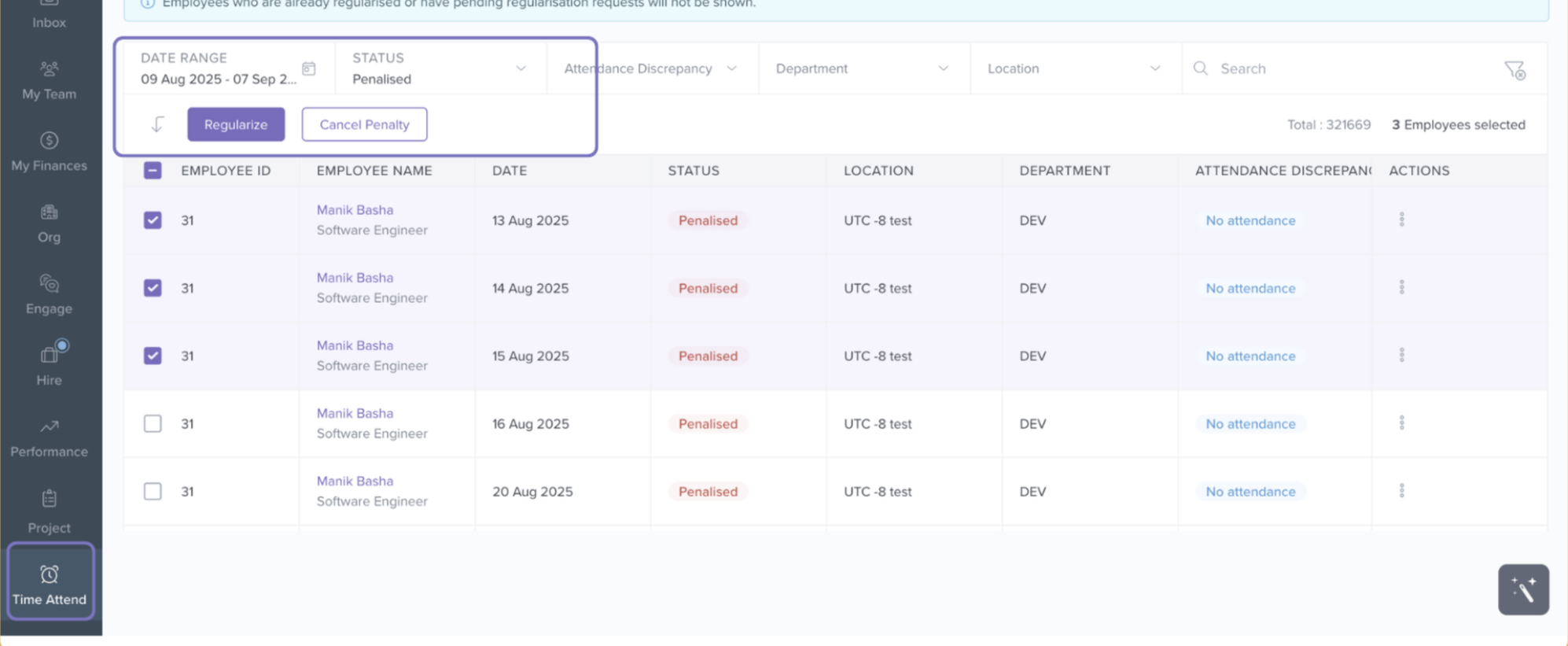
Choose the date range and status you want to regularise.
Select employees:
Pick them individually, or
Use the bulk select option for multiple employees at once.
Click Regularise to apply changes.
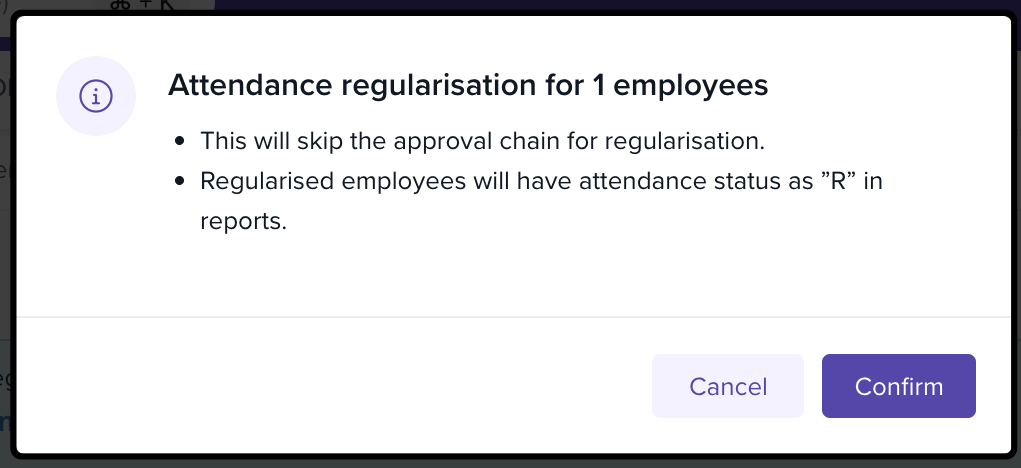
A confirmation box will appear:
It reminds you that bulk regularisation skips the standard approval workflow.
Once confirmed, employees’ records are updated to “R” in attendance reports.
Tip: Use filters (e.g., by status or department) to quickly find the records that need regularisation.
Best Practices for Bulk Regularisation
Pre-Check: Validate that the discrepancies are genuine before applying bulk updates.
Communicate: Let employees know their attendance has been regularised to maintain transparency.
Document: Keep records of bulk actions for audit and compliance purposes.
Comments
0 comments
Please sign in to leave a comment.