With the new event trigger feature in Keka, employees are automatically notified whenever a new organizational document is added. This ensures that everyone stays informed about important policy updates or process changes without HR needing to send manual reminders.
Configuring the Event Trigger
Navigate to Settings > Communication > Documents.
Under the Documents category, select Organization Document Added.
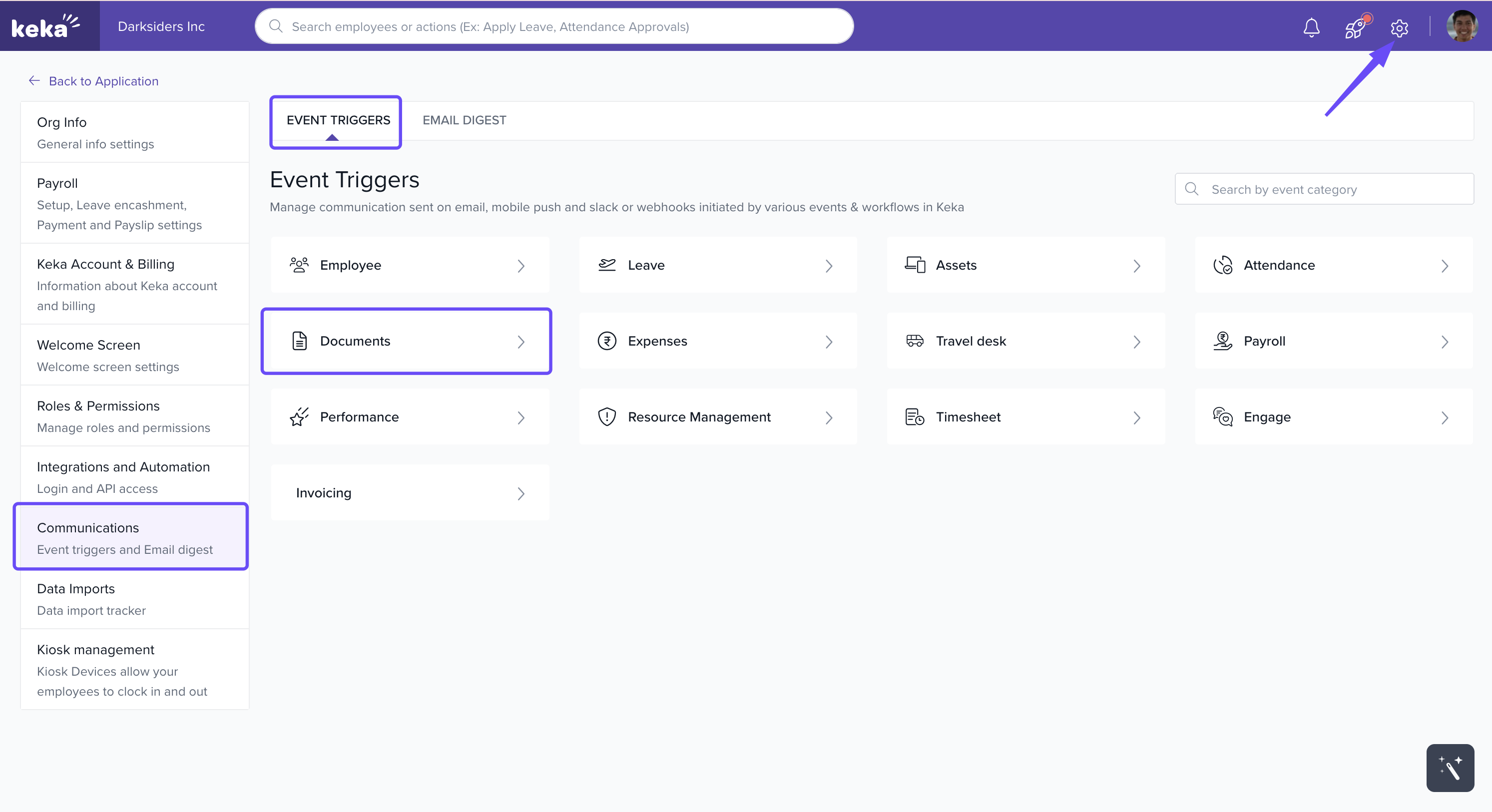
- Click + Add new event and select Organization Document Addent event. Also make sure it's status is Enabled
.gif)
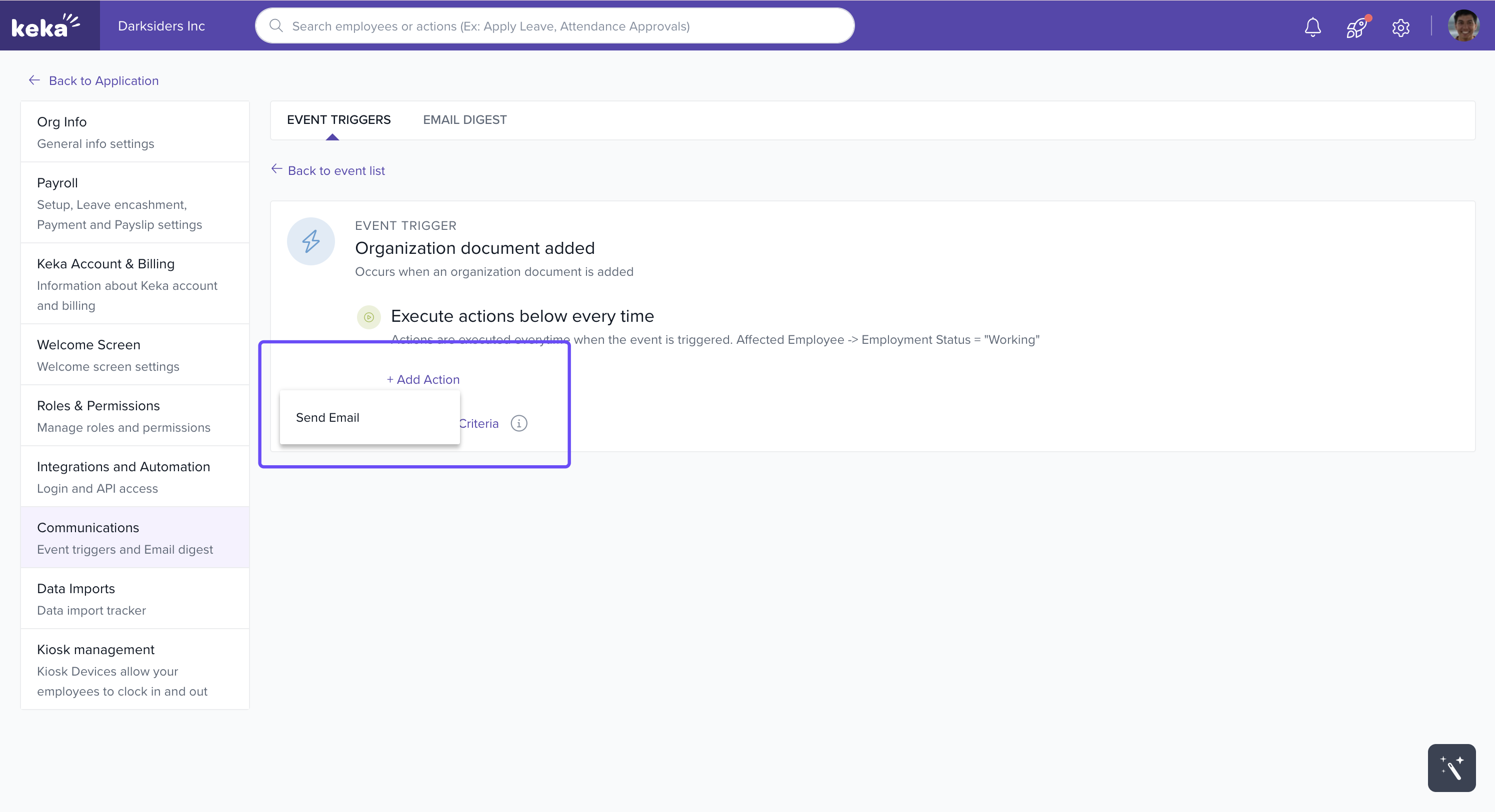
Open it and Click Add Action and choose Send Email.
- Configure the email and click create
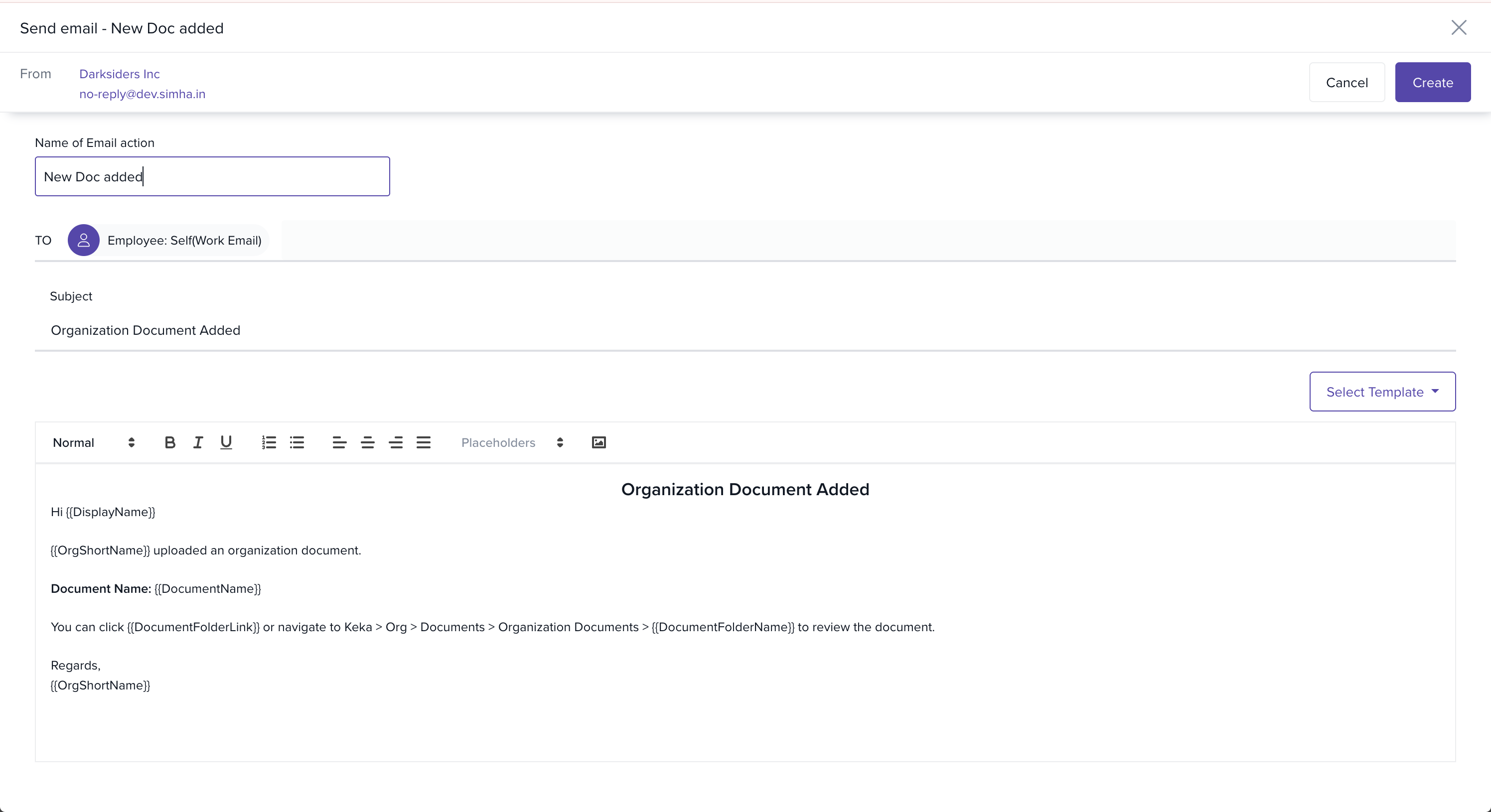
By default, the event trigger will be configured to send notifications to employees and cannot be modified.
How the Trigger Works
Whenever a privileged user uploads a new organizational policy or document under Org > Documents > Organization Documents, this event trigger is activated.
All employees automatically receive an email notification, ensuring they are informed immediately.
No additional setup is required once the trigger is enabled.
Conclusion
The new Event Trigger for Organizational Documents ensures instant and automated communication with employees whenever a new policy is added. This eliminates the need for manual reminders, improves compliance, and keeps everyone aligned with organizational updates.
Comments
0 comments
Please sign in to leave a comment.