Introduction
This guide explains how to configure salary components as tax exempted for employees under the new tax regime, while also supporting employees under the old regime. By enabling tax exemptions, employees who opt for the new regime can claim exemptions on eligible components, such as Children Education Allowance, transport allowances, and special compensatory allowances.
Rule 2BB(3) and Exempt Allowances
As per Rule 2BB(3) allowances that are provided for specific purposes like children education allowance, transport between office & home, special compensatory allowances, etc. will be exempted for employees even if the employee chooses to opt for the new tax regime.
To be compliant with this amendment, we have introduced a new option under the component configuration to mark the component as tax exempted under the new tax regime. For more details on Rule 2BB(3) and exemptions allowed as per this rule, please click here.
Let us now take a look at how to configure salary components as tax exempted for employees under the new tax regime on Keka -
Configuring Tax-Exempt Salary Components in Keka
Navigate to Components
Go to Payroll → Settings → Components.
Under the Recurring Components tab, click +Add New Component.
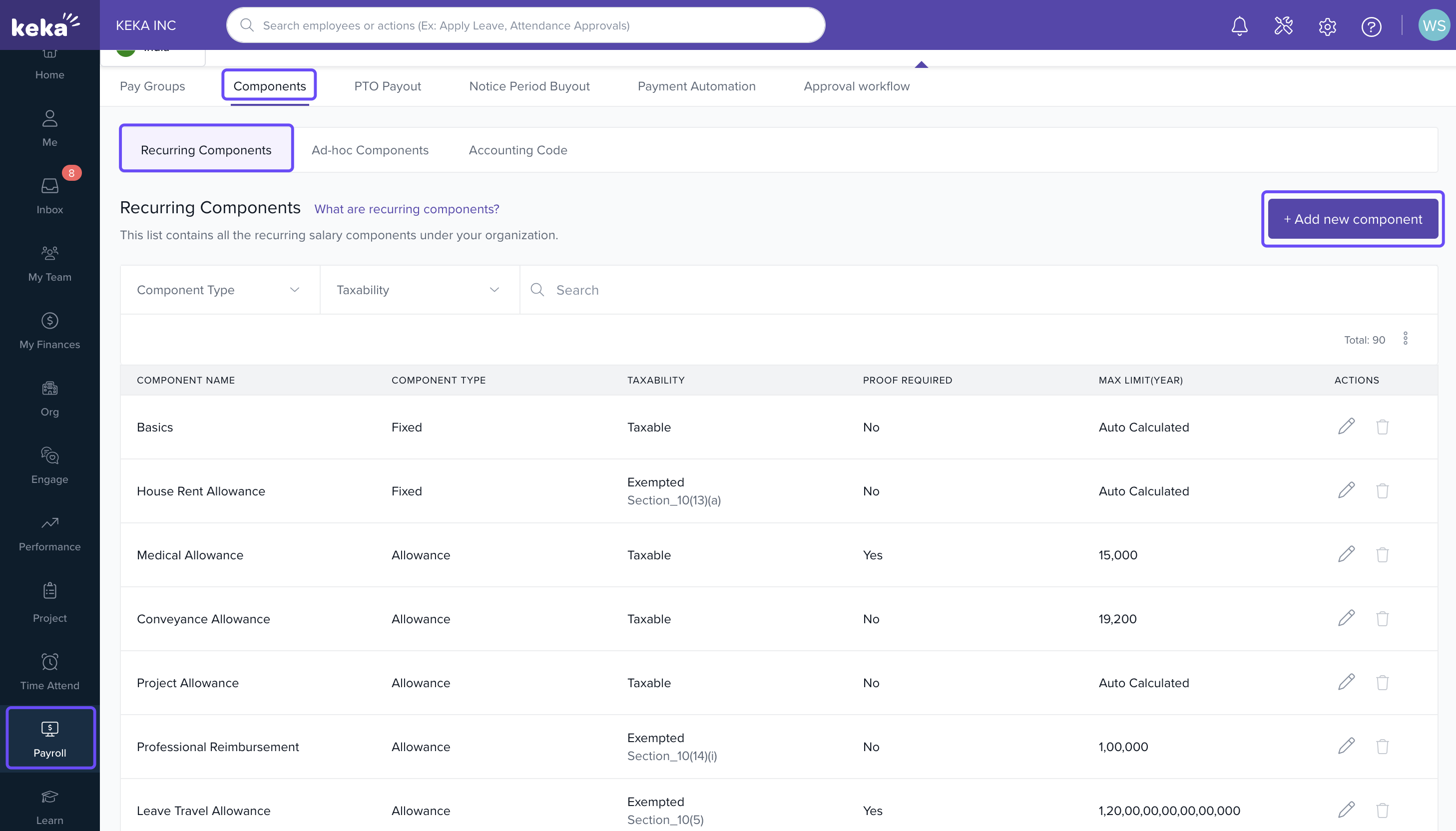
Add or Edit a Component
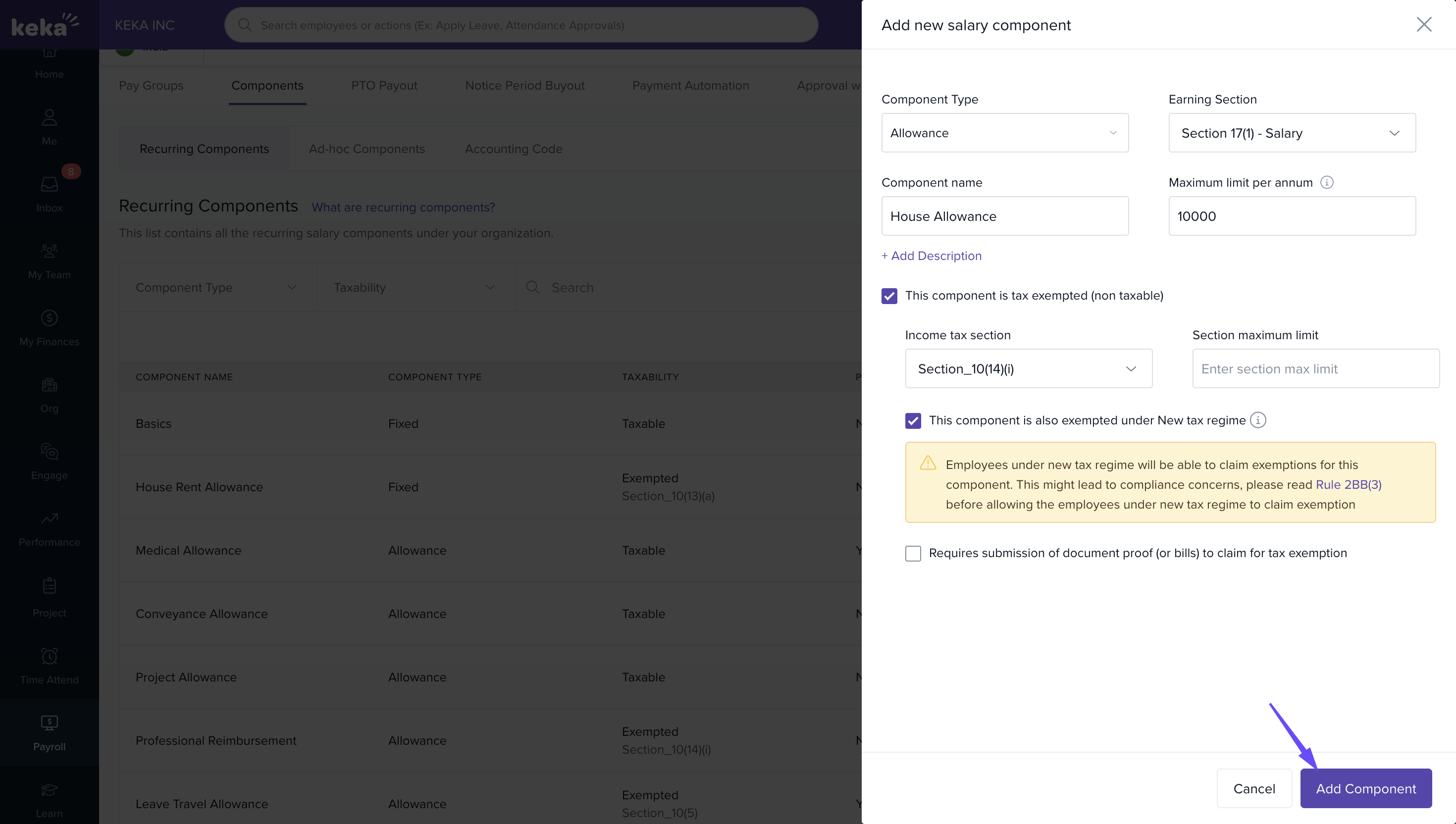
An overlay page will appear where you can configure the component details.
Enter the component name, description, period, and other relevant settings.
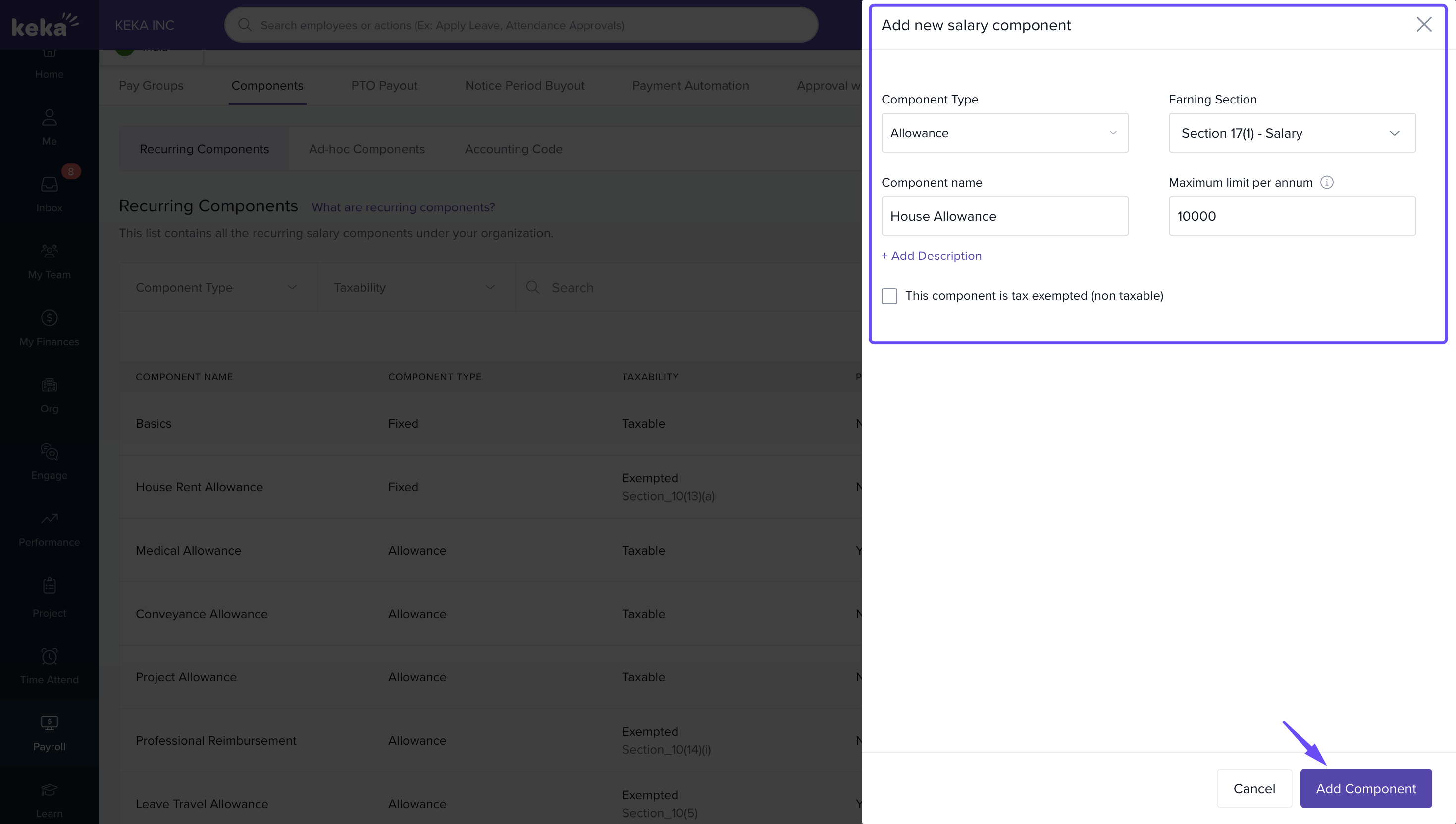
Enable Tax Exemption
- Tick “This component is tax exempted (non-taxable)” if the component is exempt under the old tax regime.
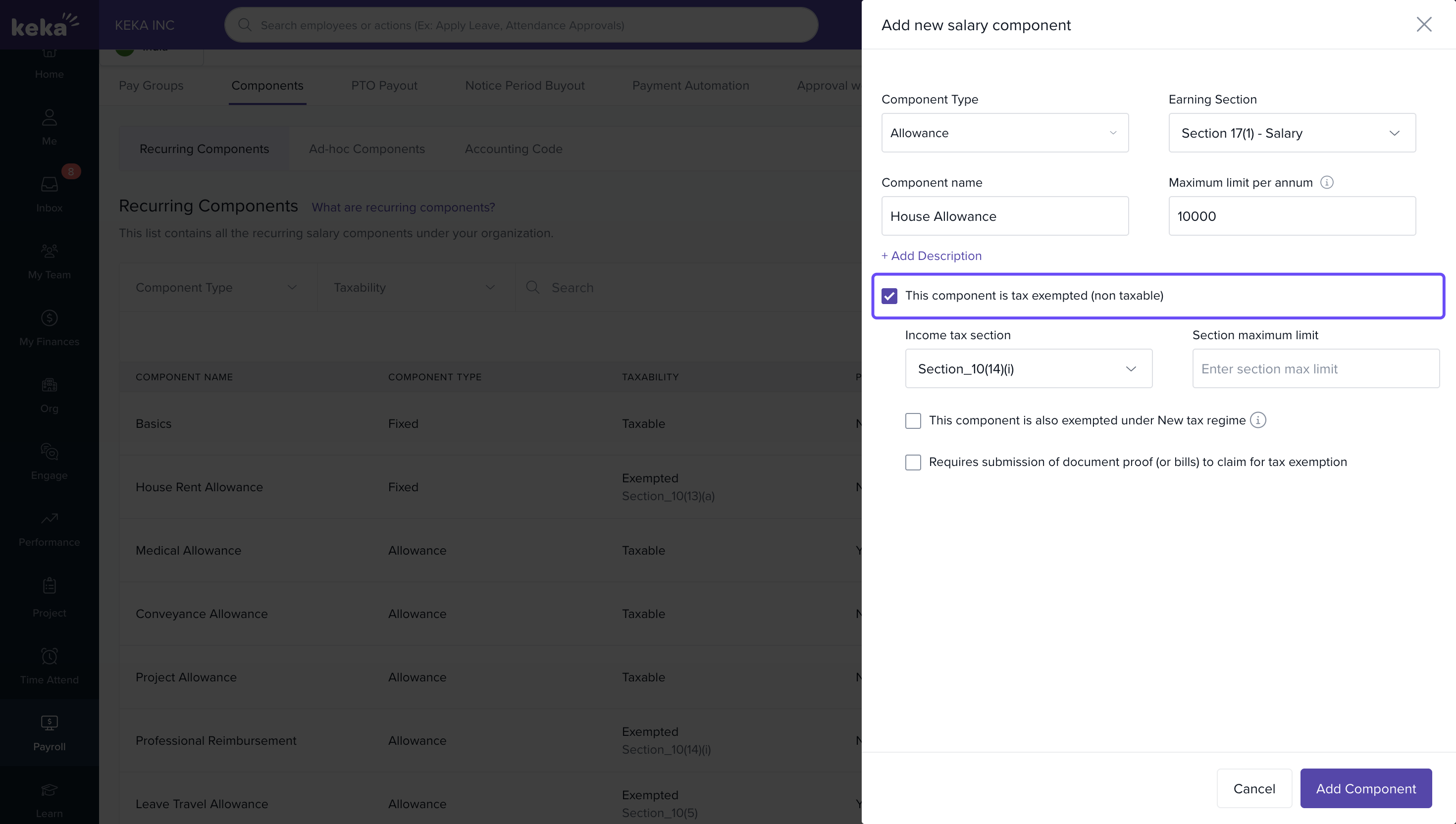
- To make it exempt under the new tax regime, enable “This component is also exempted under New tax regime.”
A disclaimer will appear reminding you to review Rule 2BB(3) to ensure compliance.
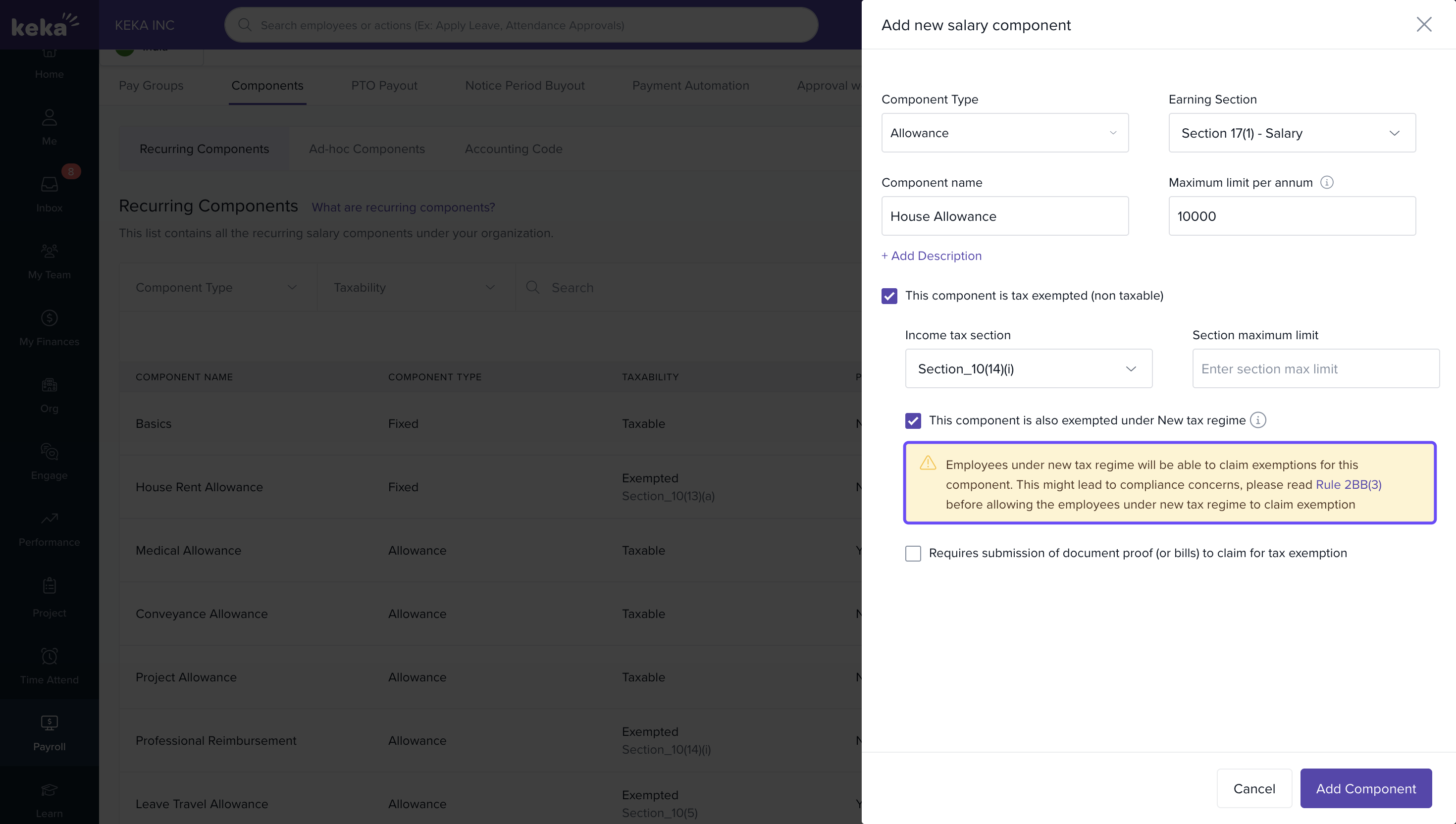
Save Component
- Once all settings are configured, click Add Component to finish.
Only allowances, reimbursable components, or deductions can be marked as tax-exempt under the new tax regime.
We hope you now have a good understanding of how to enable tax exemption of components under the new tax regime.
Comments
0 comments
Please sign in to leave a comment.