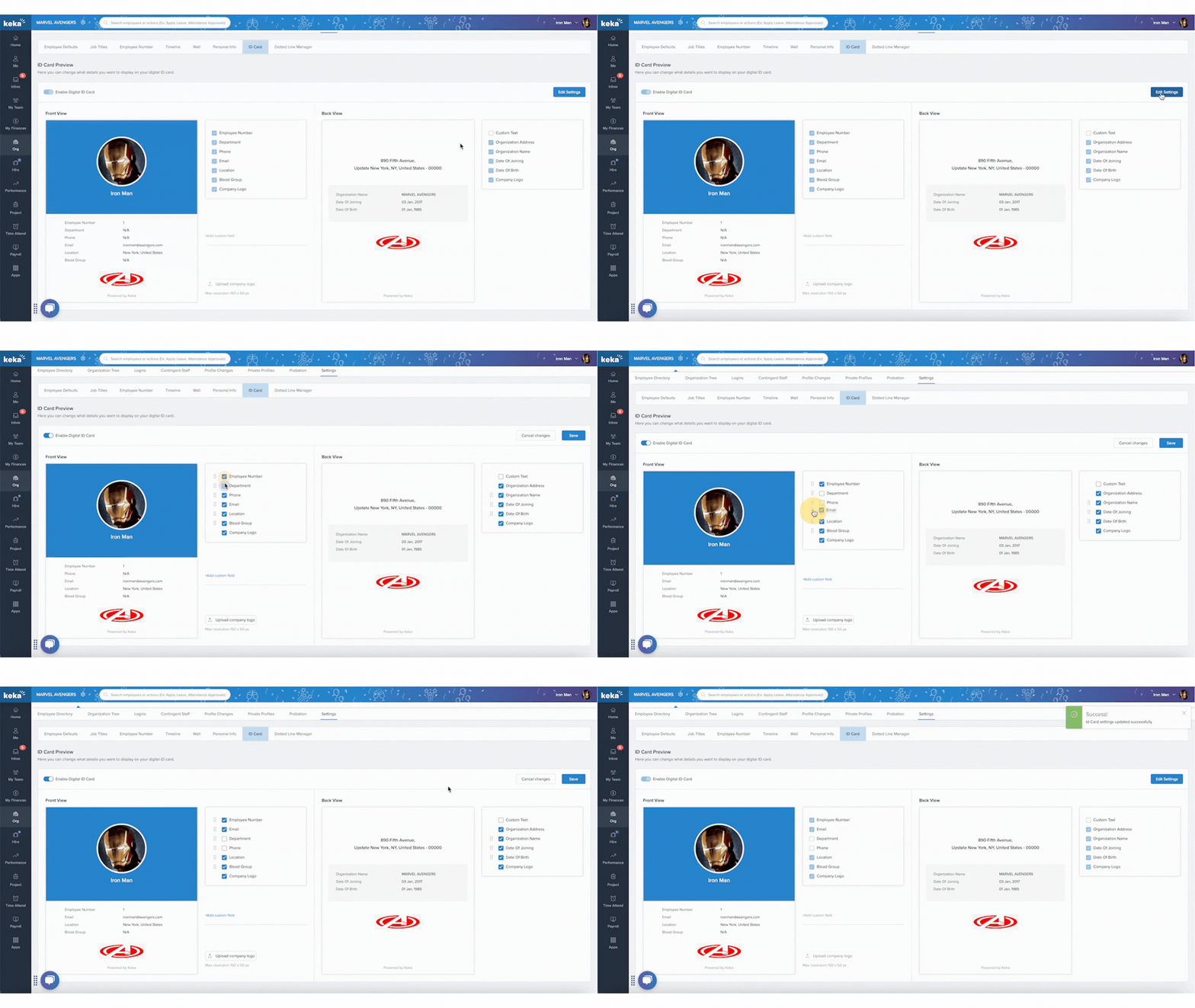
- Go to Org from the left navigation panel and click on Employees, then select Settings and open the ID Card tab. Here, you’ll see all the available fields that can be displayed on the ID Card.
- In the ID Card settings, check or uncheck the fields you want to show, such as Employee Number, Department, or Email.
- You can also rearrange fields by dragging and dropping them using the six-dot handle icon.
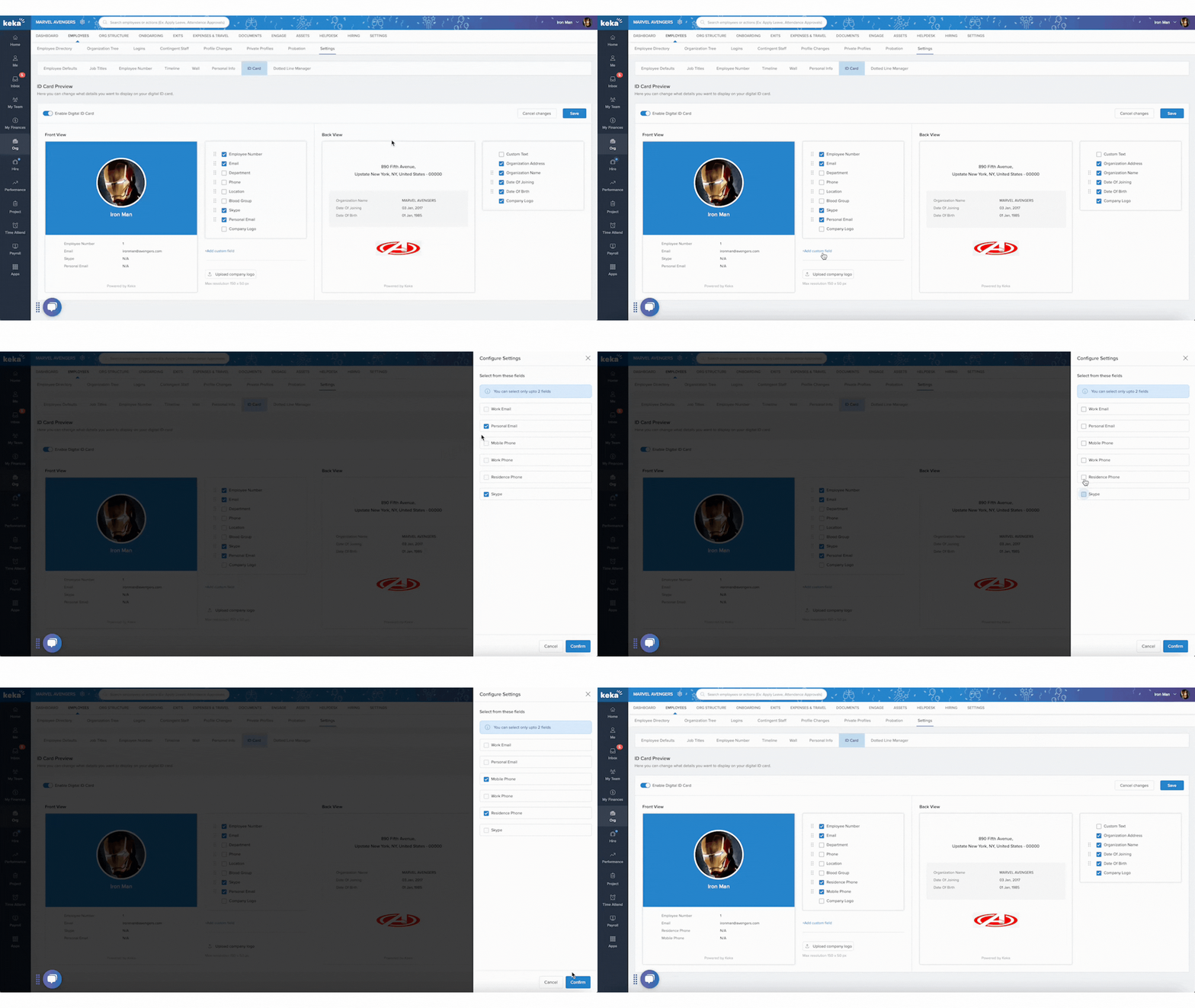
- To add custom fields, click on +Add Custom Field and choose from the list of predefined fields. You can add up to two custom fields on the ID Card.
- Once all changes are made, click on Save to apply the updated ID Card layout.
Comments
0 comments
Please sign in to leave a comment.