Admins often need to track which documents a candidate has submitted for Background Verification (BGV) and which are still pending. Keka HIRE provides a simple interface to monitor document submission and send reminders if needed.
Accessing Candidate Documents
-
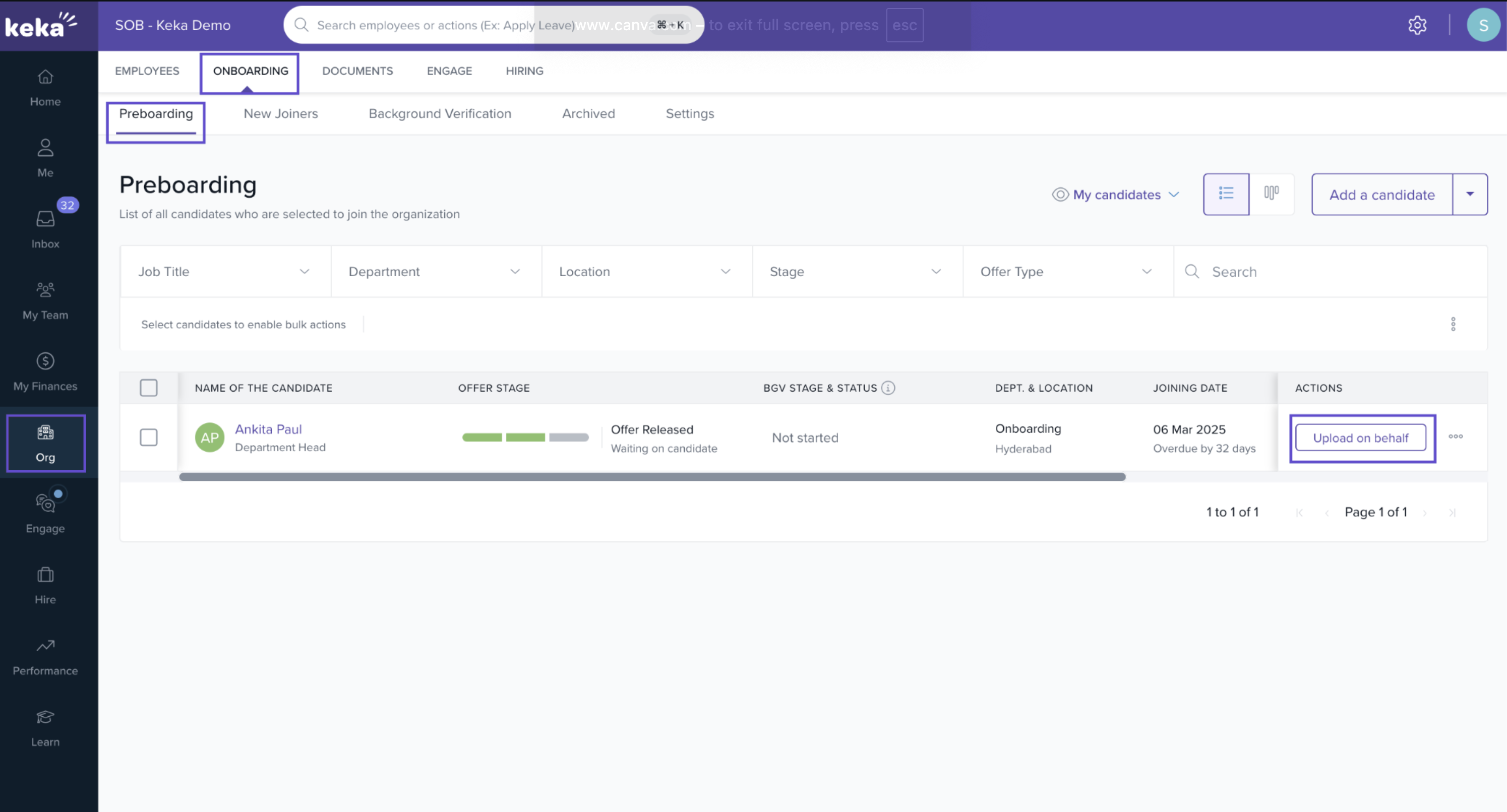
Navigate to Org in the left panel.
-
Select Preboarding under the Onboarding menu.
-
Locate the candidate whose document status you want to check.
-
Click on the Actions menu and select Upload on Behalf.
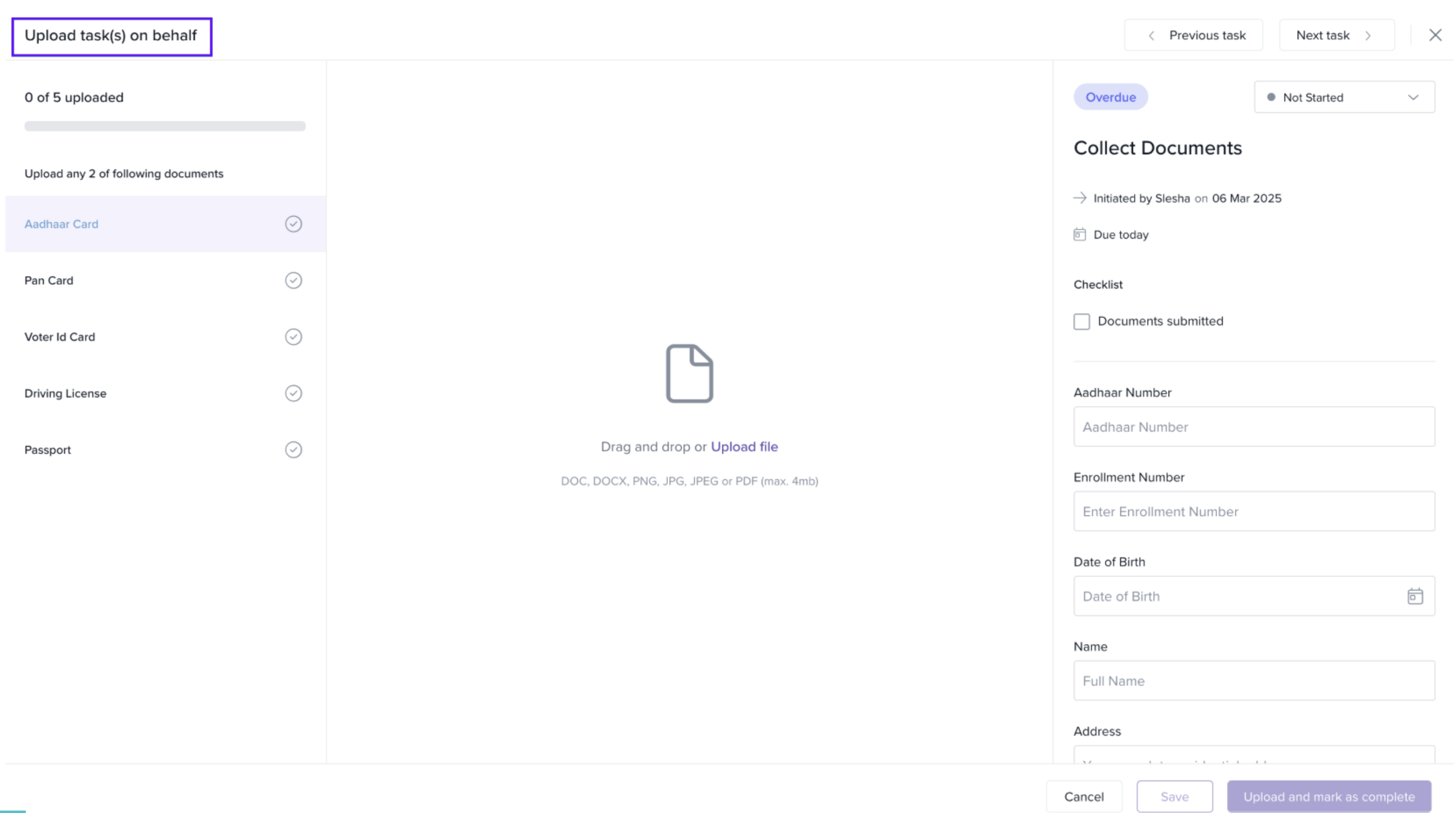
In the Upload on Behalf window, you can view two lists:
-
Uploaded Documents – Documents already submitted by the candidate.
-
Pending Documents – Documents that the candidate has yet to submit.
Sending Reminders to Candidates
-
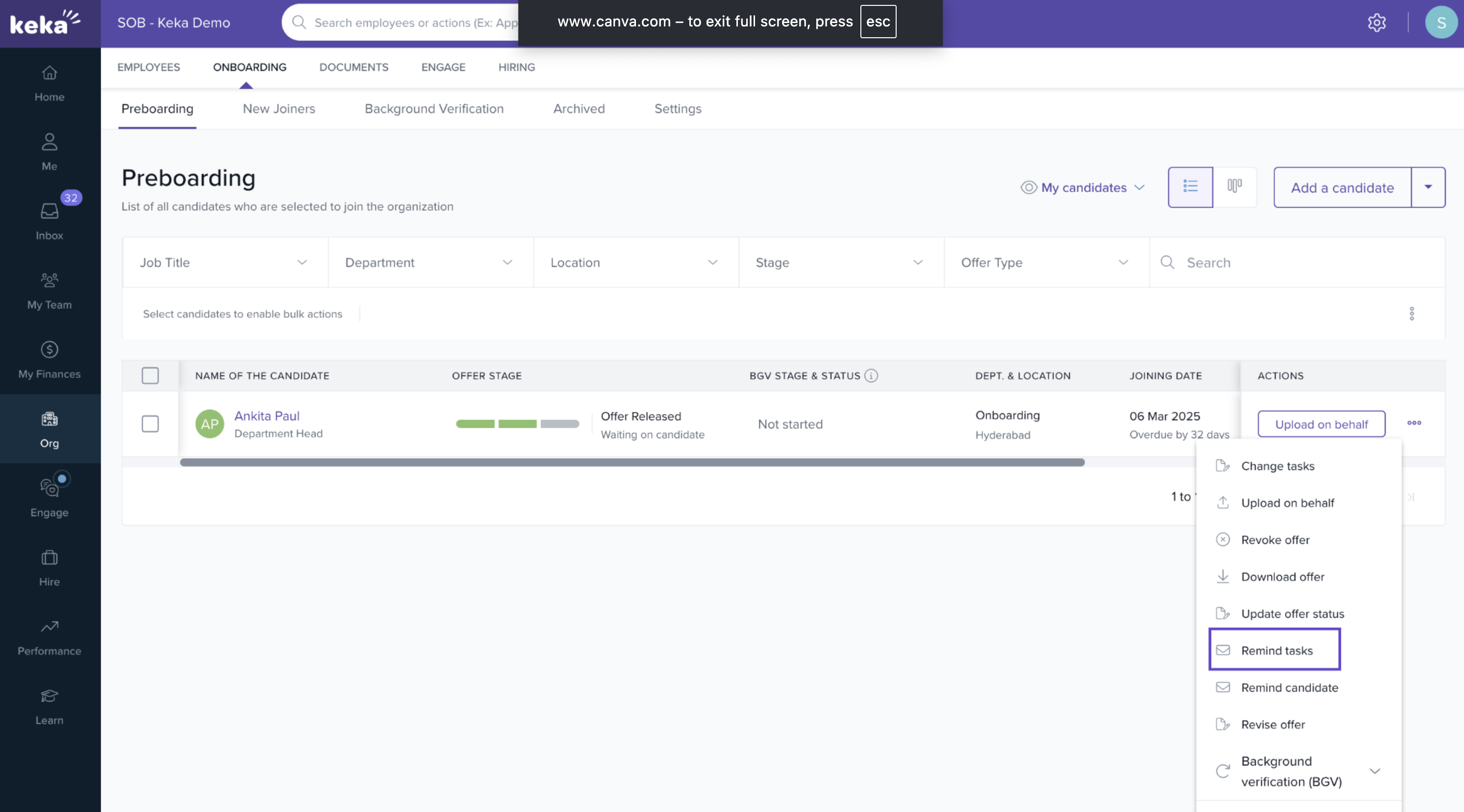
To remind a candidate to submit pending documents:
-
Click the three dots under the Actions menu.
-
Select Remind Tasks.
-
-
The system will send a notification to the candidate prompting them to upload the necessary documents.
This process ensures admins can efficiently monitor candidate document submissions and follow up as needed.
Comments
0 comments
Please sign in to leave a comment.