Introduction
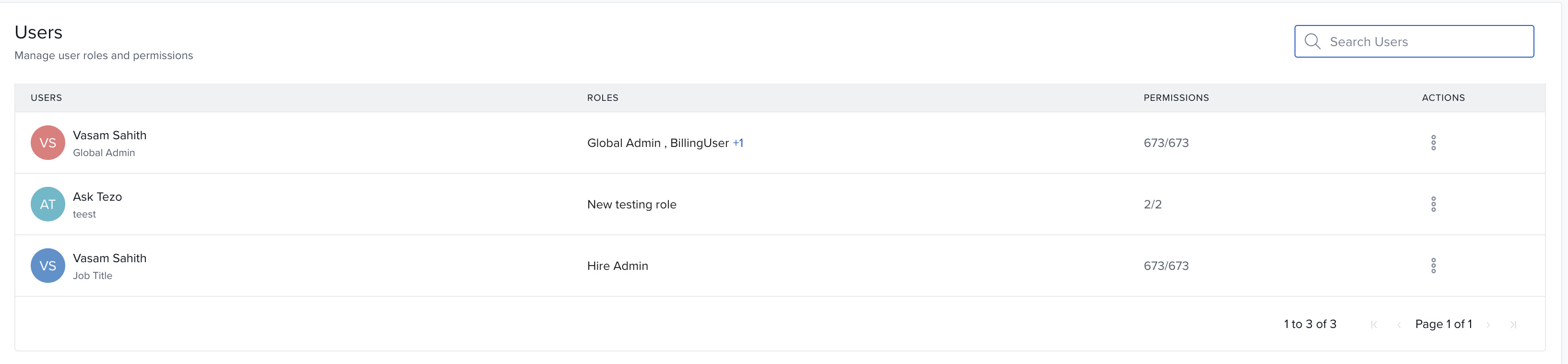
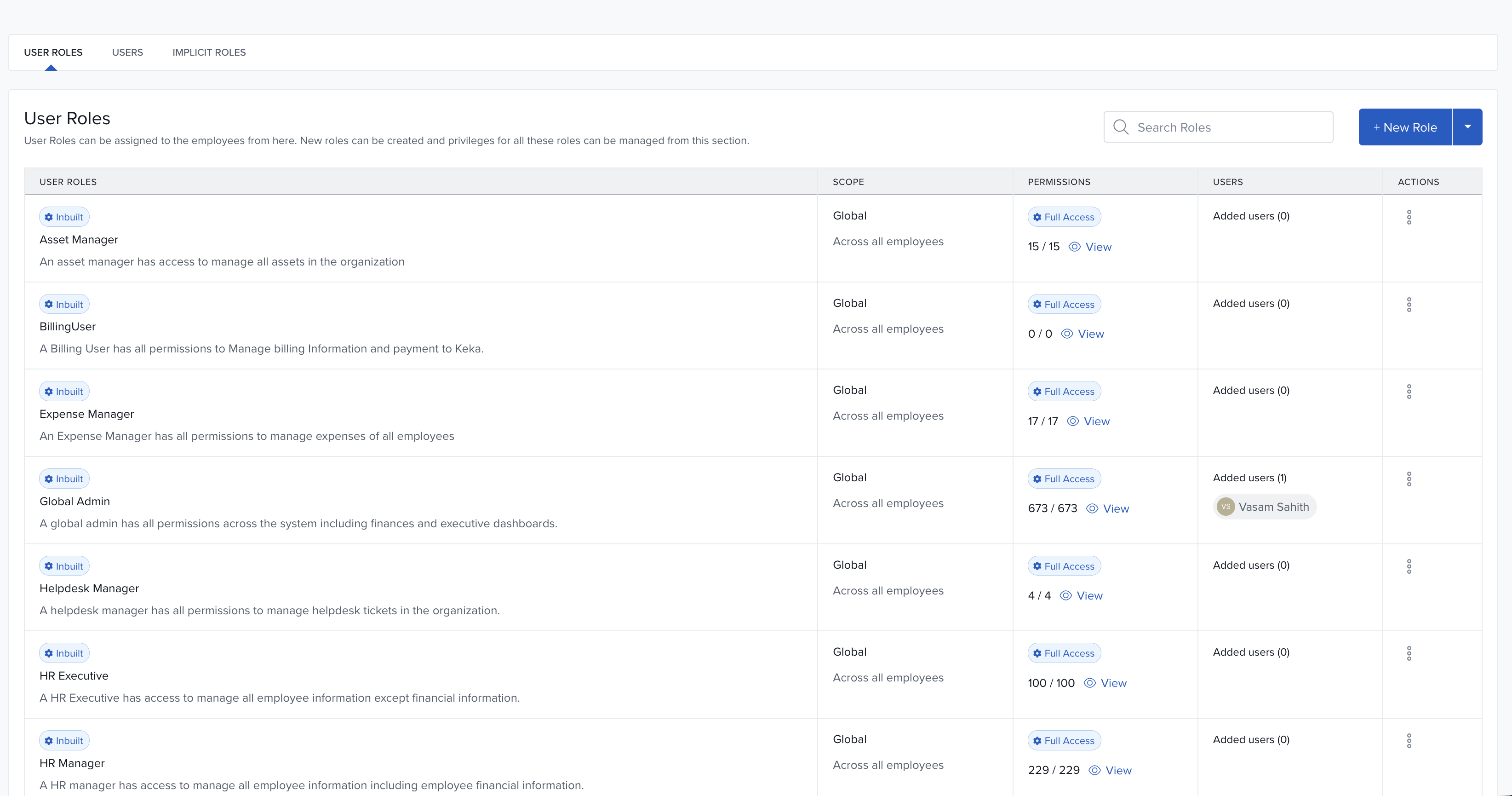
Understanding who can do what in your system is now simpler. We’ve introduced a new Users tab inside Roles & Permissions, as part of our ongoing enhancement to Role-Based Access Control (RBAC).
This update gives clear visibility into each user’s effective permissions, helping admins and users quickly troubleshoot access issues and understand the scope of their roles.
Availability: This feature is in Alpha and available for selected customers.
What’s New
Admins and users often struggle to pinpoint why someone has or lacks certain access—especially when multiple roles and scopes are involved. The new RBAC Visibility feature addresses this by showing effective permissions clearly.
Key changes in experience
New Users tab for Admins:
Admins can now view all users assigned to each role, along with the scopes applied to their role assignments and the resulting effective permissions. This makes it easy to verify each user’s access and ensures that role configurations are set up and functioning as intended.
"View My Permissions" for Users:
Anyone assigned to a role in Keka can now view their assigned roles, the scopes applied to those roles, the actions they’re allowed to perform, and any restricted actions—along with clear explanations for why access is blocked. This empowers users to understand their permissions independently, reducing confusion and the need to contact support.
Enhanced admin-side visibility:
While auditing or troubleshooting roles, admins can now see exactly how a user’s access is derived—whether through direct assignment or inherited from scope-based roles. Both admins and role holders also get clear explanations for restricted actions, such as global-only privileges, unavailable permissions in the selected scope, or privileges not enabled for the role. This added visibility reduces ambiguity, speeds up troubleshooting, and helps everyone understand exactly what a user can and can’t do.
Benefits
Reduces support tickets related to access confusion
Makes role configurations easier to audit and validate
Improves transparency and accountability in permission setup
See screenshots below to explore how the new visibility tools work in real scenarios.
(Include screenshots as needed)
Next Steps
If you're an RBAC-enabled customer, the feature is already available under Roles & Permissions. Start by:
Navigating to Settings → Roles & Permissions

Selecting the new Users tab to explore user-level visibility
Trying out "View My Permissions" as an end user
Comments
0 comments
Please sign in to leave a comment.