Introduction
The Keka Kiosk app allows both managers to adjust (regularize) attendance logs when there are missing or incorrect time entries. You can regularize logs for your team members if you are a manager.
Steps to Regularise Attendance
-
Log in to the Keka Kiosk app.
-
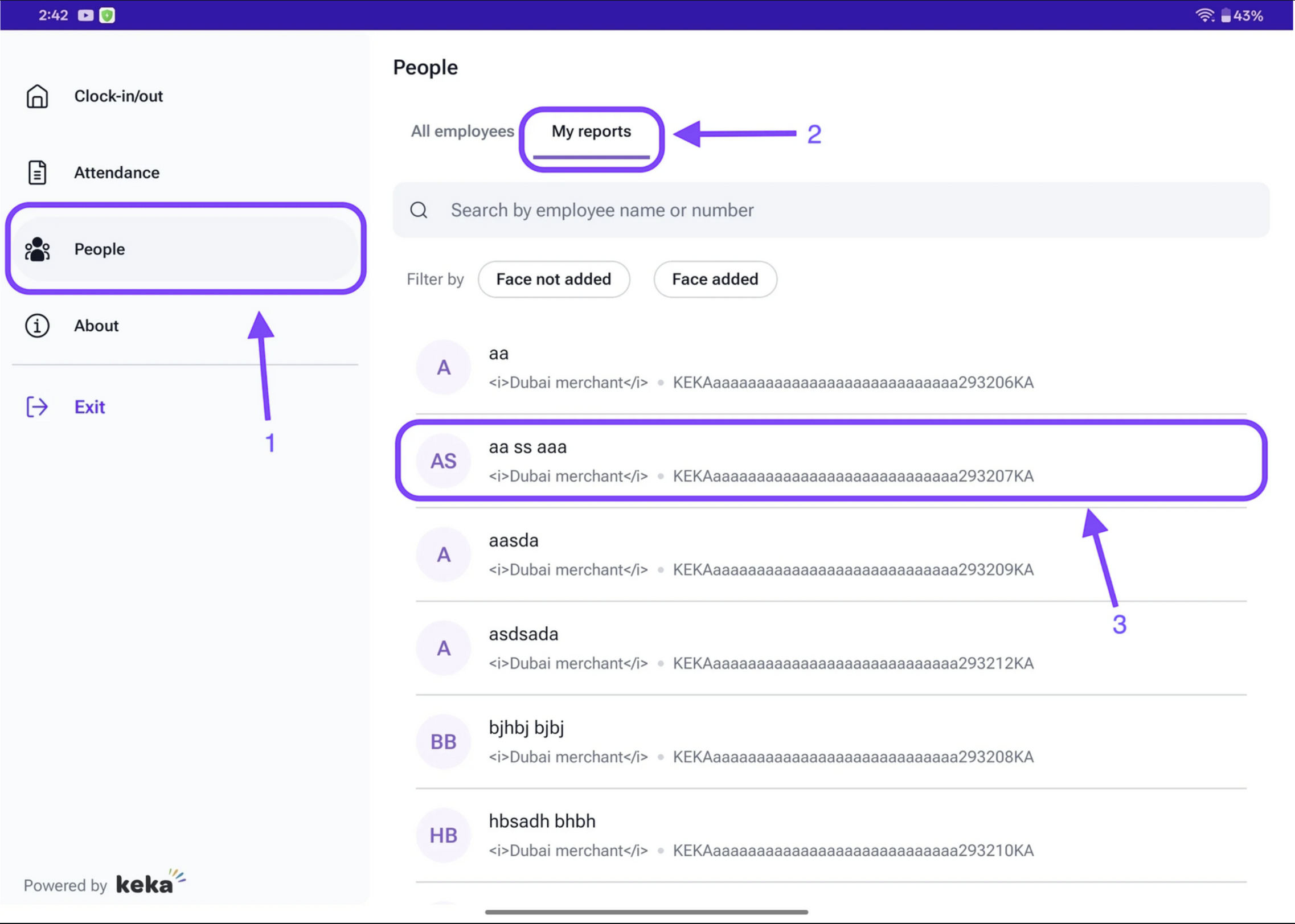
Go to the People tab.
-
Select My Reports to see the list of employees reporting to you.
-
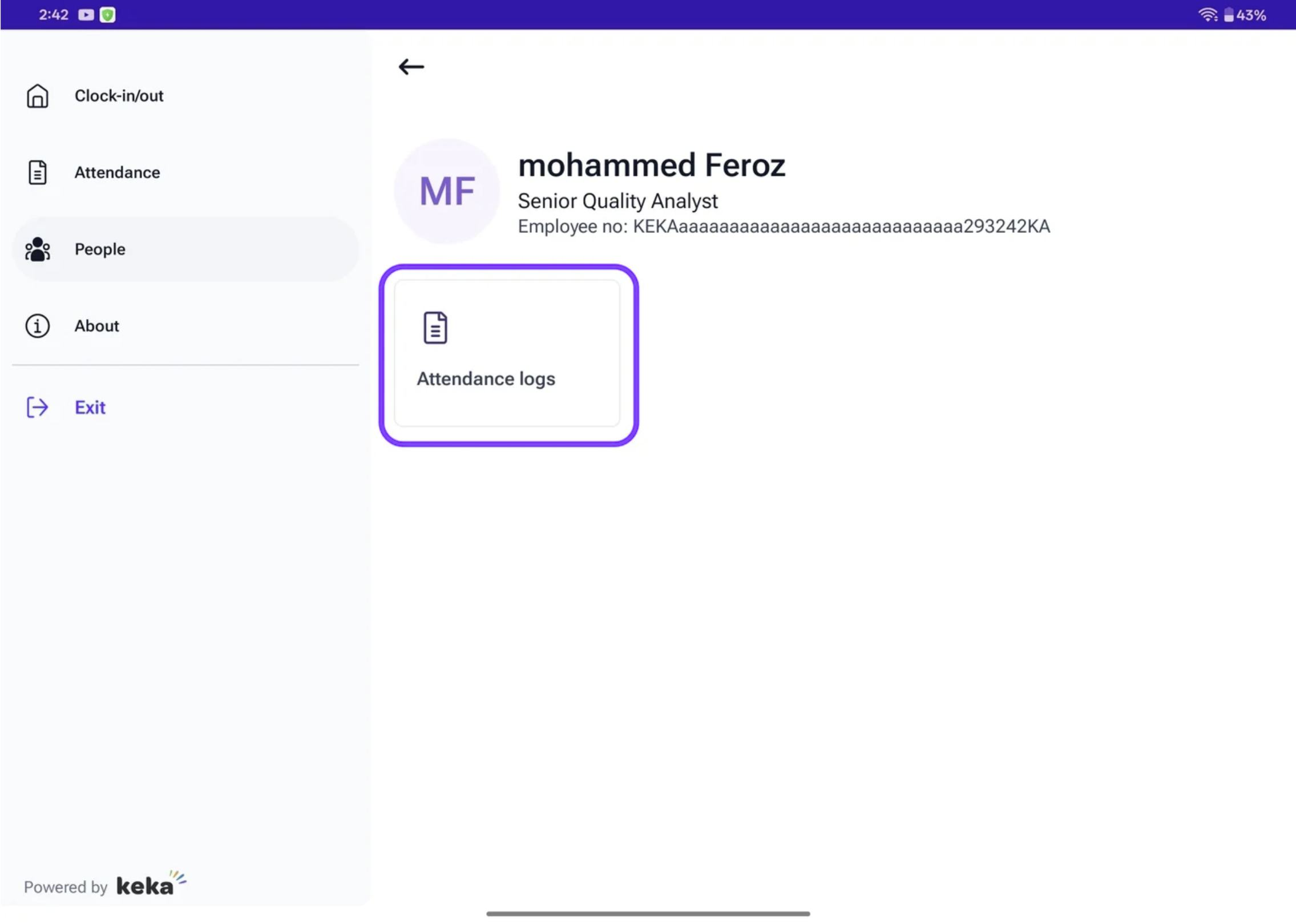
Choose the employee whose attendance needs correction and open their profile.
Access Attendance Logs
-
Open the Attendance Logs tab.
-
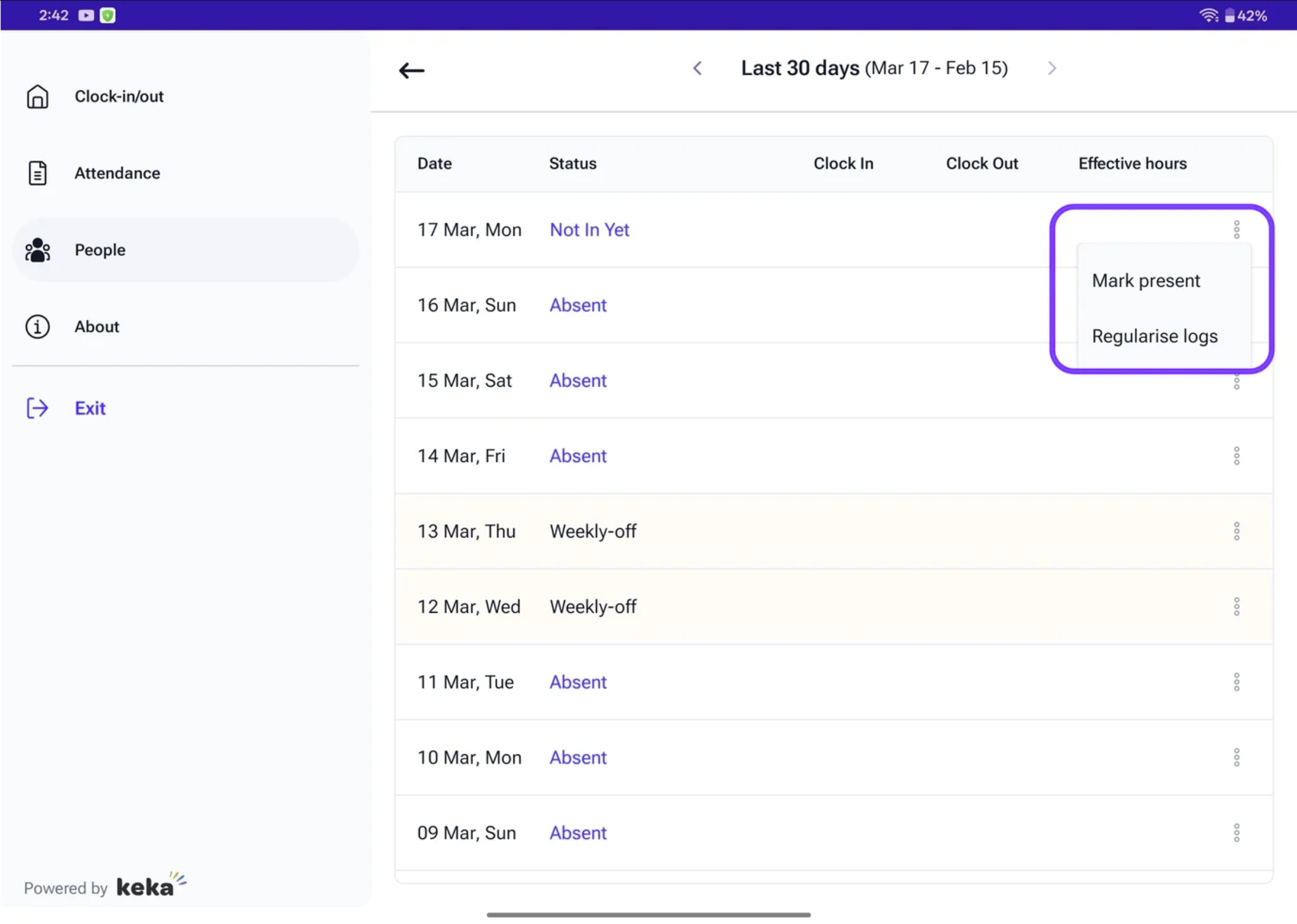
Find the specific date that requires adjustment.
-
Click the three-dot menu next to it.
-
Select Regularize Logs.
Add or Edit Time Logs
-
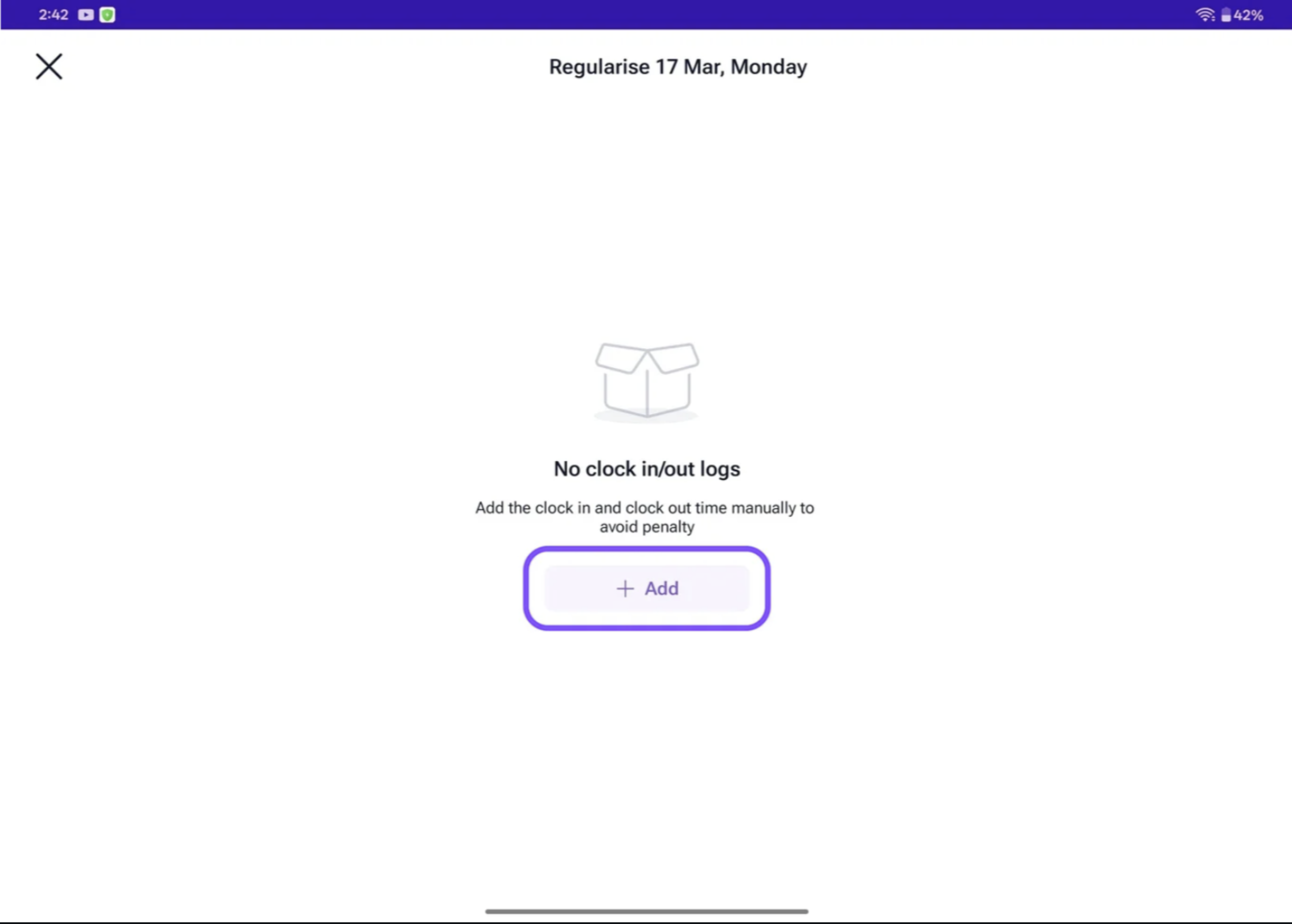
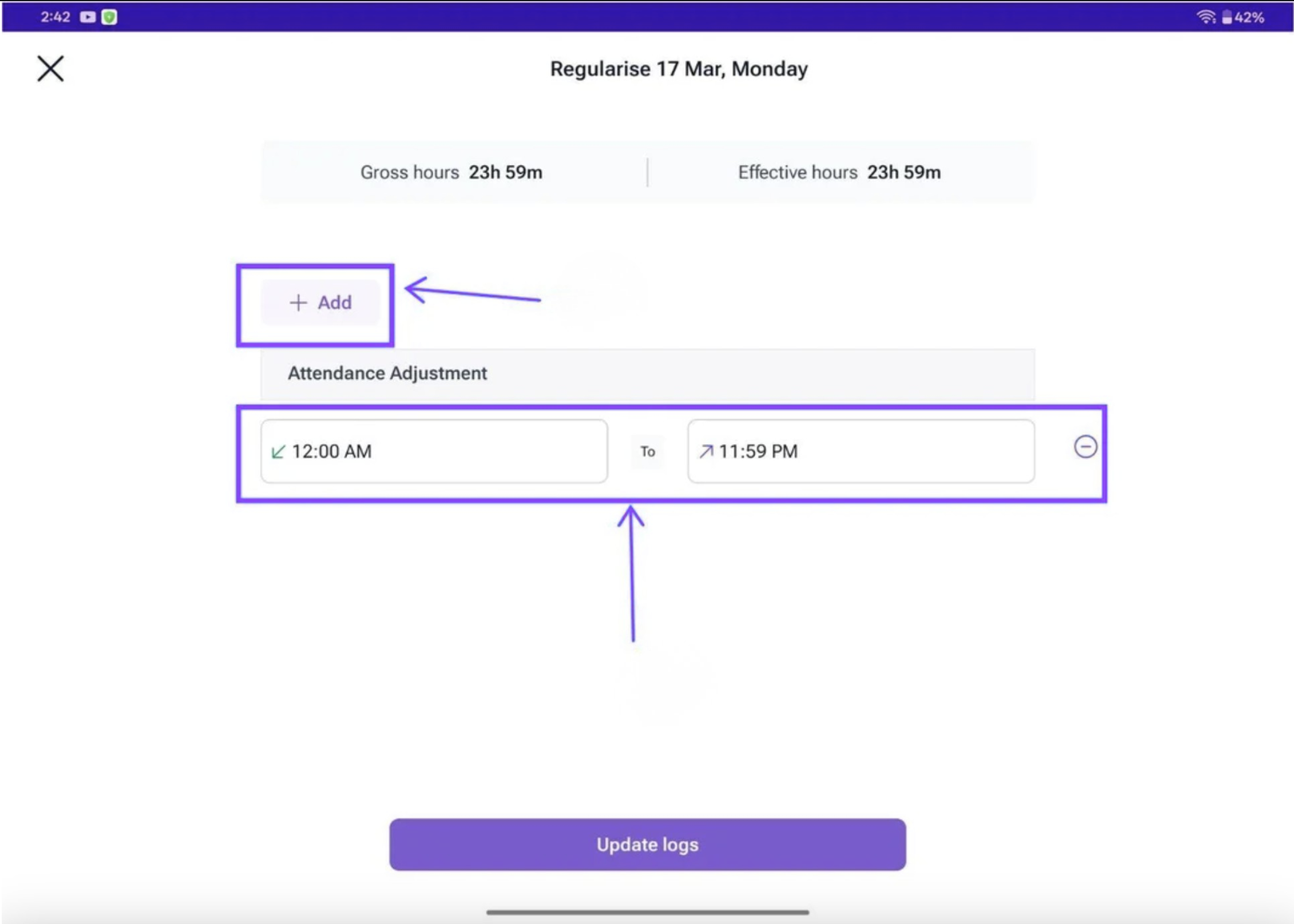
In the Attendance Adjustment window, click + Add to enter new time logs.
-
Select the time entry you want to update.
-
If needed, click + Add again to include additional logs.
-
A clock window will appear — pick the correct time and click Update logs.
Comments
0 comments
Please sign in to leave a comment.