Keka now supports Flexible Overtime (OT) Logging directly from the Android app! Whether it’s fixed or flexible OT, employees can easily submit their extra work hours — and managers can approve them on the go.
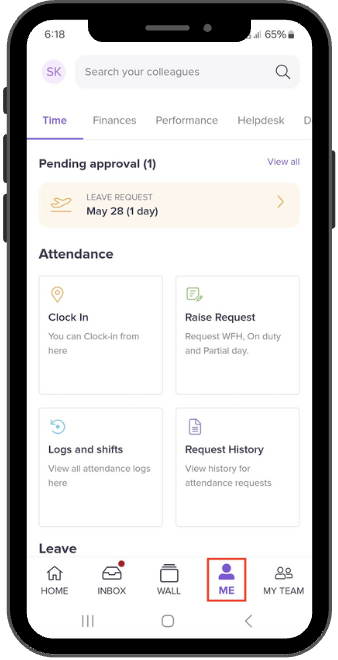
On your Keka Android app homepage, tap on the Me section at the bottom of the screen.
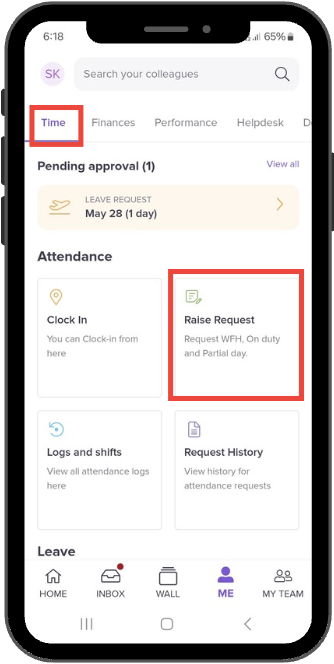
Under the Time tab, the Attendance section will open. From there, tap on Raise Request.
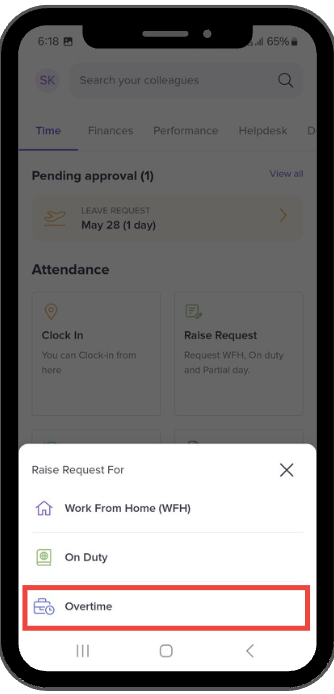
Select Overtime to log your OT hours.
By enabling OT logging from mobile, Keka simplifies attendance management and ensures that every extra hour worked is recorded and processed efficiently.
Hope this article was helpful!
Comments
0 comments
Please sign in to leave a comment.