Keka makes onboarding easier by automatically assigning leave and attendance policies to new employees. Instead of manually applying policies for each hire, you can set up rule-based assignment so policies are triggered based on predefined criteria.
Rules can be configured around:
Department
Location
Job title
Worker type
Business unit
Probation status
Whenever a new employee is added—whether through the UI or bulk import—Keka checks these rules and assigns the correct policies automatically.
Navigation
Follow these steps to set up automatic assignments:
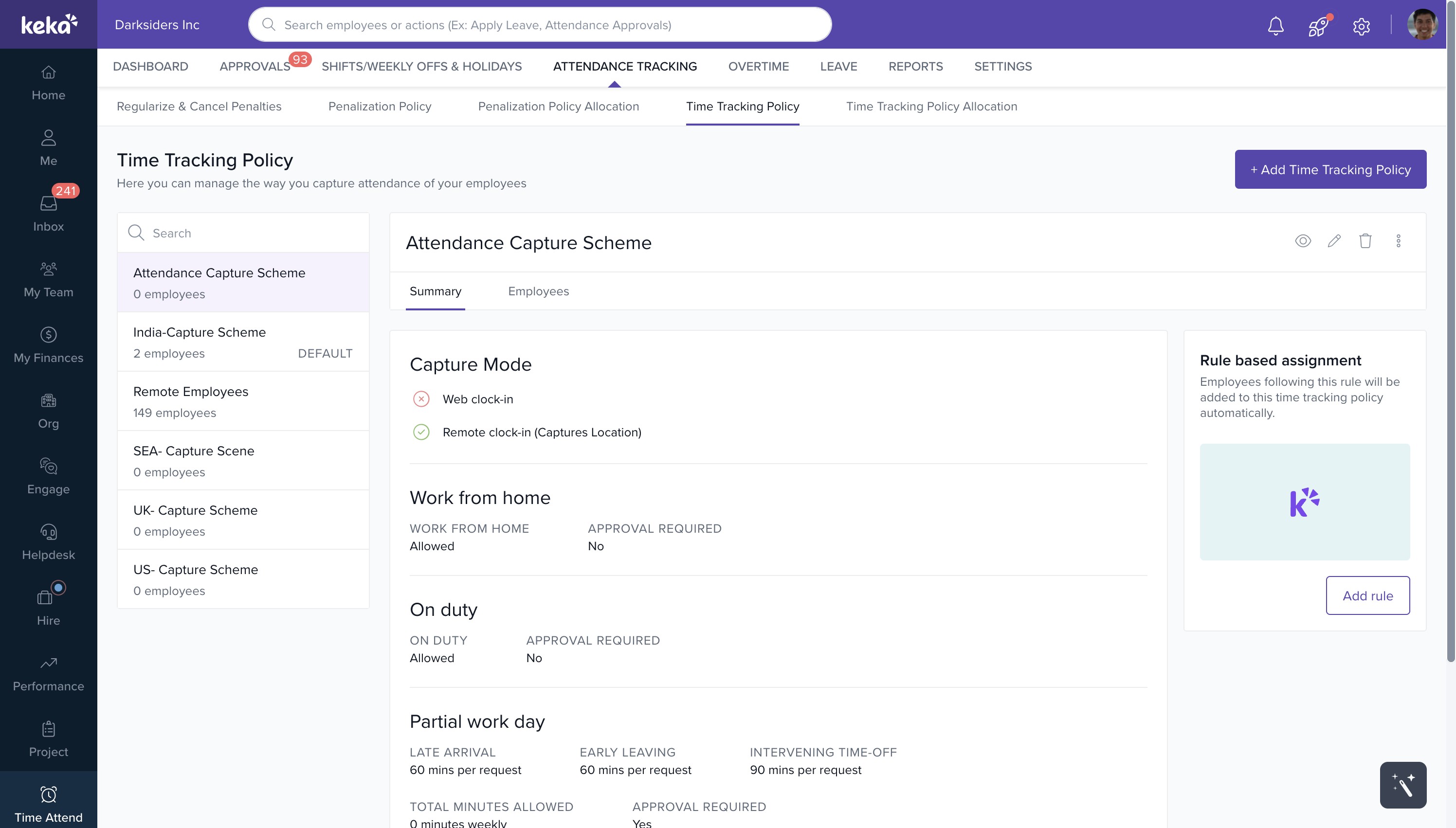
Go to Time Attend from the left-hand menu.
Click the Attendance Tracking tab at the top.
Select Time Tracking Policy.
From the list of time tracking policies, choose the one you want to configure.
On the right-hand side, open the Rule-Based Assignment panel.
Click Add Rule.
A configuration window will appear:
Define your criteria based on parameters like location, department, worker type, job title, business unit, or probation status.
Once done, click Save.
.png)
From now on, whenever a new employee matches the criteria, the system automatically assigns the selected policies—saving time and ensuring accuracy.
Comments
0 comments
Please sign in to leave a comment.