The Partial Salary Hold feature in Keka provides flexibility for admins to manage salary withholdings during an employee’s notice period. Whether you need to withhold a percentage of salary or a specific number of days, this feature allows for smoother payroll processing and reduces the financial strain on employees.
Follow the steps below to set up and manage the Partial Salary Hold in Keka -
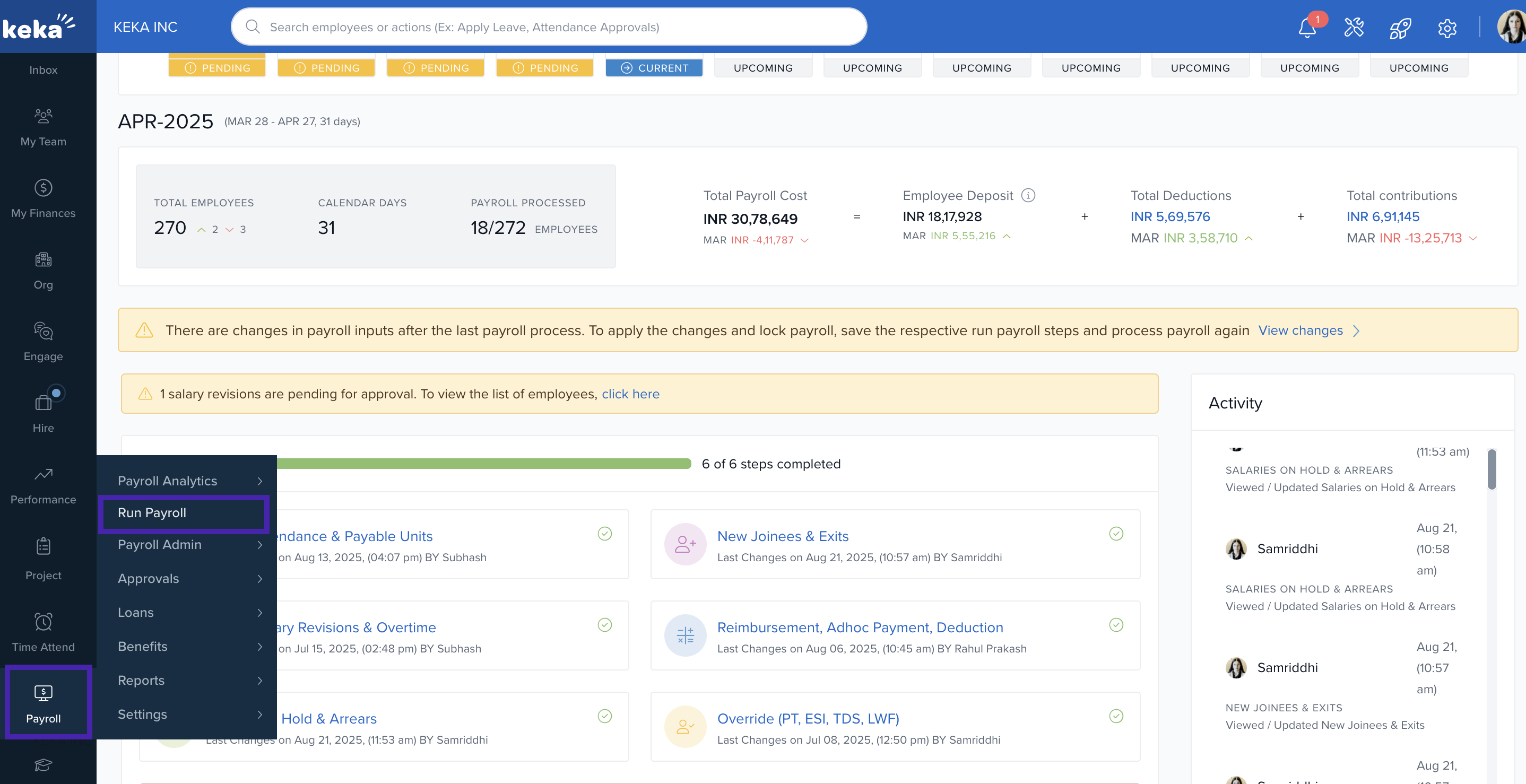
Click on Payroll in the left sidebar, then select Run Payroll.
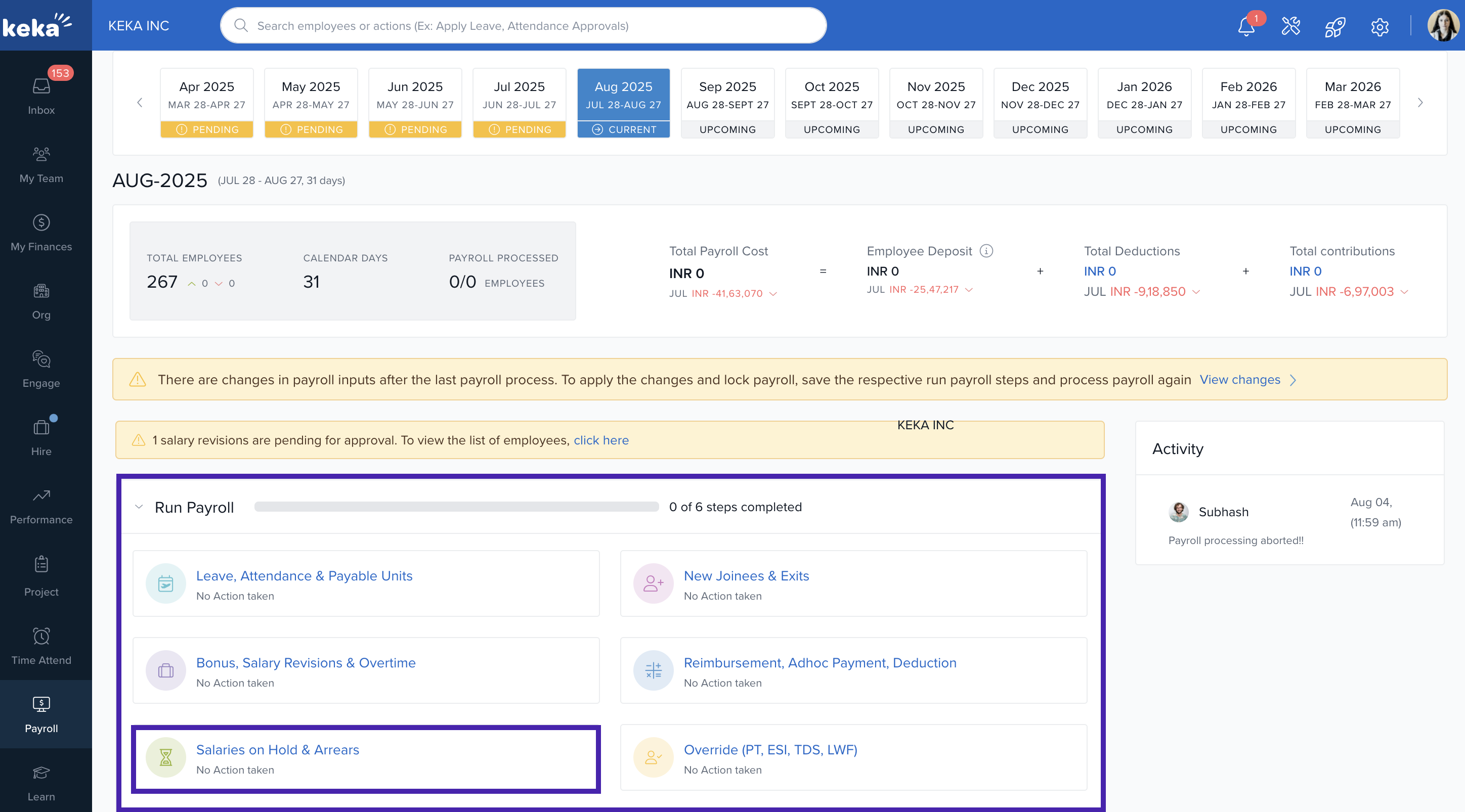
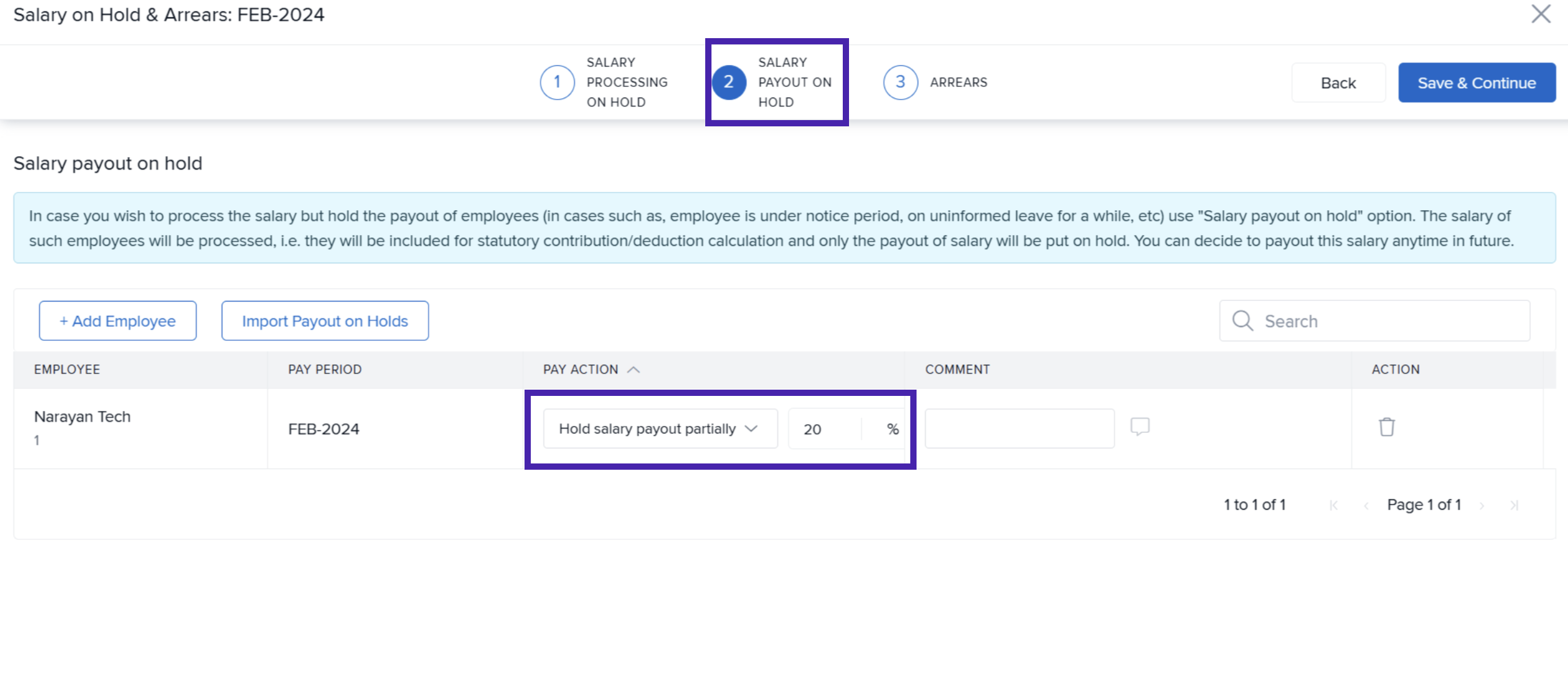
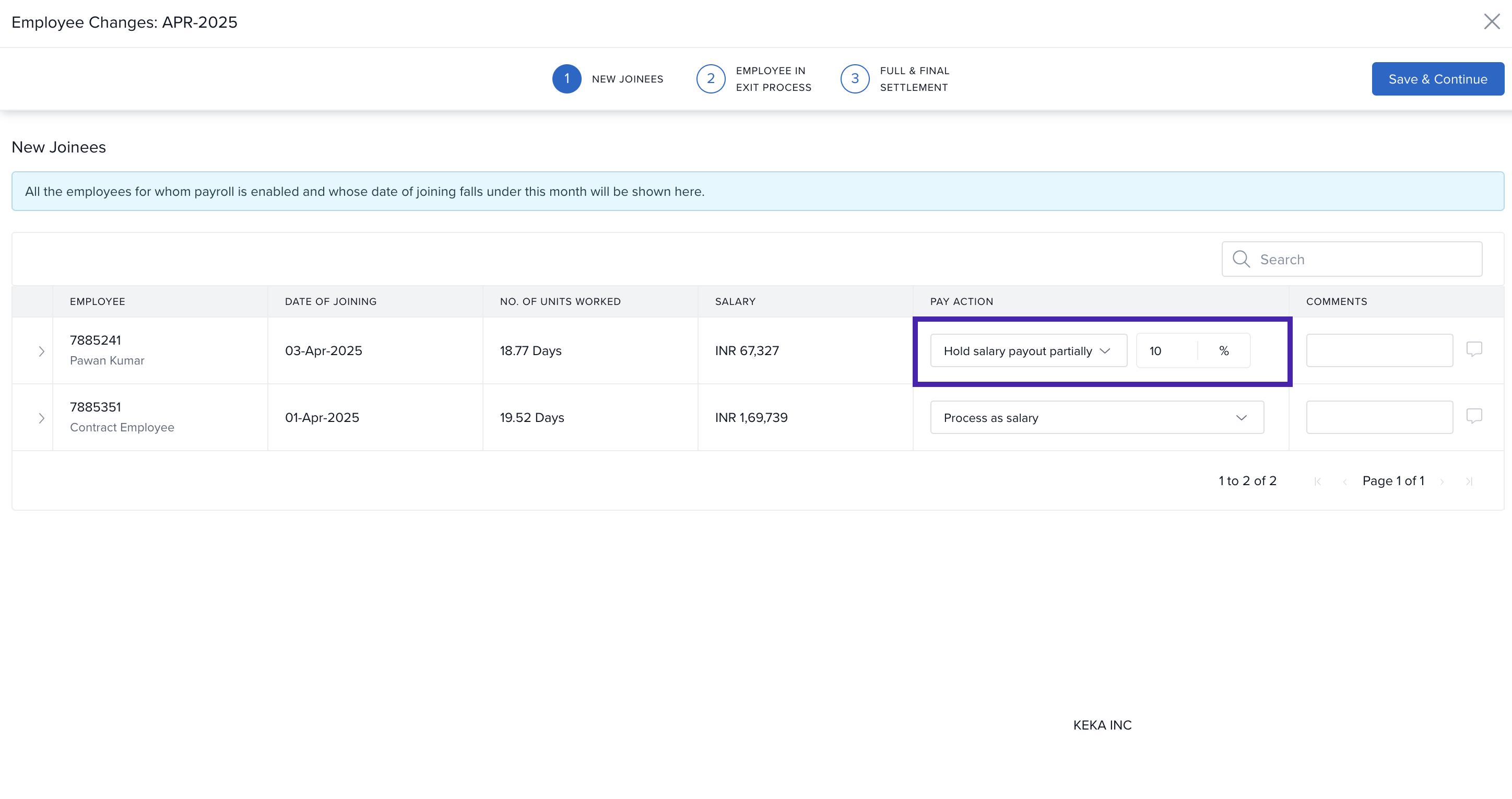
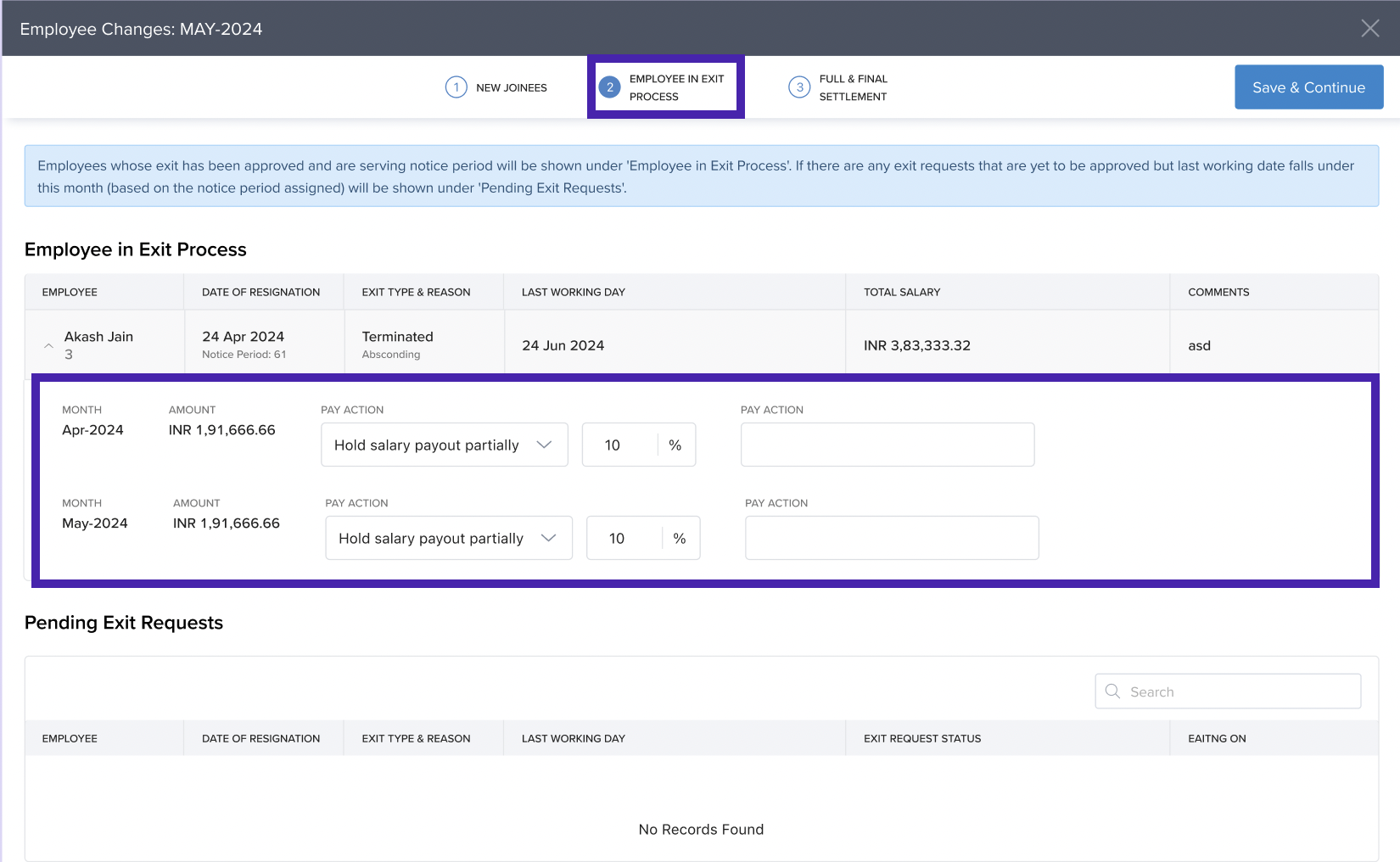
A new page will appear on your screen, where you can partially hold the salary under the second tab. You can also enter the percentage amount of salary you wish to withhold.
You can partially hold the employee's salary from the New Joinee and Exits tabs, providing flexibility for both newly onboarded employees and those exiting the organization.
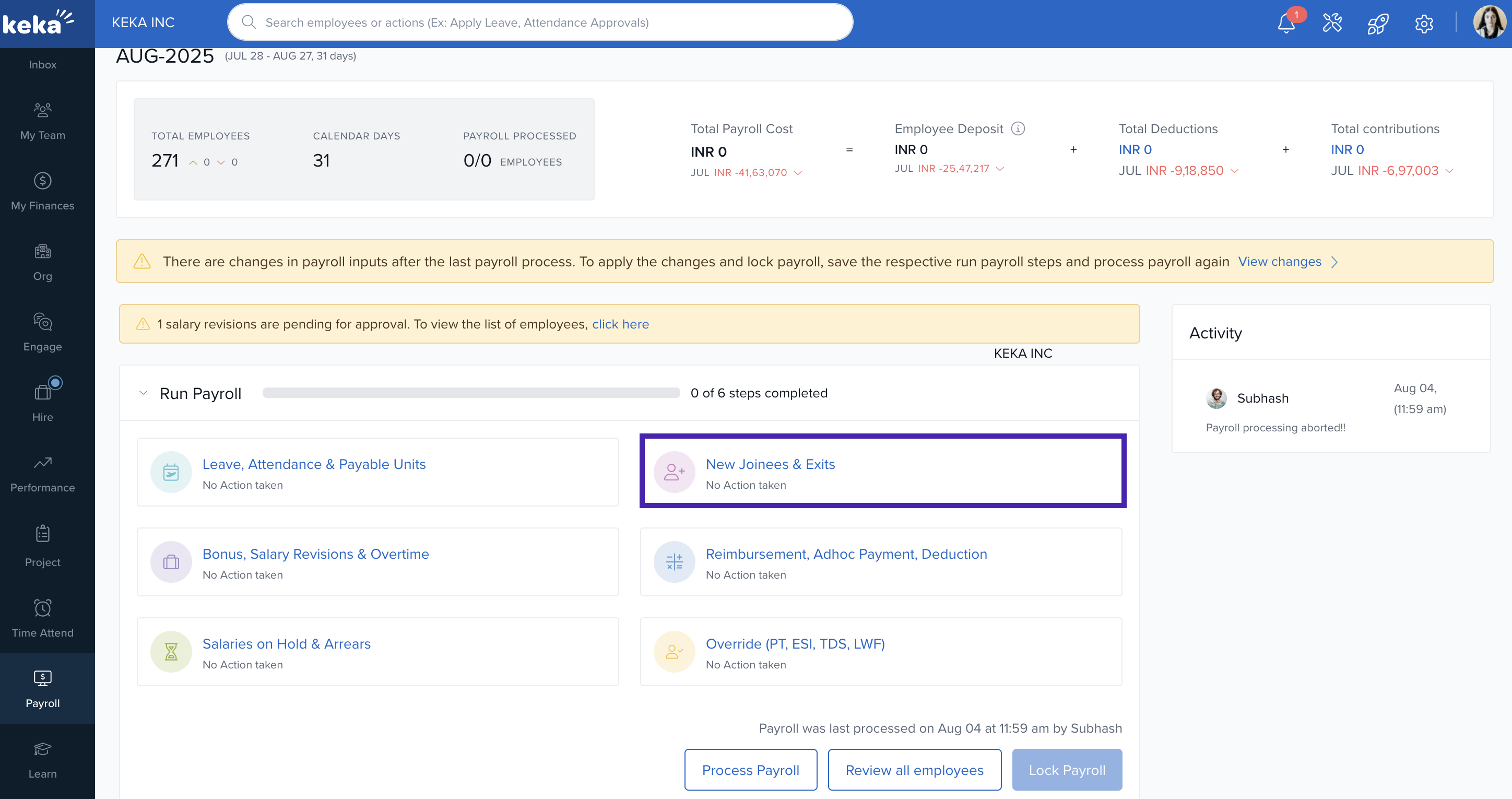
A new page will appear on your screen. In the first tab, you will be able to partially hold salaries for new joiners. In the second tab, you can partially hold salaries for employees who are in the exit process.
In the second tab you will be able to partially hold salaries for the employee who are in the exit process.
With Partial Salary Hold, you can maintain flexibility in payroll management while ensuring accurate processing for the employees in Keka. For more assistance, visit the Keka Help Center.
Comments
0 comments
Please sign in to leave a comment.