Yes, once a requisition is submitted in Keka, its progress can be tracked easily through the Hiring module.
How to check requisition status
Go to the Org menu and click on Hiring. Under the All Requisitions tab, check the Status column for the latest update on each requisition.
You’ll see status labels such as Pending Approval, Approved, In Progress, On Hold, or Closed- depending on your organization’s workflow configuration.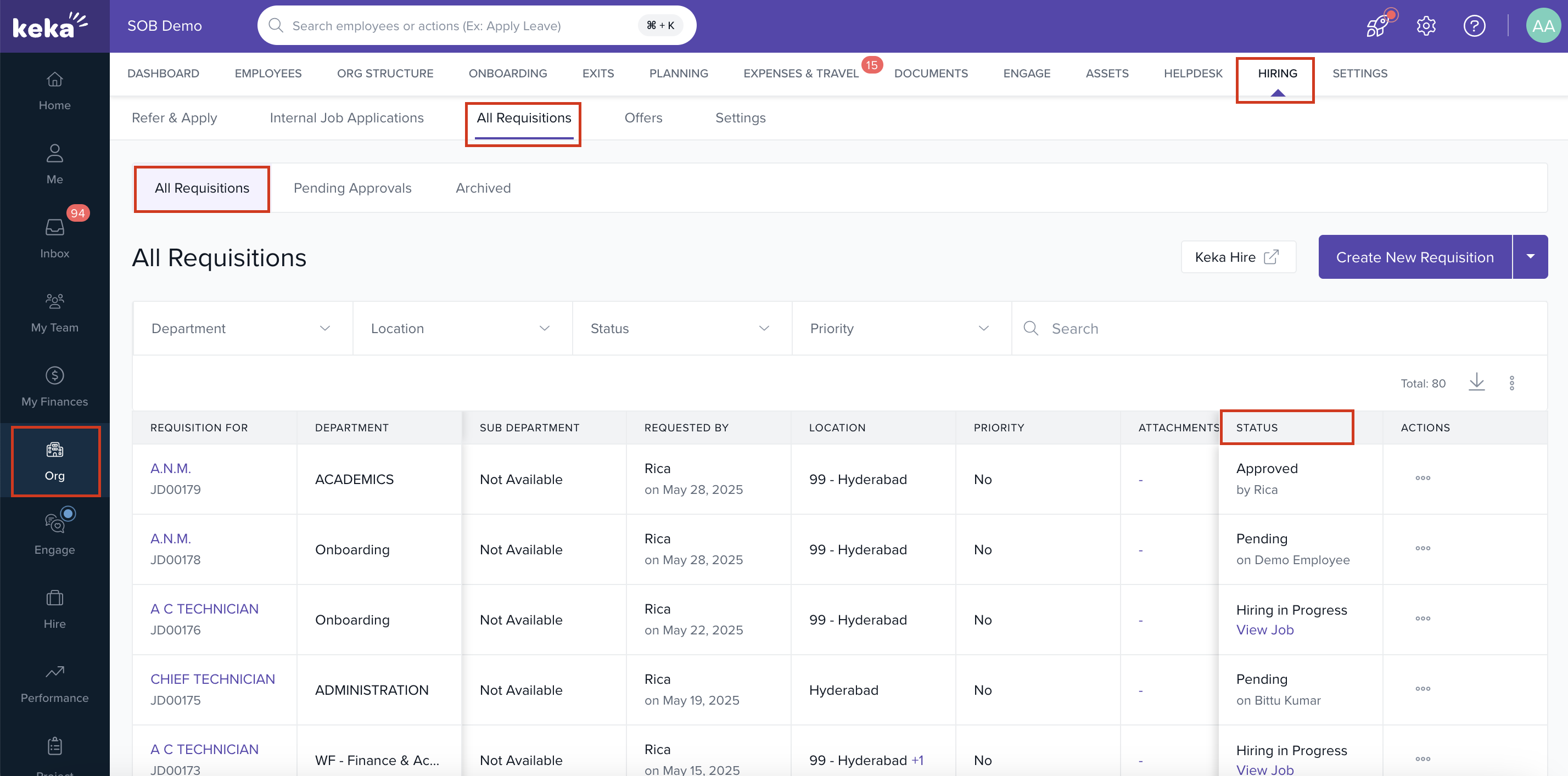
For additional information, explore other articles related to requisitions:
Please let us know if you find this article helpful.
Comments
0 comments
Please sign in to leave a comment.