What’s New?
You can now assign multiple pay rates to employees or contractors based on job code and location. Keka automatically calculates gross earnings and taxes based on hours or units worked at each rate. This reduces manual effort and enables more accurate payroll processing—especially helpful in industries with varied job roles.
Why It Matters
Industries like hospitality, healthcare, retail, and consulting often need flexible payroll setups for employees working multiple roles. With this update, you get:
-
Accurate payroll calculations across multiple pay rates
-
Reduced manual errors and effort
-
Better compliance and audit visibility
-
Feature parity with ADP, Paychex, Gusto, and BambooHR
Key Highlights
1. Job Code Creation
Admins can create job codes under Payroll →Settings → Job Codes with defined role, default rate, and location.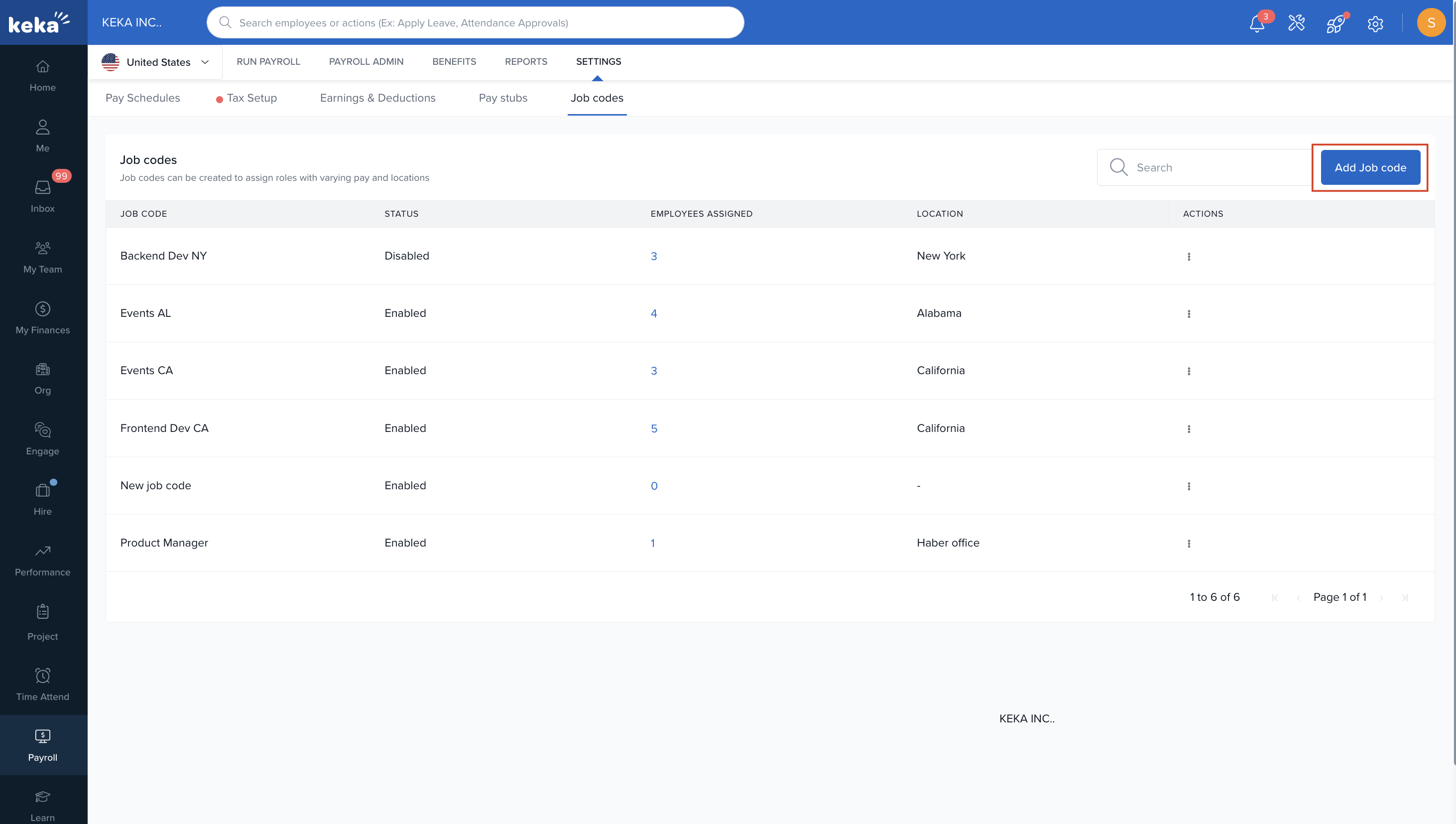
2. Assign Multiple Pay Rates
In employee compensation, you can now add multiple job codes and assign a specific location and rate to each.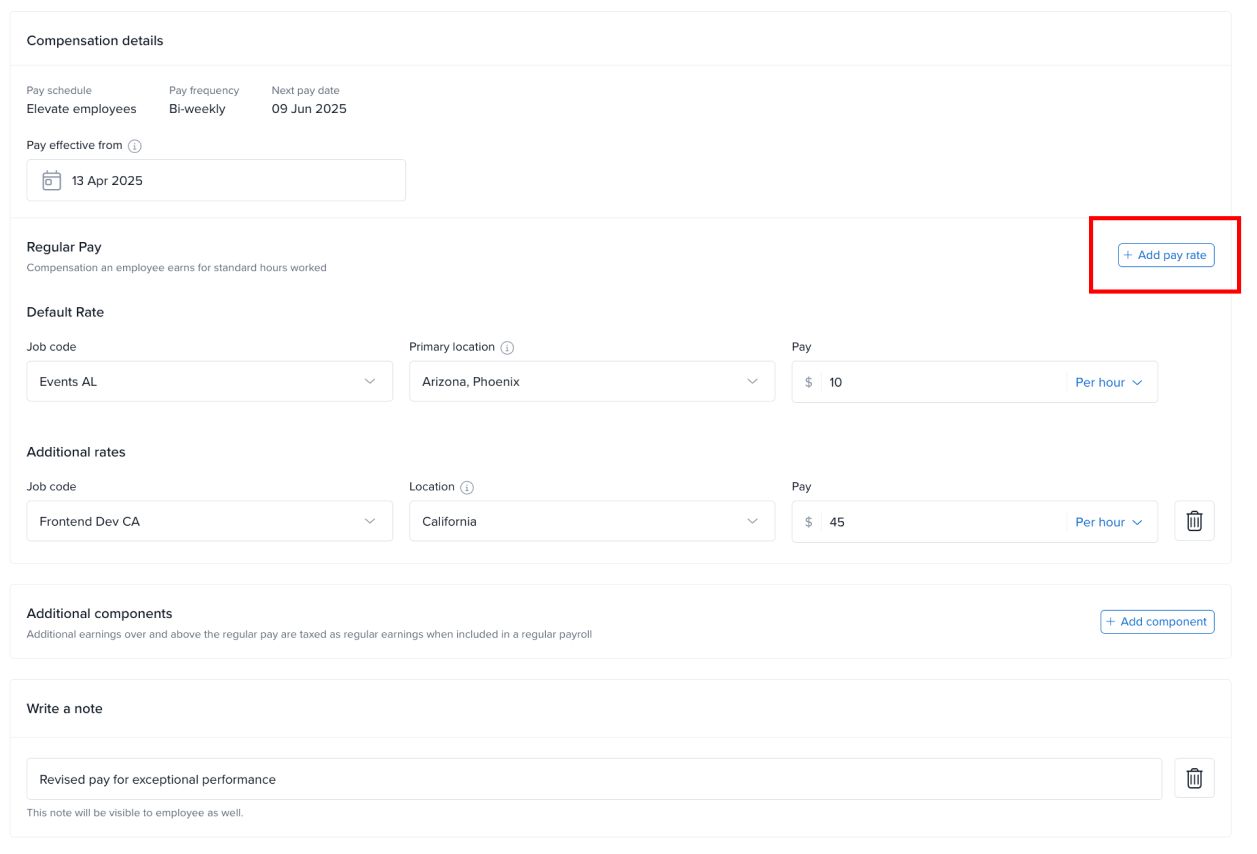
3. Run Payroll with Breakdown
Payroll will auto-calculate earnings by Job Code & Location, including federal and state taxes. Employees will see the breakdown in their pay stubs.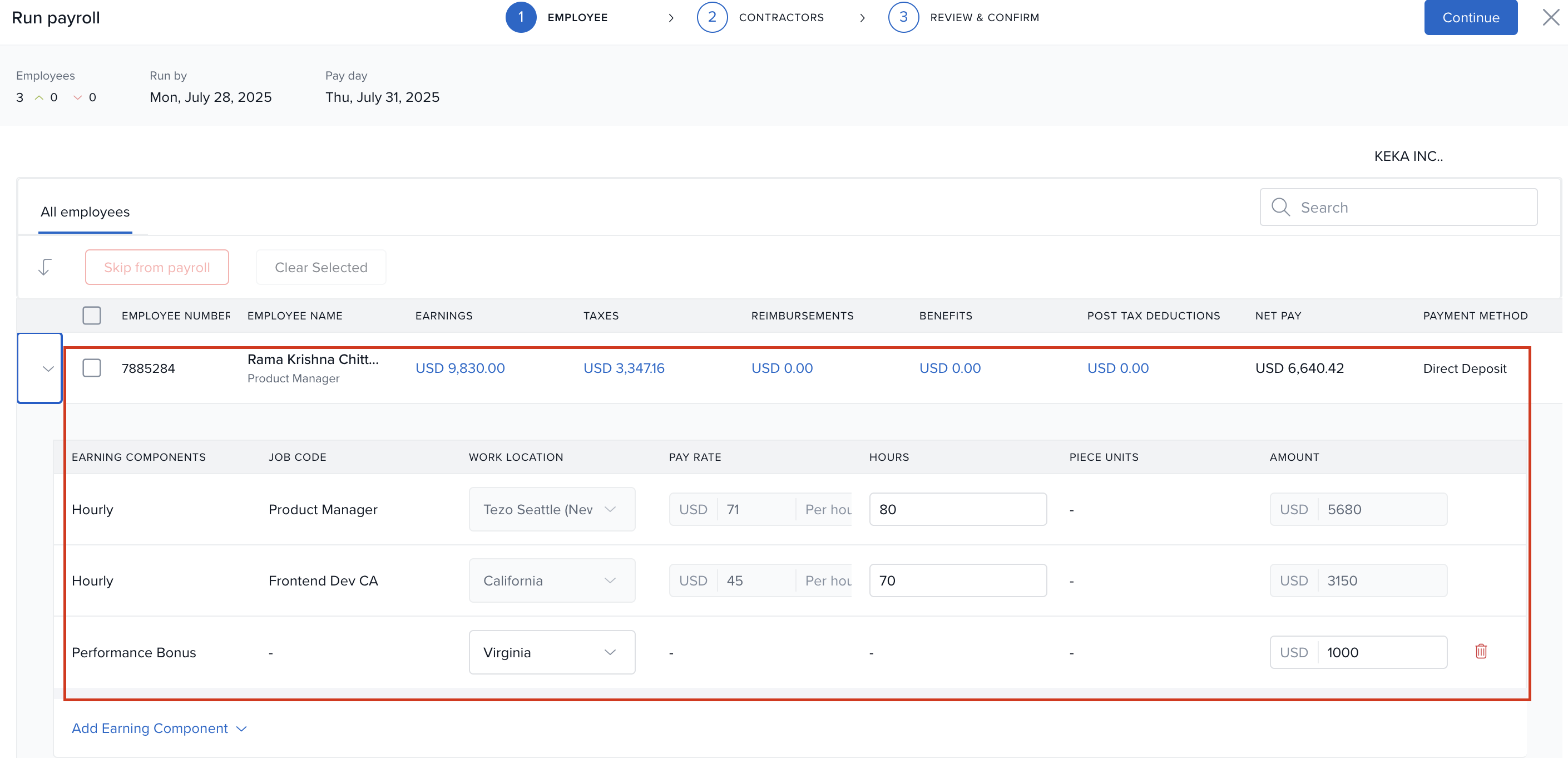
4. Add Earning Components On the Fly
Add components like bonuses or incentives during payroll runs without prior revisions—ideal for one-time payouts.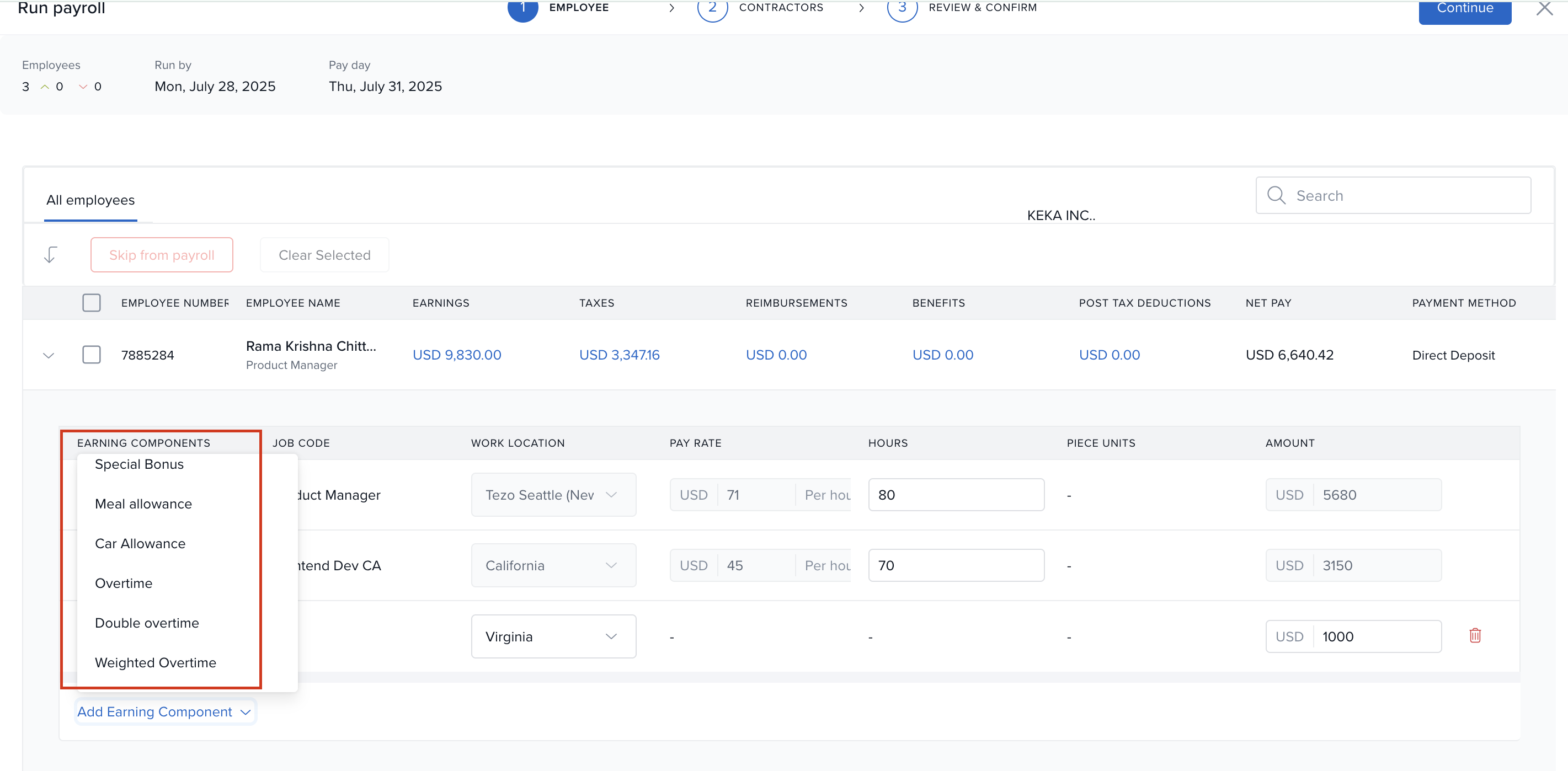
Comments
0 comments
Please sign in to leave a comment.