Introduction
Overtime pay codes in Keka HRMS are used to define how employees are compensated for working beyond regular hours. These codes help you manage and automate overtime pay calculations accurately.
Typically, HR Managers or Payroll Admins set up these pay codes before assigning them through an overtime policy.
Note: If you haven’t subscribed to Keka’s Payroll module, you can still create pay codes, but won’t be able to configure pay rates.
Configuration
1. Add a new Pay Code
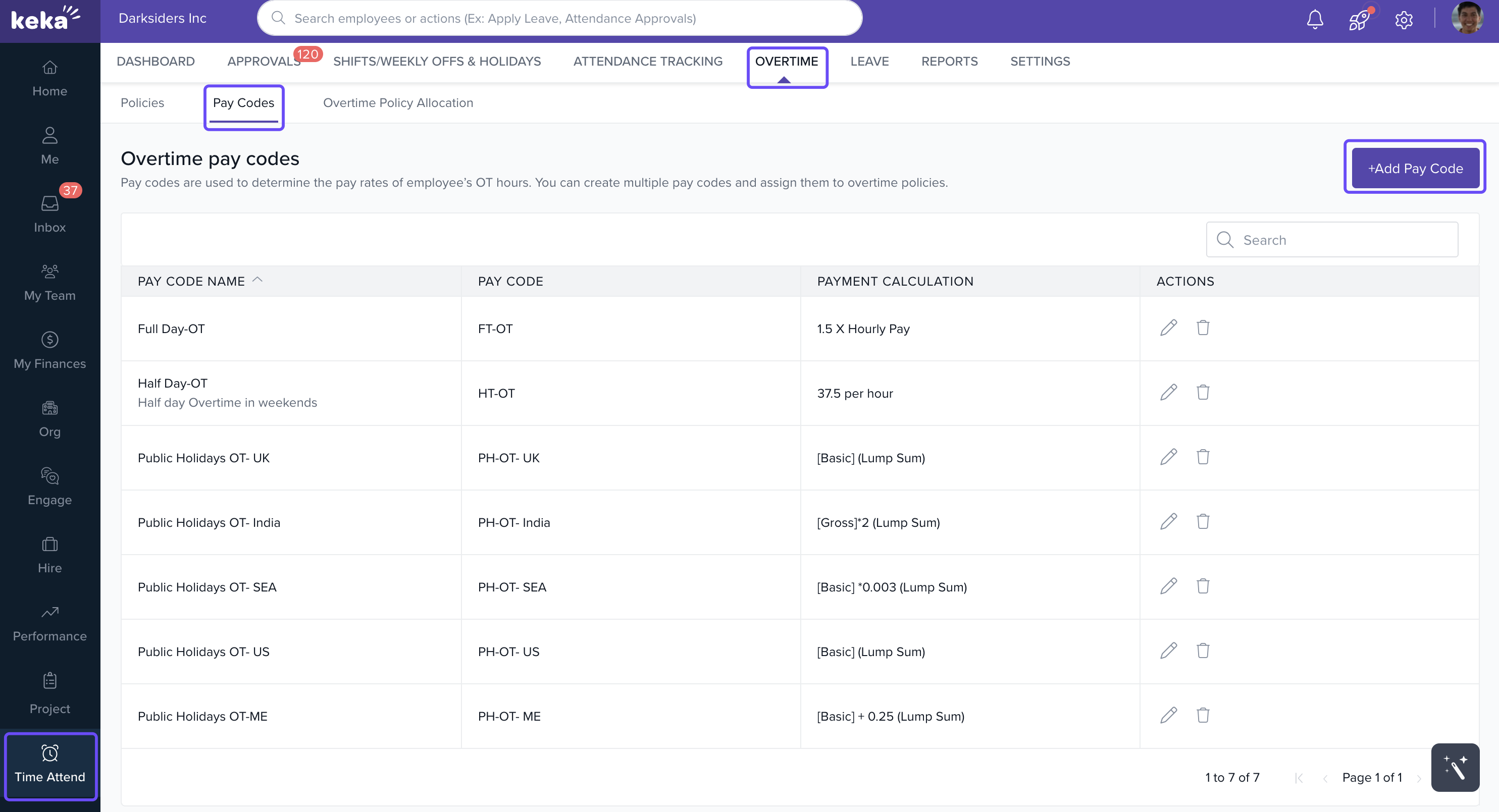
Go to the Time & Attend module.
Click on the Overtime tab.
Select the Pay Codes tab.
Click Add Pay Code.
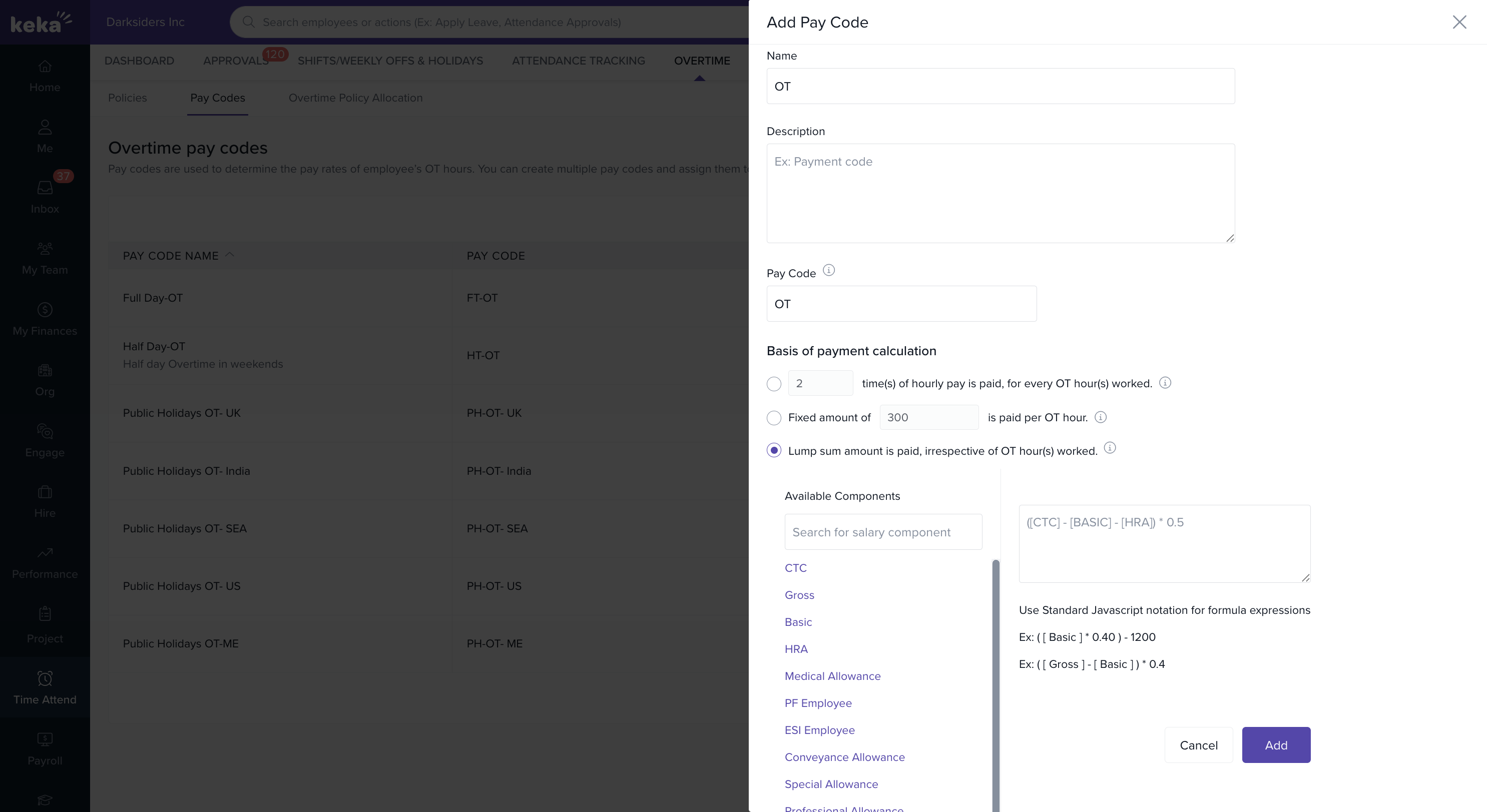
Fill in the following fields:
Name: Example – Daily Overtime, Holiday Overtime
Description (optional): Add notes or internal references.
Pay Code: A short, unique identifier (up to 3 characters is recommended for clarity).
2. Choose a Payment Method
Keka supports three ways to define overtime pay:
1. Multiple of hourly rate
Employees are paid a multiplier of their regular hourly wage.
Example: If hourly rate is ₹500 and multiplier is 2, then OT pay is ₹1000/hour.
2. Fixed amount per OT hour
A set rate is paid for every hour of overtime.
Example: ₹1000/hour. If an employee works 2 extra hours, they earn ₹2000.
3. Lump-sum amount
A fixed amount paid for any overtime worked, regardless of hours.
Often derived from CTC or daily allowance.
Tip: Use lump-sum when OT isn't strictly time-based but tied to roles, shifts, or business needs.
- Once you’ve filled in all details and selected a payment method, click Save.
Notes & Tips
Tip: Keep pay codes short and recognizable—this makes them easier to reference when setting up policies.
Important: You need the Payroll module enabled to assign payment values. Without it, you can still create and assign pay codes in policies, but rates won’t apply.
Comments
0 comments
Please sign in to leave a comment.