Introduction
Understanding your organization’s workforce trends—like how many employees joined, left, or were successfully retained—can offer critical insight into the effectiveness of your HR policies.
Keka’s Growth & Retention Analytics helps you:
Track employee growth trends
Measure retention performance
Analyze attrition across departments, units, and locations
This guide walks you through how to use this analytics dashboard in Keka to make informed HR decisions.
Applies to: Keka HRMS – Org Analytics module
Configuration
1. Access the Growth & Retention Dashboard
Go to Org in the left navigation panel.
On the Dashboard tab, click Analytics.
Select the Growth & Retention tab.
At the top of the page, use filters to narrow down the view:
Legal Entities
Business Units
Departments
Date Range
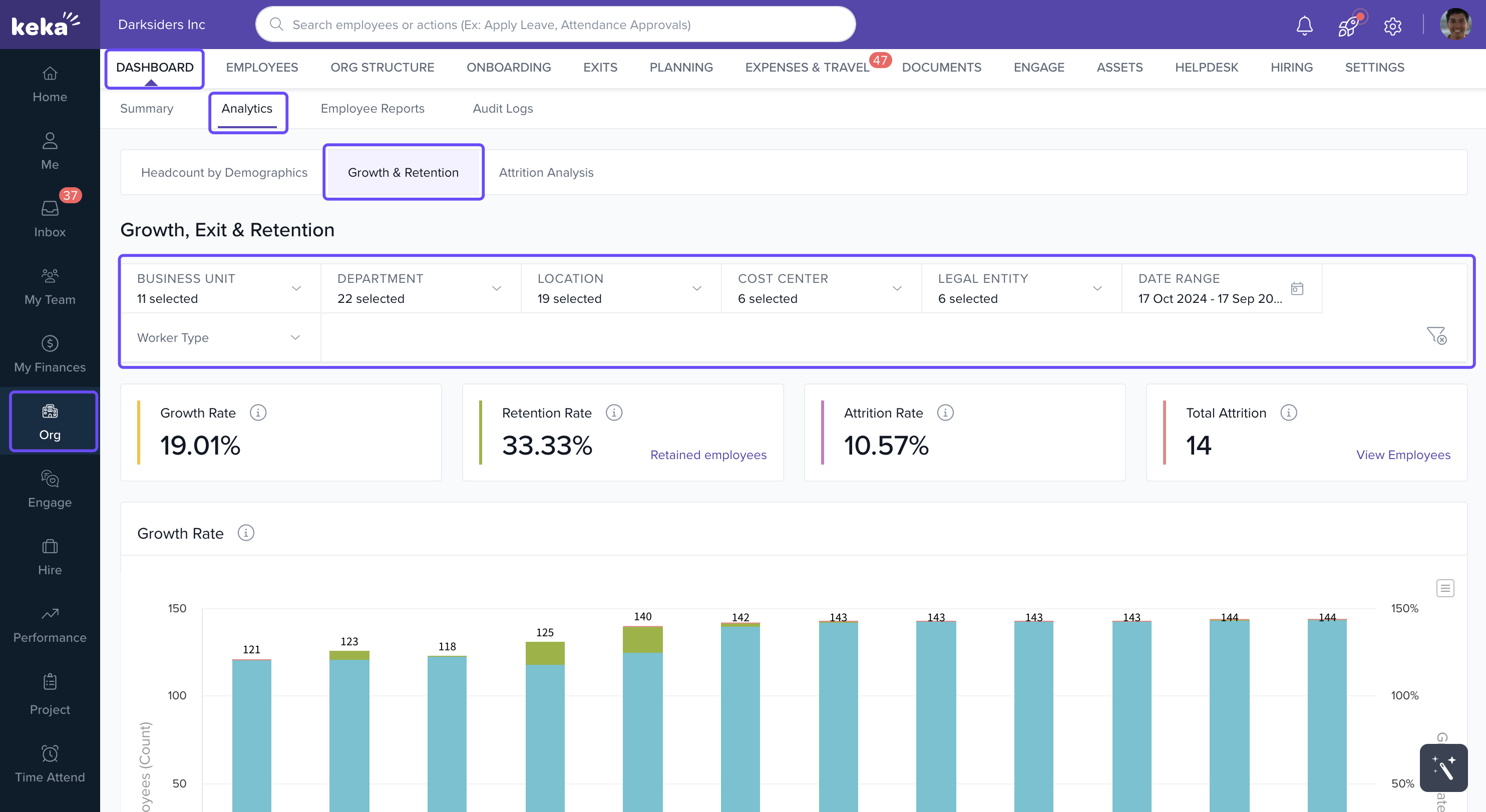
Tip: Use filters to analyze trends in specific teams, locations, or business lines.
Metrics Overview
At the top of the dashboard, you'll find high-level metrics to quickly assess workforce dynamics:
| Metric | Description |
|---|---|
| Growth Rate | Shows employee growth percentage over the past year |
| Retention Rate | Percentage of employees who started the exit process but were retained |
| Attrition Rate | Percentage of total employee exits over the year |
| Total Attrition | Raw count of employees who exited during the selected period |
You can interact with these cards:
Click Retained Employees to view names of those retained.
Click View Employees under Total Attrition to see the exit list.
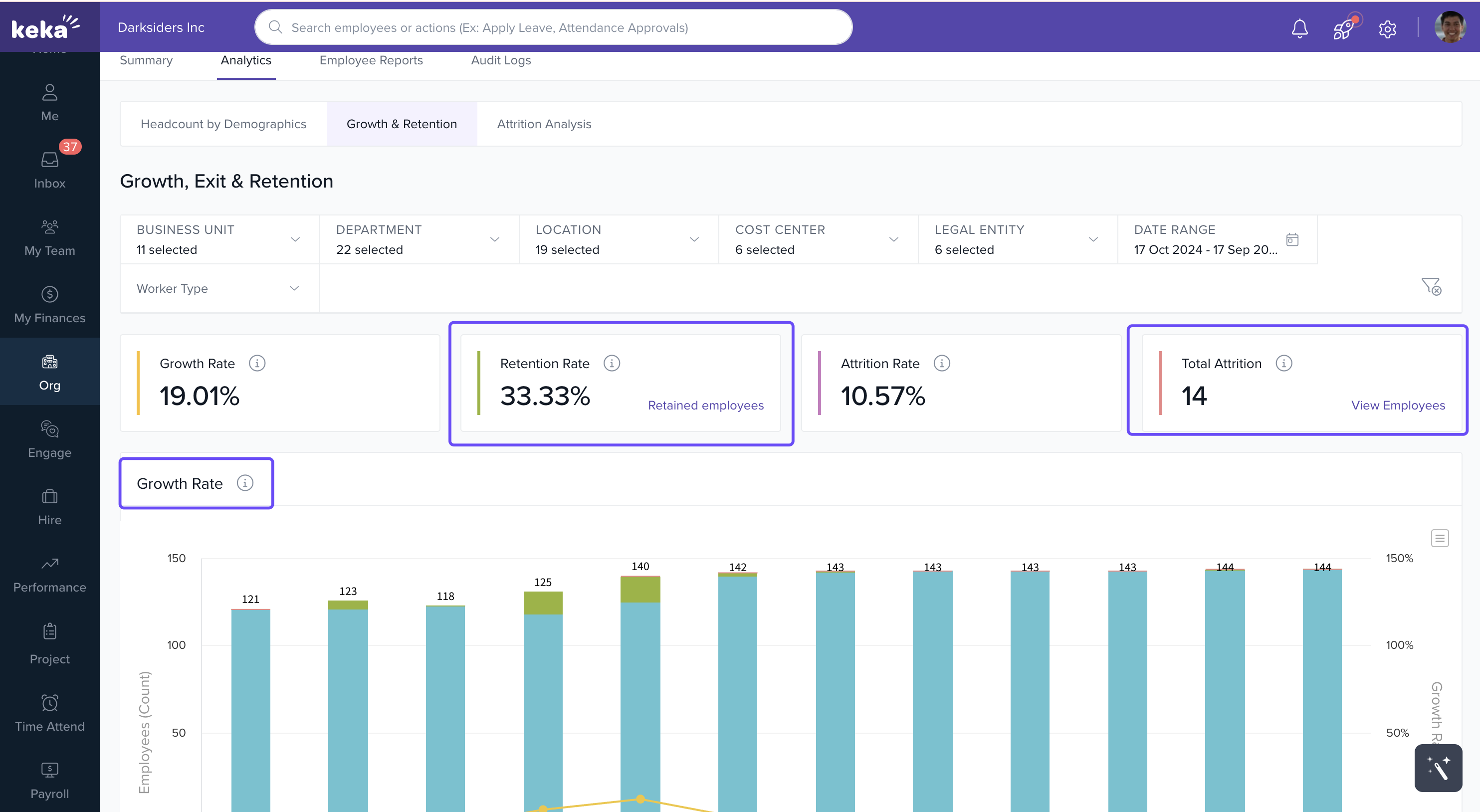
View Monthly Growth Trends
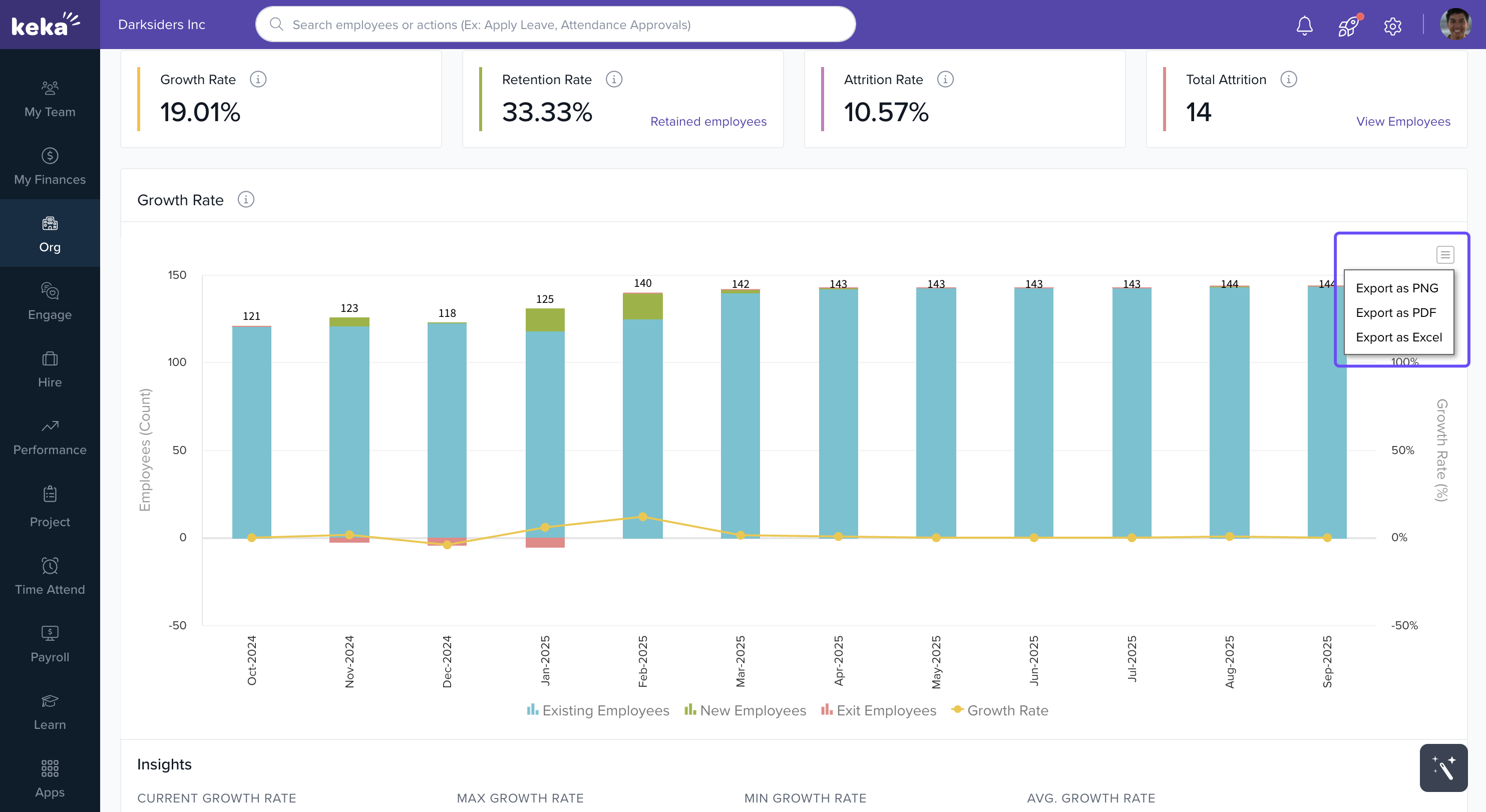
Below the metric cards, you'll find a Monthly Growth Graph:
Visualizes how the employee count changed each month.
Hover over any bar to get detailed numbers.
Adjust the time range using filters.
Download Options: Click the download icon on the chart to export the graph as PNG, PDF, or Excel.
Analyze Retention Over Time
The Retention Rate Graph shows:
Monthly retention percentages of employees who were in the exit process.
Helpful to identify seasonal or departmental trends in retention success.
You can:
Apply custom date filters
Download the graph using the same export options (PNG, PDF, Excel)
Tip: Use this data to validate retention strategies or identify gaps in exit management.
Comments
0 comments
Please sign in to leave a comment.