Introduction
Understanding why employees leave your organization is key to improving retention and reducing turnover costs. While attrition rates vary by industry and role, analyzing why people exit can help you uncover patterns, address internal issues, and build better workforce strategies.
Keka’s Attrition Analysis tool offers a detailed view of employee departures across departments, locations, and demographics. This guide walks you through how to use the tool to uncover valuable insights into your organization's attrition trends.
Steps
Navigation to Attrition Analytics
To access attrition data:
Go to Org in the left navigation panel.
From the Dashboard tab, click Analytics.
Select Attrition Analysis.
- Use the following filters like Departments, Location, Date Range, Exit Type to refine your data
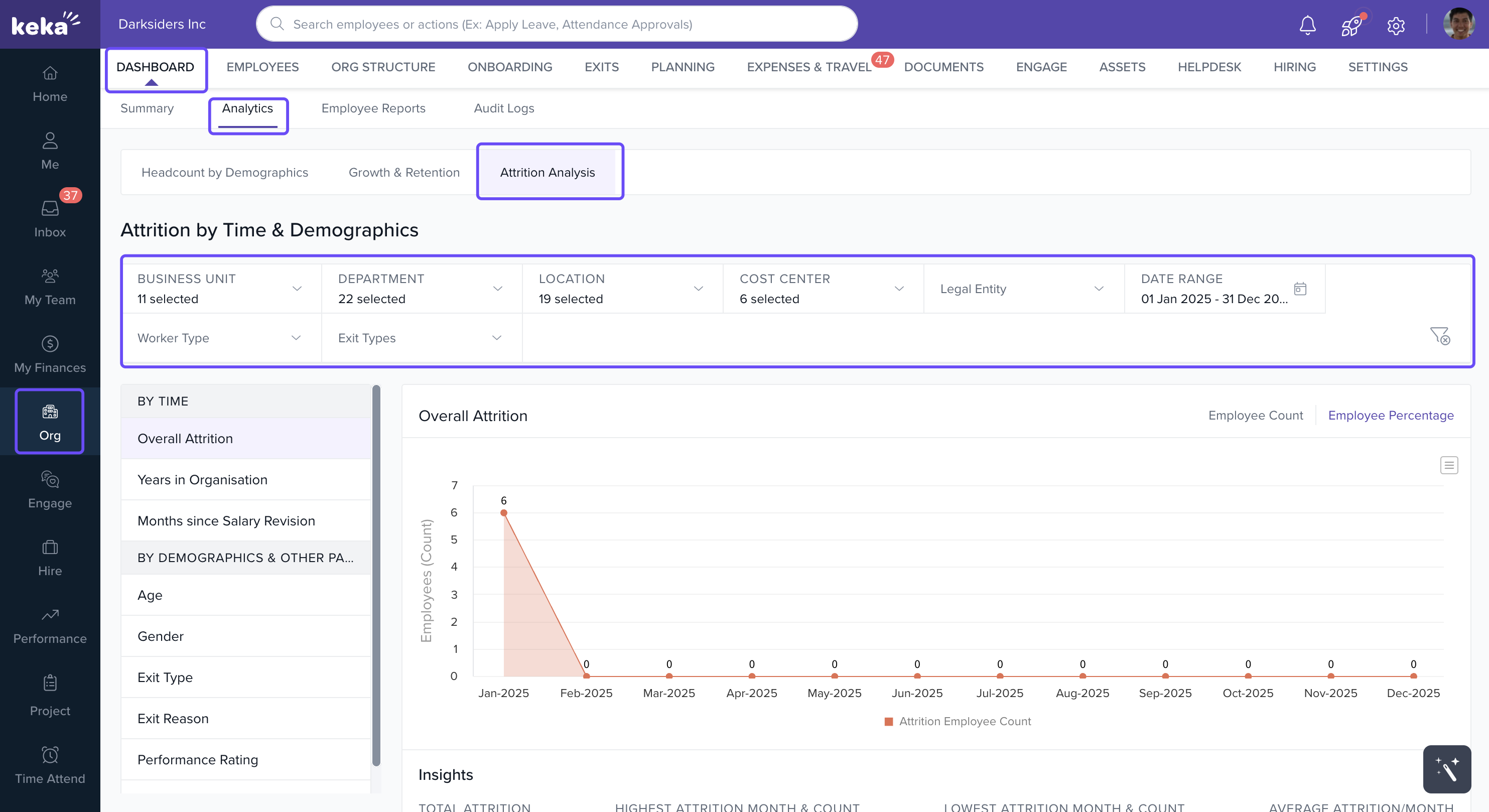
This opens a dashboard with multiple filters and visualizations to explore attrition trends across various dimensions.
Attrition by Time
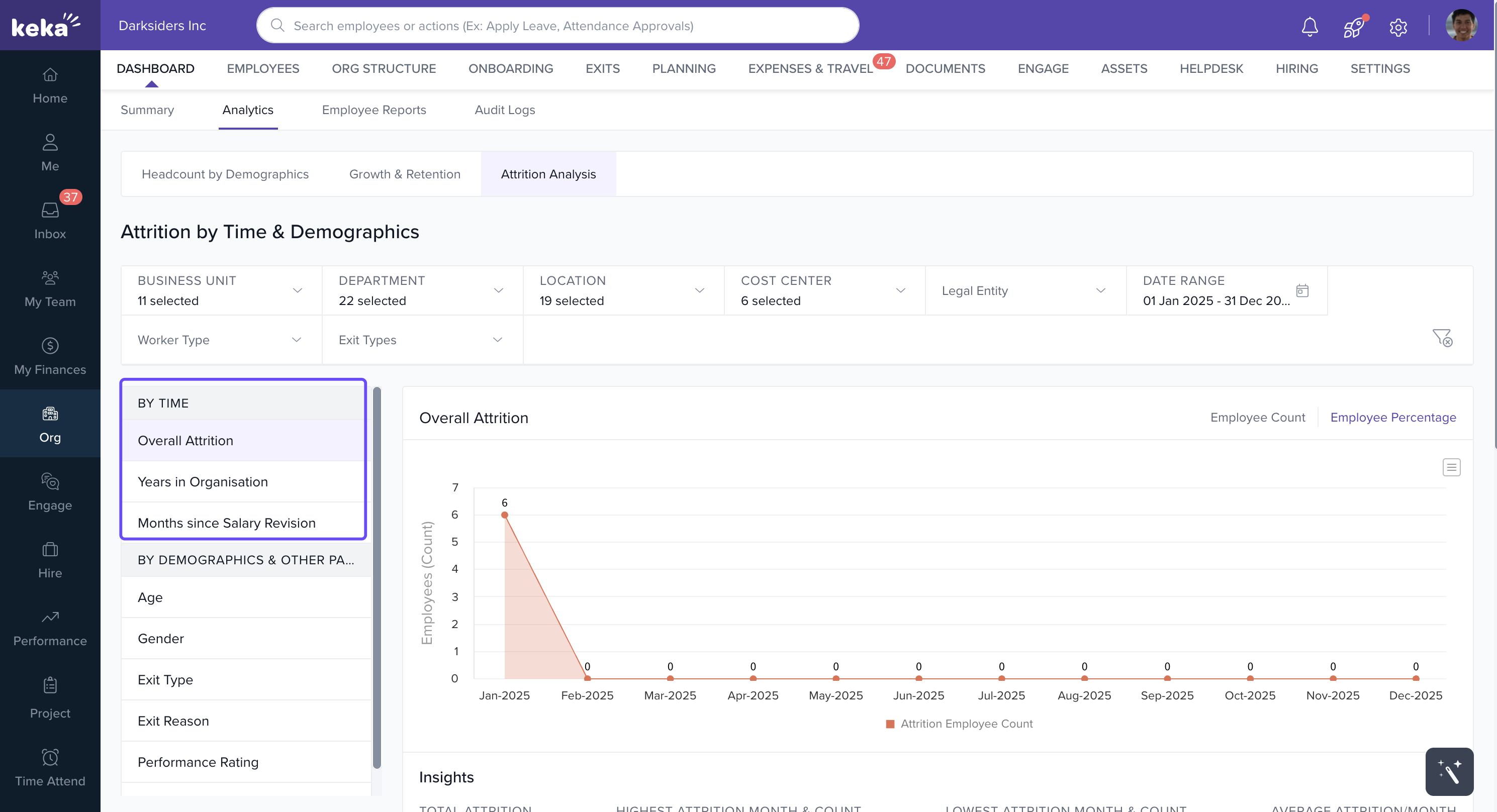
Timing helps identify patterns in employee exits, such as spikes around specific months or after salary changes.
1. Overall Attrition
See monthly attrition trends based on your selected date range. You can view this data for the entire company, or drill down by department or location.
Toggle between employee count and percentage view to analyze attrition volume versus rate.
2. Years in the Organization
This chart shows how long departing employees stayed before leaving. Spot common exit points in an employee’s lifecycle, such as exits during the first year or after five years.
3. Months Since Salary Revision
Track how long after their last salary hike employees are exiting. If attrition spikes a few months post-revision, you can adjust your compensation planning accordingly.
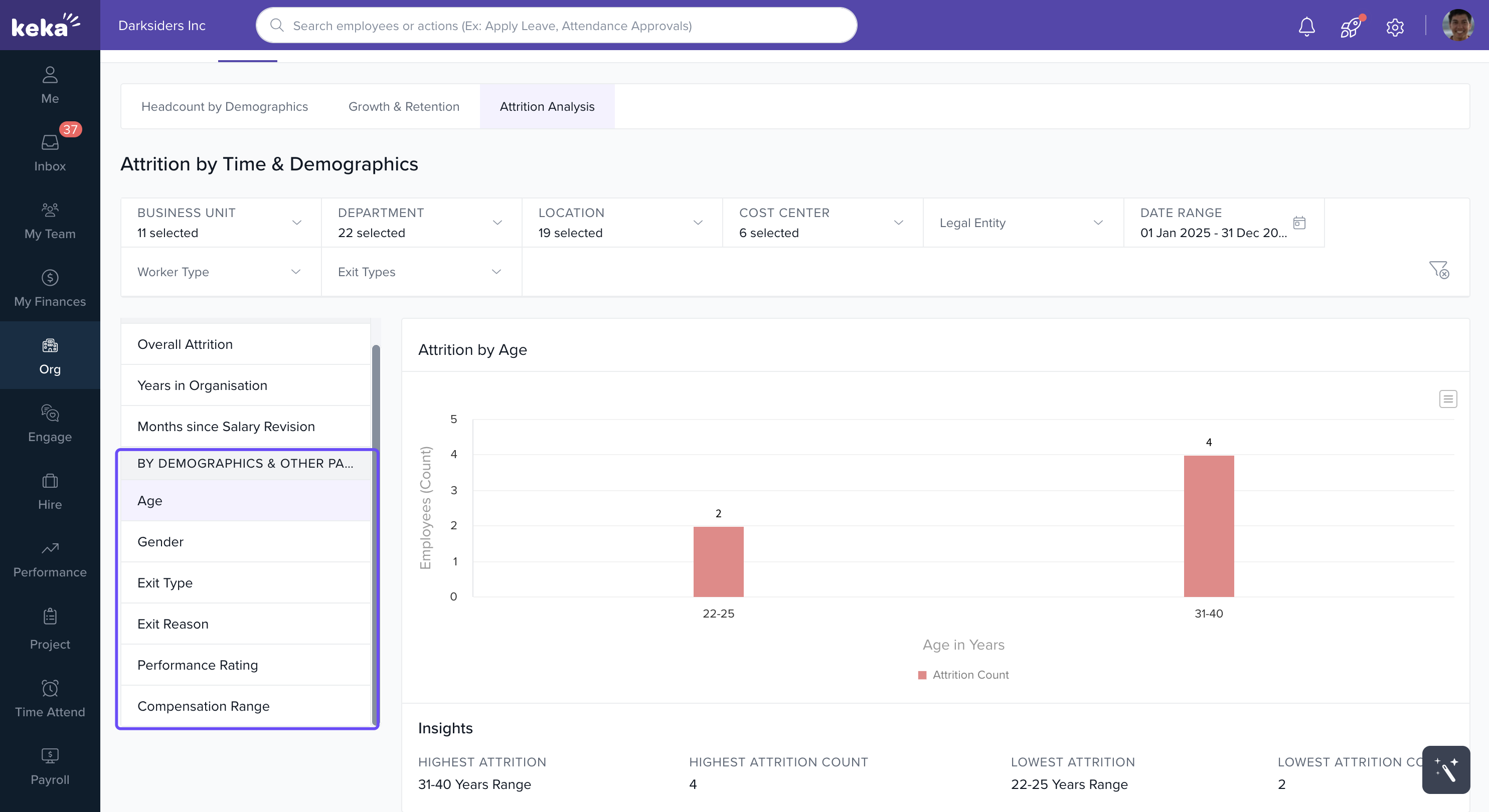
Attrition by Demographics and Other Parameters
Dig deeper into who is leaving and why.
- Age - View which age groups have the highest attrition to tailor retention strategies.
- Gender - Identify gender-based attrition trends to uncover potential workplace issues.
- Exit Type and Reason - Understand if exits are voluntary or involuntary and the reasons behind them.
- Performance Rating - Track whether high or low performers are leaving to assess organizational impact.
- Compensation Range - See which salary bands have higher attrition to inform your pay strategy.
Notes, Tips, Important
Tip: Use combinations of filters—like "high performers" + "specific department"—to uncover more targeted insights.
Important: Always contextualize attrition data with performance and engagement metrics before making policy changes.
Examples & Use Cases
Noticing a spike in exits 6 months after salary revisions? You might need to review promotion cycles or recognition strategies.
High attrition among early-career employees? Consider enhancing onboarding or mentorship programs.
Disproportionate exits in one location? Investigate local management or work culture.
Comments
0 comments
Please sign in to leave a comment.