Introduction
Pay revisions are a key part of managing employee compensation in Keka. Whether triggered by promotions, performance, or policy changes, updating pay structures ensures transparency and accuracy in payroll.
Navigate to Pay Revisions
Go to the employee's profile.
Click on the Finances tab.
Select the Pay Revisions tab.
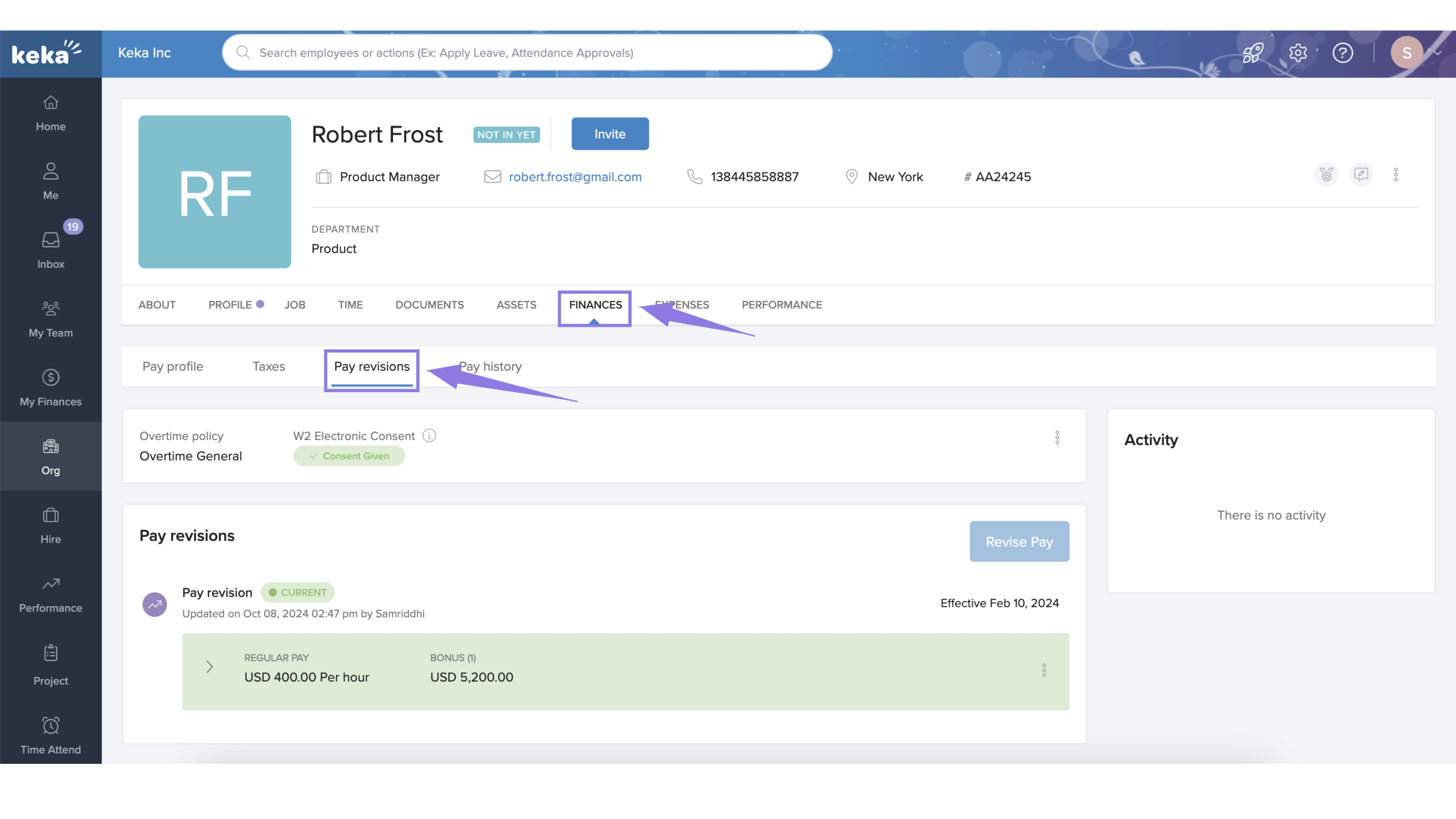
This section shows:
Current salary structure
Bonuses, allowances, and other components
Overtime policy
W2 electronic consent
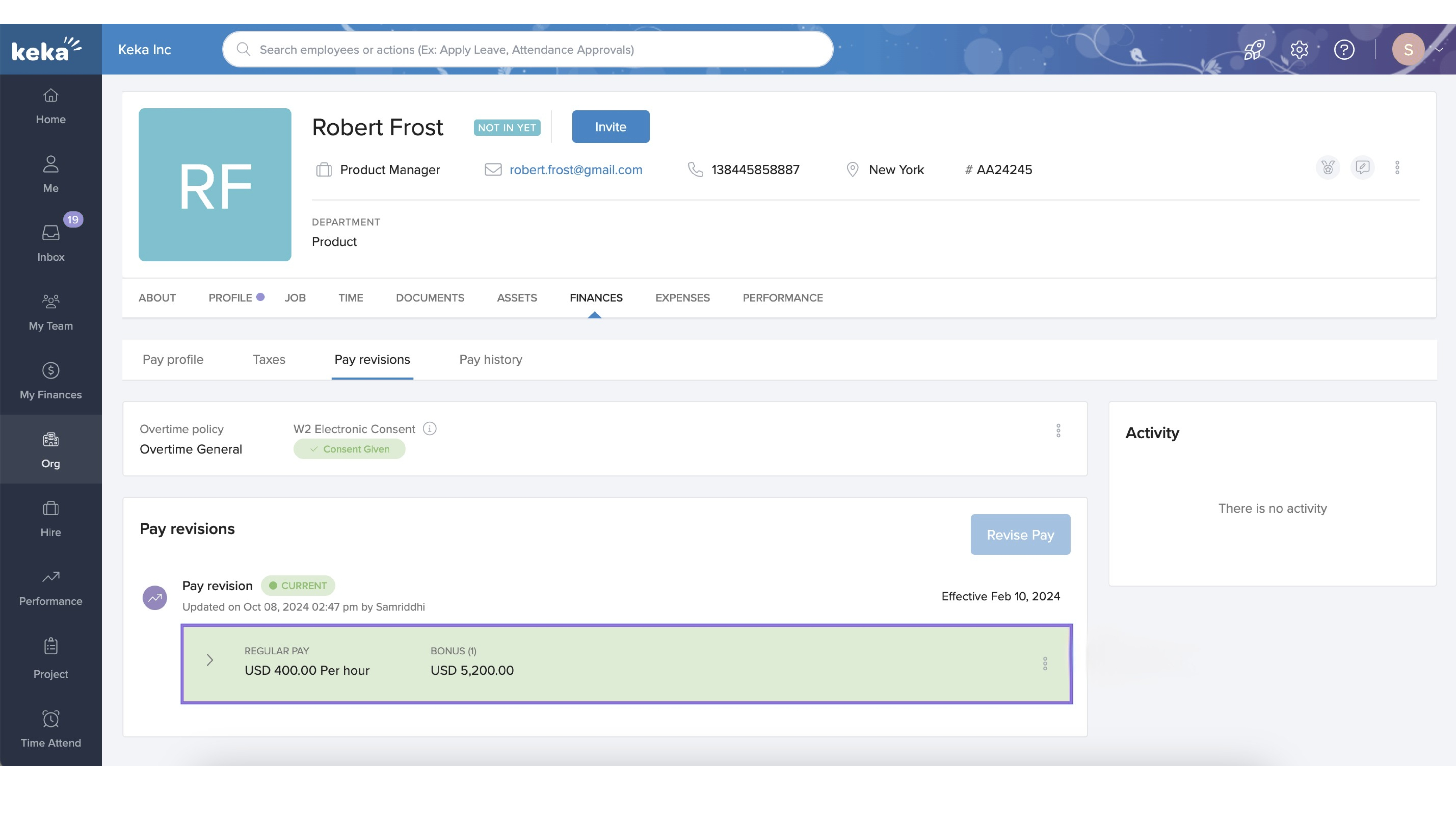
You can view, edit, or update all these elements here.
Revise an Employee’s Pay
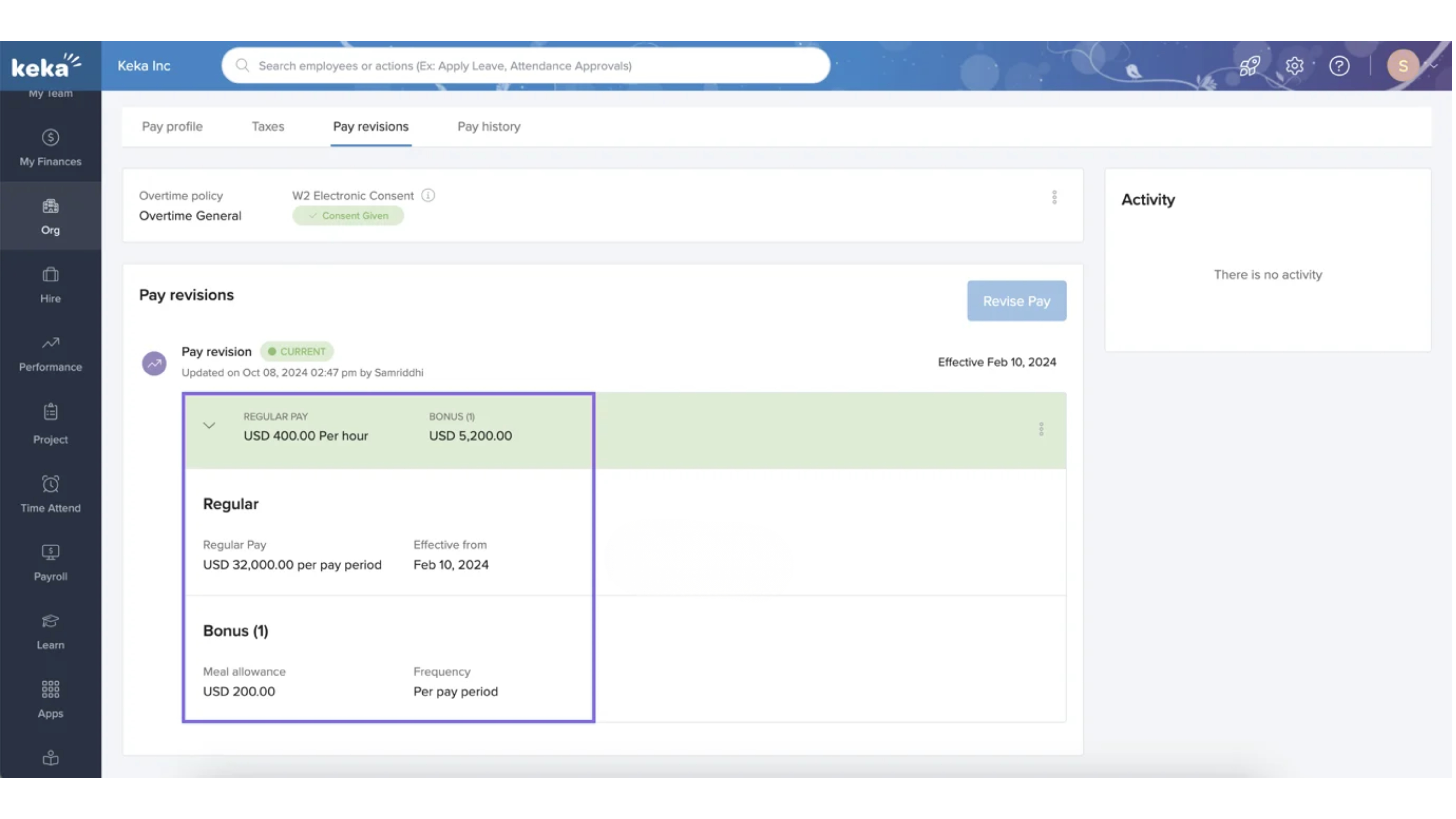
Access the Pay Revision Card
Each employee’s current pay details are displayed in a card format. This includes:
Regular salary
Bonuses and allowances
Other compensation components
Edit or Delete Pay Components
Click the three dots next to the current salary.
Choose Edit to modify salary or other components.
Choose Delete to remove a component.
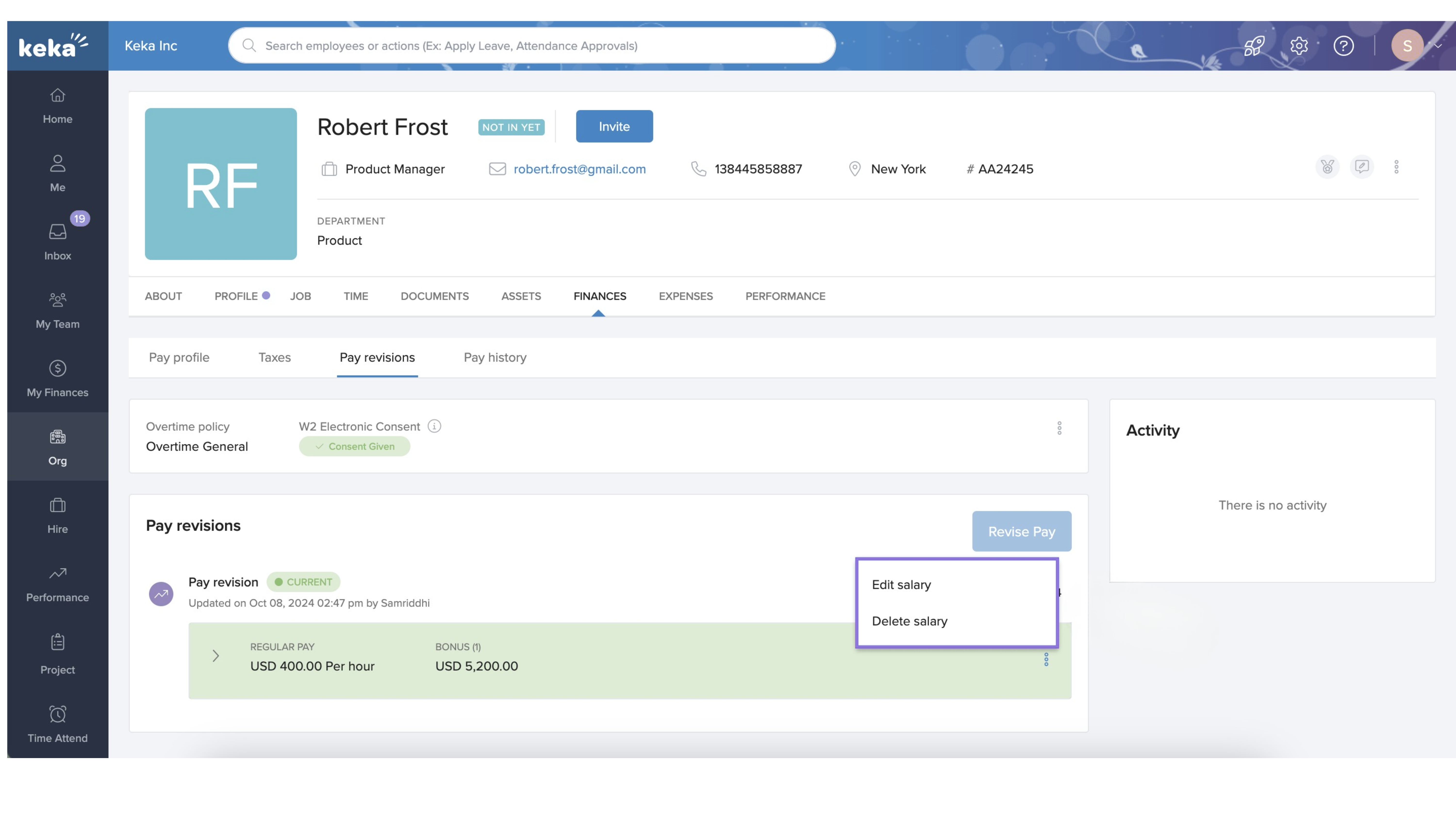
When editing, you can:
Change the salary amount
Modify overtime policy
Add or remove components
Add New Components
To add new bonuses, allowances, or other pay items:
Click Add Components.
Set the payment frequency (e.g., per pay period, one-time).
Choose the Effective Date for the new component.
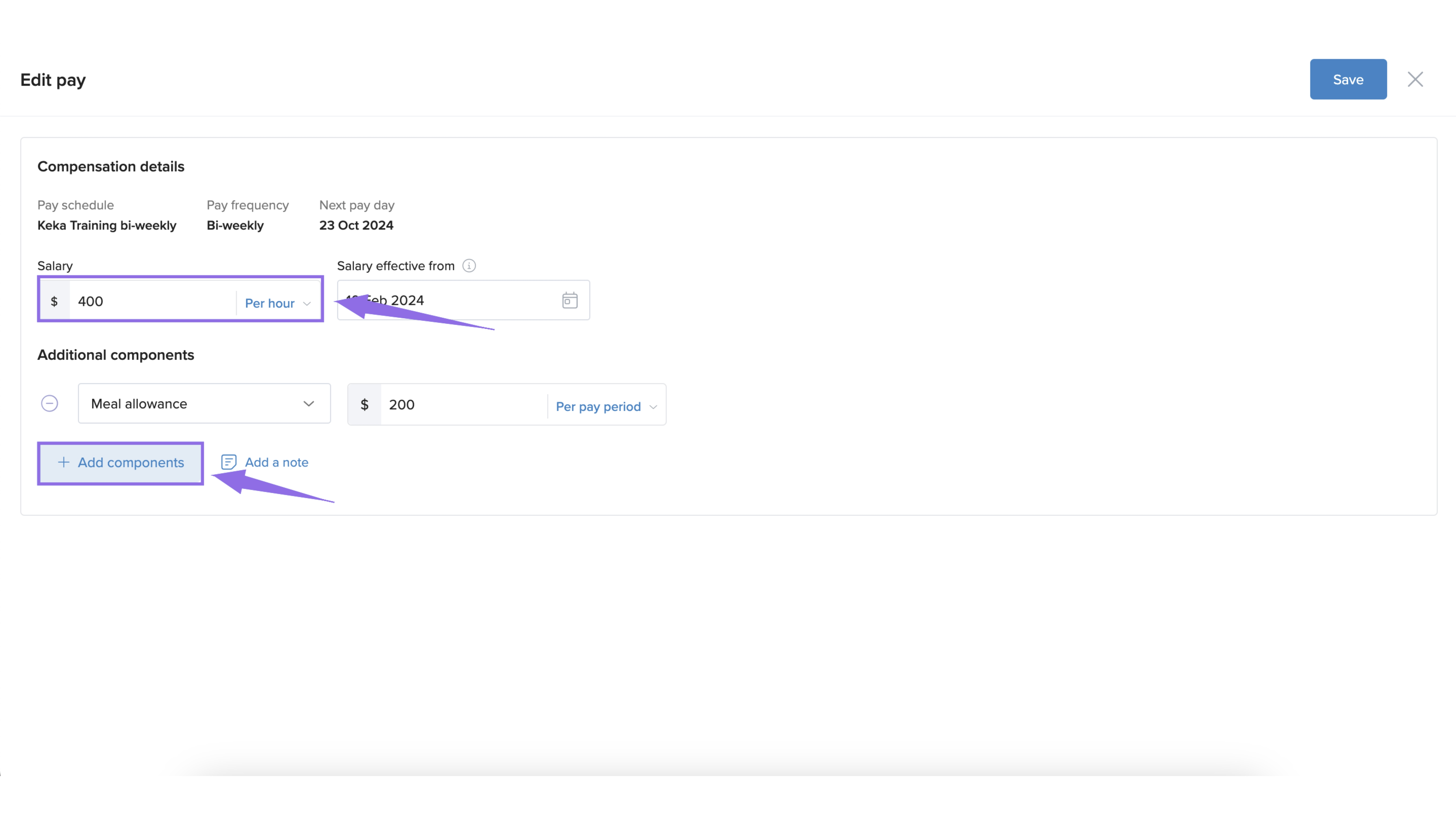
This ensures the update reflects in the correct payroll cycle.
Manage Overtime Policies
In the Pay Revisions section, locate the current Overtime Policy.
Click the three dots and choose Edit Overtime Policy.
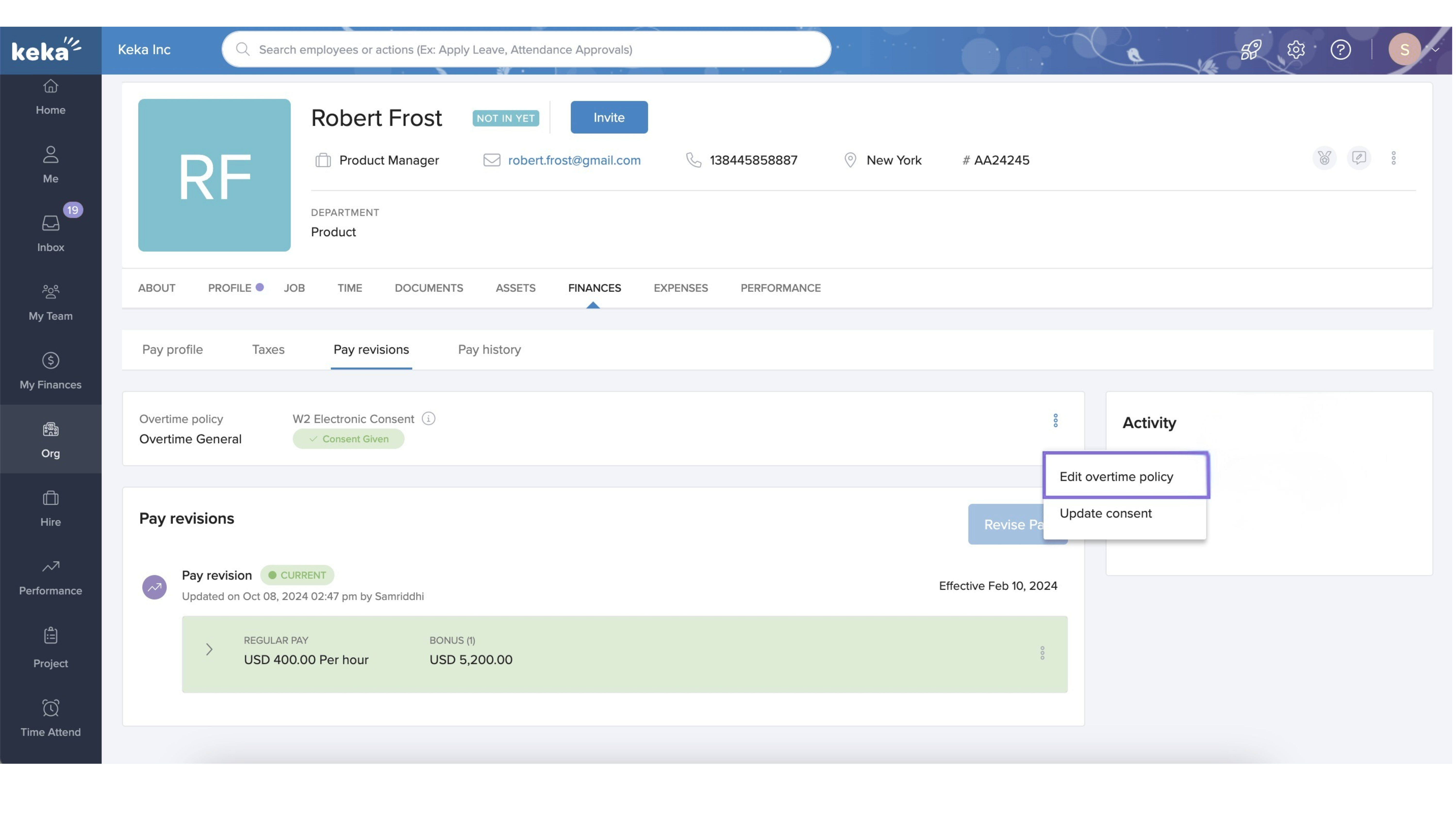
You can:
Adjust the current policy
Assign a new one
- Set the Effective Date so the change applies to future payrolls.

Update W2 Electronic Consent
To manage how employees receive their W2 forms:
In the pay revision card, select Update Consent.
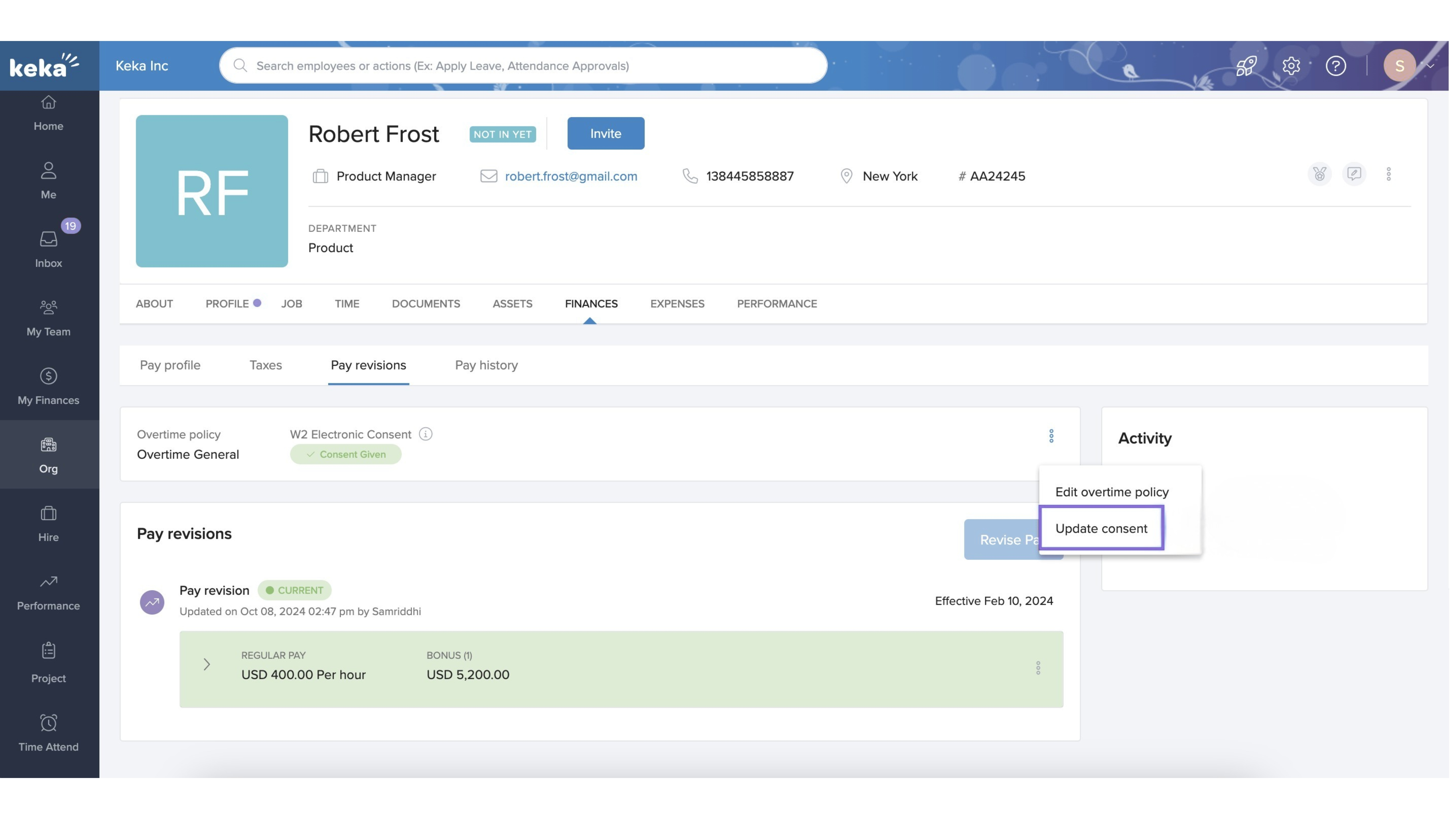
Toggle between Yes (electronic) and No (paper), based on the employee’s preference.
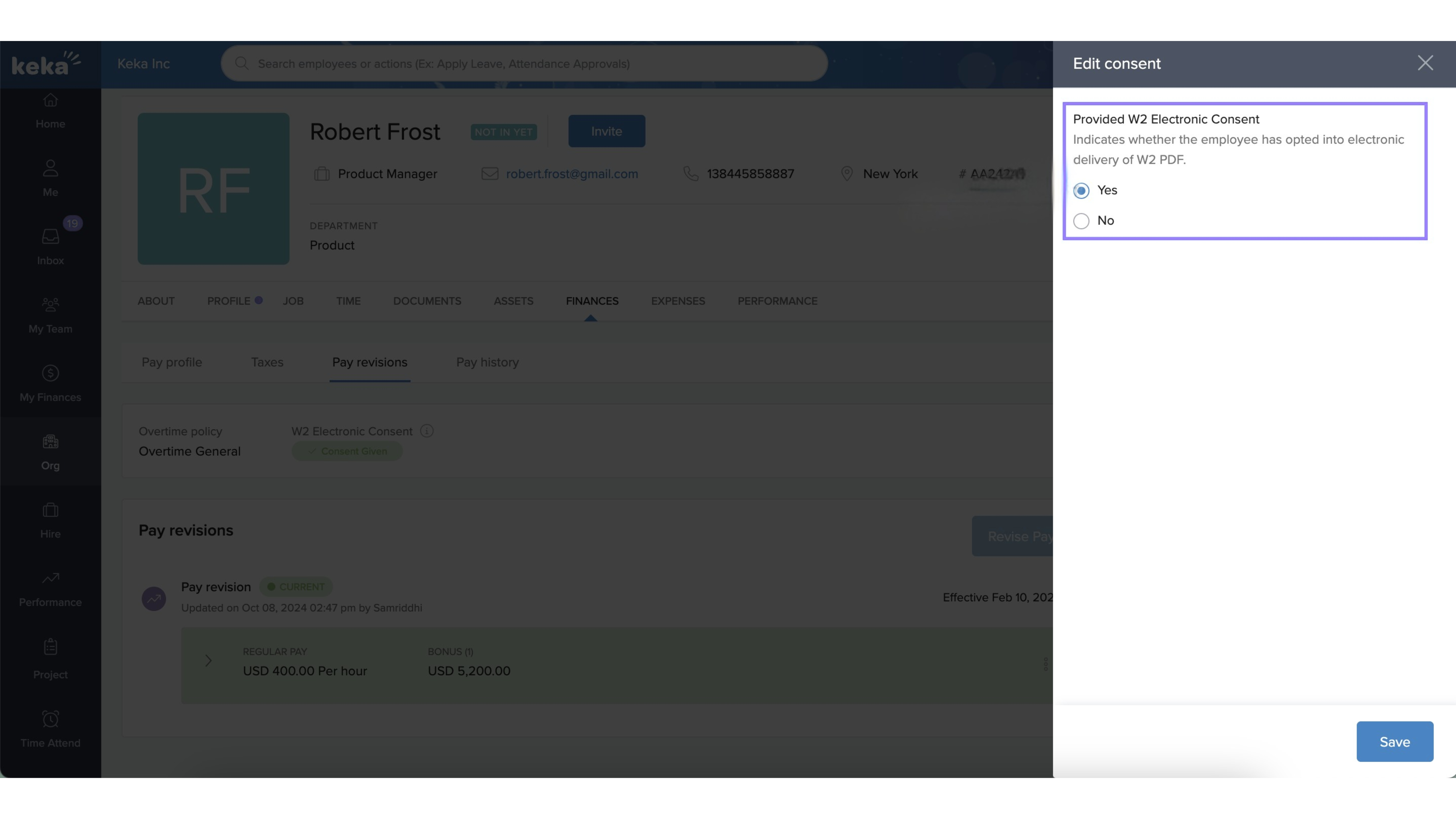
This ensures compliance with payroll documentation regulations and employee preferences.
Options & Variants
You can edit, delete, or add pay components as needed.
Overtime policies can be modified or replaced, depending on role or location.
W2 delivery preferences can be updated anytime via a simple toggle.
We hope this guide helps you confidently manage pay revisions in Keka.
Comments
0 comments
Please sign in to leave a comment.