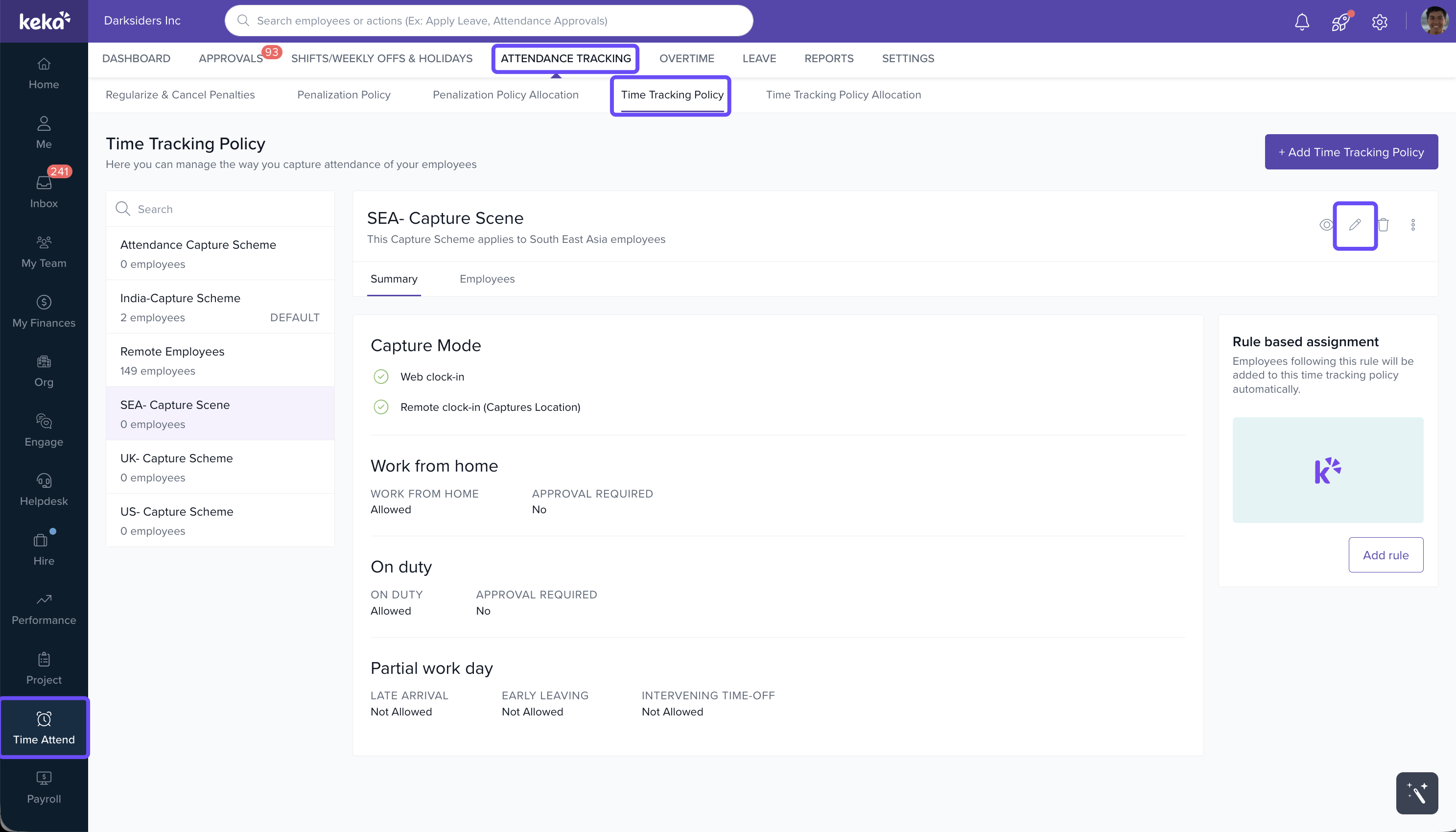
- Go to Time Attend > Attendance Tracking.
- Ensure you're on the Time Tracking Policy tab and select the relevant time tracking policy.
Click on the Update icon to open a new window.
- In the policy setup window, locate and verify that Remote Work is enabled.
- Scroll down to Additional Settings and activate the option "Employees can clock in/out during remote work."
Click Save to apply your changes and close the window.
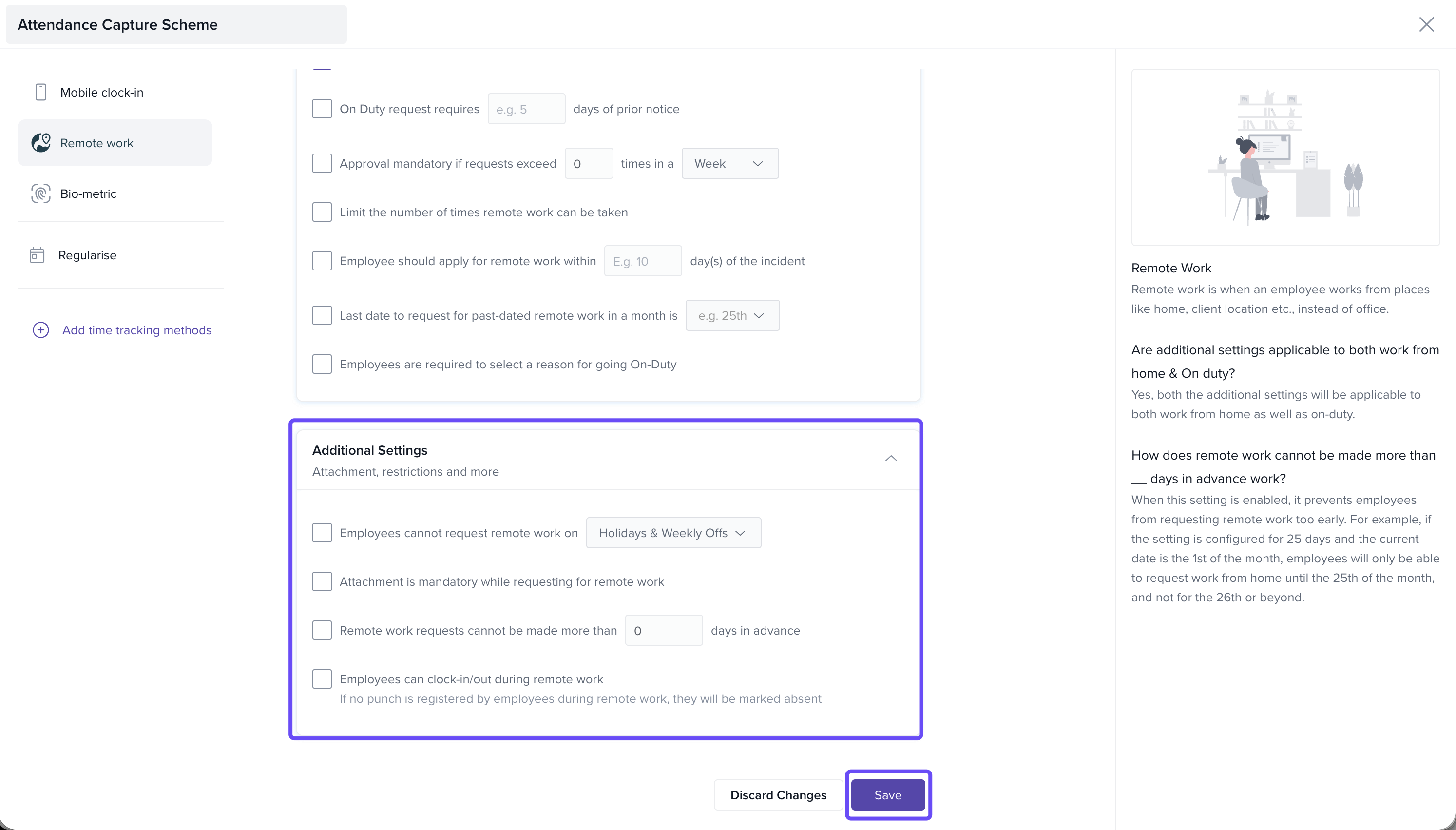
You have successfully enabled clock-in/clock-out during WFH.
Comments
0 comments
Please sign in to leave a comment.