Introduction
In Keka, the Time Tracking Policy defines how employees can mark their attendance, such as through remote clock-ins, web clock-ins, or biometric systems. The Penalisation Policy outlines penalties for incidents like no attendance being marked, late arrivals, working less than the desired hours, or missing swipes. It’s important for employees to be aware of both the capture scheme and penalisation policy they are assigned to, in order to stay compliant.
Check Penalisation Policy and Time Tracking Policy
Navigate to the Me section of the Keka portal.
Then, select Attendance to view your attendance details.
On the right side of the screen, click on the Attendance Policy option.
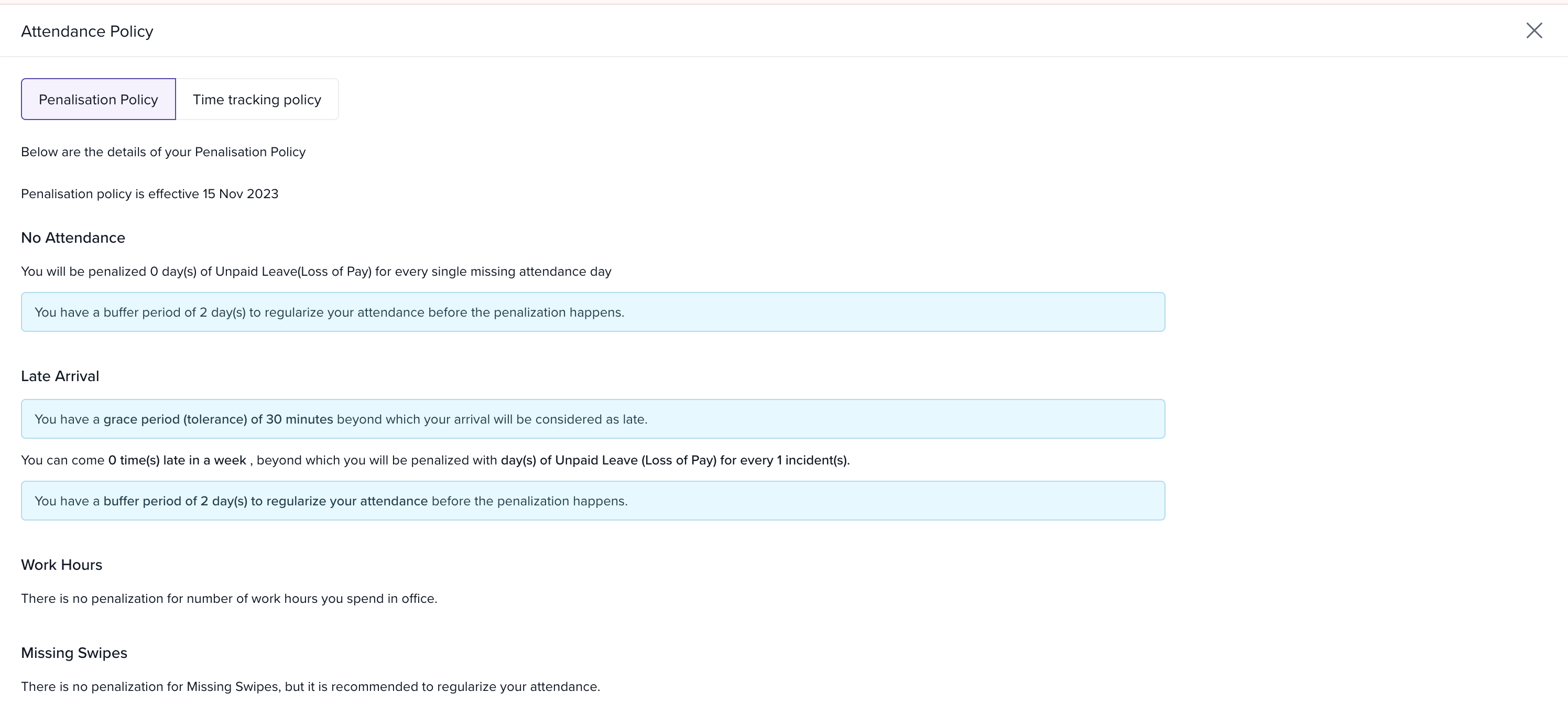
Penalisation Policy
This will display the configurations of your assigned tracking policy, including any penalties for incidents like late arrivals or missed attendance swipes.
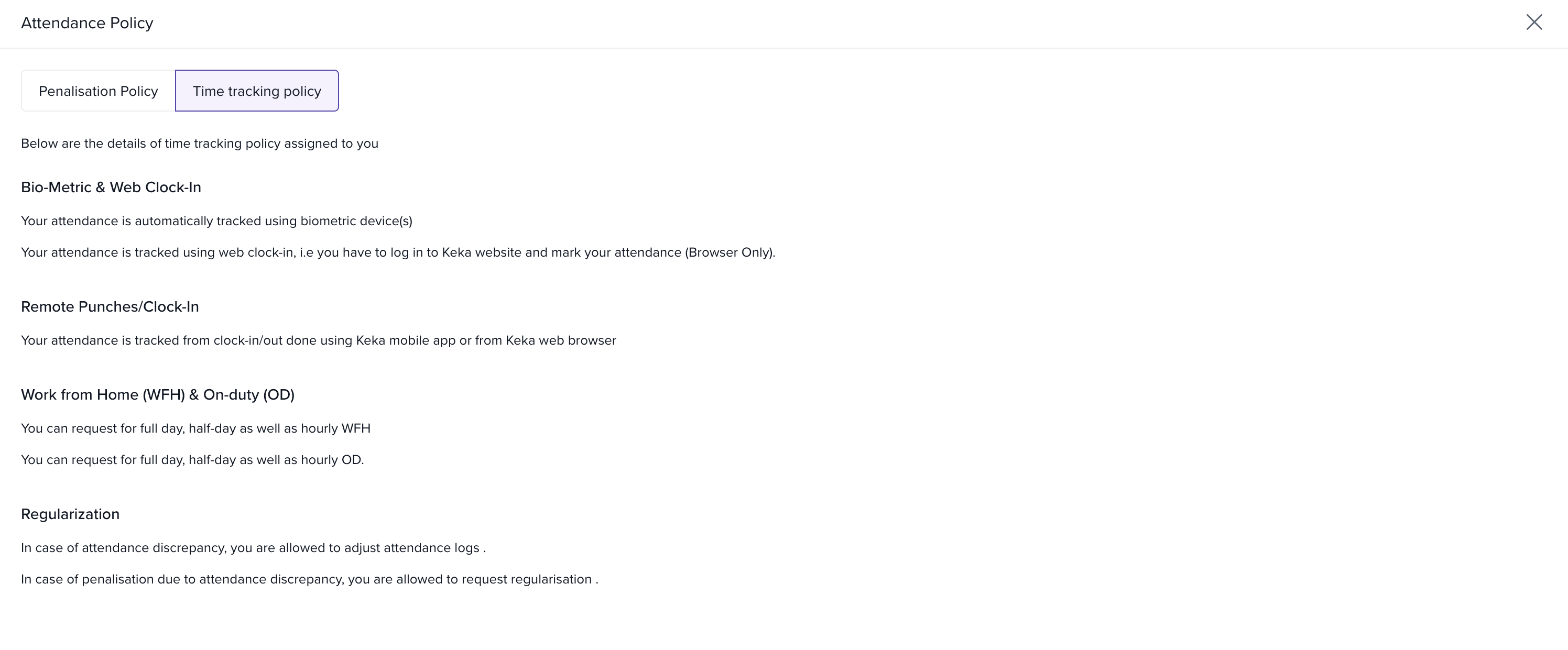
Time Tracking Policy
This will display the time tracking policy settings assigned to you, indicating how you are expected to mark your attendance.
We hope this guide makes it clear how employees can view their penalisation policy and time tracking policy settings in Keka. Staying informed about these settings ensures that employees can comply with the organization’s attendance rules.
If you need further assistance, feel free to check out other articles on the portal or contact us directly.
Comments
0 comments
Please sign in to leave a comment.