Introduction
In Keka, employees across departments or roles may use different methods to record their attendance. When an employee is promoted or moved to another department, you may need to update their Time Tracking Policy to match their new role.
This article explains how to update an individual employee’s time tracking policy directly from their profile.
Change the Time Tracking Policy
Search for the employee by name using the Global Search bar at the top of the Keka portal.
Click on the employee's profile and go to the Job tab.
Scroll down to the Employee Time section.
Hover over the Time Tracking Policy field.
Click the pen icon that appears to edit the time tracking policy.
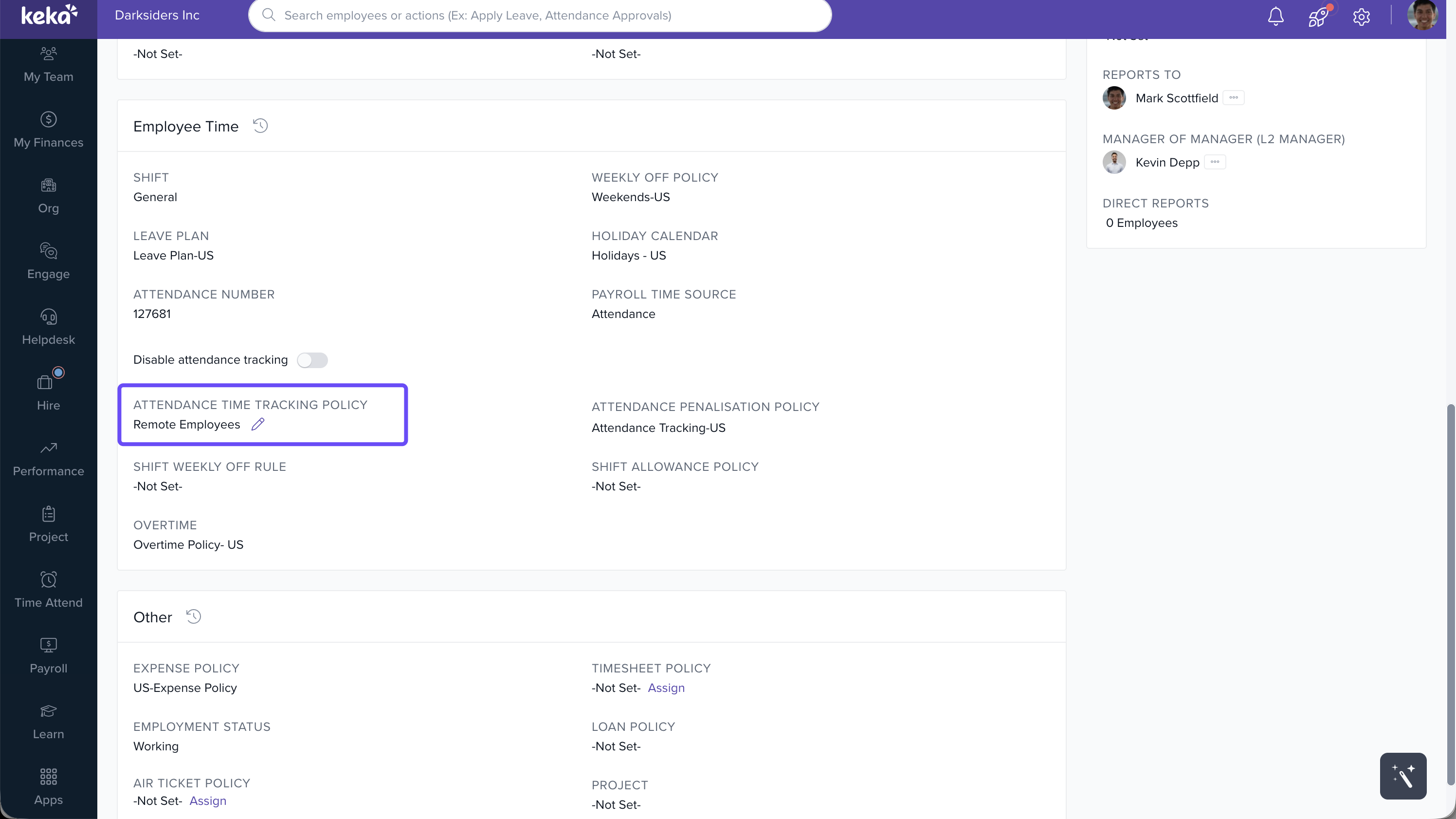
In the pop-up window:
Choose whether the update is a Correction of Data or an Attendance Time Tracking Policy Change.
Select the new time tracking policy from the dropdown.
Click Update to apply the changes.
Notes
Tip: Use Correction of Data if you're fixing a previous input error, and Attendance Time Tracking Policy Change for transitions like promotions or department shifts.
Comments
0 comments
Please sign in to leave a comment.