Introduction
Payslips (or pay stubs) are official documents employers must provide to employees every month when salary is processed. They give a transparent breakdown of:
Employee and employer details
Total earnings
Deductions (like taxes, PF, loan recovery)
Net salary paid
Additional details such as working days, leave, and loans
This article explains how payroll admins can manage payslips in Keka, and how employees can access their own payslips once released.
Manage Payslips as an Admin
Go to Payroll from the left navigation pane.
Click on the Run Payroll tab.
Select the Month you want to manage.
Under Payroll Outcome, click Manage Payslip and F&F Statements.


Note: The Manage Payslip and F&F Statements link appears only for finalized payroll months.
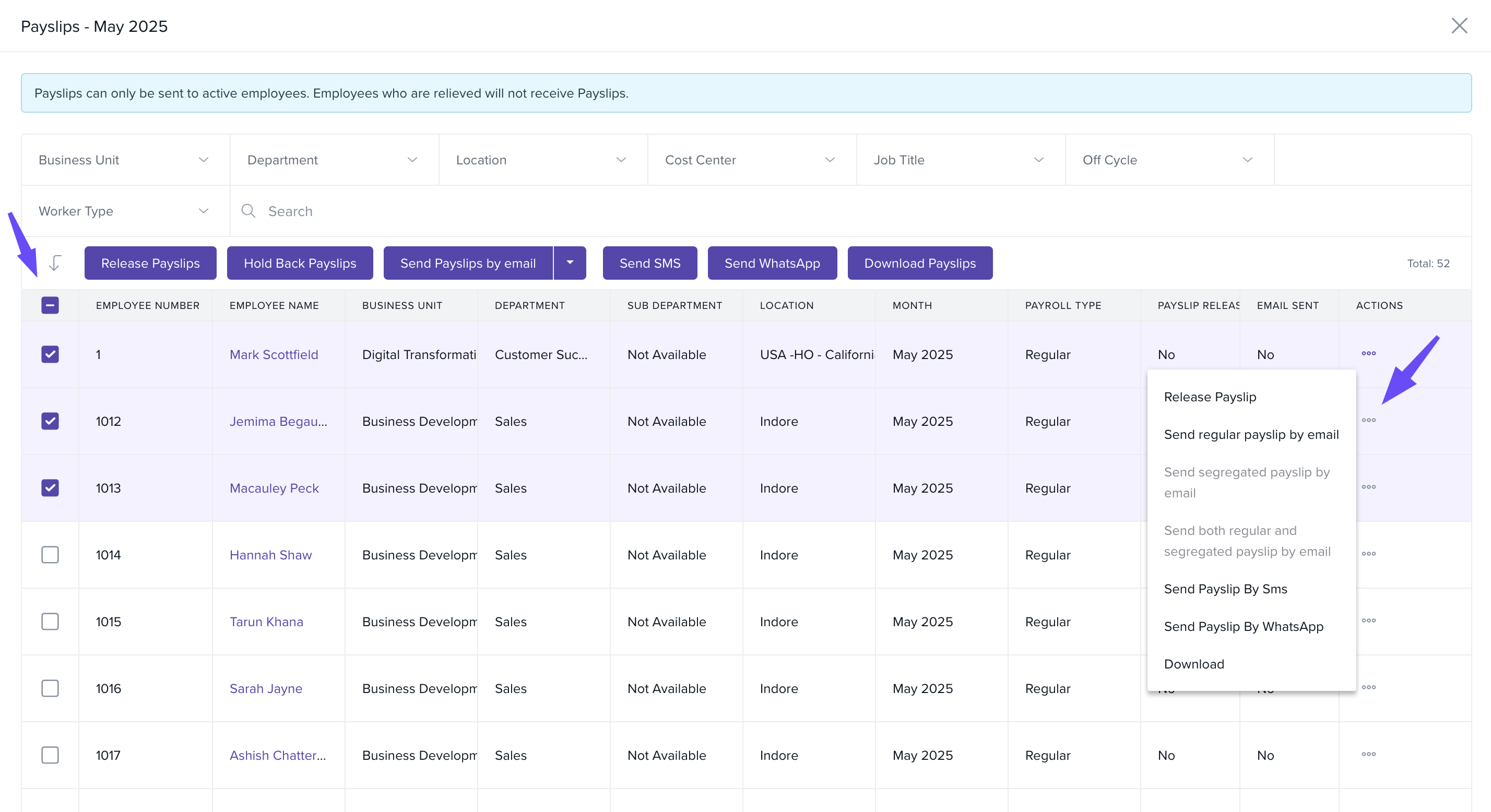
The Payslips window opens, where you can:
Use the checkbox to select multiple employees.
Use the three dots menu next to an employee to manage their payslip individually.
How Employees View/Download Payslips
Once released, employees can access payslips on both web and mobile:
Go to My Finances from the left pane.
Open the My Pay tab.
Select Payslips.
Download payslips using the Download button.
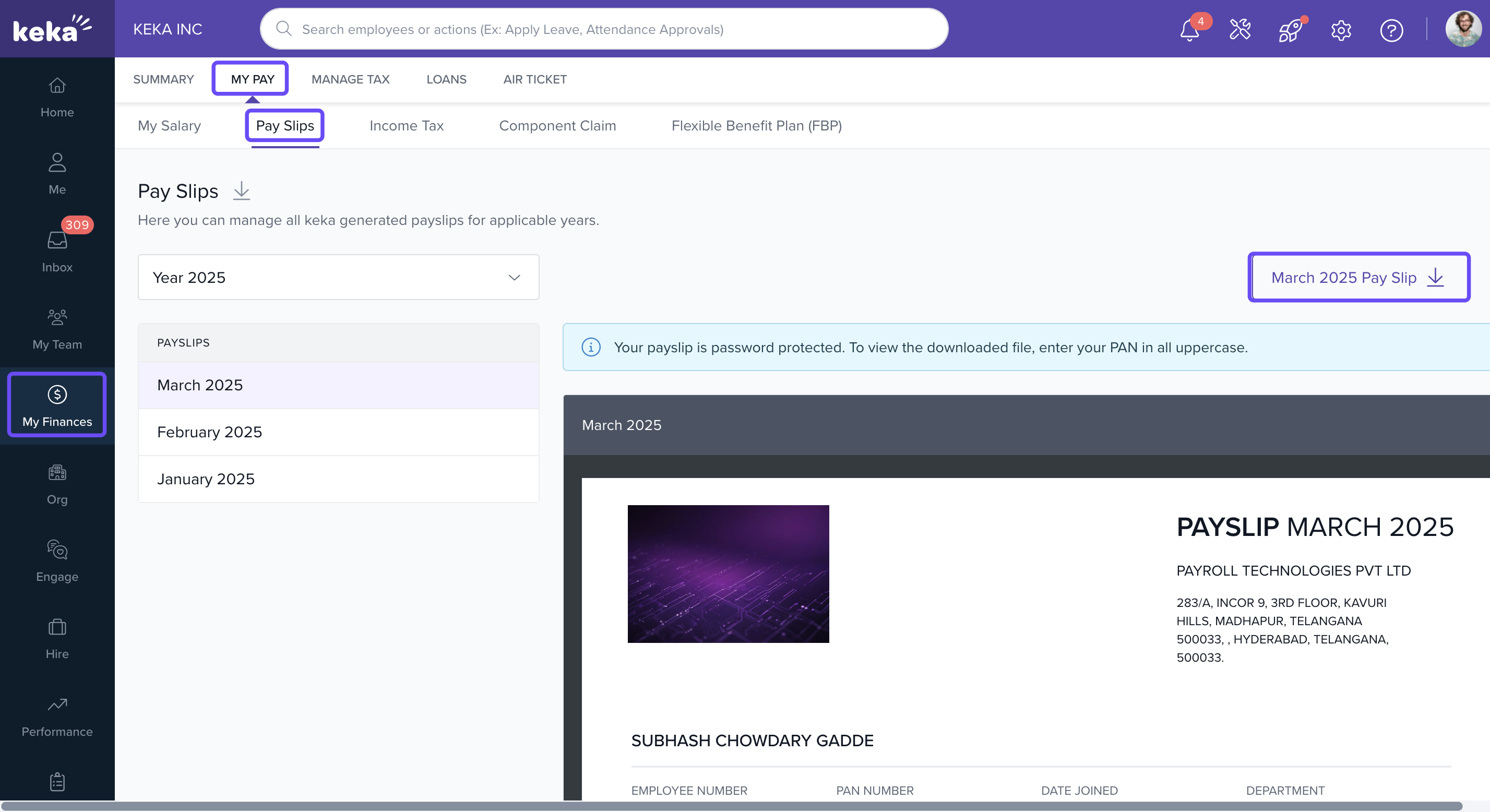
Note: If prompted for a password, employees should use their PAN number in uppercase.
Payslip Release Reminder
Once payroll is locked, payroll admins will see a persistent reminder on the payroll outcome screen prompting them to release payslips to employees
This reminder appears as a banner or an enhanced Managed Payslips card with a clear Release Payslips call-to-action. It remains visible even if the payroll outcome section is collapsed and will continue to appear until all payslips for the pay group are released.
Comments
0 comments
Please sign in to leave a comment.