To set up a Partial Day Policy in Keka, follow these steps:
- Go to Time attend > Attendance Tracking.
- Open the Time Tracking Policy tab.
- Select the time tracking policy you want to edit, or follow the same steps for creating a new one.
- Click on the Edit icon beside the scheme.
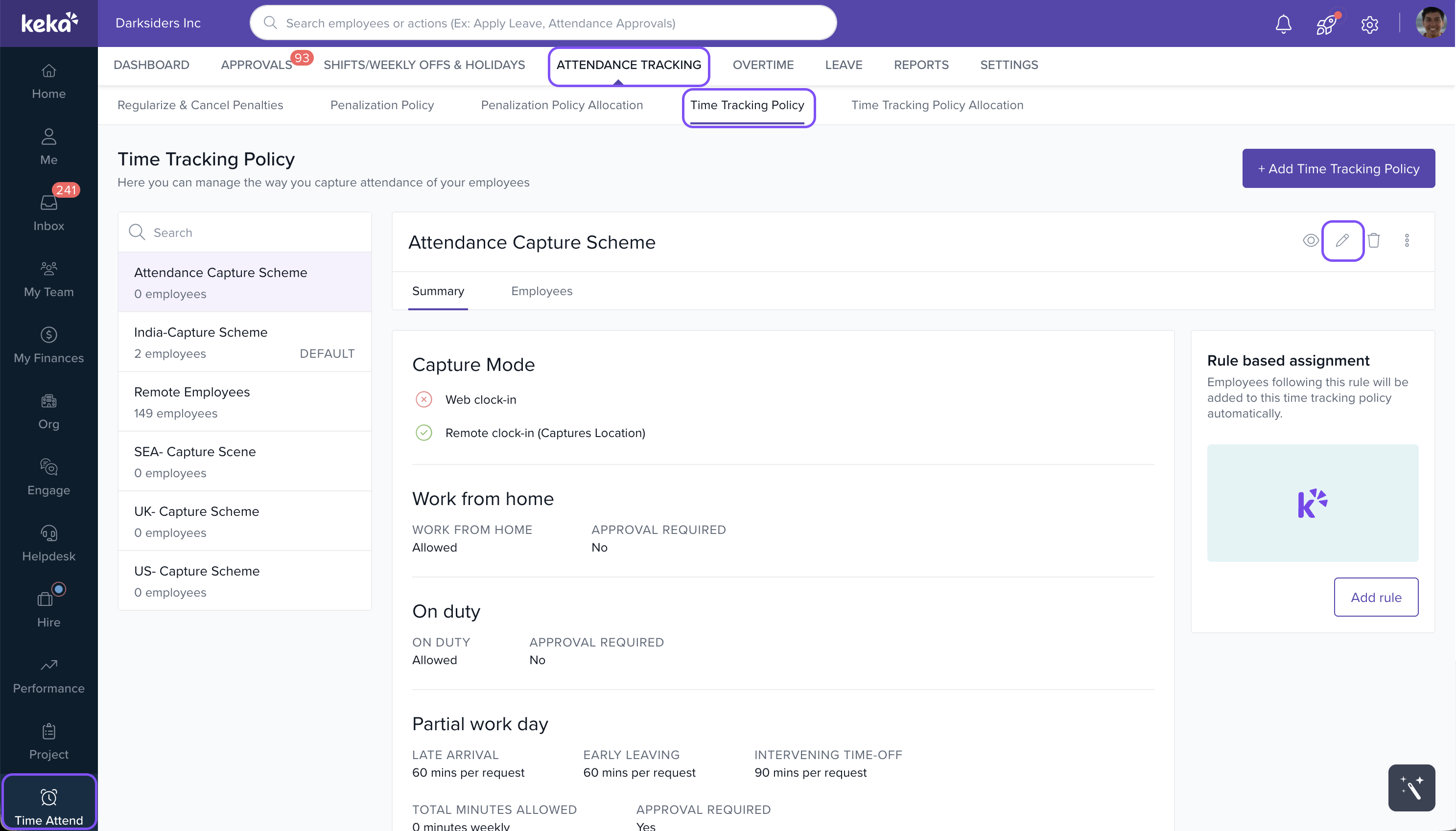
- On the Time Tracking Policy page, go to the Regularisation section.
- Toggle ON the setting for Partial Day: "Employees can request permission for coming late, leaving early, or any time during the shift hours."
- Set rules for:
- Total minutes allowed (e.g., 30–120 minutes).
- Frequency cap (e.g., per week/month/quarter/half-year/year).
- Maximum minutes per instance or cumulative minutes over a time period.
- Click Save to finalize your configuration.
This setup ensures accurate tracking and management of partial-day permissions for late arrivals, early departures, or time off during shifts.
image widget
Comments
0 comments
Please sign in to leave a comment.