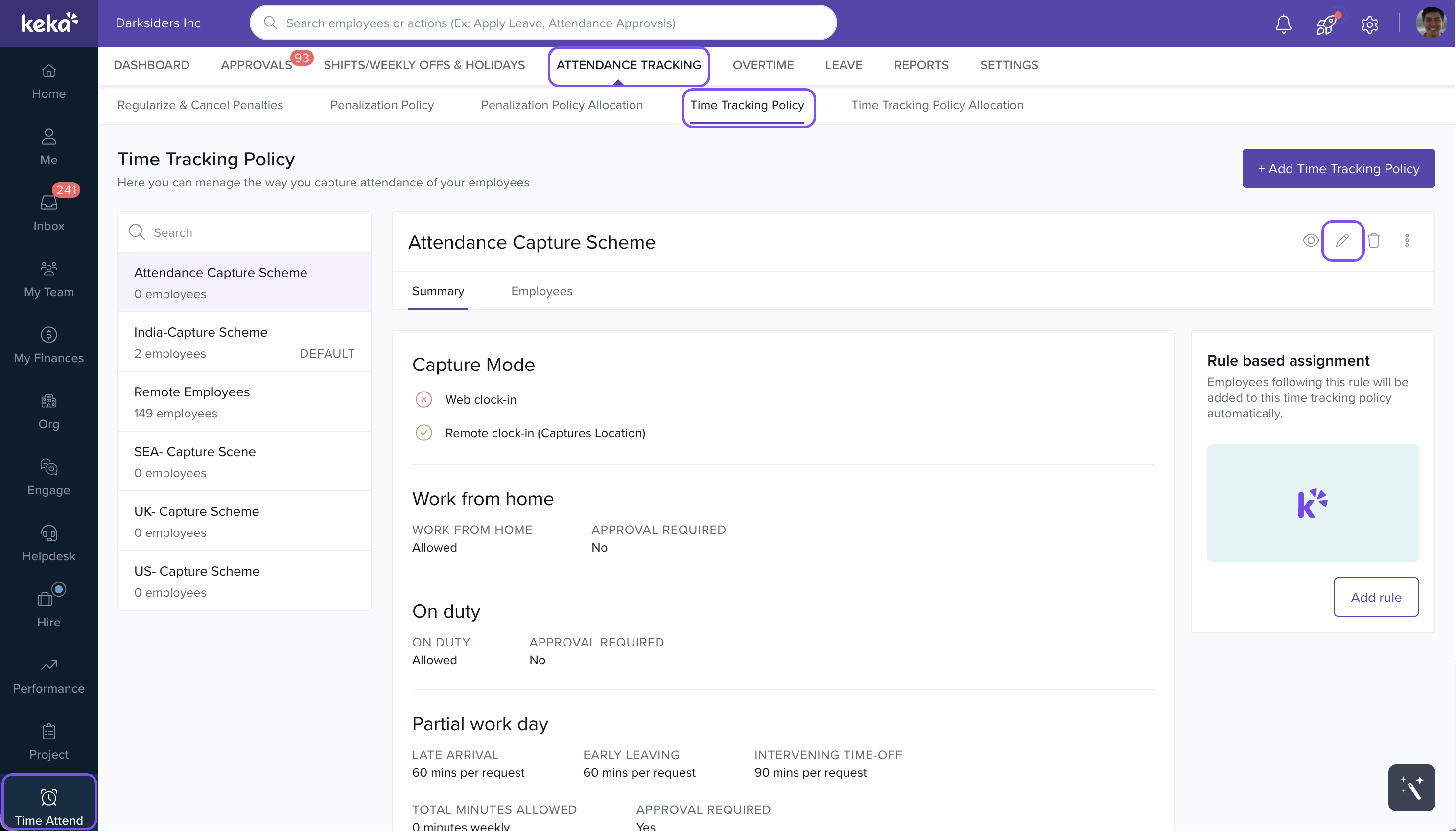
- Go to Time Attend > Attendance Tracking.
- Navigate to the Time Tracking Policy tab to view all configured time tracking policies.
- Select the relevant time tracking policy and click on the Update icon.
- In the policy setup window, go to the Remote Work section.
- Enable the Work from Home option by toggling the switch.
- Edit the rules for raising WFH requests as needed.
- Click Save to apply the changes.
image widget
Comments
0 comments
Please sign in to leave a comment.