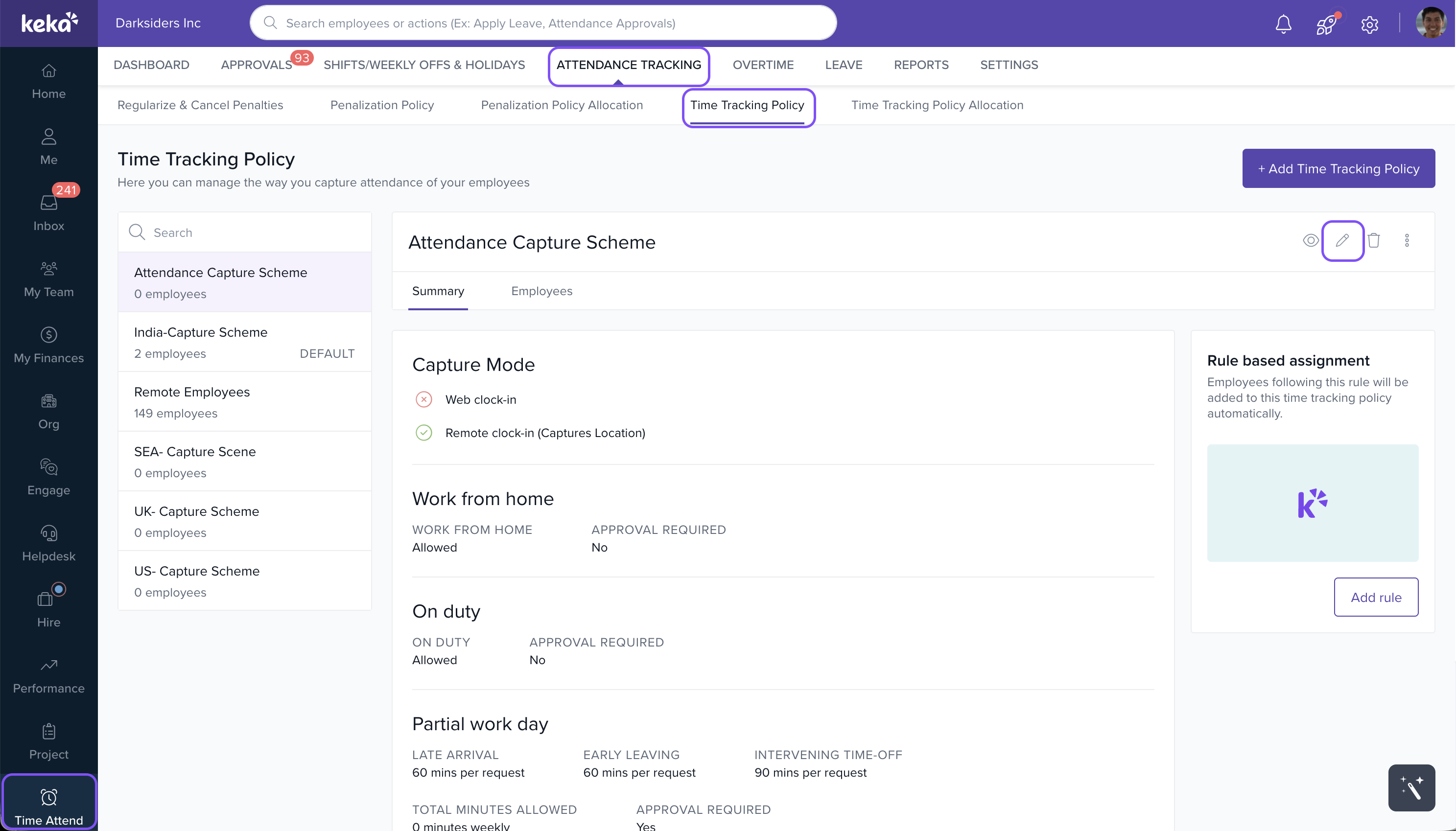
- Navigate to Time Attend > Attendance Tracking.
- Go to the Time Tracking Policy tab and select the relevant Time Tracking Policy that you wish to edit.
- Click on the Update icon to open the settings.
- In the Regularization section (Step 5), toggle the button for Attendance Adjustment.
- Check the box for "Let employees adjust up to 'X' number of days after the incident."
- Toggle the button for Attendance Regularization and check the box for "Let employees regularize up to 'X' days after the incident."
- Set the number of days after the incident during which employees can request regularization.
- Click Save to apply the changes. The changes will take effect immediately.
This configuration will restrict past-dated regularization based on the number of days set after the incident.
image widget
Comments
0 comments
Please sign in to leave a comment.