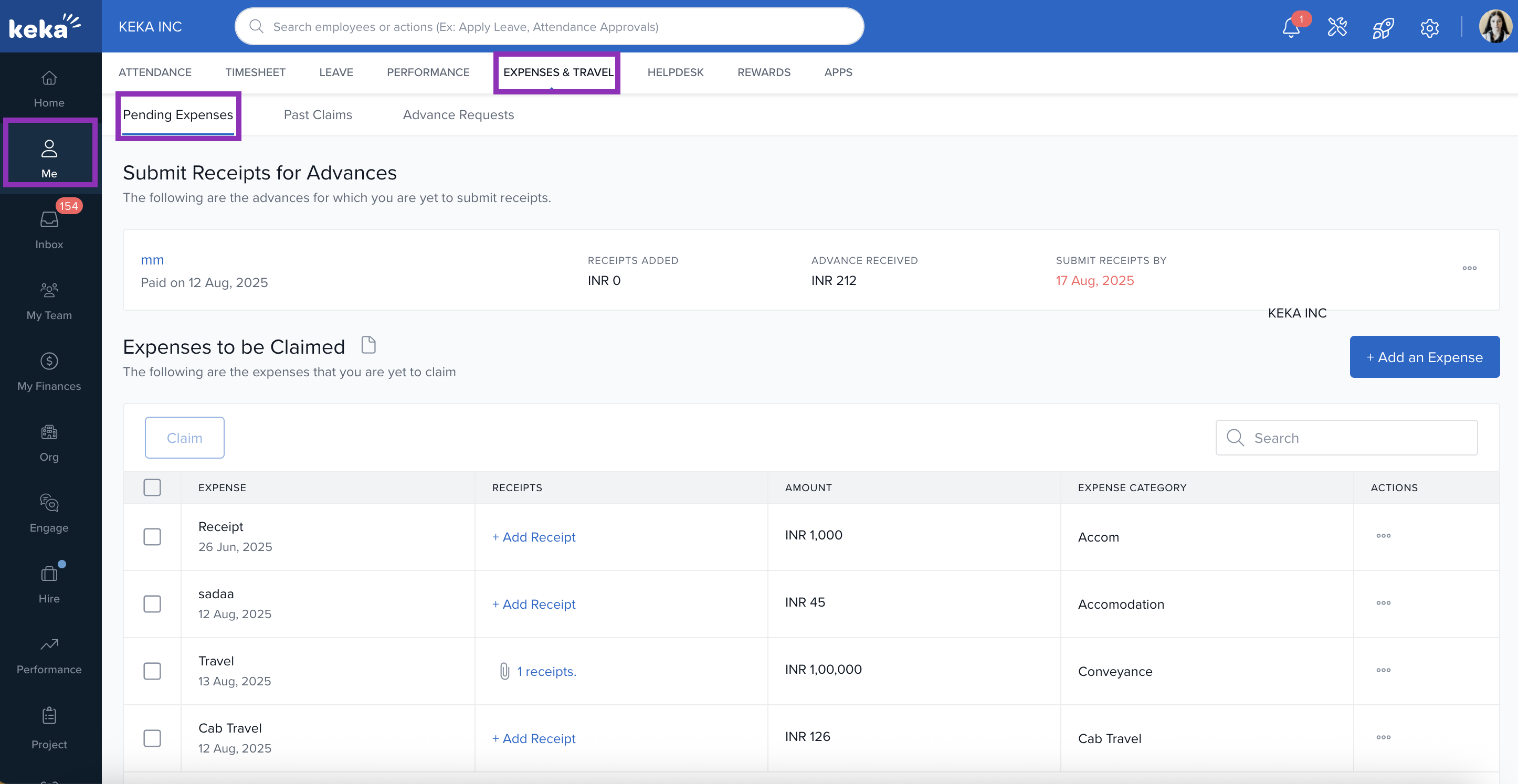
Go to the Me section from the main menu.
Click on the Expense & Travel tab.
Select the Pending Expenses tab.
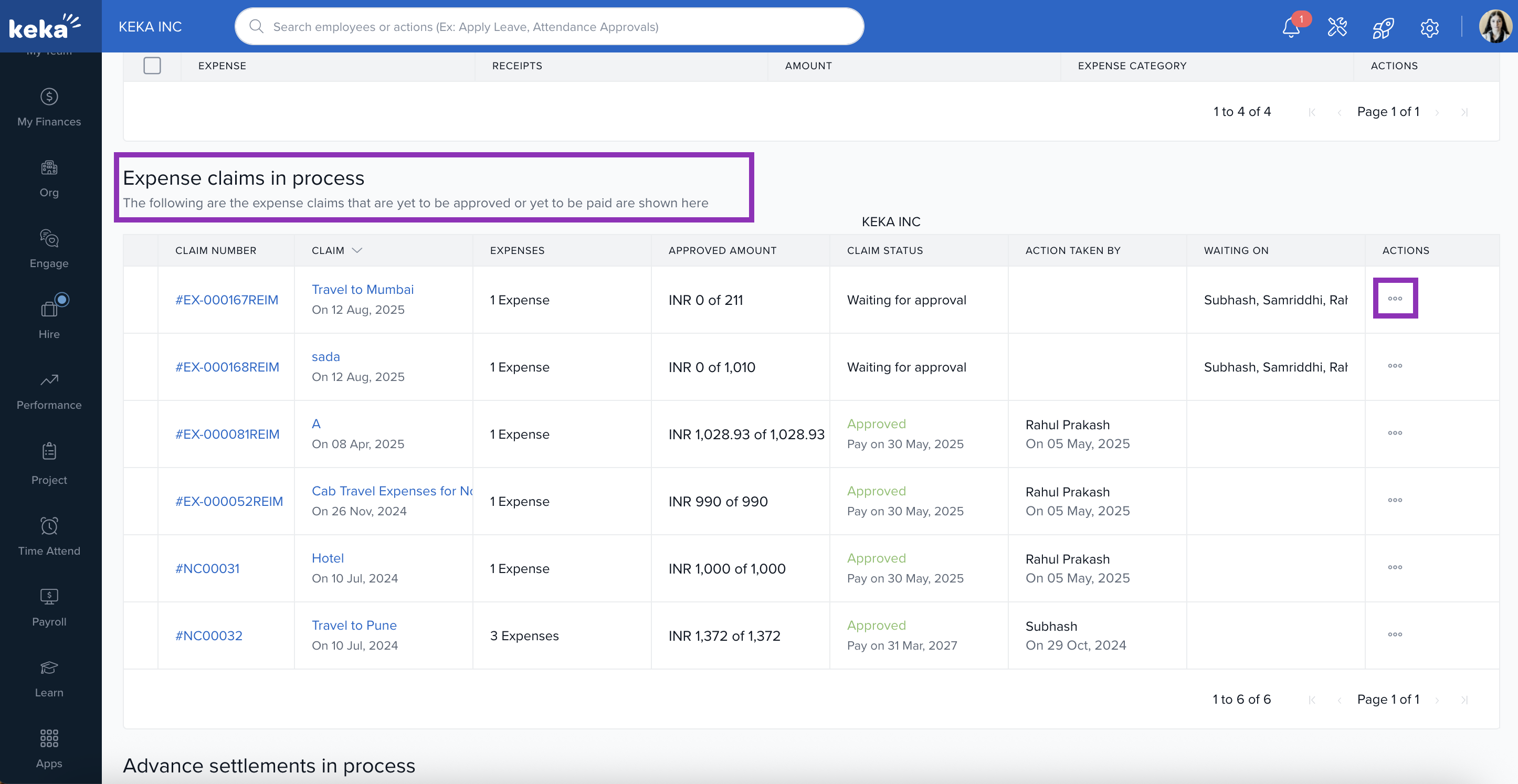
4. Scroll down on the same page to expense claim in process and click on three dots.
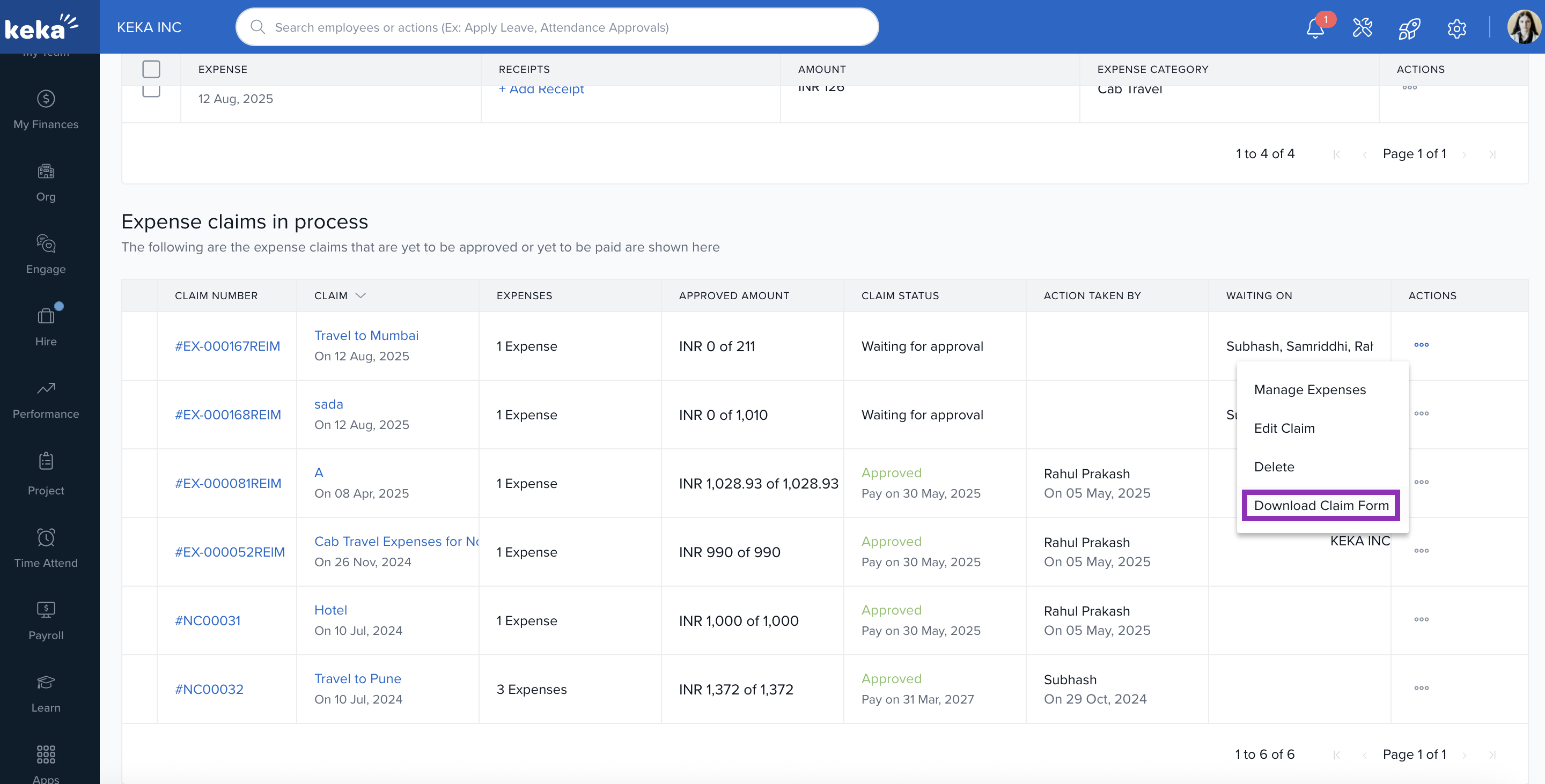
5. You will see a pop-up on your screen with an option to download claim form, click on it to download.
If you need further help, visit help.keka.com for more resources.
Comments
0 comments
Please sign in to leave a comment.