Use Growth Plan Templates in Keka to build structured, repeatable learning paths for employees. These templates help managers assign consistent goals, save time, and align development efforts with organisational priorities.
Steps to Customise Templates:
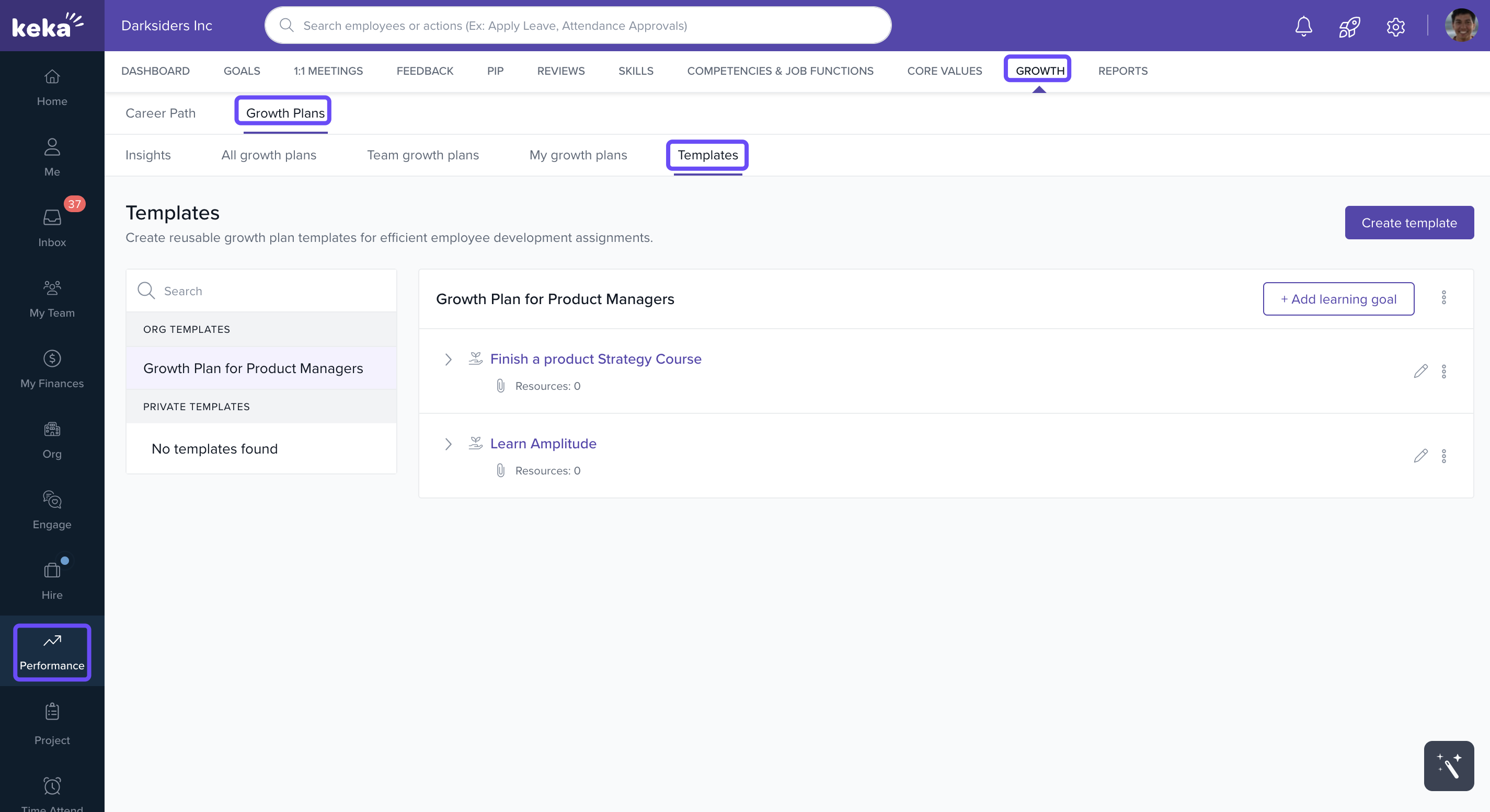
Accessing Templates
Navigate to the Performance module.
Click the Growth tab.
Select Growth Plans.
-
Open the Templates tab to view existing templates or create a new one.
Creating a Template
-
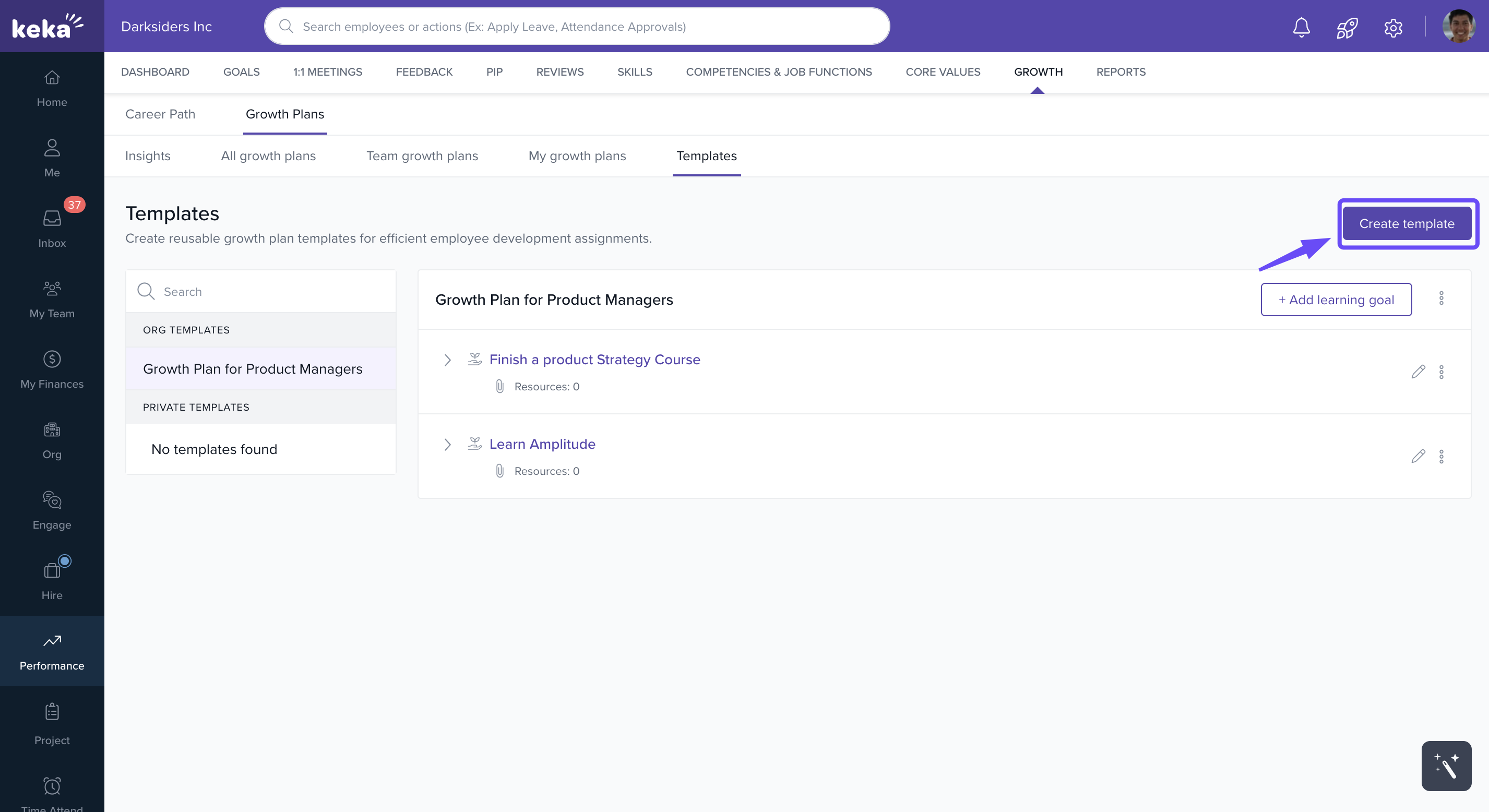
Click Create Template.
-
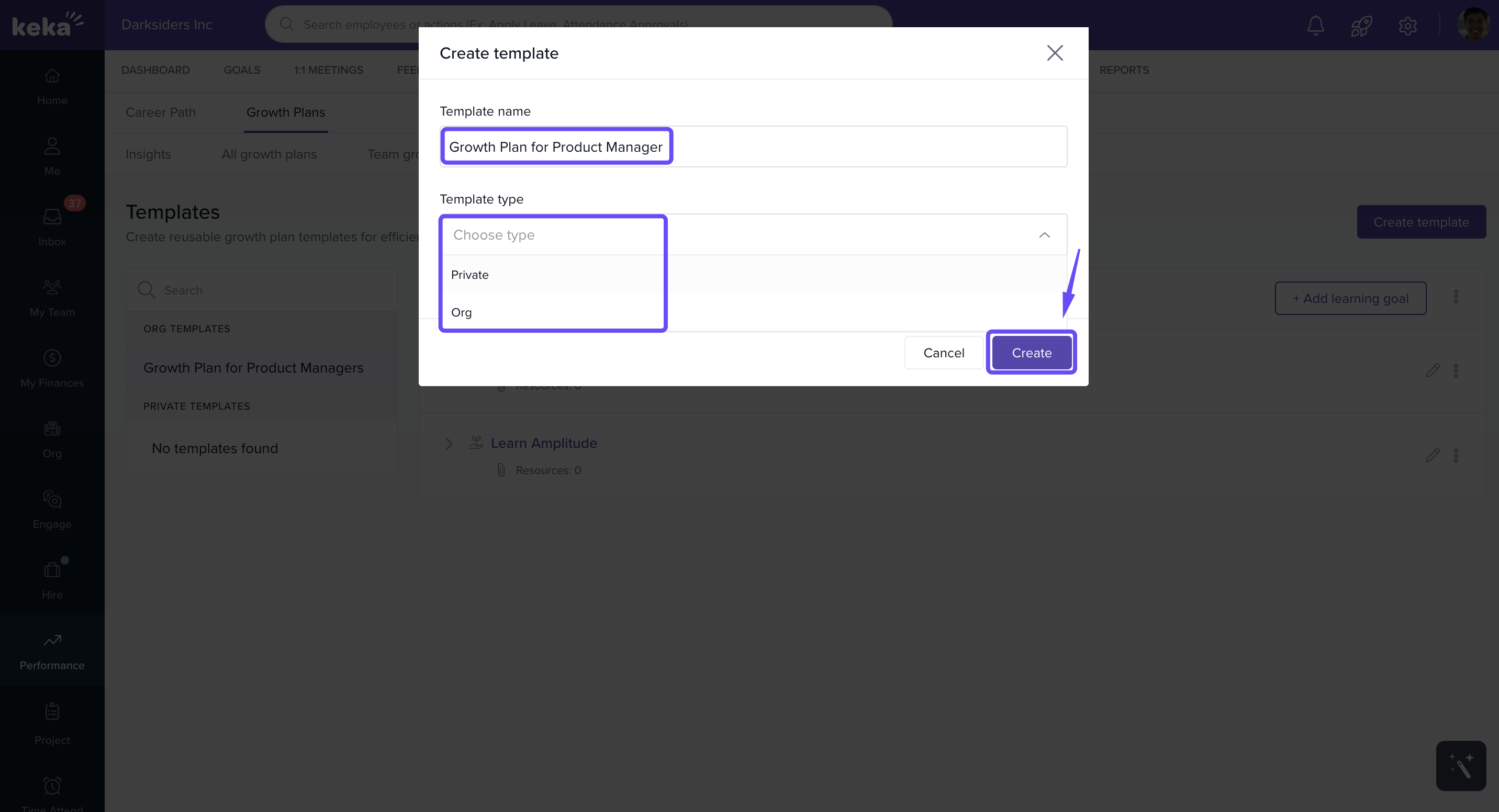
Fill in:
Template Name
-
Template Type:
Private: Visible only to the creator
Organisation: Accessible to all admins
-
Click Create to finalise the template.
Adding Learning Goals
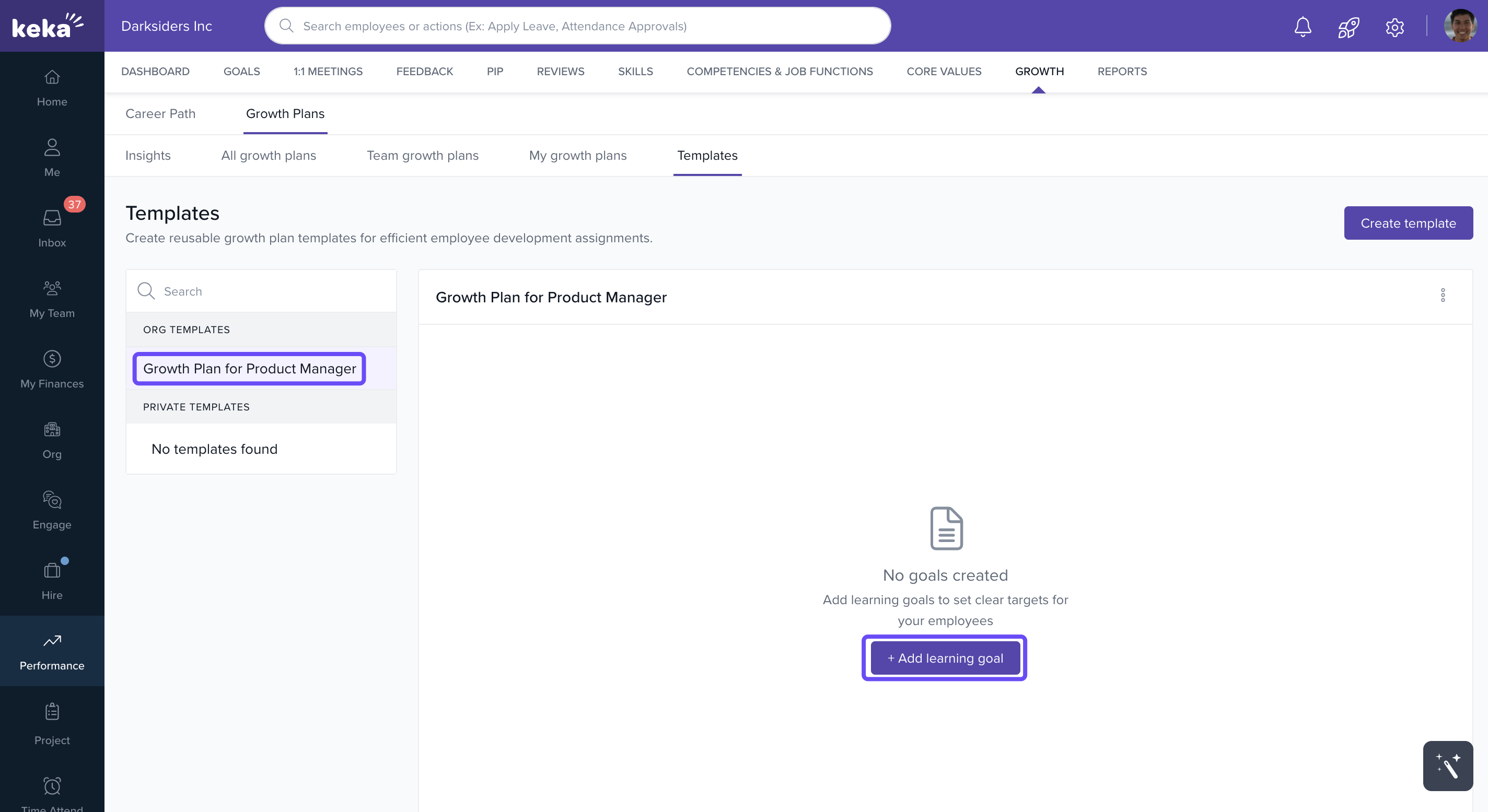
Select your newly created template.
-
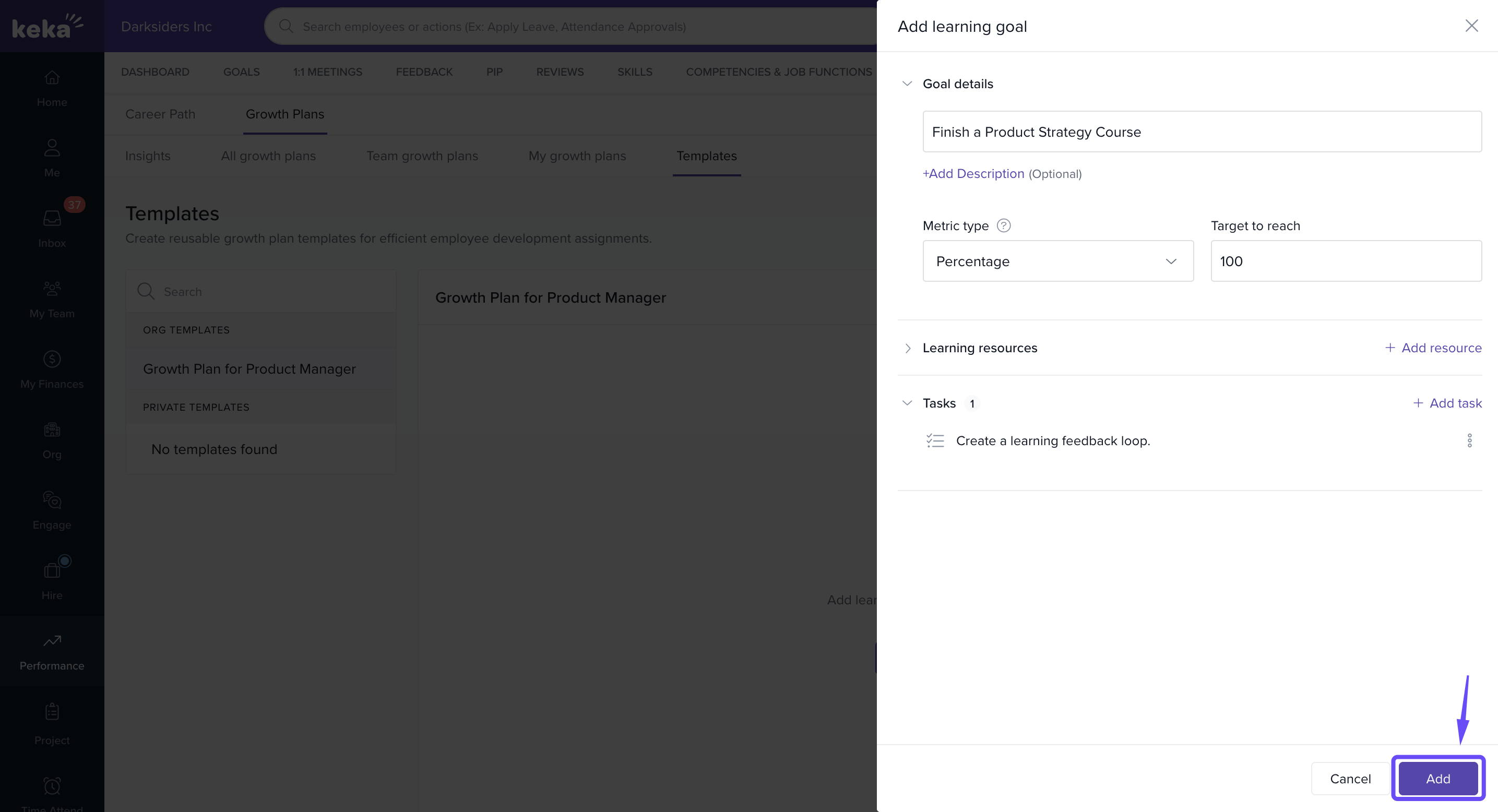
Click + Add Learning Goal.
-
Enter:
Goal Name
Metric Type (e.g., progress, completion)
Target to Reach
Tasks (add multiple if needed)
-
Click Add to save the goal under the template.
Editing Existing Templates
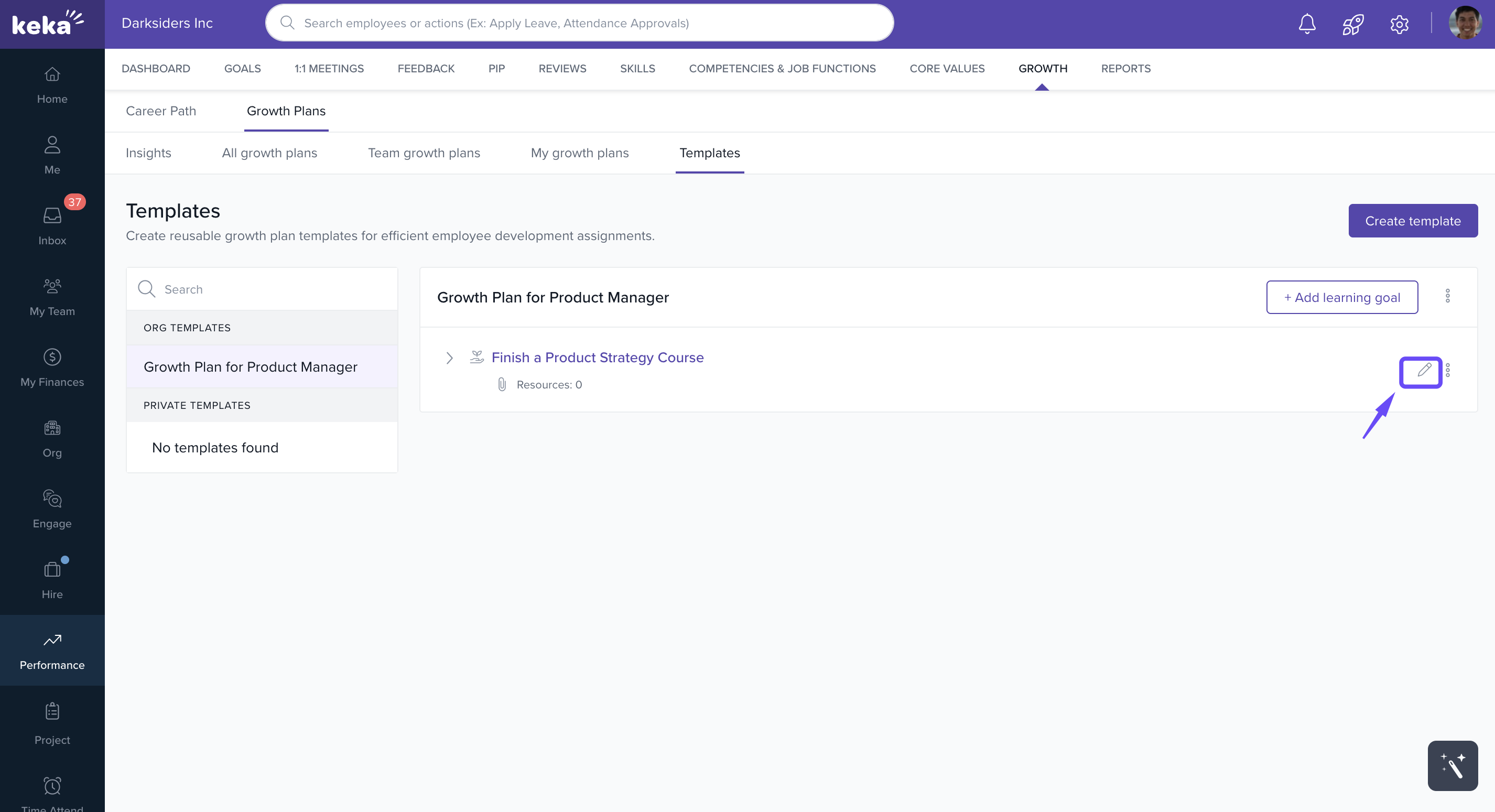
Select the template you want to update.
-
Click the Edit (pencil) icon next to a goal.
-
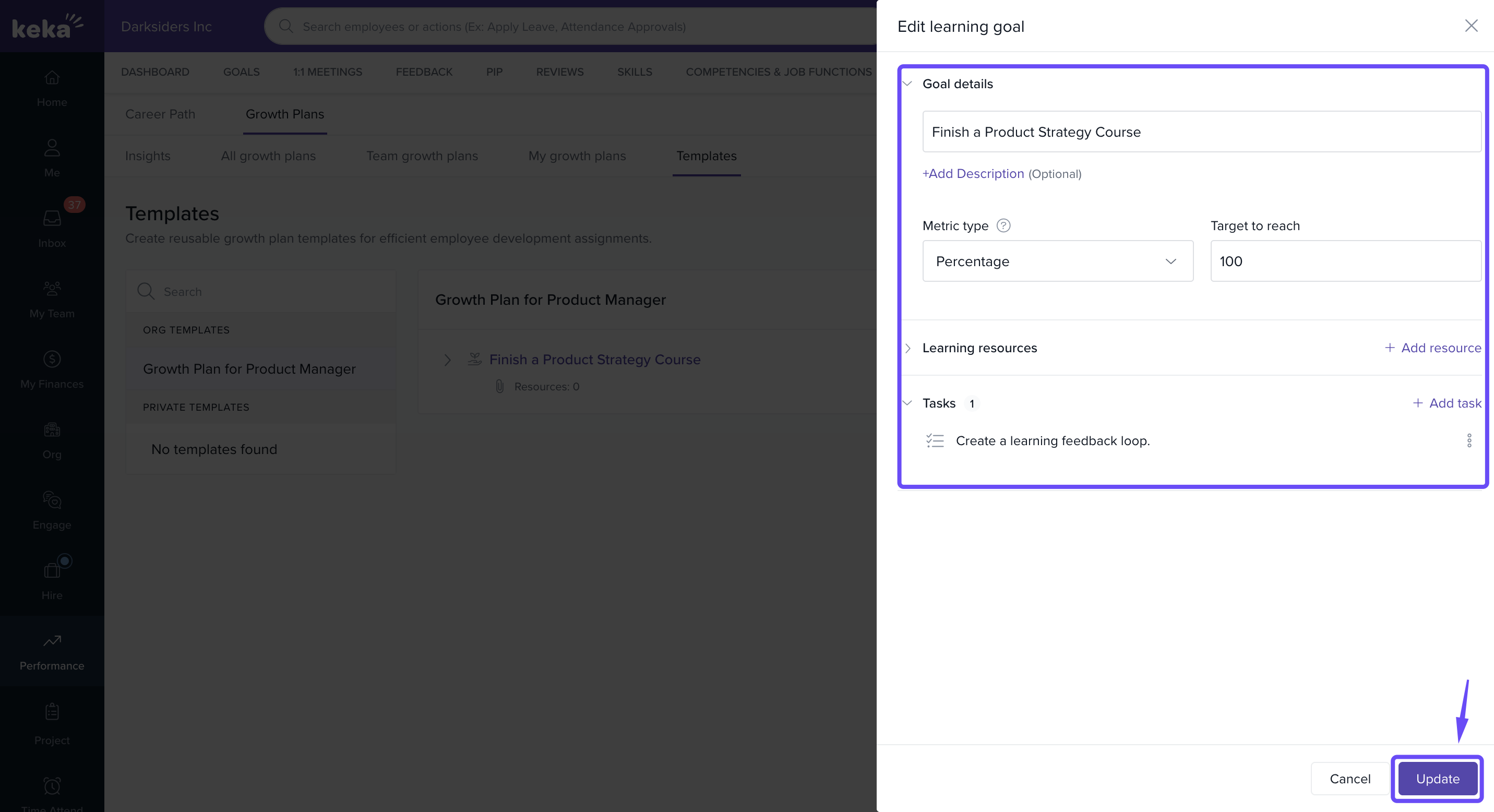
Modify:
Goal Name
Metric Type
Target
Tasks
-
Save your changes to keep the template up to date.
Why Use Templates?
Templates make employee development:
Consistent across teams.
Efficient to assign and manage.
Aligned with organisational learning goals.
They’re perfect for recurring development needs or role-based upskilling programs.
Comments
0 comments
Please sign in to leave a comment.