Overview
We are excited to announce the release of the Multiple Probation Feedback Forms feature in Keka's Core HR module. This new functionality allows Global Admins and HR Managers to create, manage, and assign multiple feedback forms at the probation policy level. Users can now assign different feedback forms for evaluators and employees separately, providing more flexibility and customization for probation evaluations.
Key Features
-
Create Multiple Feedback Forms:
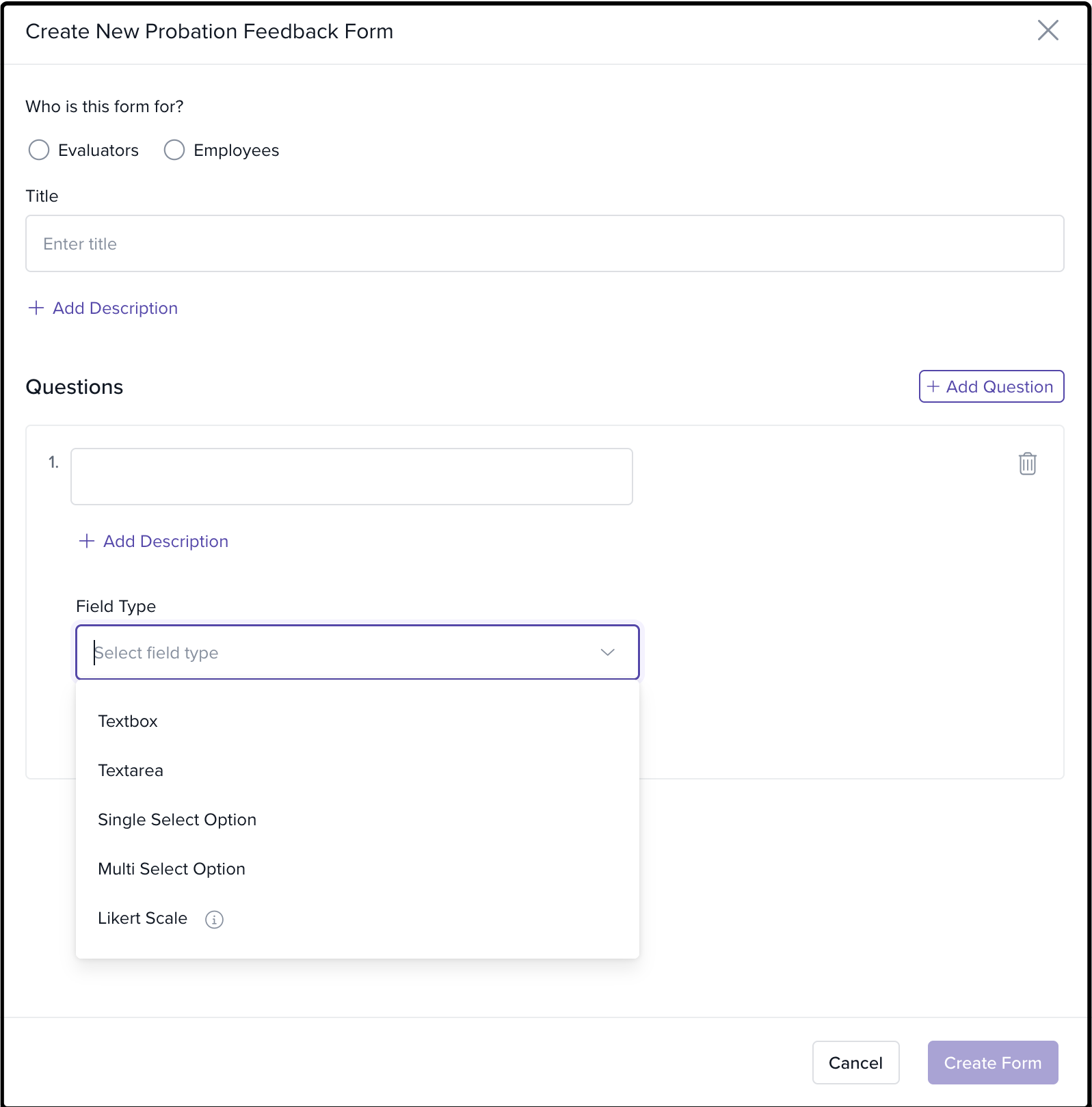
Users with create form privileges can now create distinct probation feedback forms for evaluators and employees separately.
Feedback forms can include multiple question types such as Text Area, Text Field, Single Select, Multi-Select, and Likert Scale.
Forms are saved for future use and can be assigned at the probation policy level.
-
Edit Feedback Forms:
Users with edit privileges can modify feedback forms after they are created, including form titles, descriptions, and questions.
The "Who the form is for" field remains non-editable once created, and tooltips provide clear instructions on this restriction.
-
Clone Feedback Forms:
Users can now clone existing feedback forms for quick configuration. This allows for faster creation of similar forms while maintaining consistency.
Cloned forms are saved as new entries and can be assigned to new probation policies.
-
Set Default Feedback Forms:
Admins can set one default feedback form for evaluators and one for employees.
These default forms are preselected when creating new probation policies, reducing setup time.
-
Delete Feedback Forms:
Admins with the right privileges can delete feedback forms, provided they are not marked as default or assigned to any active policies.
The system ensures that only forms that are not in use or are not set as defaults can be deleted.
-
Assign Feedback Forms at the Probation Policy Level:
Users can assign separate feedback forms for evaluators and employees within the probation policy settings.
Forms are previewed before assignment to ensure proper selection.
-
View Usage of Feedback Forms:
Admins can view the number of policies where a particular feedback form is being used.
This helps in managing feedback forms and understanding their application across policies.
-
Download Feedback Responses:
Admins can now download feedback responses in XLSX format for both evaluator and employee feedback forms.
The exported file will include separate sheets for Probation Status, Evaluator Feedback Form, and Employee Feedback Form.
-
Migration for Existing Feedback Forms:
-
Existing feedback forms are renamed and set as defaults for their respective categories:
Reviewer Form is renamed to Default Evaluator Form.
Employee Form is renamed to Default Employee Form.
For existing policies, the system will automatically map and display the default feedback forms based on the participants selected (reviewers or employees).
-
How to Use
-
Creating a Feedback Form:
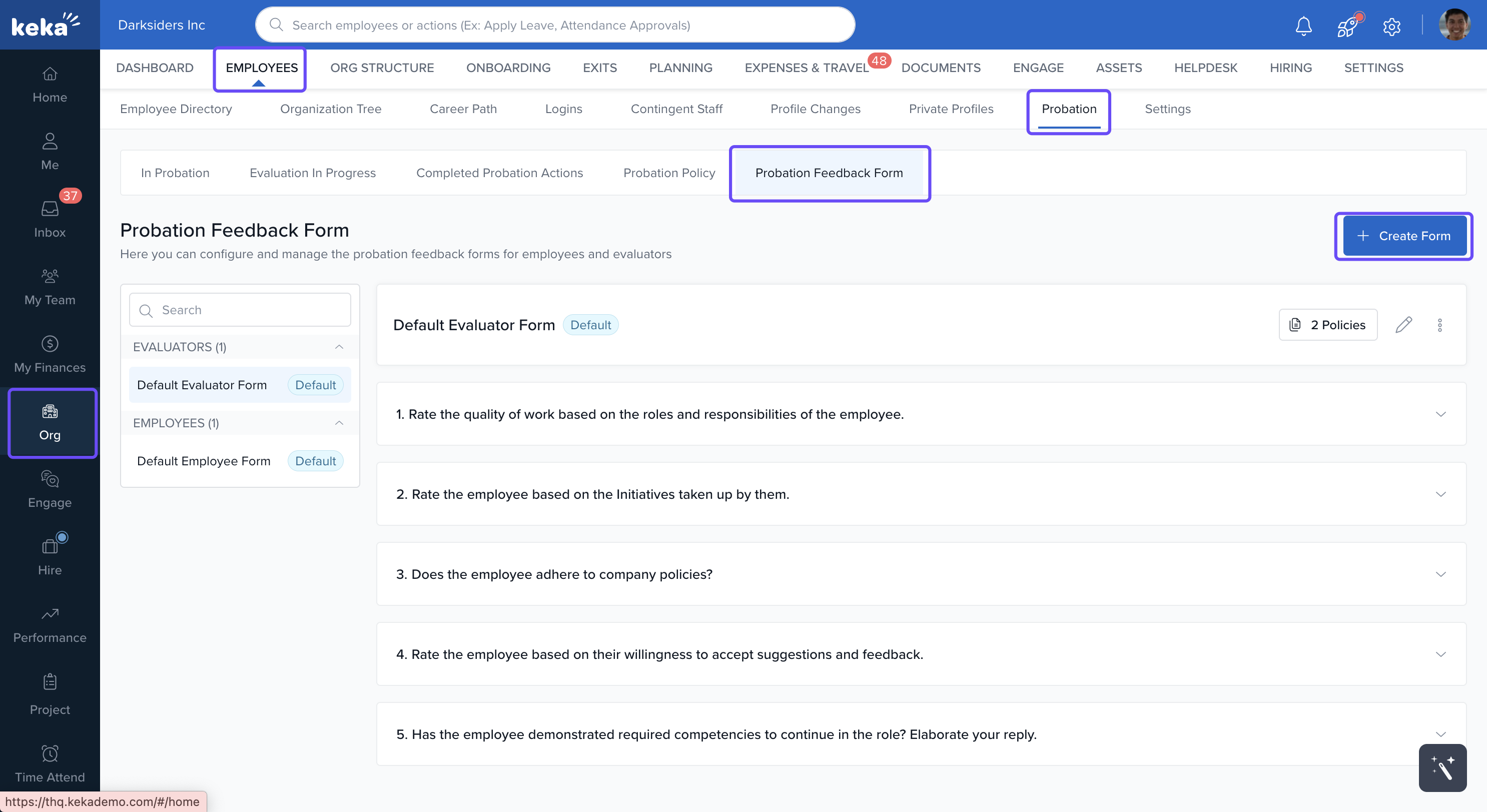
Navigate to Core HR > Employees > Probation > Probation Feedback Form.
-
Click Create Form to add details, select questions, and specify whether the form is for the evaluator or employee.
Save the form and assign it to the relevant probation policies.
-
Editing a Feedback Form:
Navigate to an existing form and click Edit.
Modify the form title, description, and questions, keeping in mind that the "Who the form is for" field is non-editable.
-
Cloning a Feedback Form:
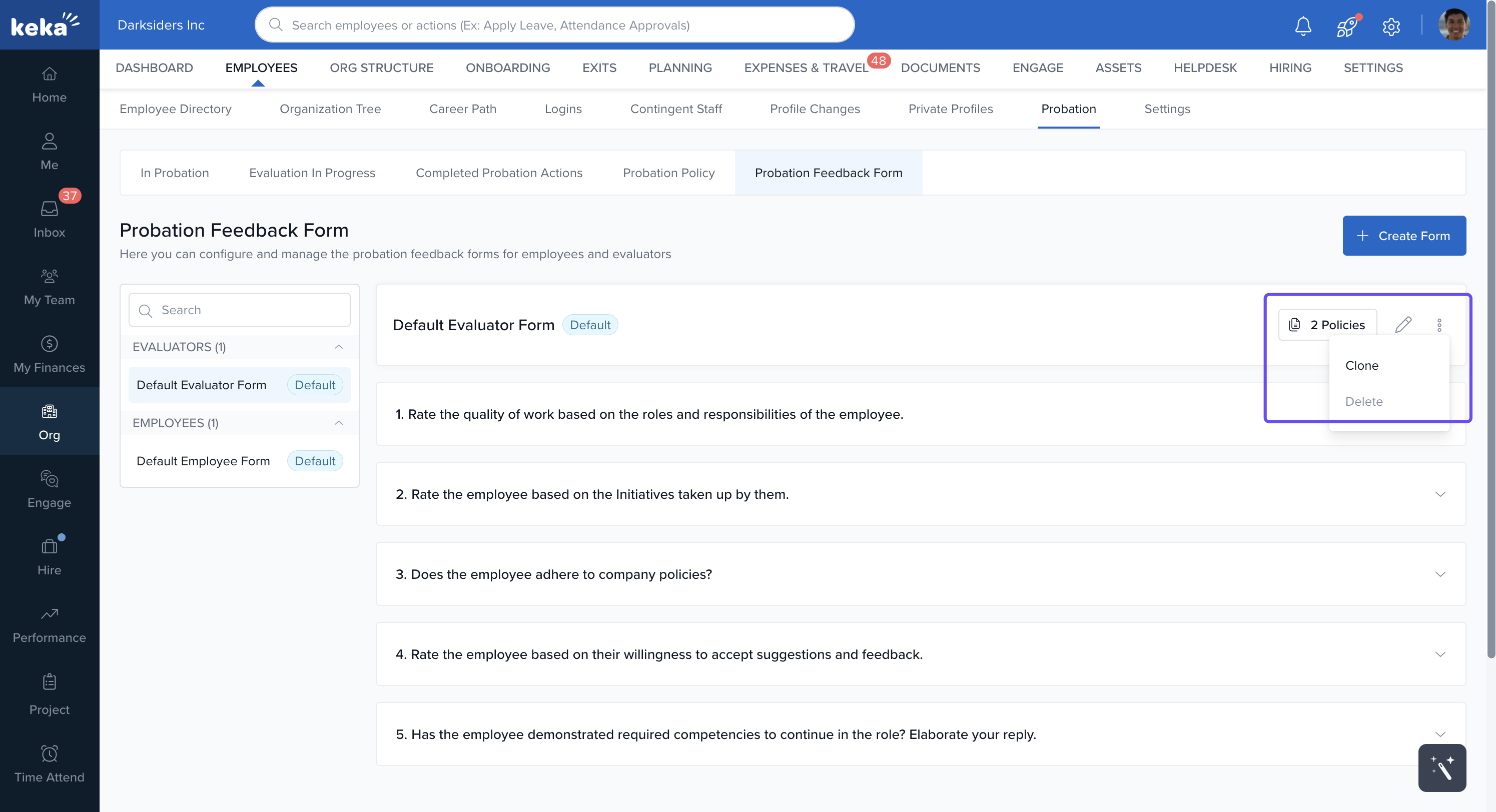
Click on the three dots next to an existing form and select Clone.
Edit the cloned form’s details and save it as a new entry for future use.
-
Assigning Feedback Forms at the Policy Level:
Go to Core HR > Employees > Probation > Probation Policy.
Select the probation policy and assign the evaluator and employee feedback forms.
You can preview the forms before assigning them.
-
Downloading Feedback Responses:
Admins can download feedback responses from the Feedback Responses section, which includes an organized XLSX file with all necessary columns and formats.
Conclusion:
The introduction of multiple probation feedback forms enhances flexibility and customization in probation evaluations. By allowing admins and HR managers to create, assign, and manage different feedback forms for evaluators and employees, this update streamlines the process and ensures that feedback is collected efficiently and in line with organizational needs. Additionally, the new download and migration capabilities provide better management and reporting of feedback data.
For more details, refer to the updated help articles on Help Center.
Comments
0 comments
Please sign in to leave a comment.