Tracking employee geolocations across multiple worksites is now easier with the new Employee Geolocation Report. This report provides a consolidated view of employees' geolocation assignments—helping HR teams and admins identify gaps, reduce manual effort, and ensure accurate workforce tracking.
What’s new?
Admins can now download a structured geolocation report directly from Keka. The report simplifies monitoring and offers actionable insights by listing employees with and without geolocation assignments.
Key benefits:
- Quickly view geolocation assignments for every employee
- Identify employees with missing geolocation data
- Save time and reduce manual errors in workforce tracking
Where to find the report
To download the report:
Navigate to Time Attend >> Settings >> Geolocations >> Employees. Click the Download button to export the report in Excel format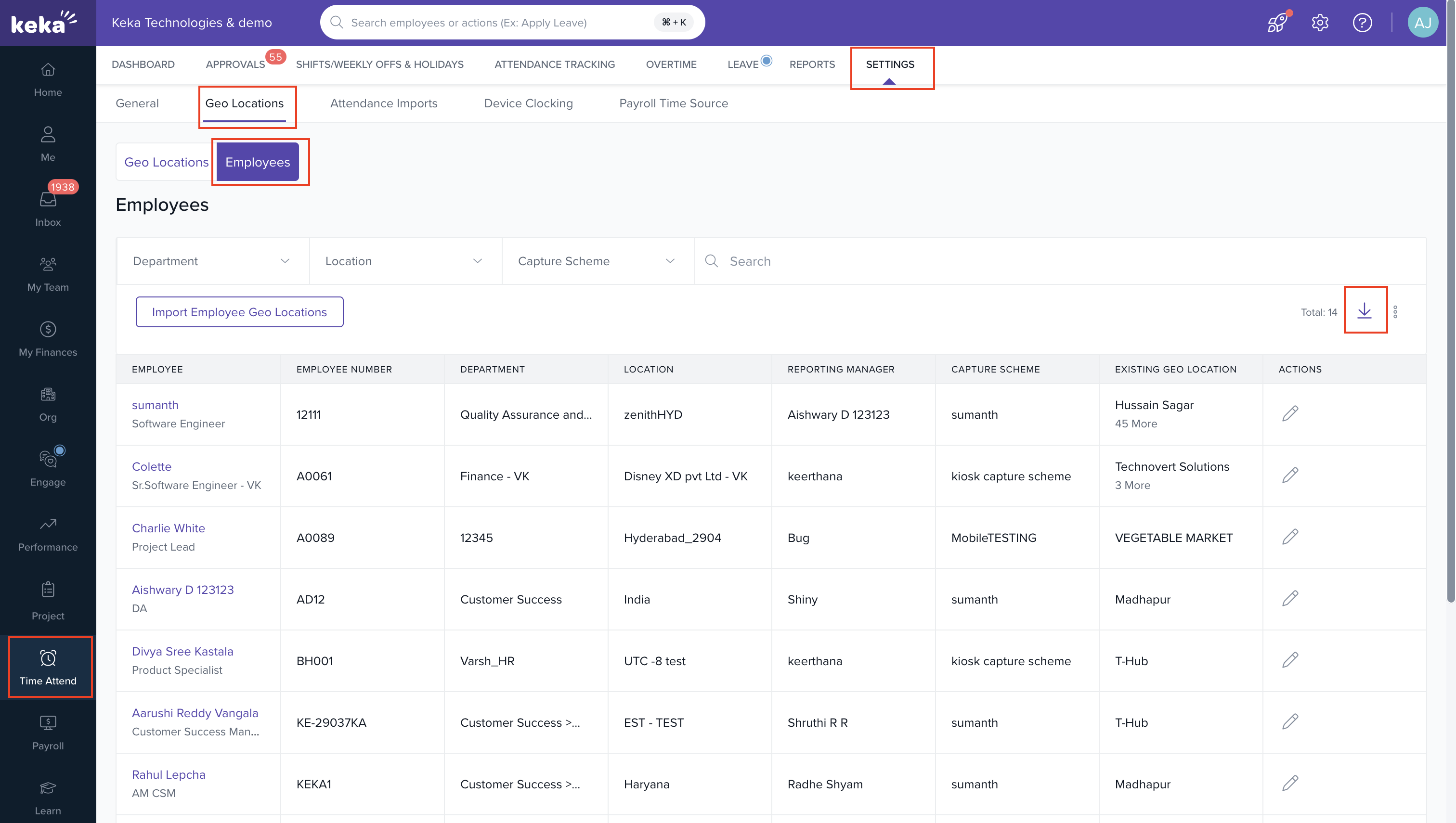
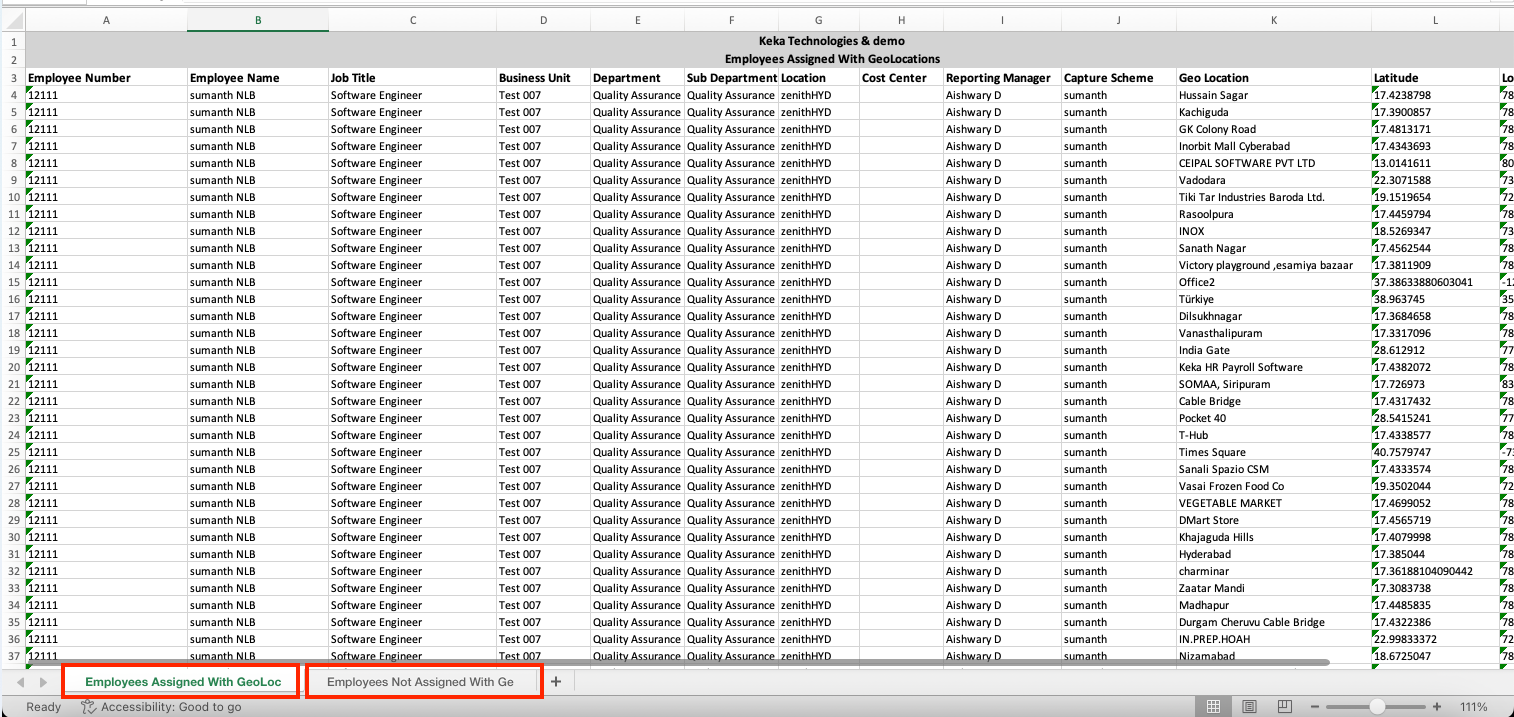
The downloaded file includes two sheets:
- Employees with Assigned Geolocations: Lists all employees mapped to specific geolocations
- Employees Without Geolocations: Highlights employees missing location assignments for corrective action
Who can access it?
This feature is available to users with admin access under the Time & Attendance module.
Please let us know if you find this article helpful.
Comments
0 comments
Please sign in to leave a comment.