We’ve launched Audit Logs to help you track and review all critical changes made across your Keka account.
This feature improves compliance, transparency, and accountability by giving you a detailed history of what changed, who changed it, and when.
See What Changed and Who Made the Change
Audit Logs automatically record:
Updates to employee data
Changes to payroll information
Leave approvals or attendance adjustments
Each entry shows:
Action Type: Create, Update, or Delete
Timestamp: When the action was performed
User: Who made the change
Old and New Values: So you can compare before and after
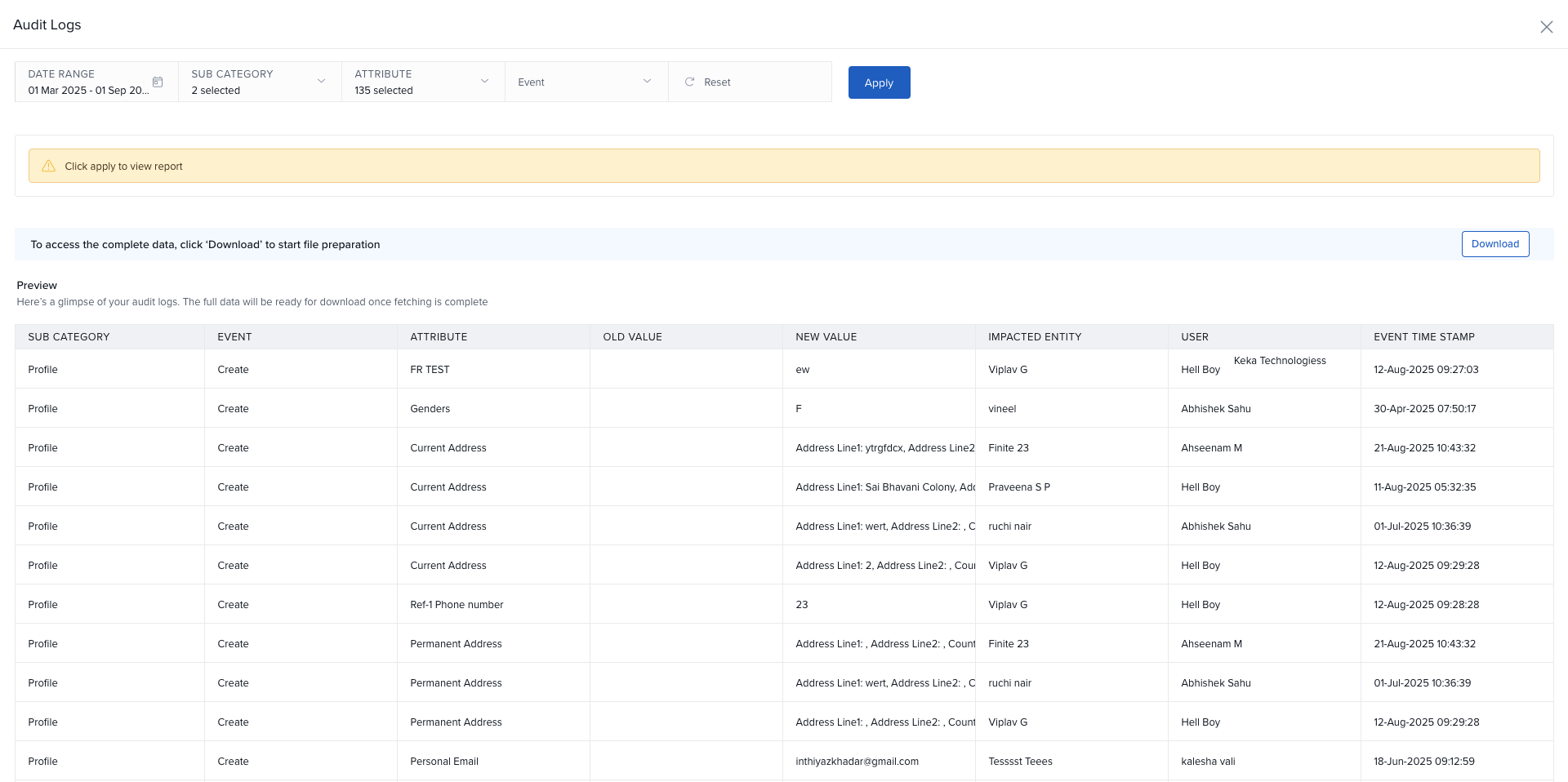
Filter Logs to Find Specific Changes
Use filters to quickly narrow down logs by:
User
Date range
Department
Action type
This helps you locate the exact activity you're looking for in seconds.
Export Logs for Compliance or Review
Audit logs can be easily exported or downloaded in Excel format, making it simple to support internal audits or regulatory reviews.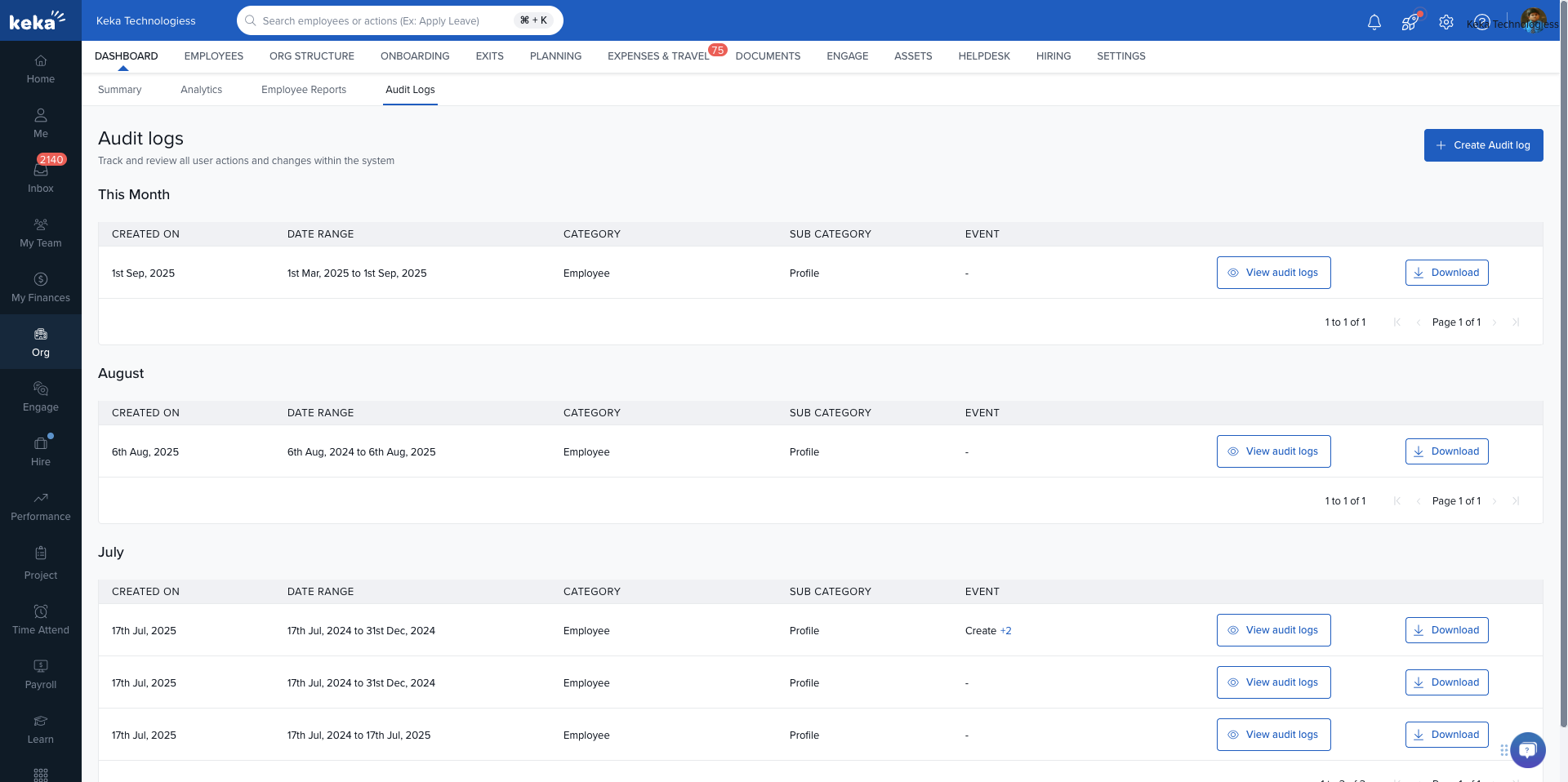
Retention and Access
You can query logs for up to 1 to 1.5 years
Generated reports are stored for up to 3 months
What’s Not Tracked
The current release of Audit Logs focuses on core operational areas:
Included Modules:
Employees
Payroll
Leave
Attendance
Not Included in this release:
System Settings
Hire
Perform
PSA
EX
Get Started
Audit Logs are now live and ready to use. You can:
Track historical changes with full visibility
Use filters to search by user or action
Export logs for reporting
Configure access by assigning the right user roles
Comments
0 comments
Please sign in to leave a comment.