Overview
In this guide, you will learn:
- How to update resource allocations in bulk using Keka PSA
- What fields can be modified: billing rates, roles, percentages, and effective dates
Who Can Do This?
- Global Admins
- Project Admins with access to the Bulk Import section in Projects
Pre-requisites
- Access to the Bulk Import section under Projects
- Excel file with all required fields filled using the provided template
Step-by-Step Instructions
Access the Bulk Import Option
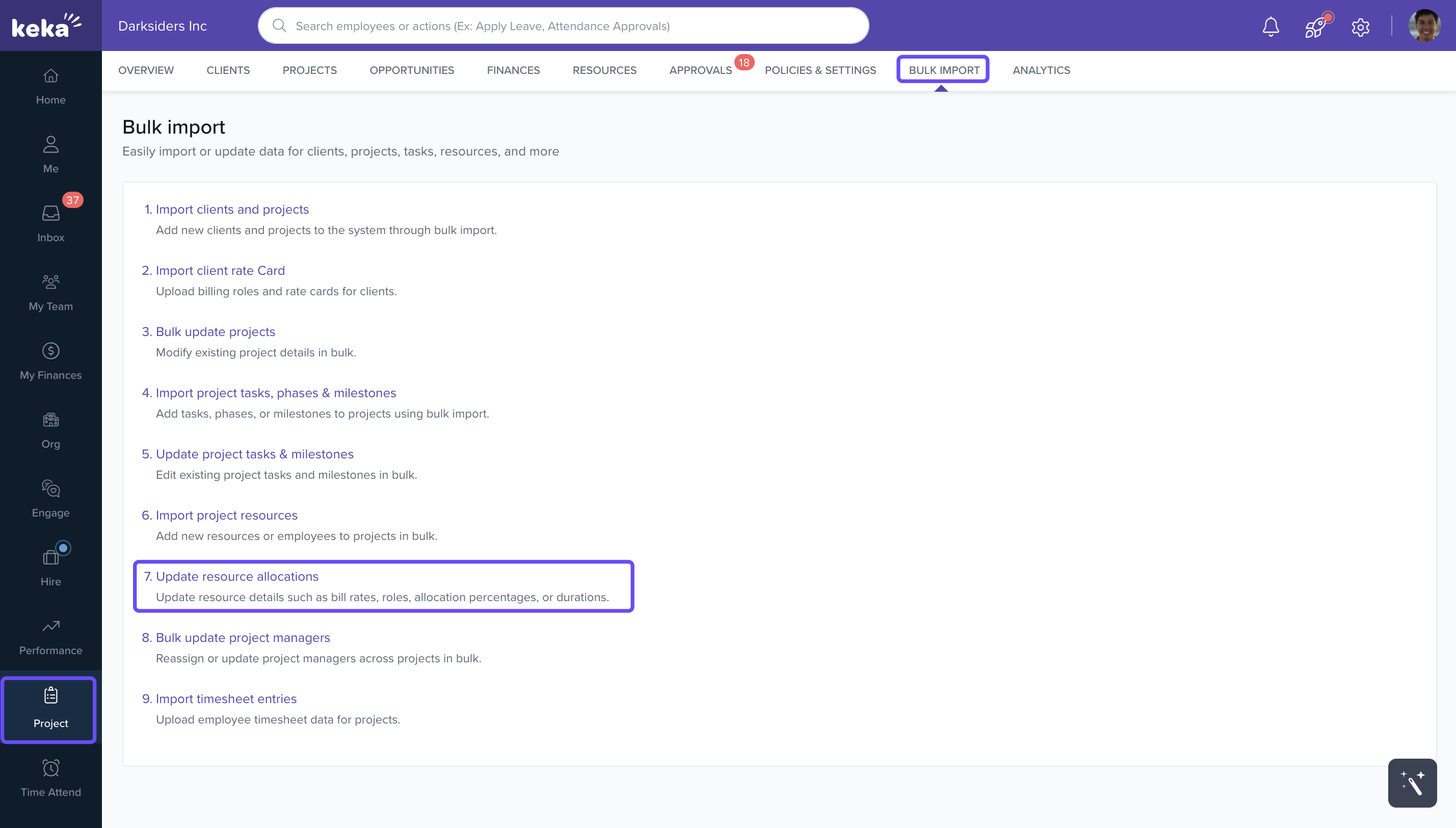
- Navigate to Projects from the left navigation pane.
- Click on Bulk Import.
- Select Update Project Resource Allocations.
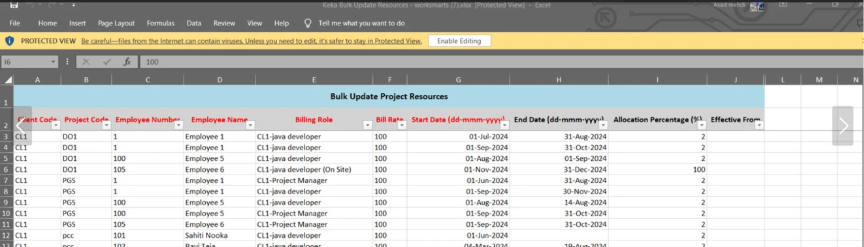
Download the Template
- Click on Download Template to get the correct Excel format.
- Open the file and enter the updated information for:
- Billing Roles
- Billing Rates
- Allocation Percentages
- Effective From Dates
- Save the file once all data is filled.
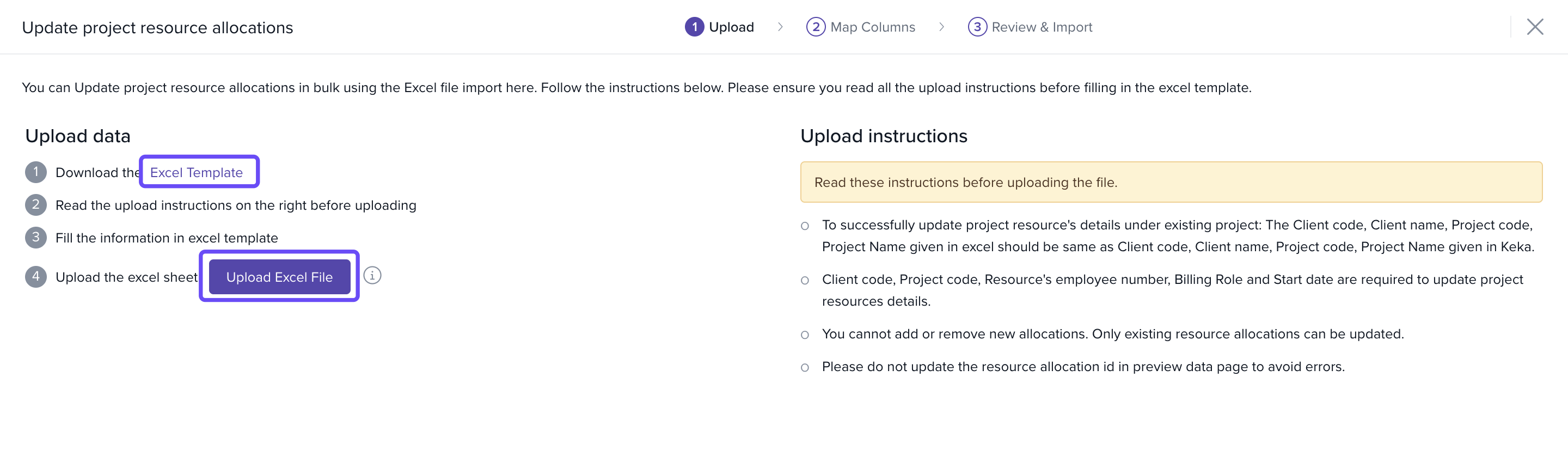
Upload the File
- Return to the same page in Keka.
- Click on Upload Excel File.
- The system will validate and instantly apply the updates based on the effective dates provided.
How It Connects with Other Modules
- Projects: Allocation changes reflect in all active projects.
- Billing & Revenue: Updated bill rates impact invoice generation and revenue reports.
- Timesheets: Allocation percentages affect how submitted time entries are evaluated.
FAQs
-
Q: Can I apply changes to multiple projects for a single employee?
A: Yes, as long as each row in the Excel sheet corresponds to a valid project-resource combination. -
Q: What happens if the effective date is in the future?
A: The changes will automatically apply starting that date. -
Q: Can I update only one field (e.g., billing role) and leave the rest unchanged?
A: Yes, just ensure the required columns are present and unchanged fields are filled with existing values.
Troubleshooting
-
Upload failed?
· Ensure mandatory columns are filled.
· Check if employee-project combinations are valid.
· Validate date format (YYYY-MM-DD). -
Changes not reflected?
· Check if the effective date has passed.
· Confirm that the resource is still active in the specified project.
Comments
0 comments
Please sign in to leave a comment.