Introduction
Approving offer letters often requires coordination across HR, finance, and department heads. If handled manually, this back-and-forth can slow down the hiring process.
Keka makes it simple by letting you set up flexible approval workflows. These can be as straightforward as a single approver or as detailed as a multi-level approval chain. You can edit and adjust these workflows anytime based on your organization’s structure, departments, or offer types.
This guide walks you through creating and modifying offer letter approval workflows.
Managing Offer Approvals
To create a new approval workflow for offer letters:
Go to Org in the top menu.
Select Onboarding.
Click Settings.
On the right side, click + Create Offer Template.
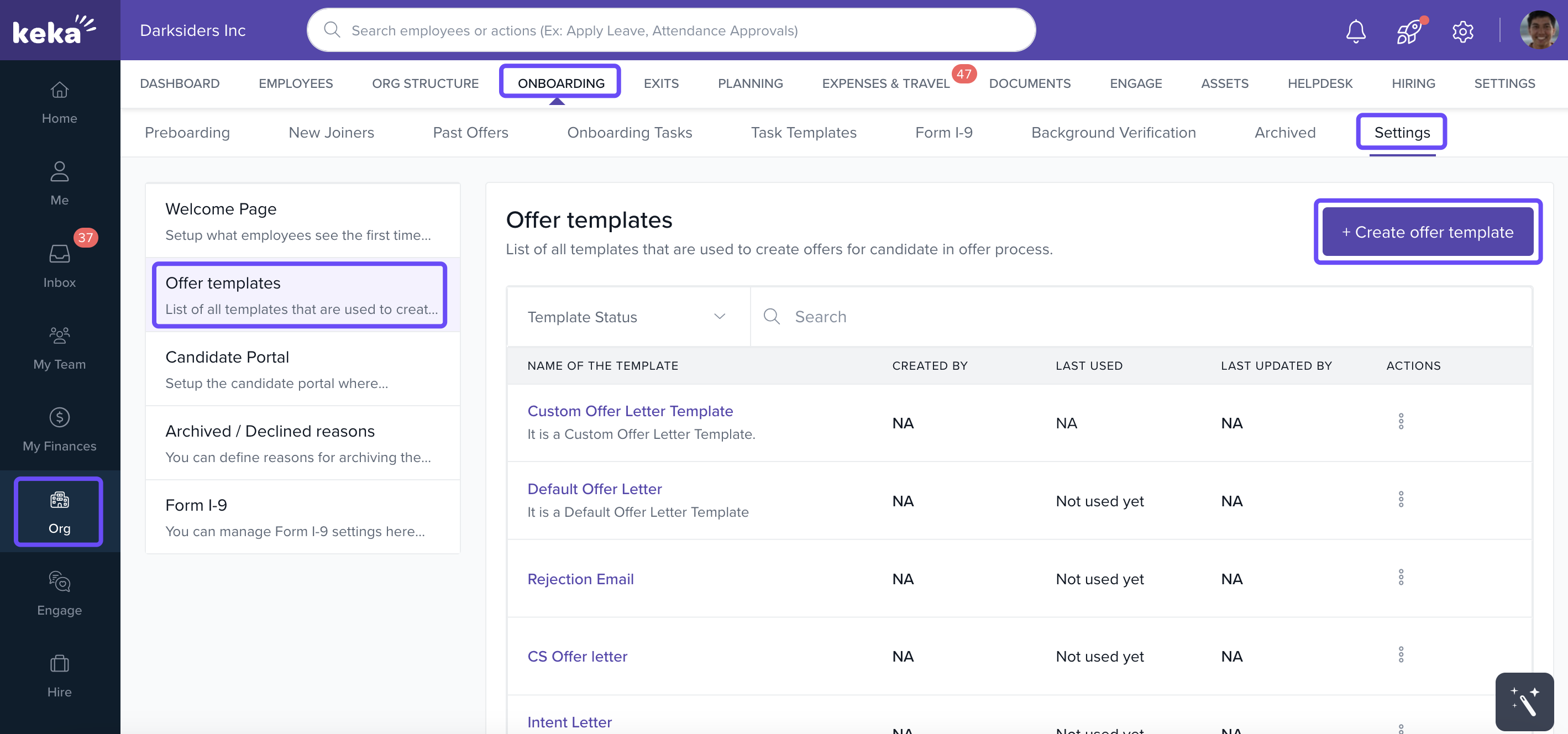
You’ll be taken to the Offer Letter Template setup page.
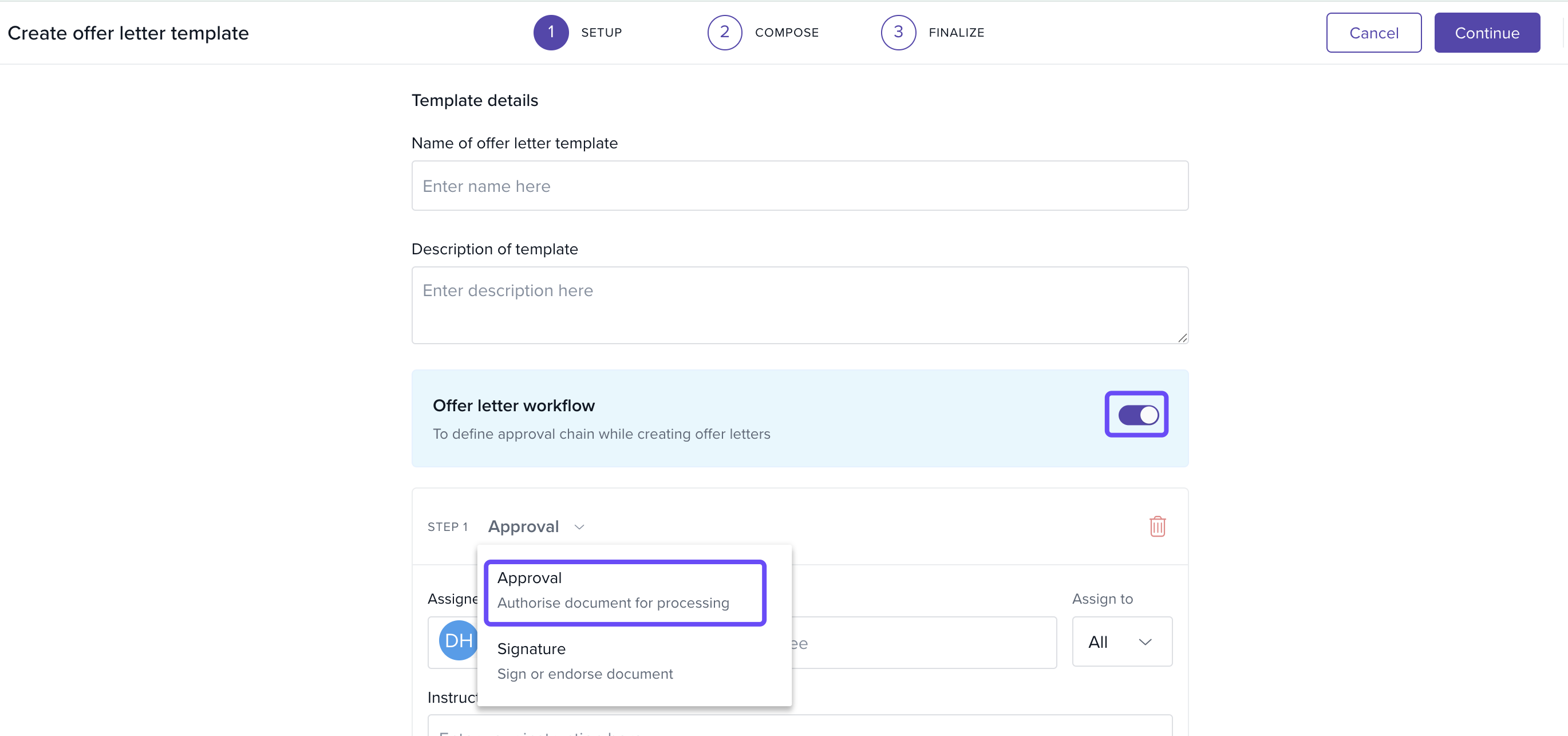
Enable Approval Workflow
Toggle the Workflow Approval switch to On.
From the Select an Action dropdown, choose Approval.
Add or Remove Approval Steps
To add more approvers, click + Add Step.
To remove a step, click the Delete icon.
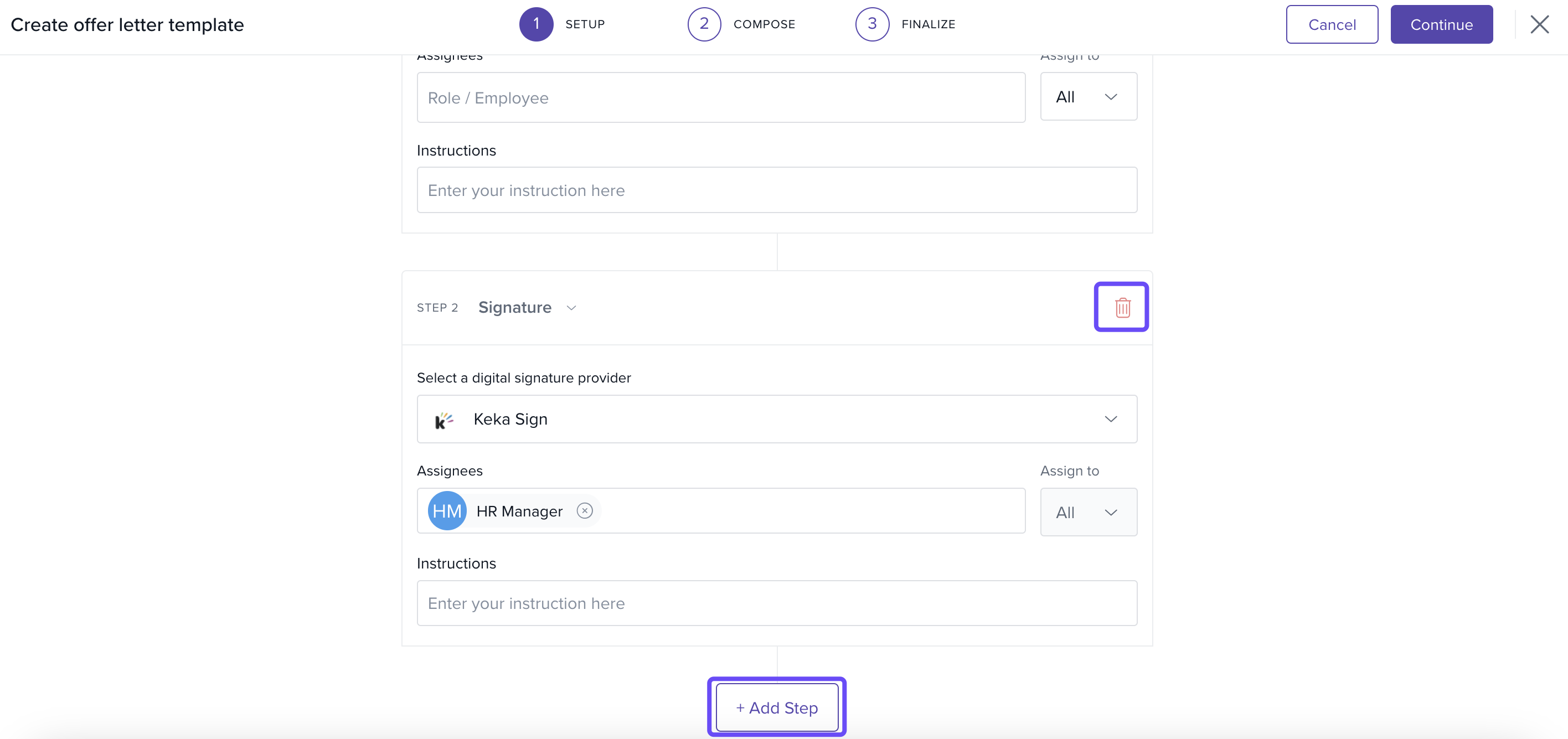
When your approval flow is ready, click Continue to save and proceed.
Modifying Offer Approvals
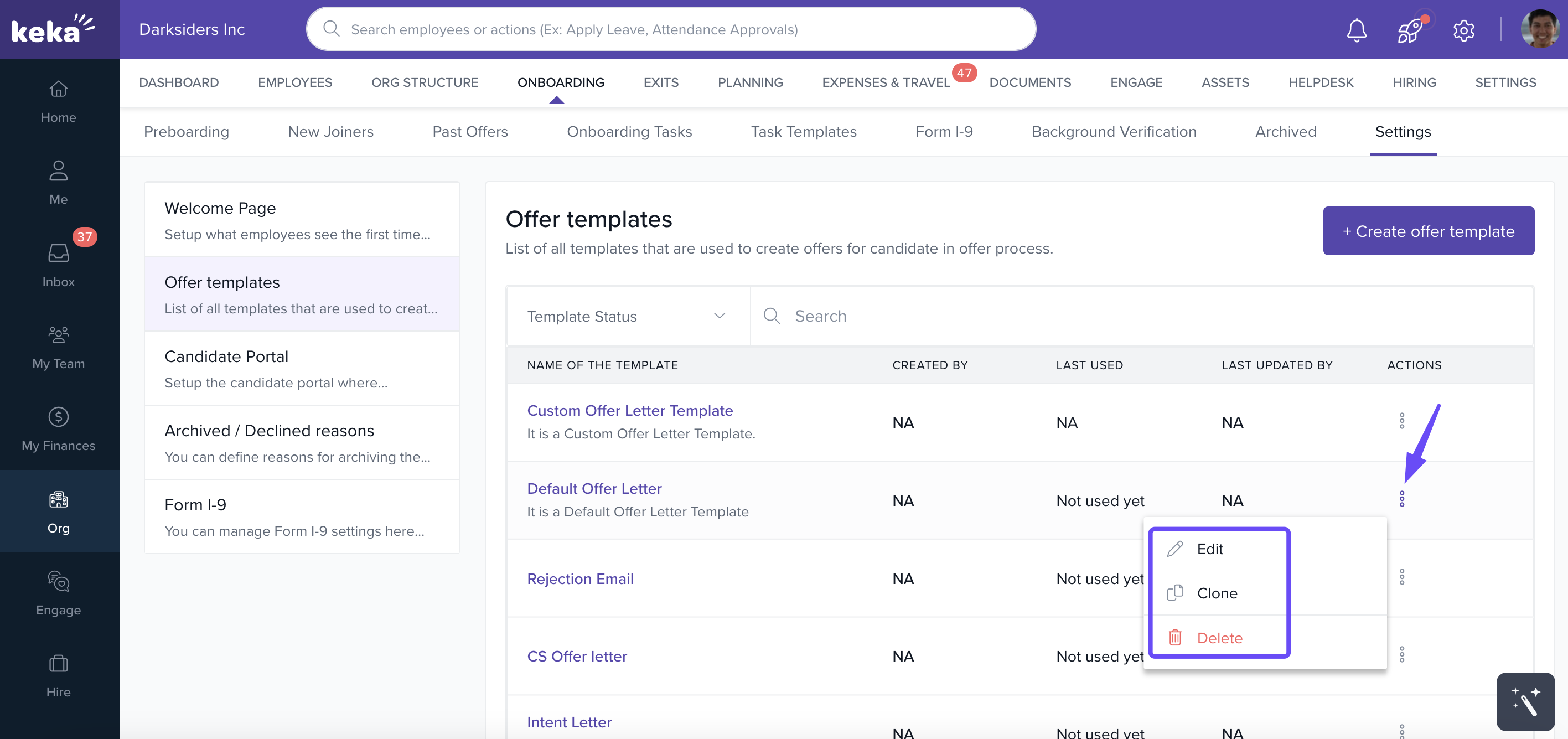
Go to Org > Onboarding > Settings.
Find the template you want to make changes.
-
Click the three dots to edit, delete, or clone the template.
Notes, Tips, and Best Practices
Tip: Start with a simple approval chain, then expand as needed. For example, begin with HR, then add Finance and Department Head if required.
Important: Any changes you make to an approval workflow will apply the next time the offer letter is generated.
That’s it! You now know how to create and edit offer letter approval workflows in Keka. Still have questions? Contact our product experts through the Keka support portal for more help.
Extending Salary Component Override in Offer Letter Generation
The salary component override capability in offer letter generation has been extended to include components configured as “Over & Above Annual Salary.” This ensures the offer letter accurately reflects the total compensation agreed with the candidate.
Override Capability in Offer Flow
In the Offer Letter Generation → Component Override section:
-
Admins can override both:
Regular salary components (part of the annual salary)
Over & Above Annual Salary components
Components eligible for override will appear in the salary component override section, even if they are configured as over-and-above.
Behavior of Overridden Components
Overridden values will be reflected in:
Offer Summary
Offer Letter document
This ensures candidates see the exact agreed compensation.
Post-Acceptance Mapping
After the candidate joins:
Overridden values for over-and-above components will map automatically to the employee’s compensation setup.
No re-entry is required during salary configuration, ensuring a smooth transition from offer to payroll.
Comments
0 comments
Please sign in to leave a comment.