Introduction
In Keka Hire, you can manage e-signatures that are used for offer letters and other hiring-related documents. These signatures are typically from organizational leaders who have signing authority.
You can either add new signatures directly in Keka Hire or import them from your main Keka HR portal.
Managing Signatures in Keka Hire
Navigate to the Signatures section
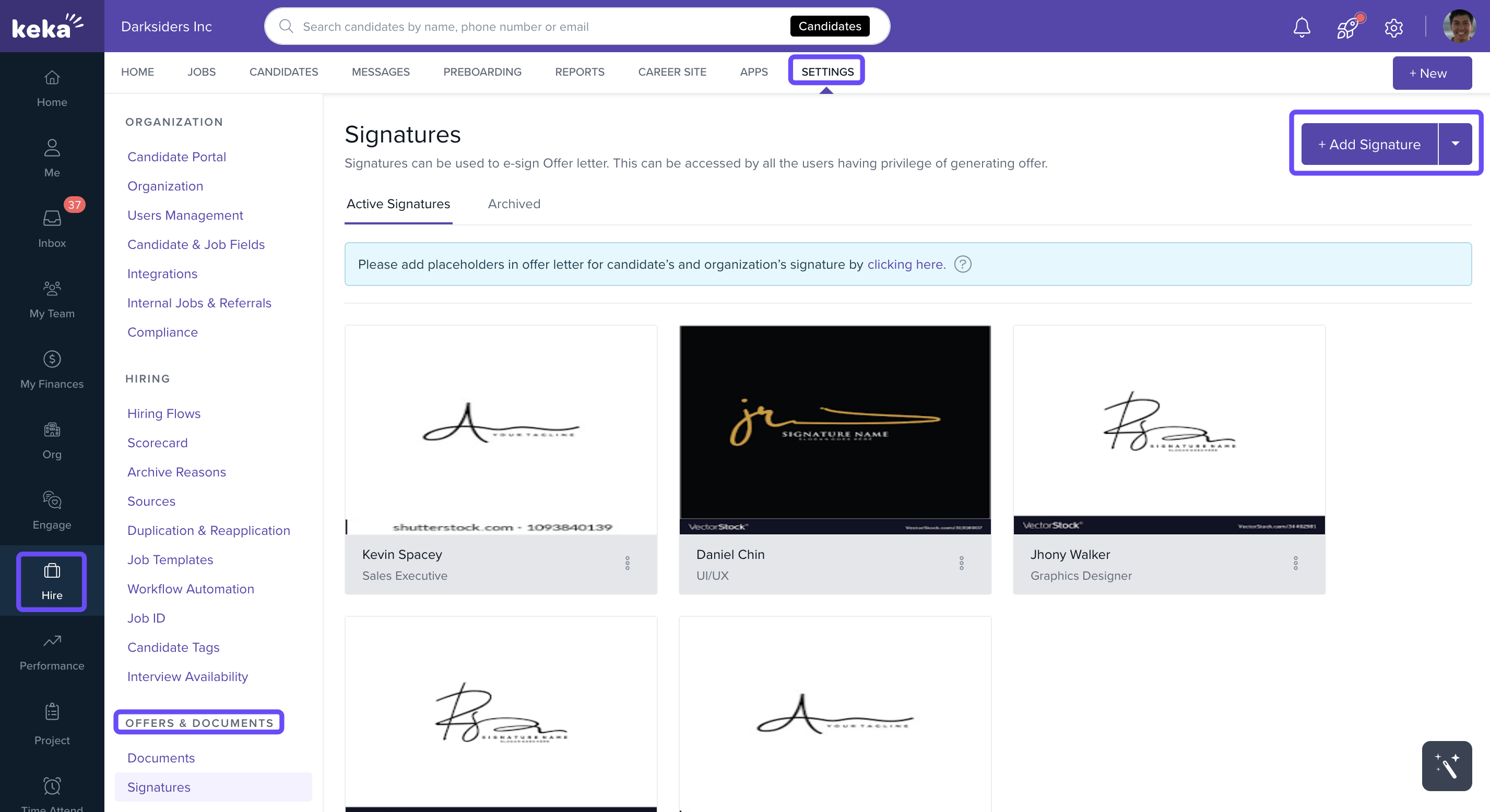
Go to Settings → Offers & Documents → Signatures in your Keka Hire portal.
Options & Variants
Option 1: Add a signature manually
Click +Add New Signature.
On the Add Signature page, select the employee who will be associated with the signature.
Click Attach Signature to upload the signature file.
Click Add to save the signature.
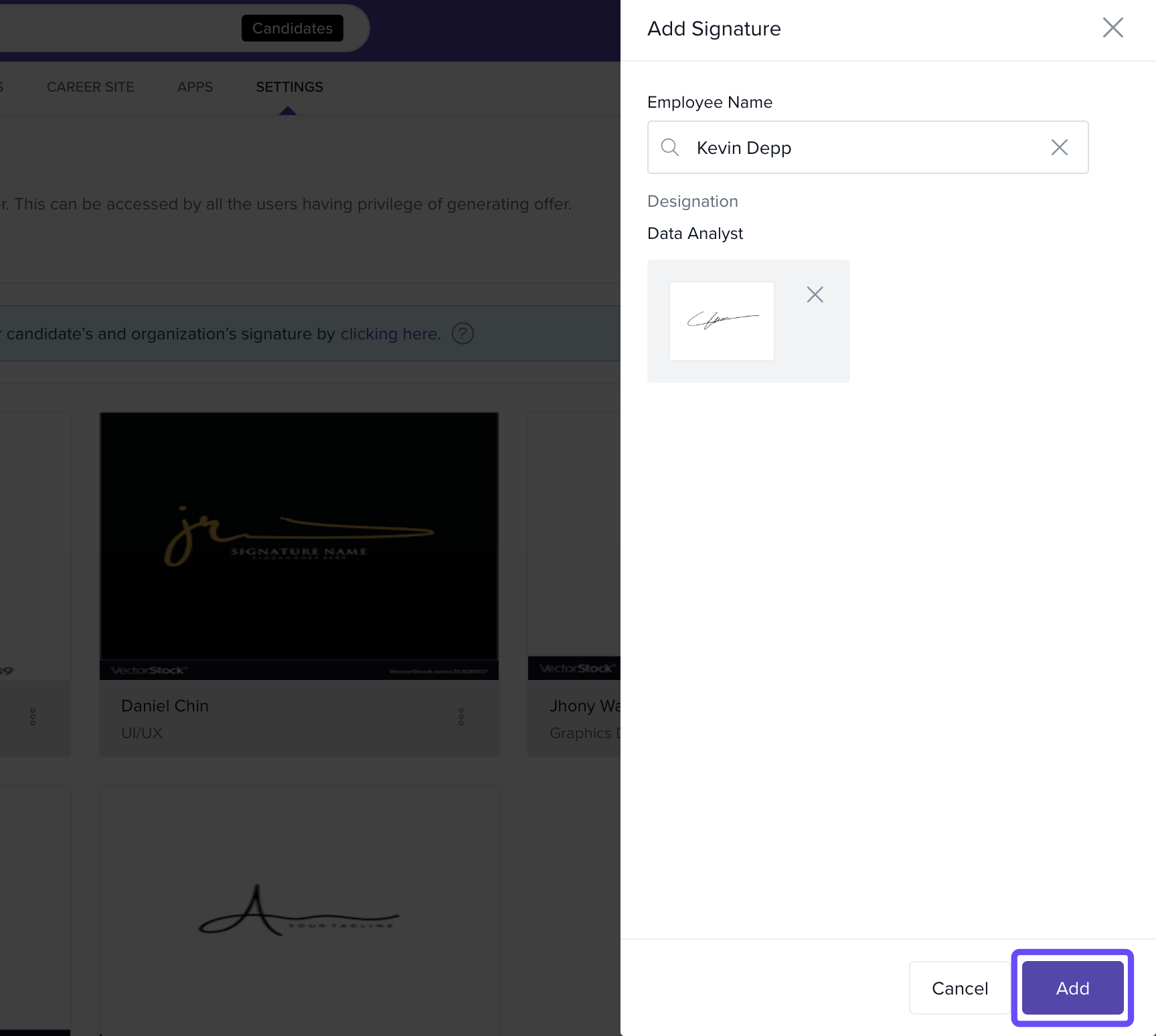
Once added, this signature will be available for use in offer letters and other official documents sent from Keka Hire.
Option 2: Import a signature from Keka HR
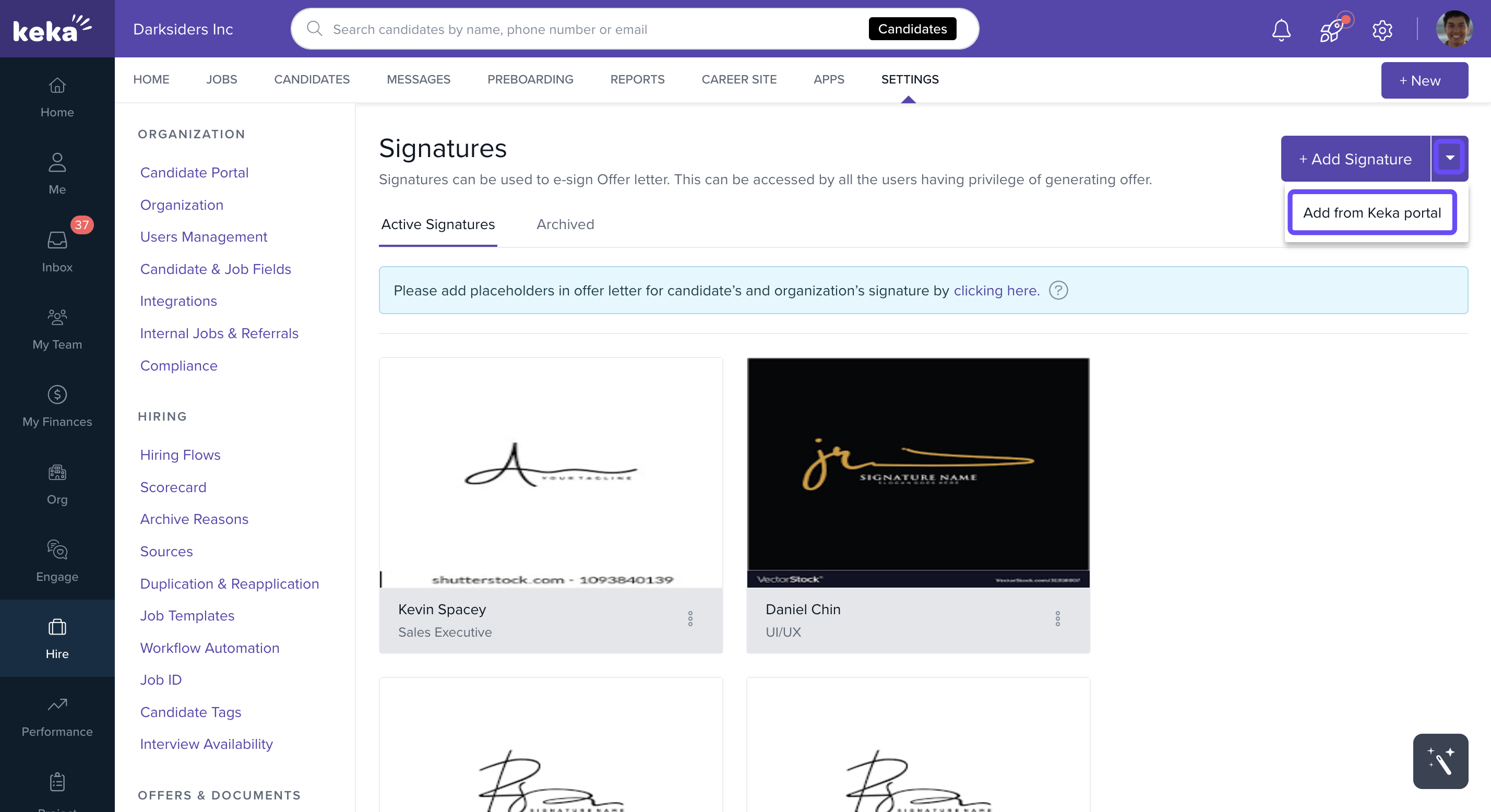
Click Add from Keka portal.
Select the signatures you want to import.
Click Add to complete the import.
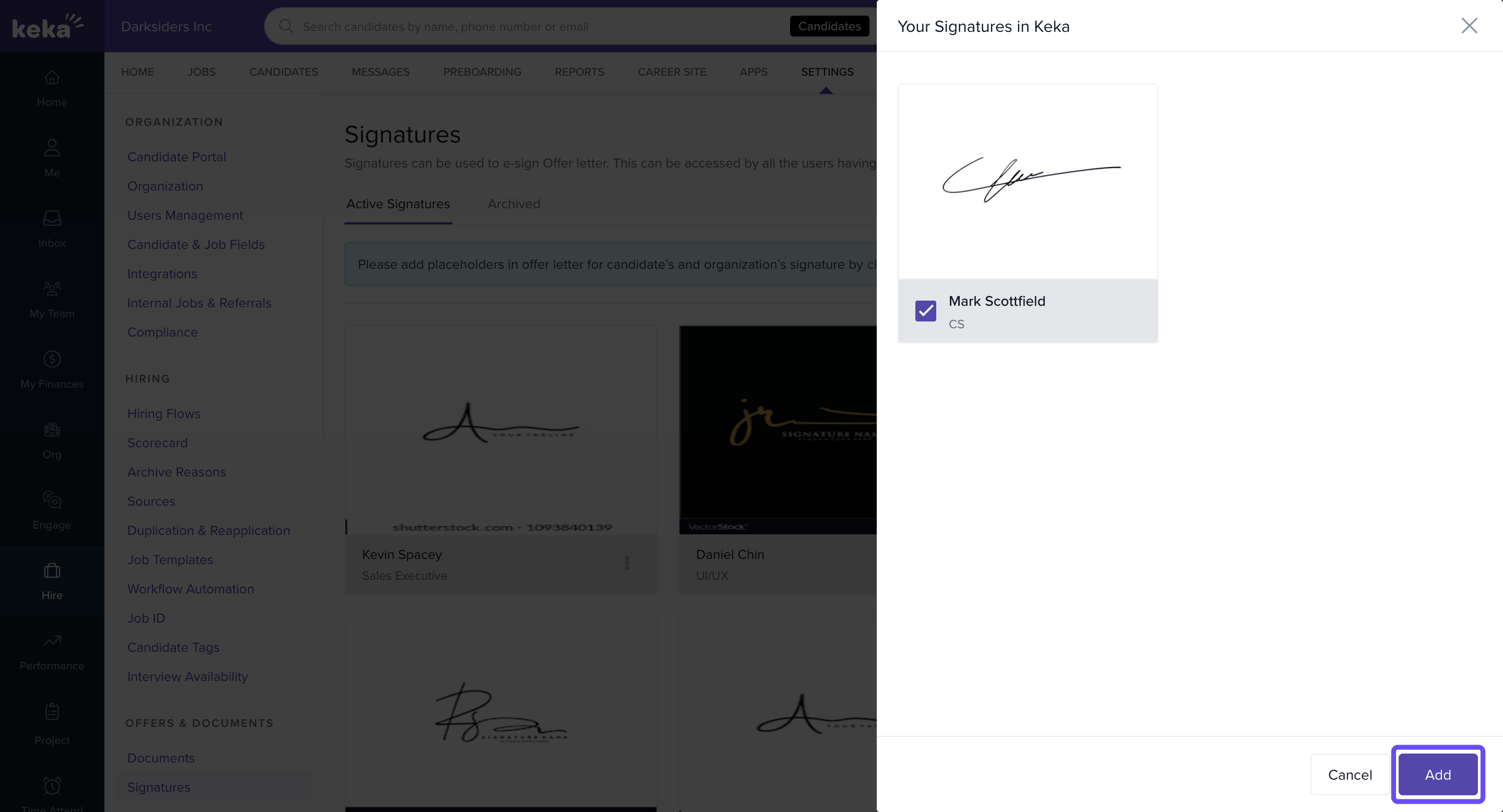
All added or imported signatures will appear in the Signatures section.
Use signatures from the right stakeholders to maintain document authenticity, and if a signature already exists in Keka HR, import it to save time.
More questions? Talk to our product experts today!
Comments
0 comments
Please sign in to leave a comment.