Introduction
This guide explains how reimbursements work in Keka, how they differ from taxable components, and why they are issued on separate payslips. It also covers how employees can view and download these segregated payslips in the platform.
Table of Contents
- What are reimbursement components?
- How are reimbursements different from reimbursable components?
- How reimbursements are separated from employees' regular income?
- How to view/download reimbursement payslips?
What are reimbursement components?
Reimbursements are payments made to employees under specific components intended to reduce tax liability—especially for those in higher tax brackets. While the employee receives the money, these amounts are:
-
Not considered part of taxable income
-
Not reported to the Income Tax (IT) department
-
Not shown on Form 16
Some common reimbursement components used across different industries include:
- Fuel or petrol reimbursement
- Car reimbursement
- Internet and telephone reimbursement
- Driver reimbursement, and so on.
The usage of reimbursement components is not recommended as the income received under these components is not reported to the IT department and might result in compliance issues.
How Are Reimbursements Different from Reimbursable Components?
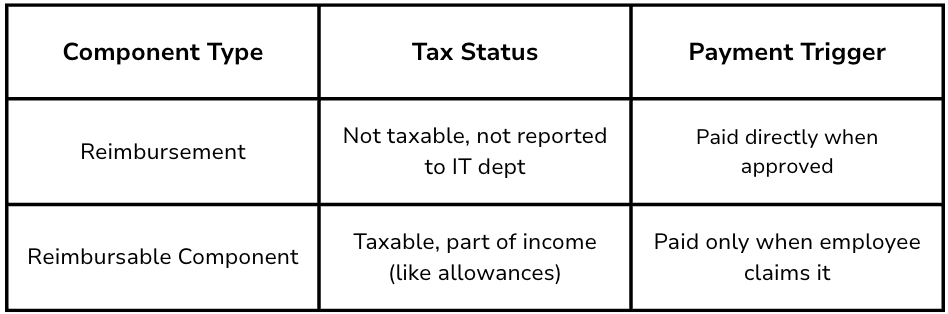
Though both types require claims and have similar configurations, the difference lies in how they’re taxed:
How Reimbursements Are Shown in Payslips
To maintain transparency and ensure compliance, reimbursements are separated from regular income. Keka handles this automatically:
-
A segregated payslip is generated when any reimbursement is paid
-
Regular earnings and reimbursements appear in two separate sections
This separation helps avoid confusion or flags during tax assessments.
How to View or Download Reimbursement Payslips
You can access your reimbursement payslip from your profile, just like your regular payslip.
-
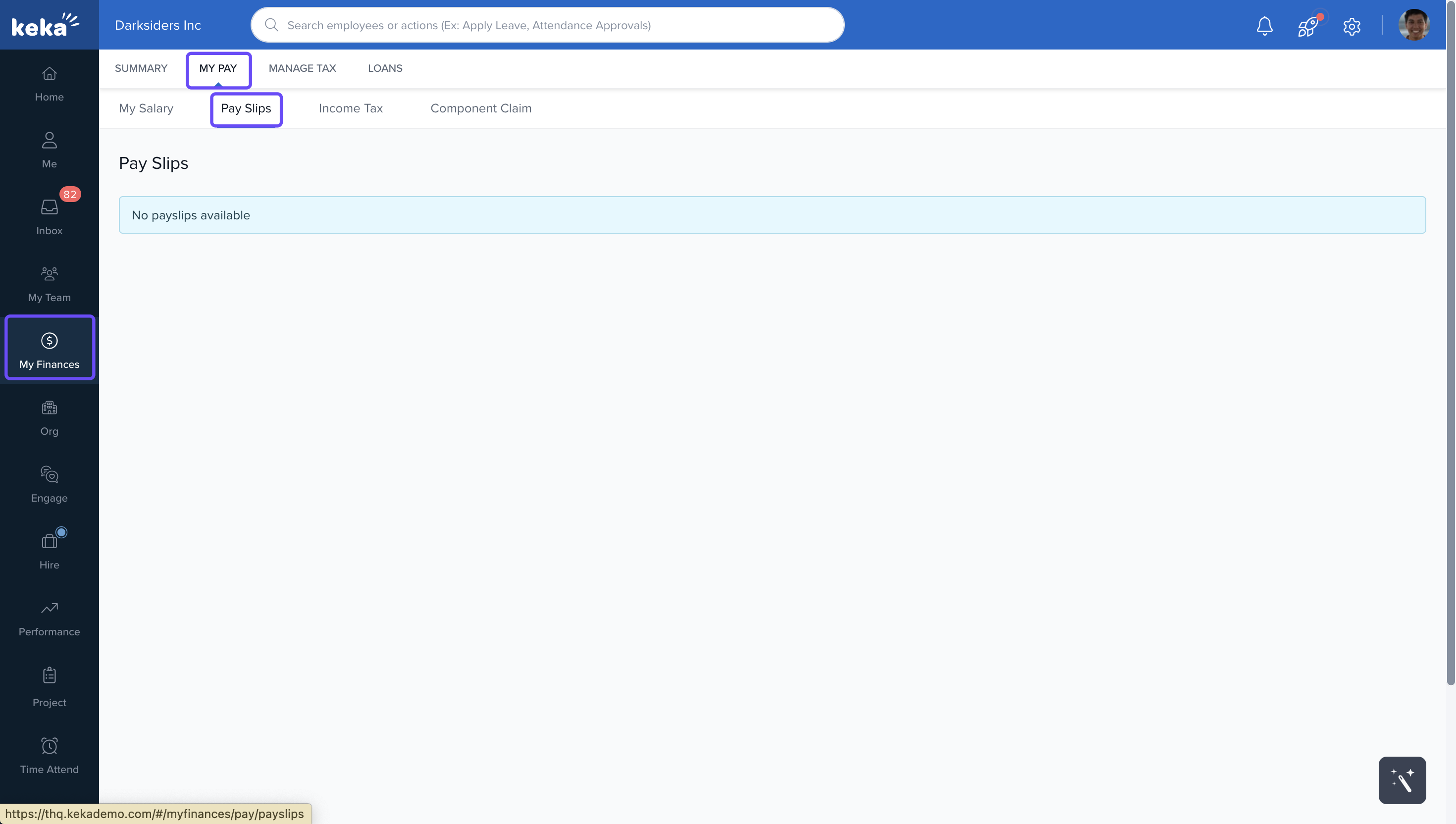
Go to the My Finances section from the left menu.
-
Click the My Pay tab.
-
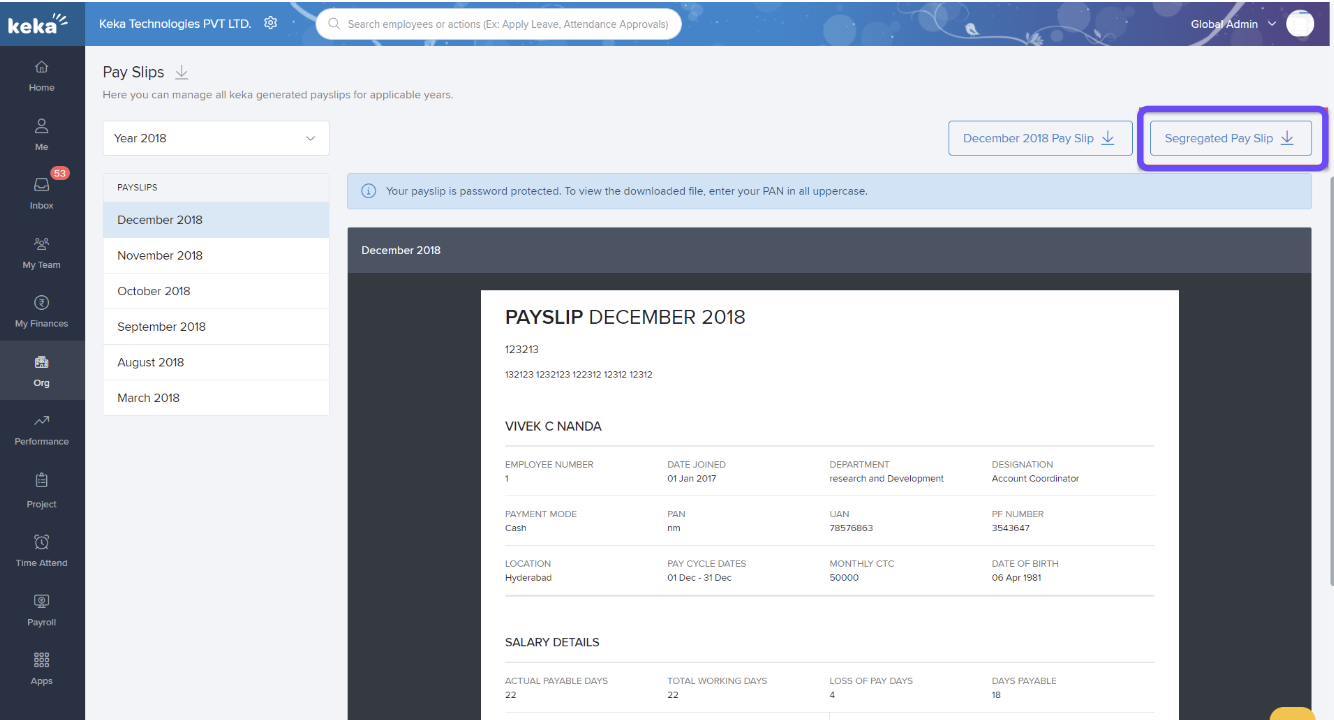
Under Payslips, check for an option to download a segregated payslip.
-
This option only appears in months where reimbursements have been paid.
-
If an employee doesn’t claim their reimbursements, those amounts will be paid as taxable income under the Special Allowance component.
Comments
0 comments
Please sign in to leave a comment.