Streamline preboarding with Keka HR’s integrated background verification (BGV) tools, supporting bulk checks and vendor integrations like Ongrid and SpringVerify.
Background verification plays a critical role in hiring, helping organizations make informed decisions about candidates before they join. With Keka, you can initiate and track BGV directly within the platform, making onboarding smoother and more reliable.
Integrations with Leading Background Verification Vendors
Keka currently provide background verification (BGV) integrations with Ongrid and Springverify.
Selecting Preboarding Candidates from the Background Verification Tab:
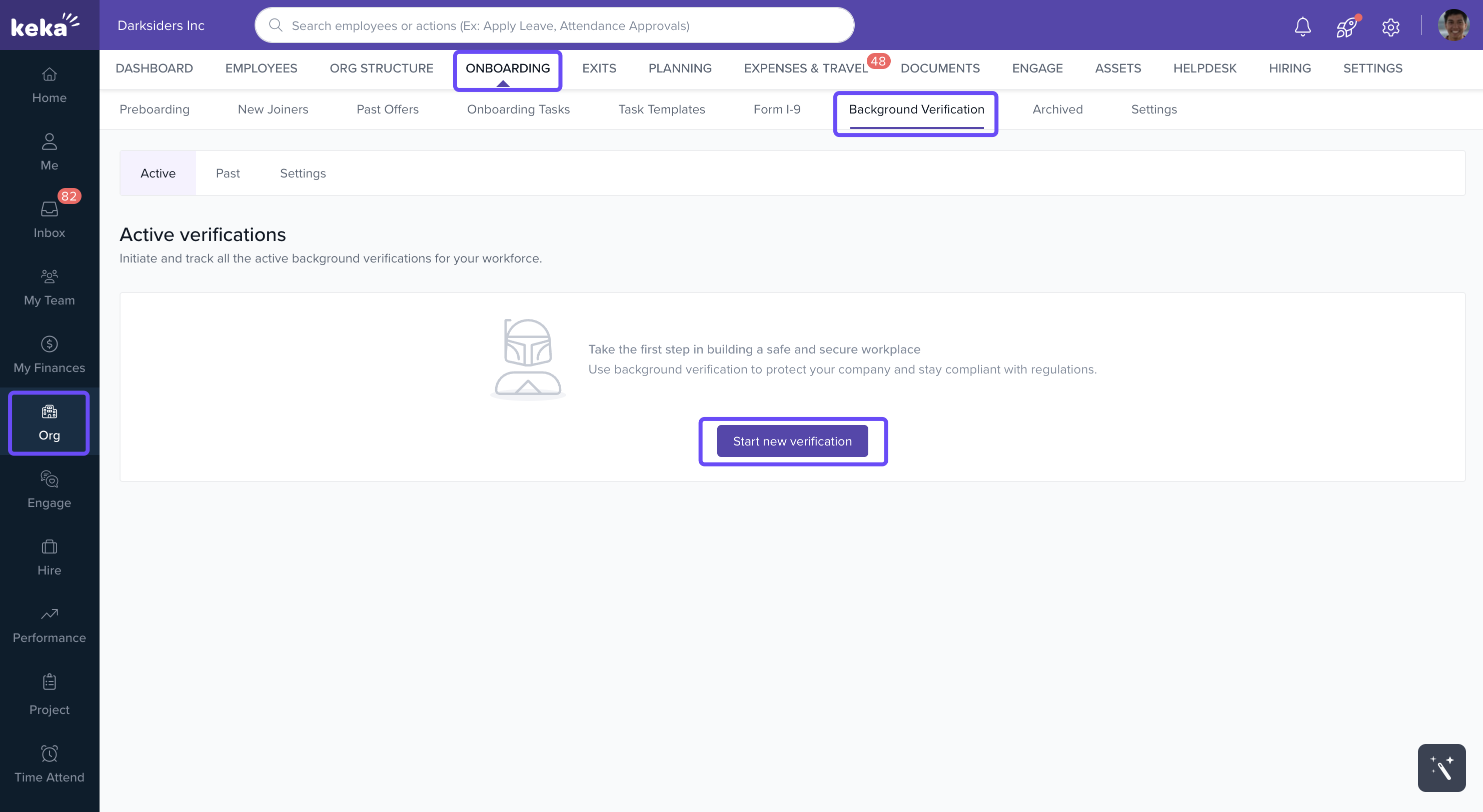
Go to Org > Onboarding > Background Verification.
Click Start New Verification.
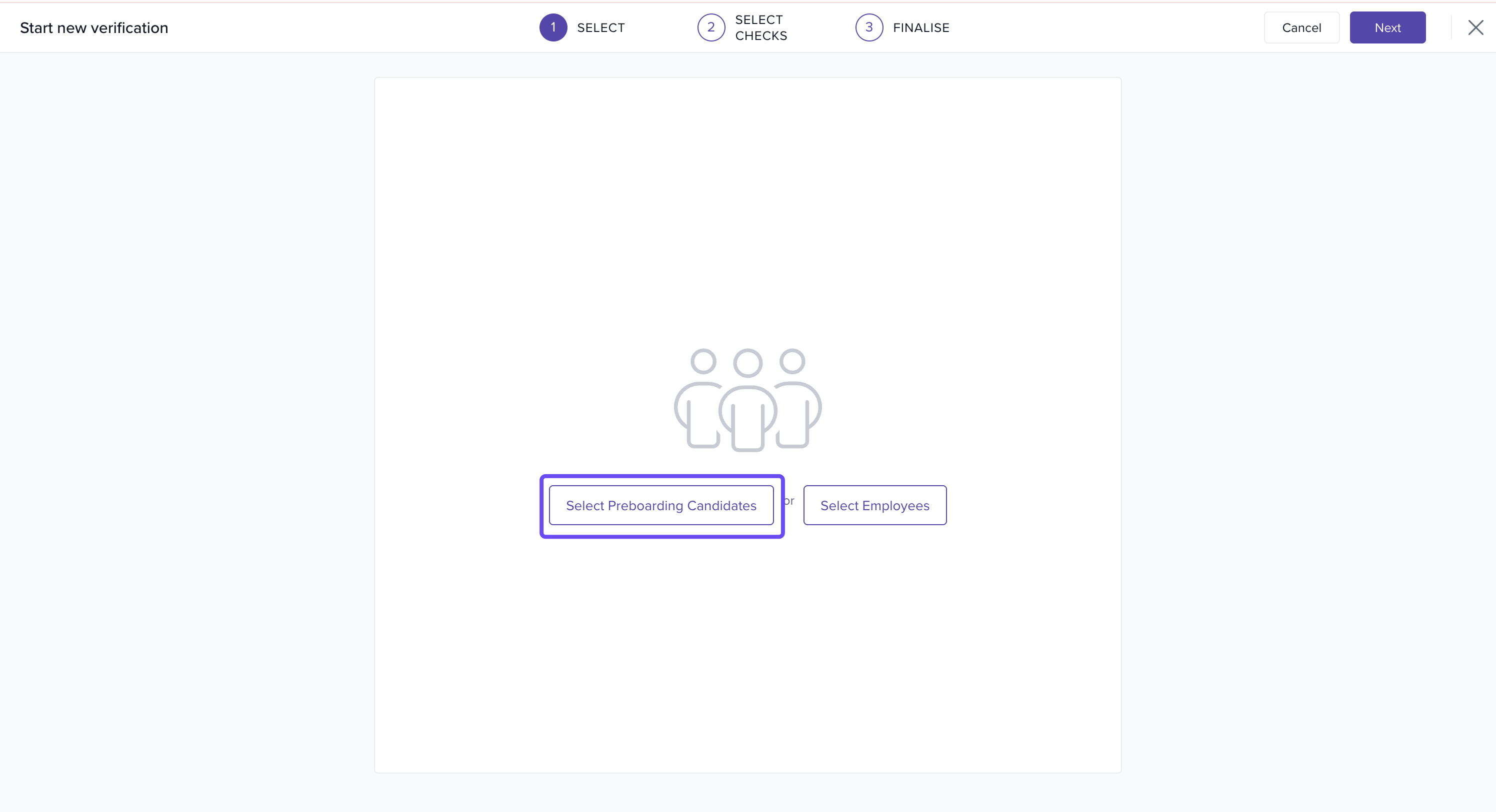
Select the preboarding candidates you want to verify.
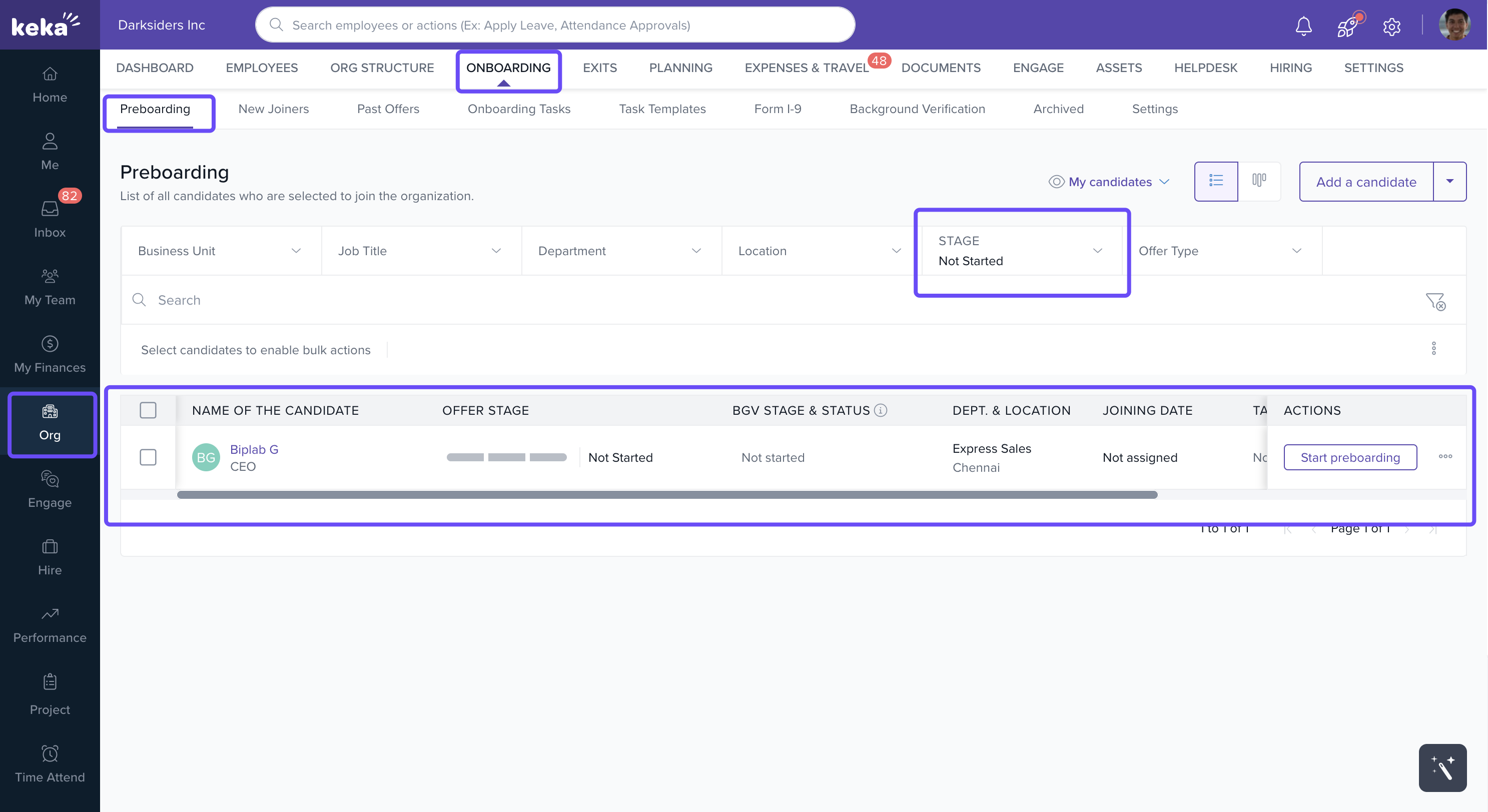
Initiating BGV for Preboarding Candidates from the Preboarding Tab:
- Navigate to Org > Onboarding > Preboarding.
- In the BGV Stage column, find candidates with Not Started status.
- Select the candidates and click Start New BGV from the Actions menu.
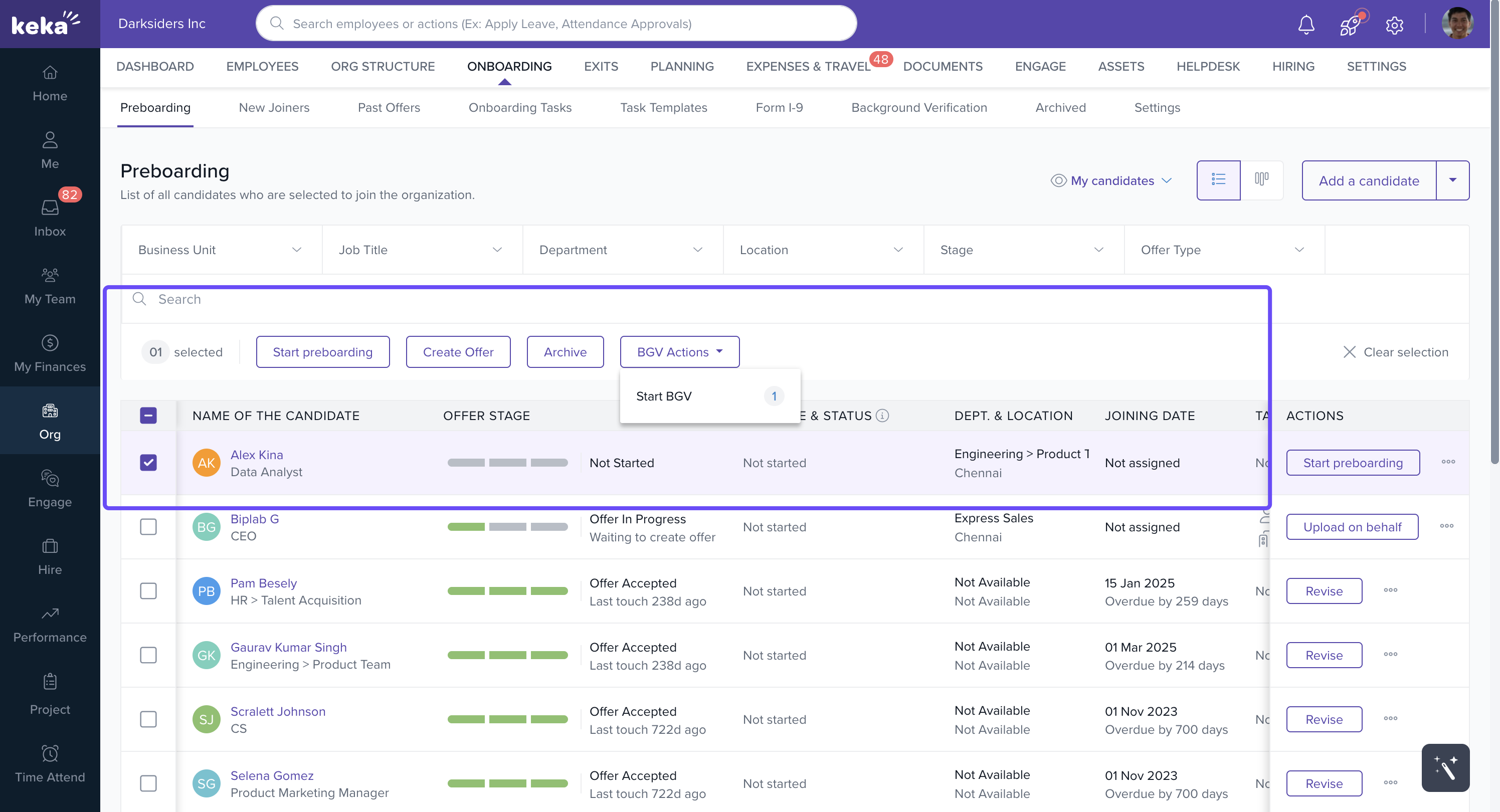
Initiating Background Verification in bulk
You can initiate BGV for multiple candidates at once:
In the candidate list, check the boxes next to the candidates’ names.
From the BGV Actions dropdown, select Start BGV.
A Start New Verification window will appear with three steps:
Step 1: Candidate Details
Review the candidates selected for BGV. Click Next.
-
Step 2: Select Checks
Choose a BGV vendor (e.g., Ongrid, SpringVerify).
Specify required documents or verification checks.
Click Next.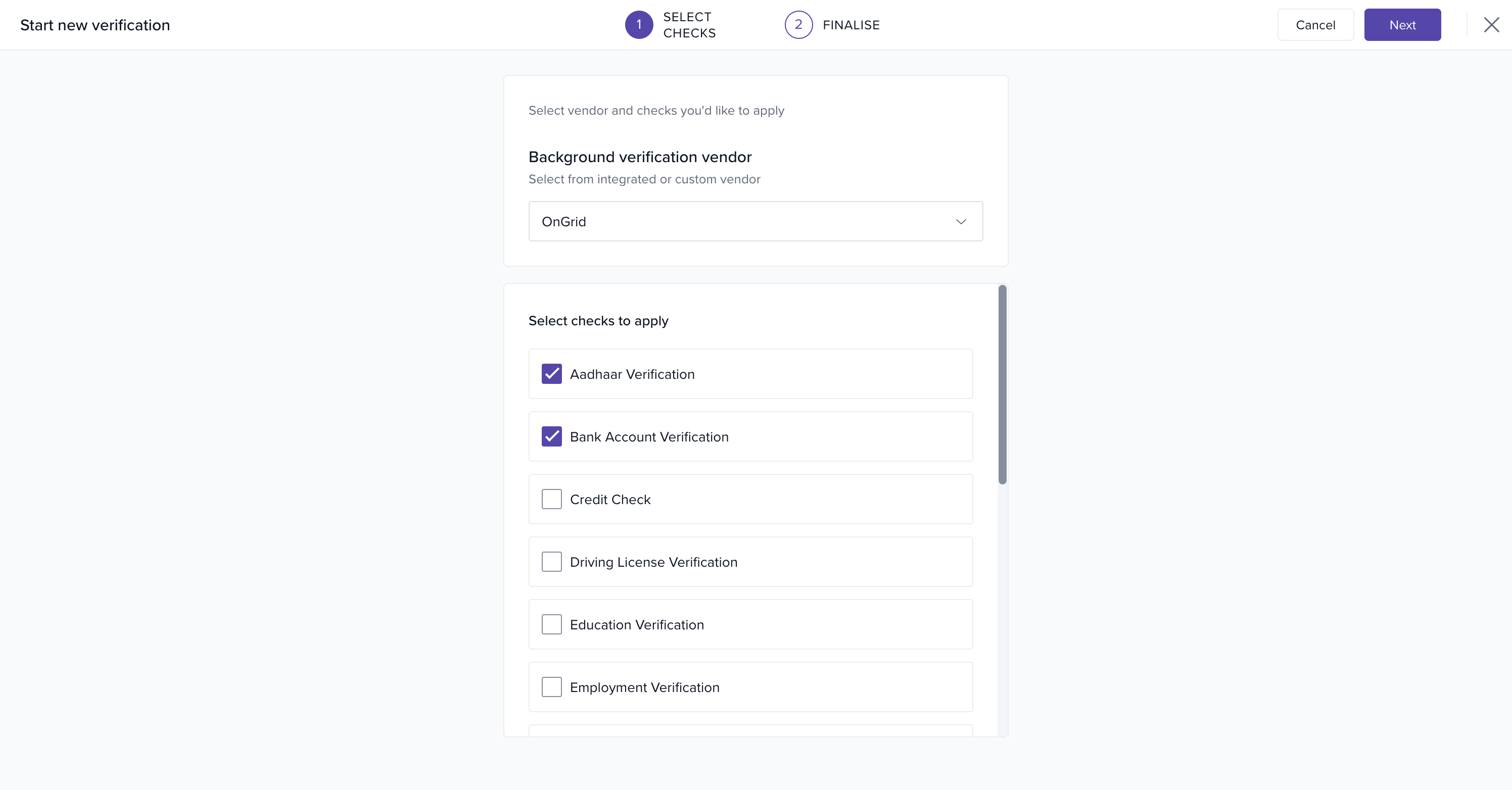
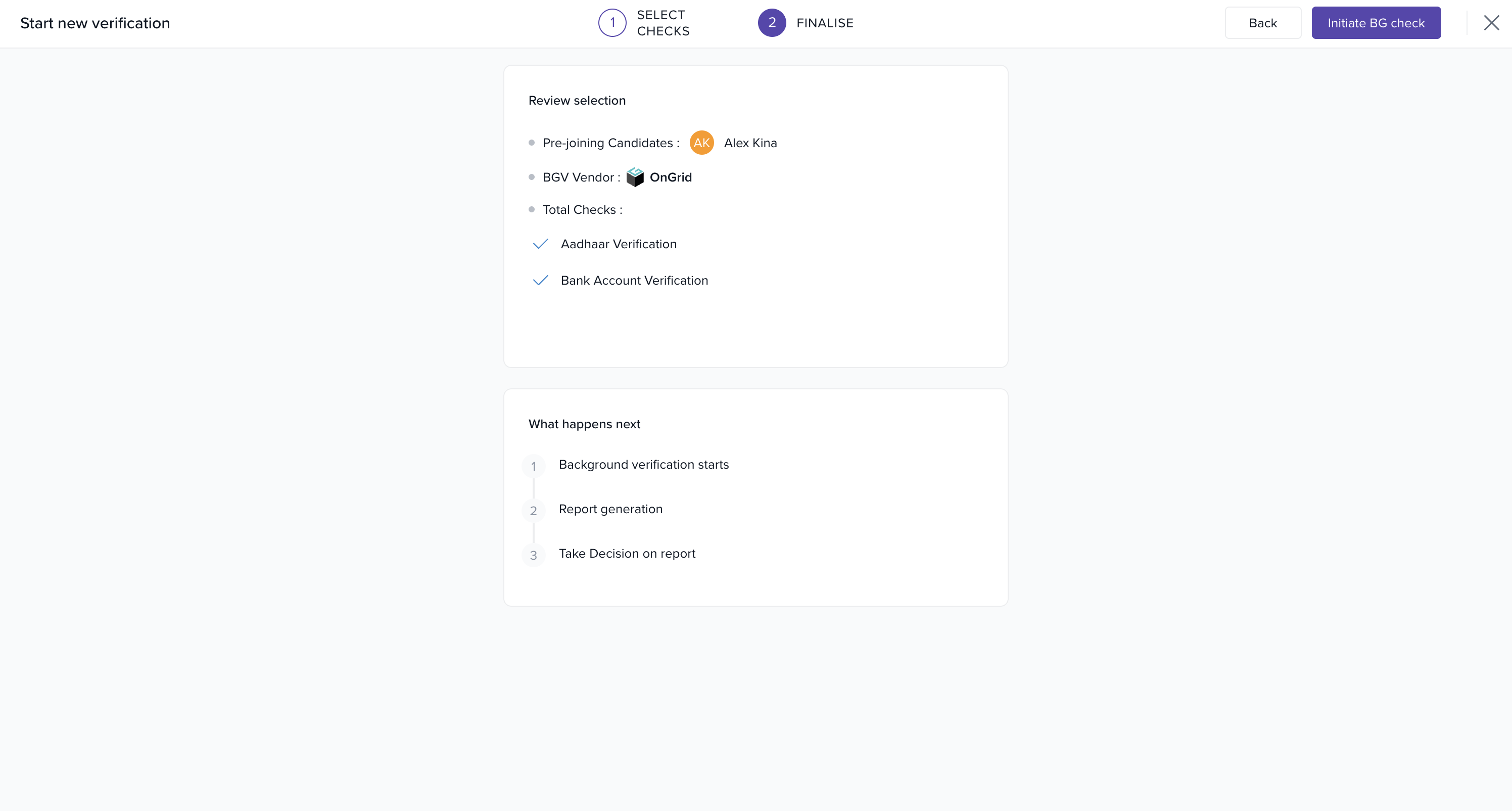
Step 3: Finalize
Review all entered details.
Click Initiate BG Check to start the process.
 Conclusion
Keka’s preboarding BGV tools simplify verification by allowing checks to be initiated directly from candidate workflows.
With:
Bulk verification options
Vendor integrations
Customizable checks
organizations can ensure a secure and efficient onboarding process while reducing delays.
Comments
0 comments
Please sign in to leave a comment.