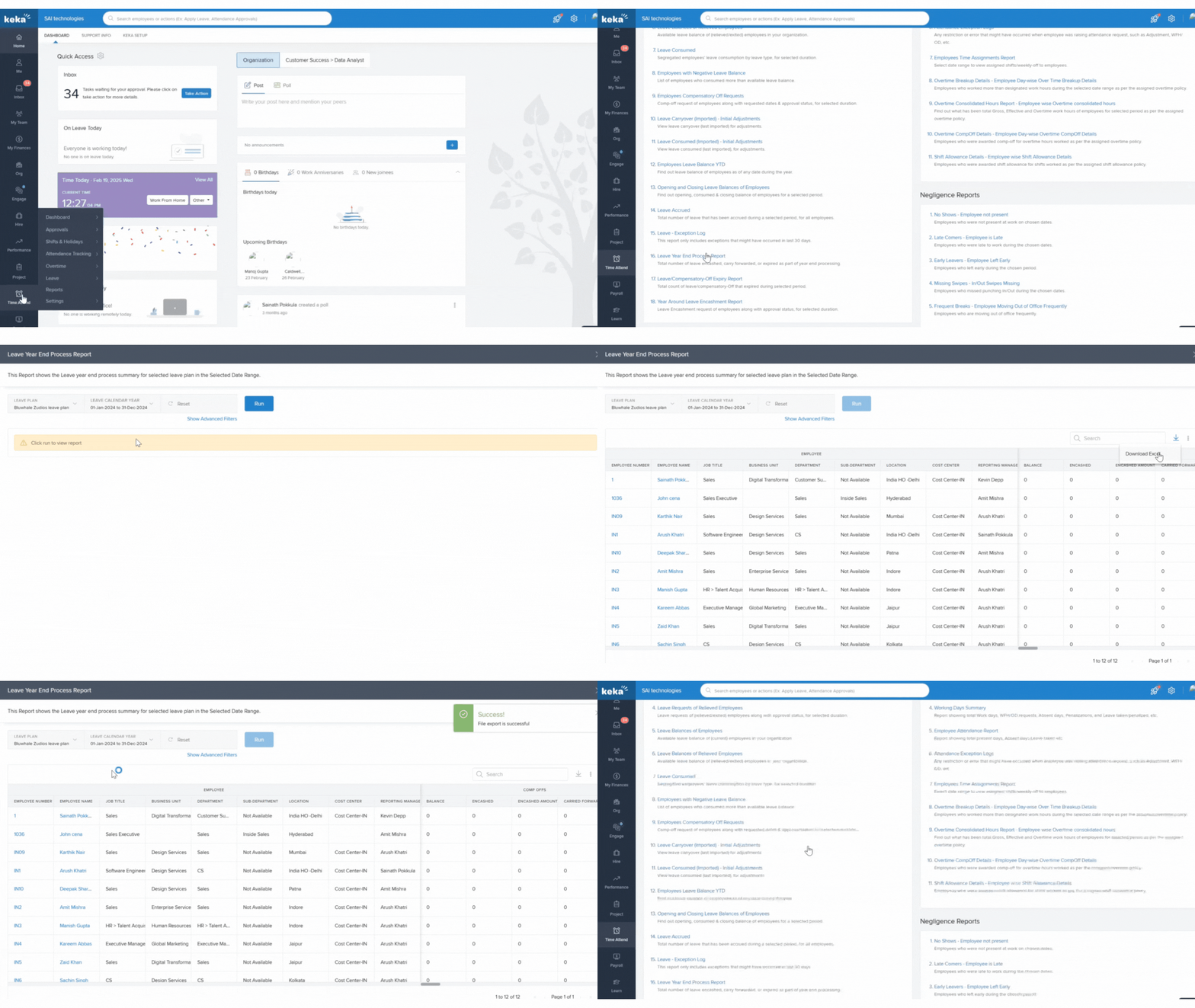
- Go to Time Attend and click on Reports.
- Under Leave Reports, scroll down and search for Leave Year End Processing Report.
- In the report window, select the appropriate Leave Plan and Leave Calendar Year.
- Click Run to generate the report.
- Once the report is generated, click on the Download icon to save it.
Comments
0 comments
Please sign in to leave a comment.