Skip to main content
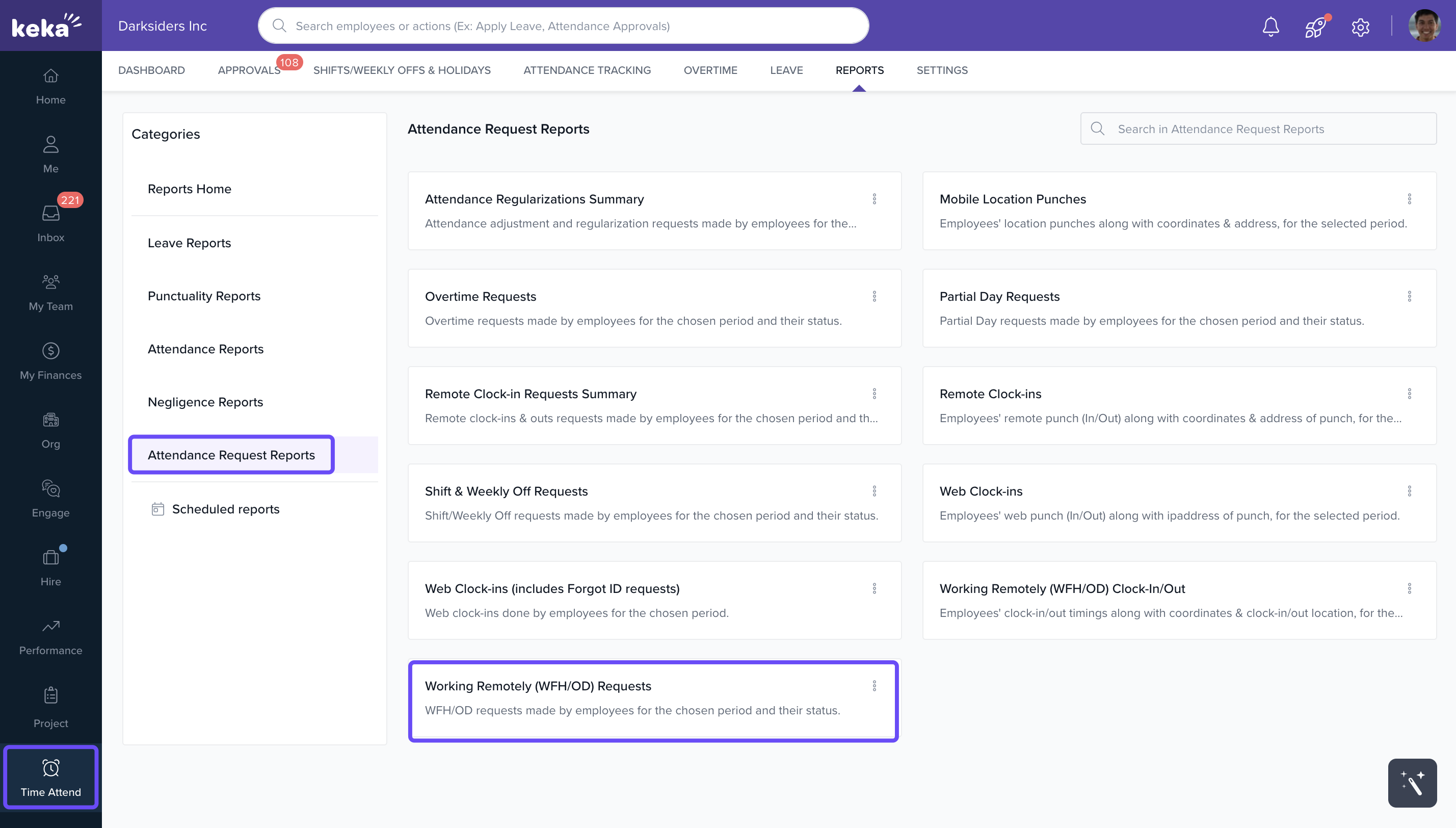
- Go to Time Attend and click on Reports.
- Scroll down to Attendance Request Reports and select Working Remotely (WFH/OD) Requests.
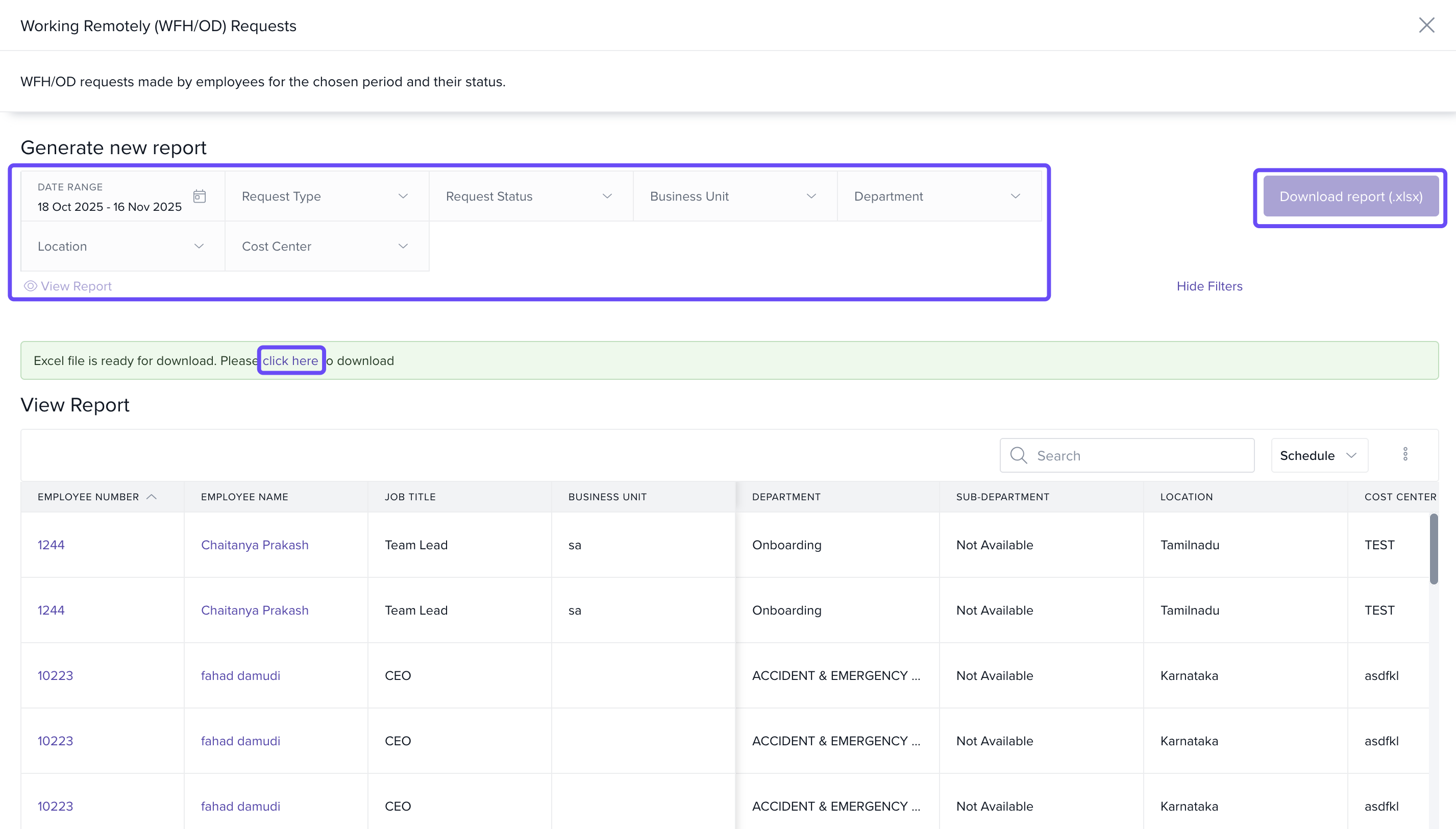
- Choose the Date Range based on your requirement and click Run.
- View all employee Work From Home and On-Duty requests in the report.
- Click the Download icon to export the data in Excel or PDF format.
Comments
0 comments
Please sign in to leave a comment.