The Keka Inbox is your central hub for managing tasks, requests, and approvals that need your attention. From here, you can review pending items, take action, leave comments, and track progress.
This article includes all the features available for access via your inbox.
Please note that not all features may be visible to you as their visibility depends
on your organization's policies and the features that are a part of your subscription
plan.
Accessing Pending Tasks
-
Open the Inbox menu.
-
Go to the Take Action tab.
-
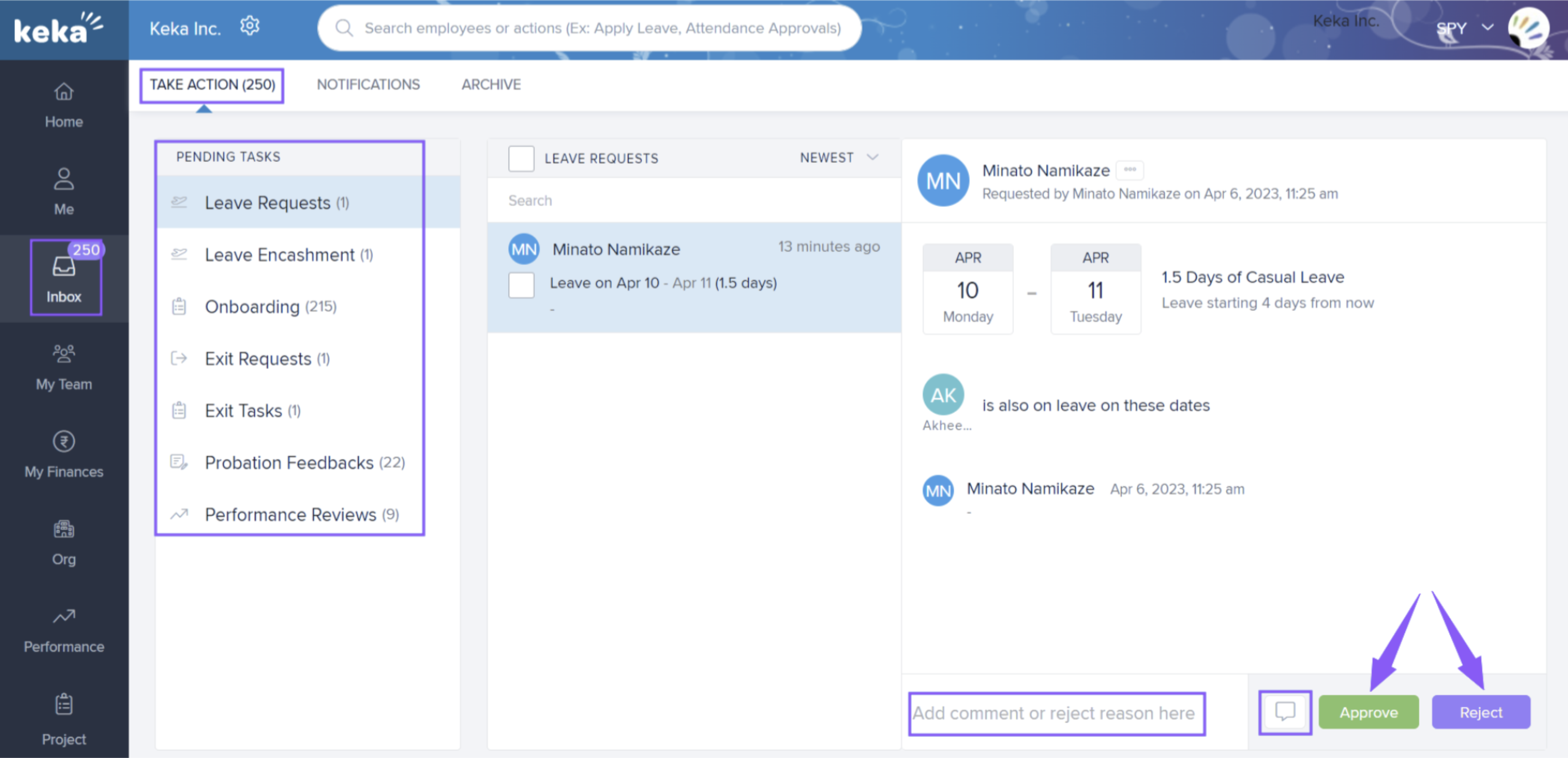
You’ll see a list of all Pending Tasks assigned to you.
-
Click any task to view details.
-
Example: If it’s a pending leave request, you’ll see options to Approve or Reject.
-
Example: If it’s an exit request, clicking Take Exit Action will open a window where you can choose an option, add comments, and save.
-
Action buttons vary depending on the task type.
Updating Task Status
-
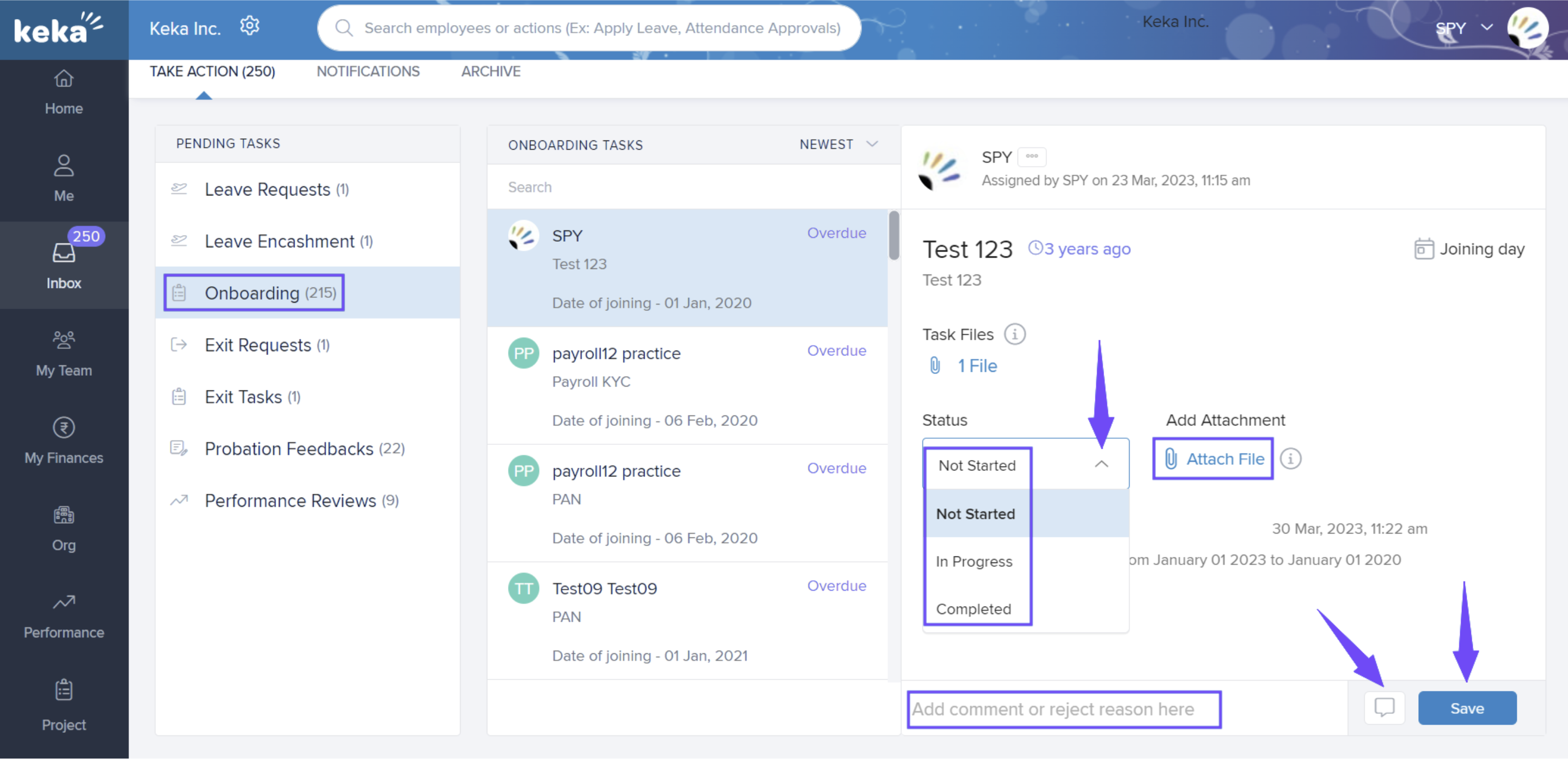
Use the Status drop-down to mark a task as Not Started, In Progress, or Completed.
-
To add a file, click Attach File.
-
To add comments, type in the text box and click the speech bubble icon to post.
-
Your comment notifies the concerned employee immediately.
-
Always click Save to confirm your changes.
Notifications
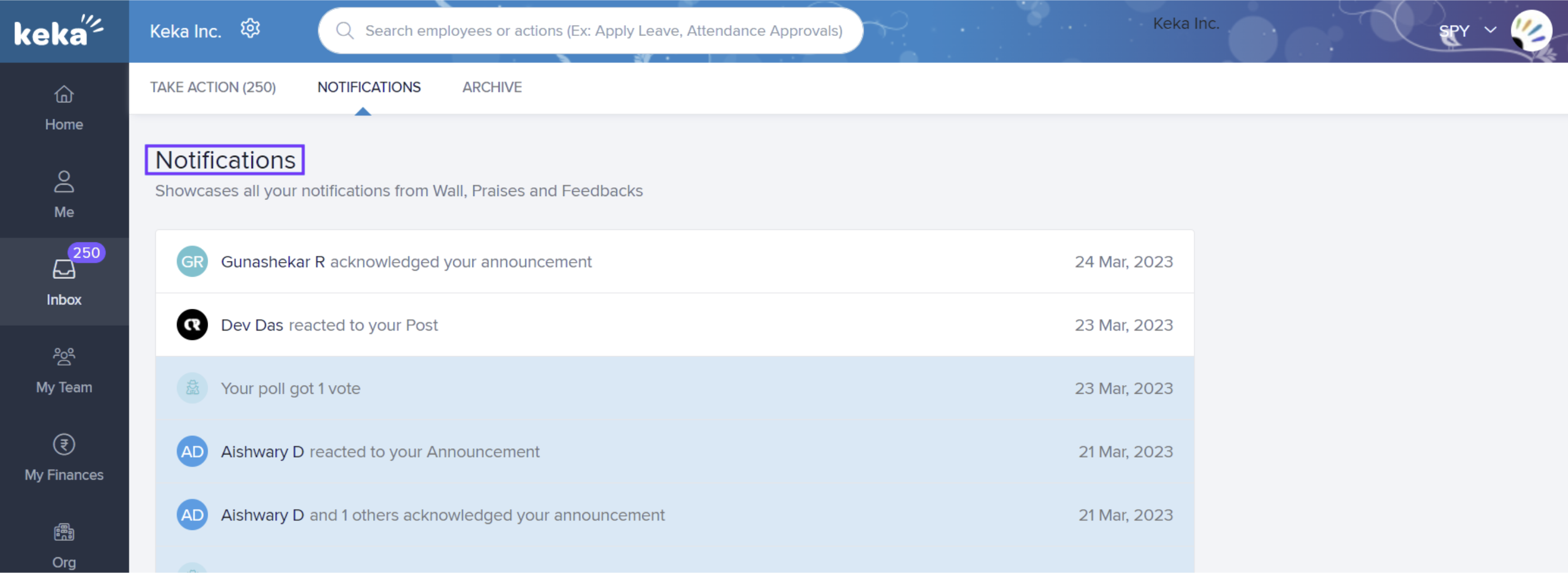
In the Notifications section, you can find messages and notifications related to your tasks. Click on any of the notifications to take further actions, like sending a reply note or a comment.
Archive
-
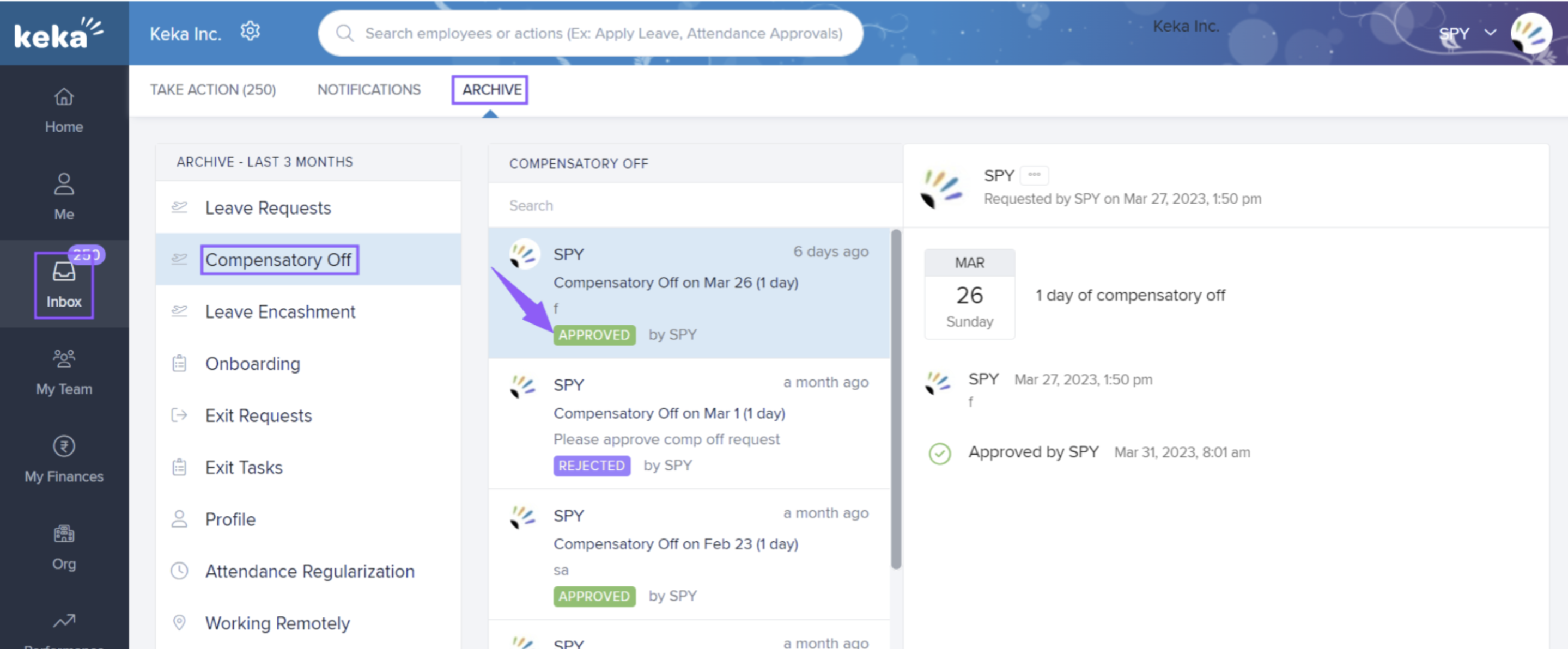
The Archive section stores a record of your activities for the past three months.
-
Click on any task to see full details of what was done.
Comments
0 comments
Please sign in to leave a comment.