Keka now integrates with ClearChecks to simplify the employee background verification process for US-based users. This feature allows HR teams to seamlessly install, authenticate, and trigger verifications, ensuring a more streamlined and compliant onboarding workflow.
This article explains how to set up the integration, generate API credentials, and begin using ClearChecks in Keka.
Installing the ClearChecks app
To install ClearChecks from the Keka App Store:
-
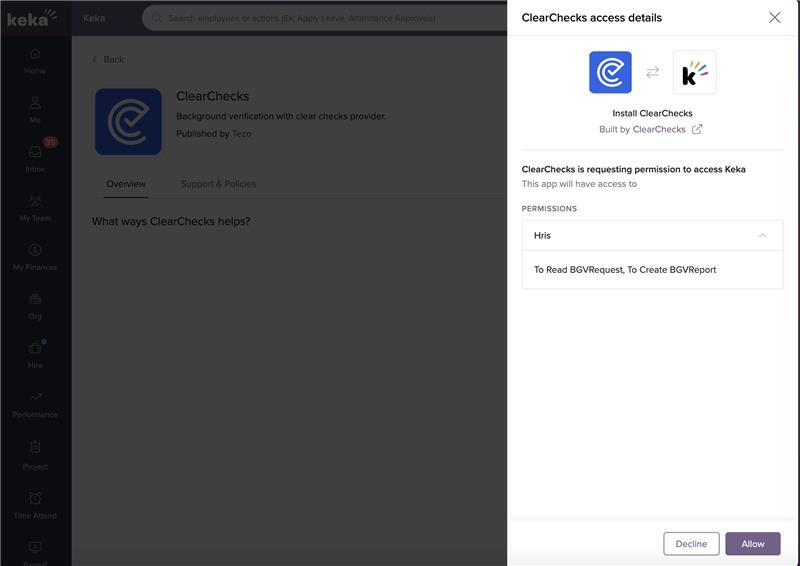
Go to the Apps menu and click on ClearChecks.
-
Click on Install.
-
Review the permission prompt that appears.
-
Click Allow to complete installation.
Once installed, the ClearChecks app will appear under My Apps.
Generating the ClearChecks API token
To create the API token required for integration:
-
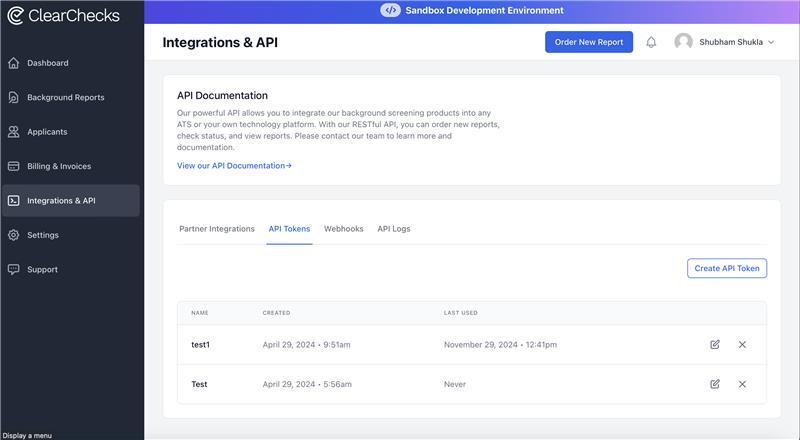
Log in to the ClearChecks Portal.
-
Go to Integrations and click on API.
-
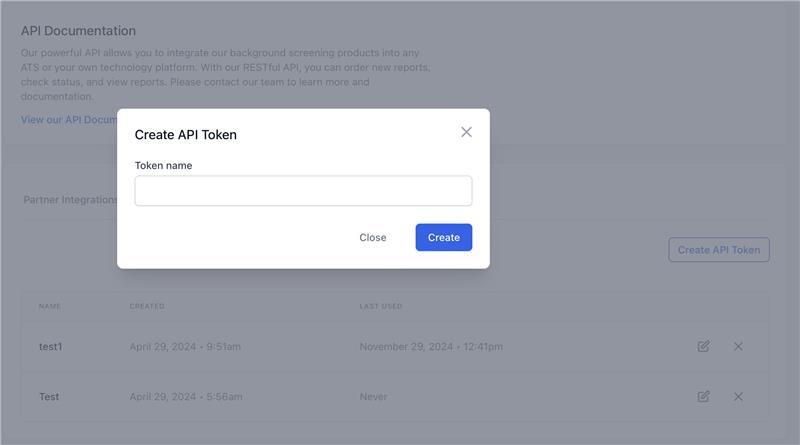
Click on Create Token to generate a new API token.
Next step: Share this API token with the Keka support team to enable the integration.
Using ClearChecks for background verification
Once integration is complete, begin using ClearChecks for background verification:
Go to the Org menu and click on Onboarding.
Select Background verification.
Initiate the verification process for new employees using ClearChecks.
This integration helps automate your background screening, offering faster processing and improved compliance for your US hiring needs.
Comments
0 comments
Please sign in to leave a comment.