Overview
The Performance Dashboard is your central tool in Keka for seeing how employee performance, feedback, and goal tracking are progressing across your organisation. It gives you insights in real time so you can act where needed.
Navigating the Dashboard section
To get started,
Go to the Performance tab in your Keka home screen.
Once the dashboard opens, you’ll immediately see high-level metrics like active and pending review cycles.
Features & Views
Here’s what the dashboard includes and how you can use each section:
-
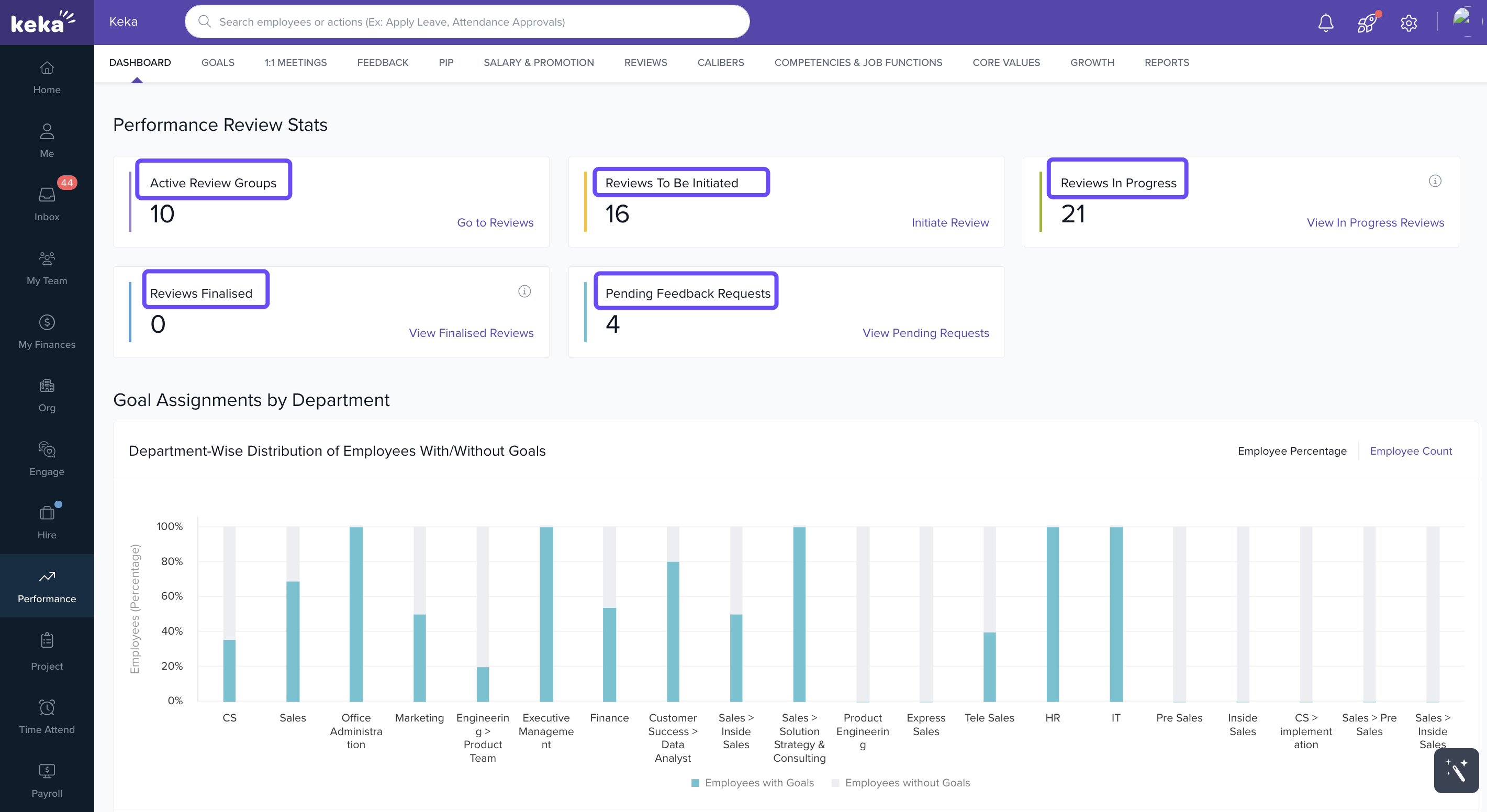
Performance Review Stats : View counts of Active Review Cycles, Reviews Finalised, Reviews in Progress, Reviews To Be Initiated, and Pending Feedback Requests. Helps you track where review processes stand.
-
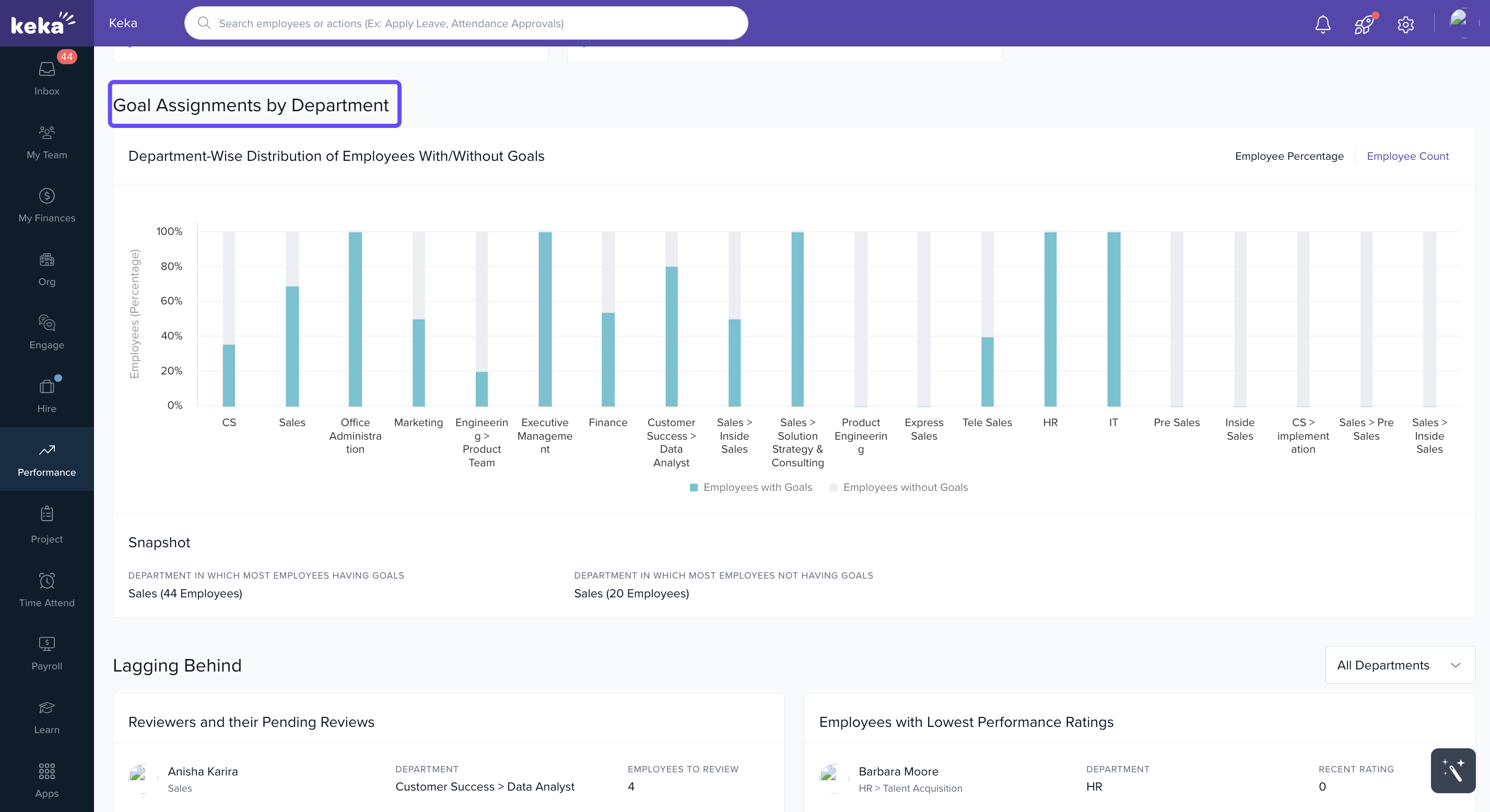
Goal Assignments by Department : Visual breakdown of how goals are distributed across departments. Spot which areas have many goals, which ones have few, and where attention may be required.
-
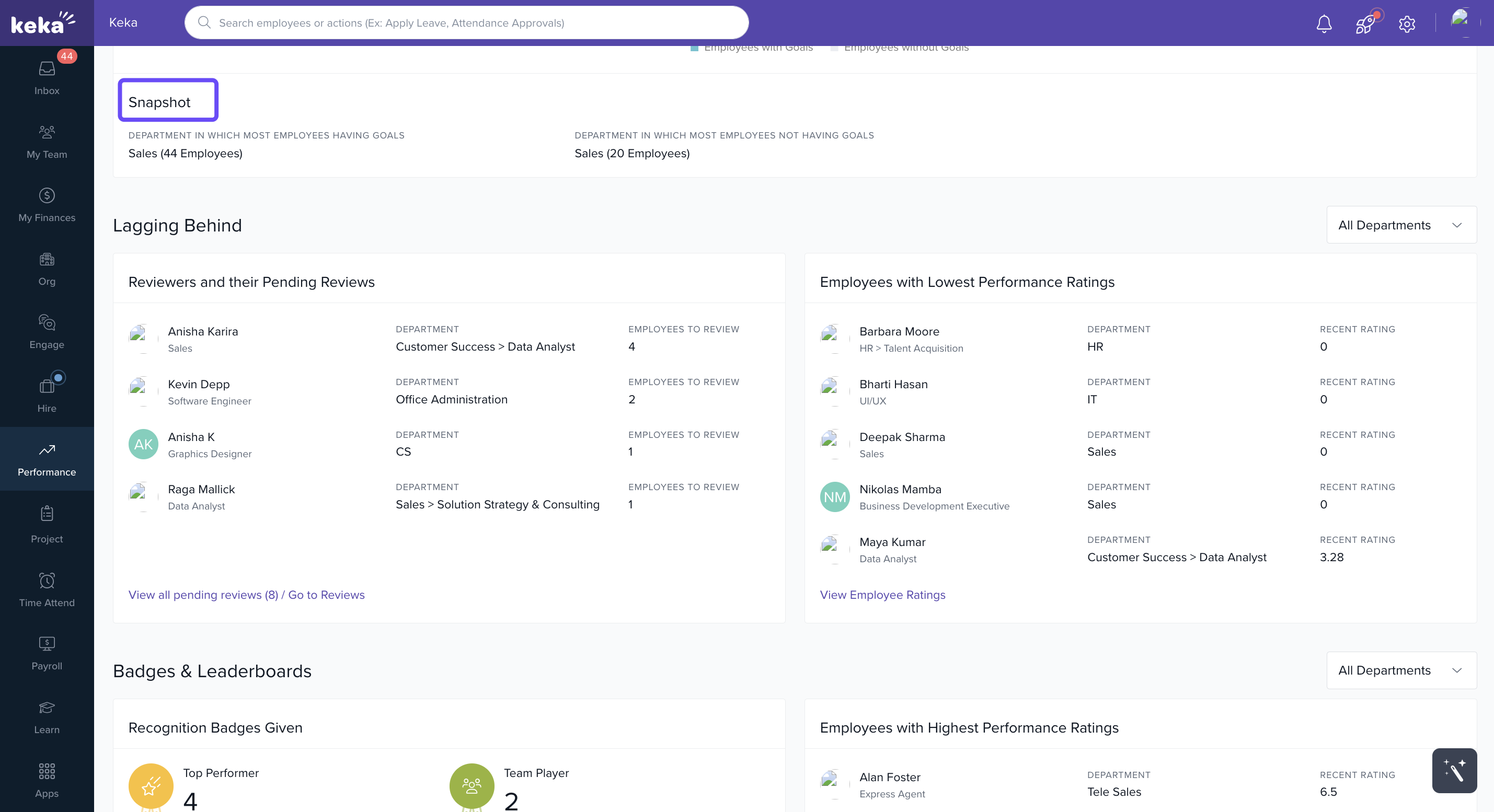
Snapshot Views:
Get quick, high-level insights:
Skill Distribution – Analyze the spread of skills across departments.
Performance Highlights – Identify employees with the highest and lowest performance ratings.
-
Detailed Insights:
Drill down into specific data for more actionable insights:
-
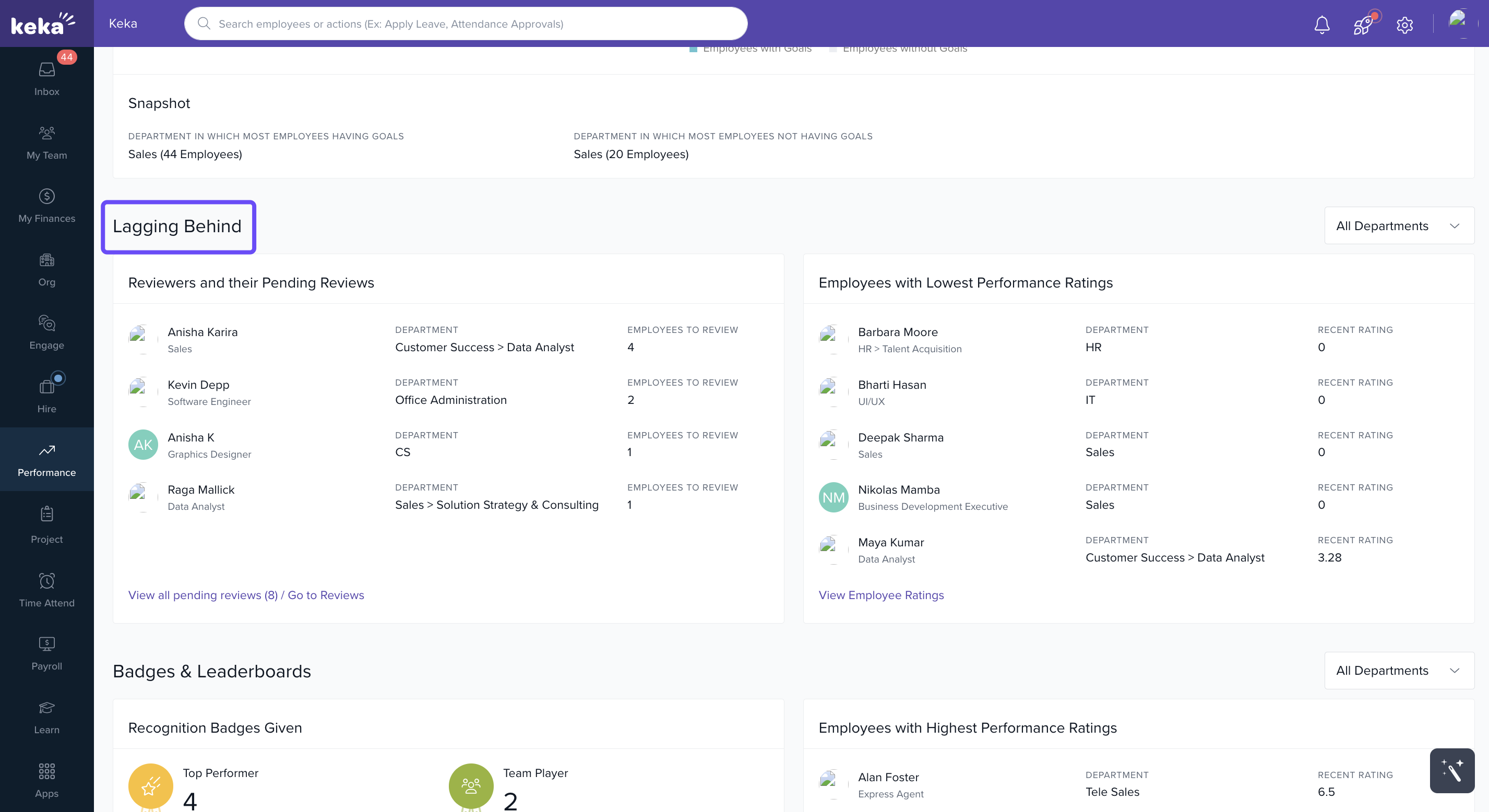
Lagging Behind – Shows reviewers with pending reviews so you can follow up directly.
-
Recognitions – Overview of badges and leaderboards, celebrating top performers and contributors.
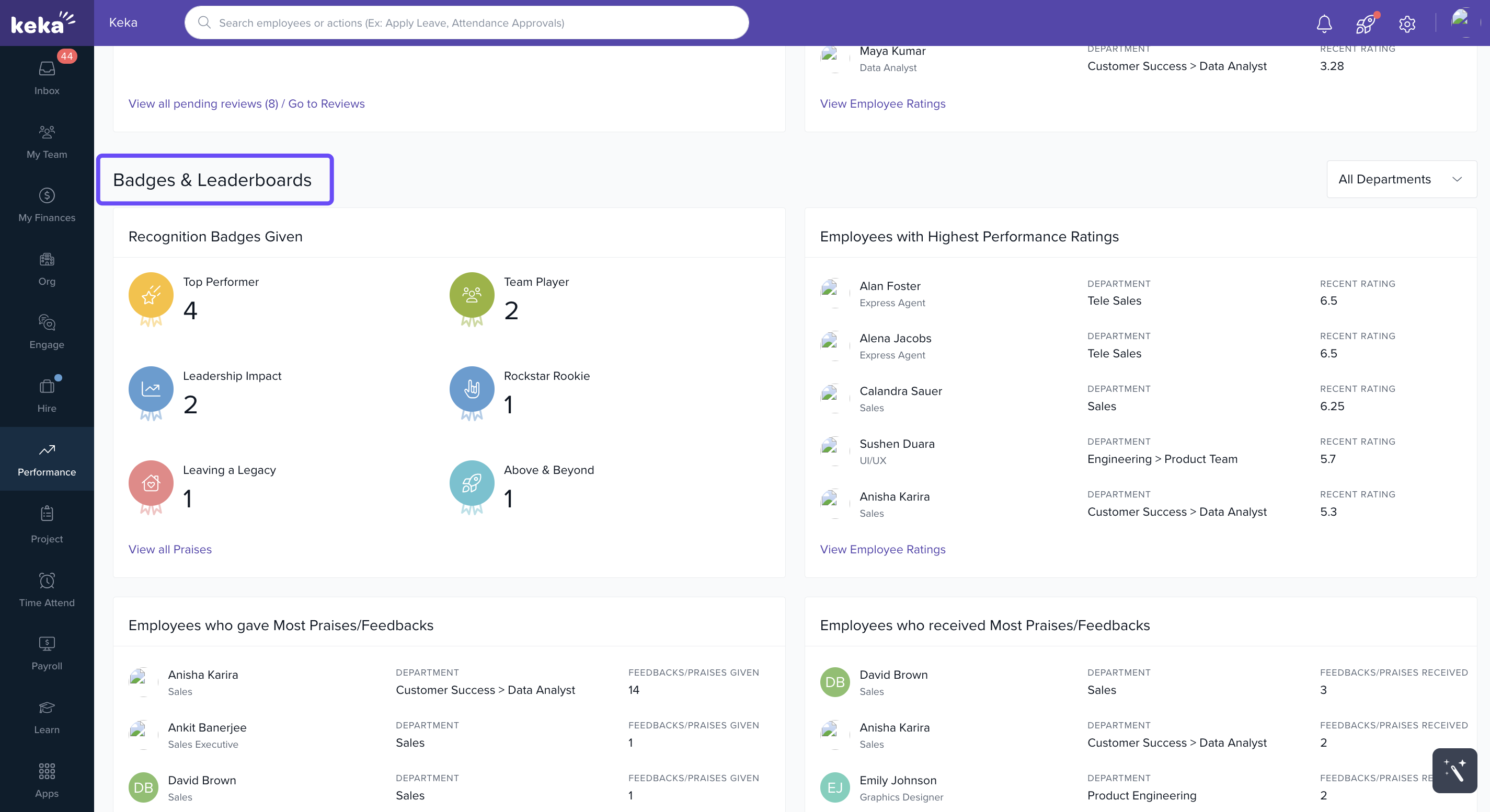
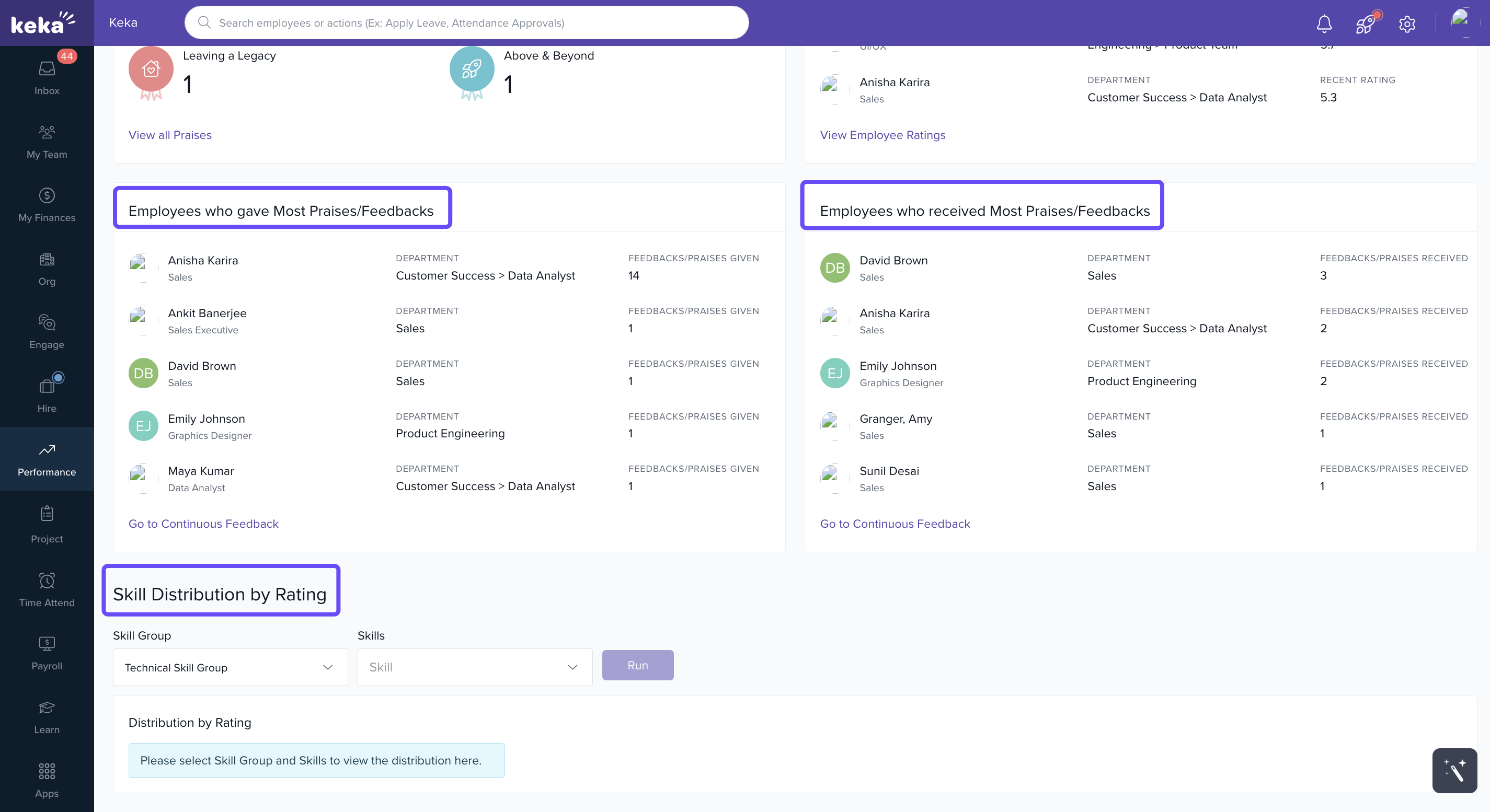
Feedback Dynamics – View who is giving and receiving the most feedback, helping encourage a culture of continuous improvement.
-
Skill Distribution (with filters) – Run department- and skill-based reports to see immediate insights for a specific skill.
-
Notes & Tips
Tip: Regularly check the “Pending Feedback Requests” and “Lagging Behind” sections so you can follow up early — delays in feedback can hurt timely performance conversations.
Tip: Use the skill distribution filters to identify skill gaps in your departments.
Important: The dashboard is interactive; filters and drill-downs let you move from overview to detail without leaving the page.
Next Steps
Customise dashboard views by department or skill to match your organisation’s structure.
Set up regular check-ins using dashboard insights: e.g. weekly or biweekly review of lagging items.
Engage managers to use data from the dashboard for one‐on‐one conversations.
Comments
0 comments
Please sign in to leave a comment.