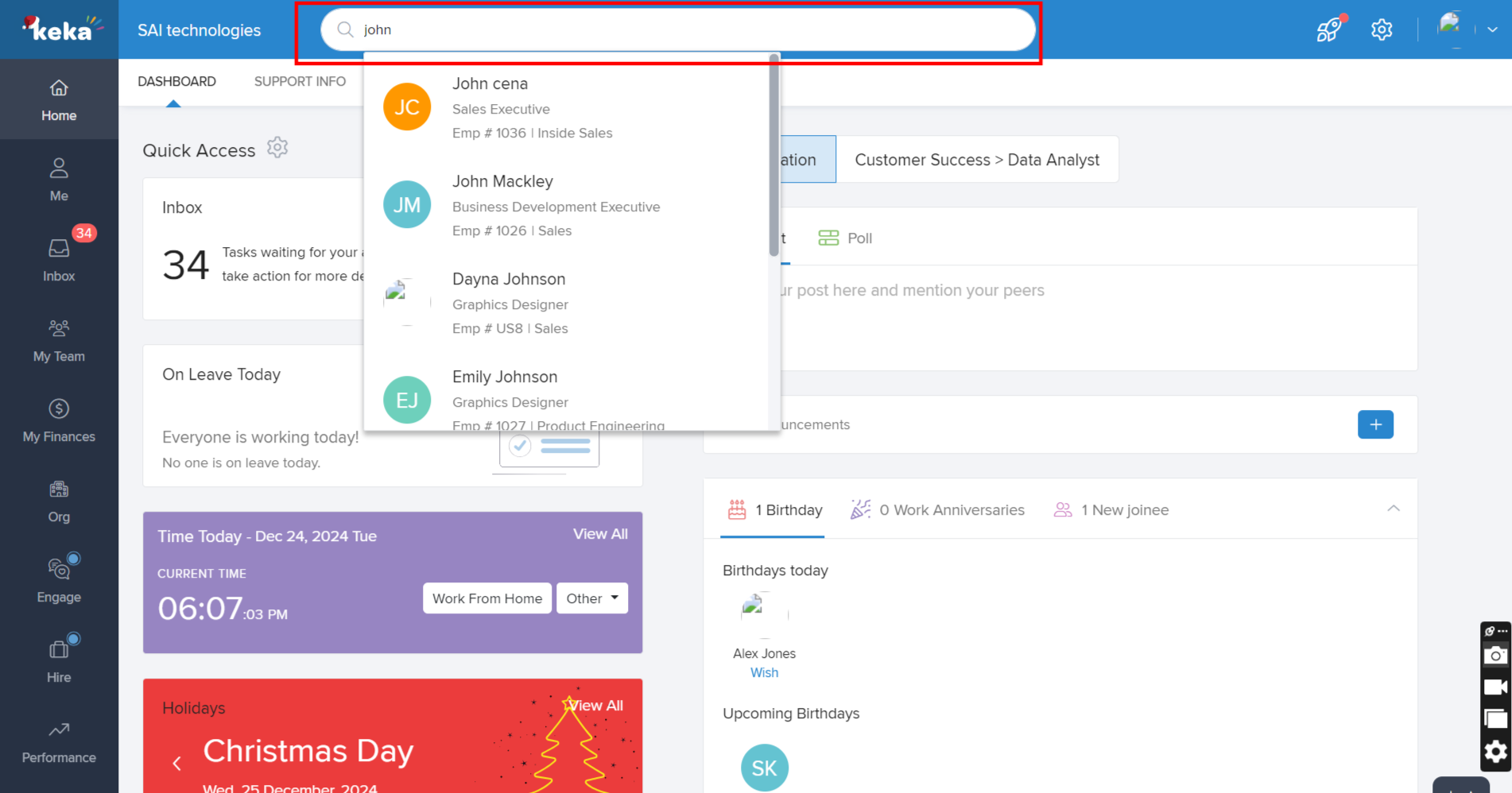
To assign an expense policy to an individual employee, begin by searching for the employee using the global search bar and open the employee profile.
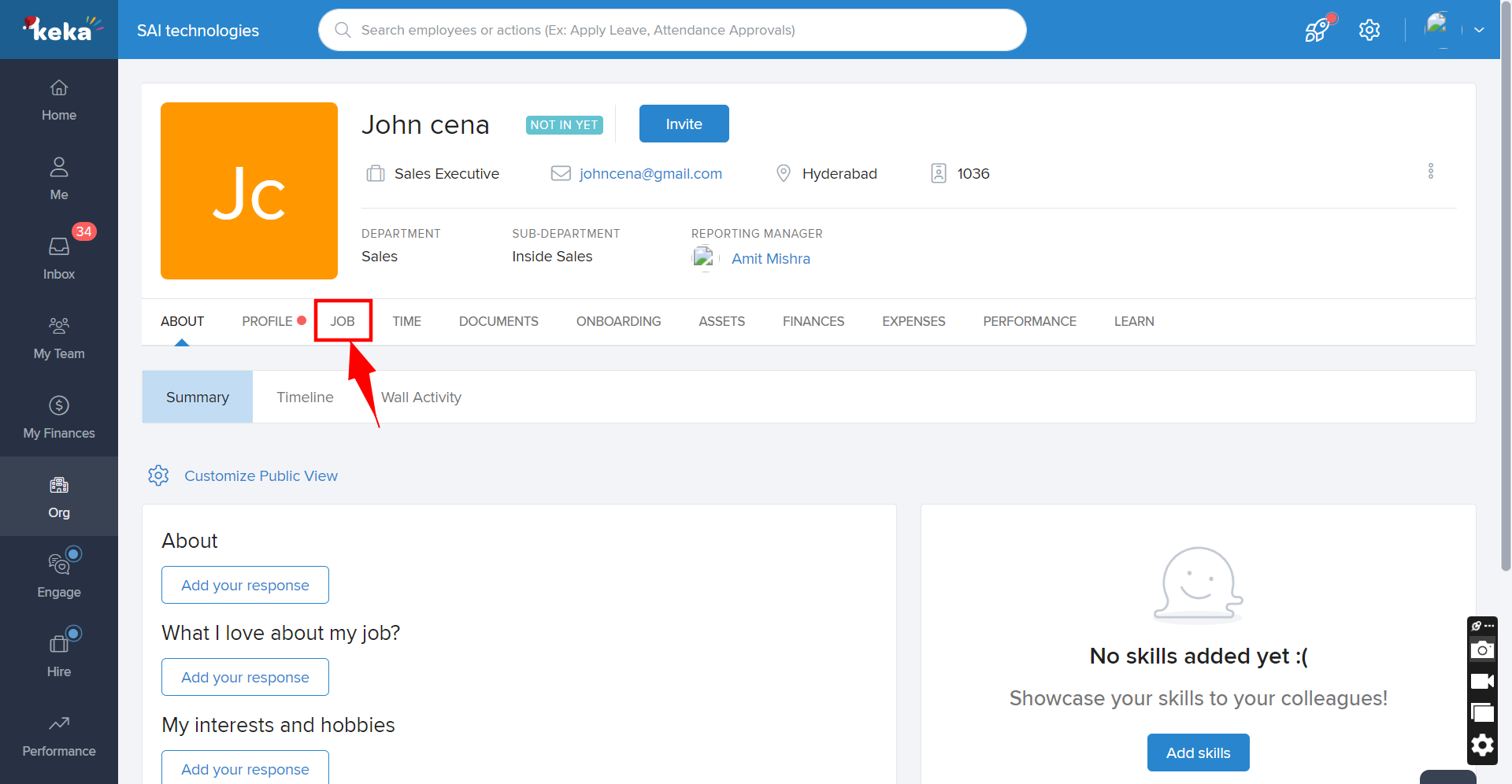
Next, from the employee's profile, click on the Job tab, and scroll down to the Other Details section, where you will find the Expense Policy option.
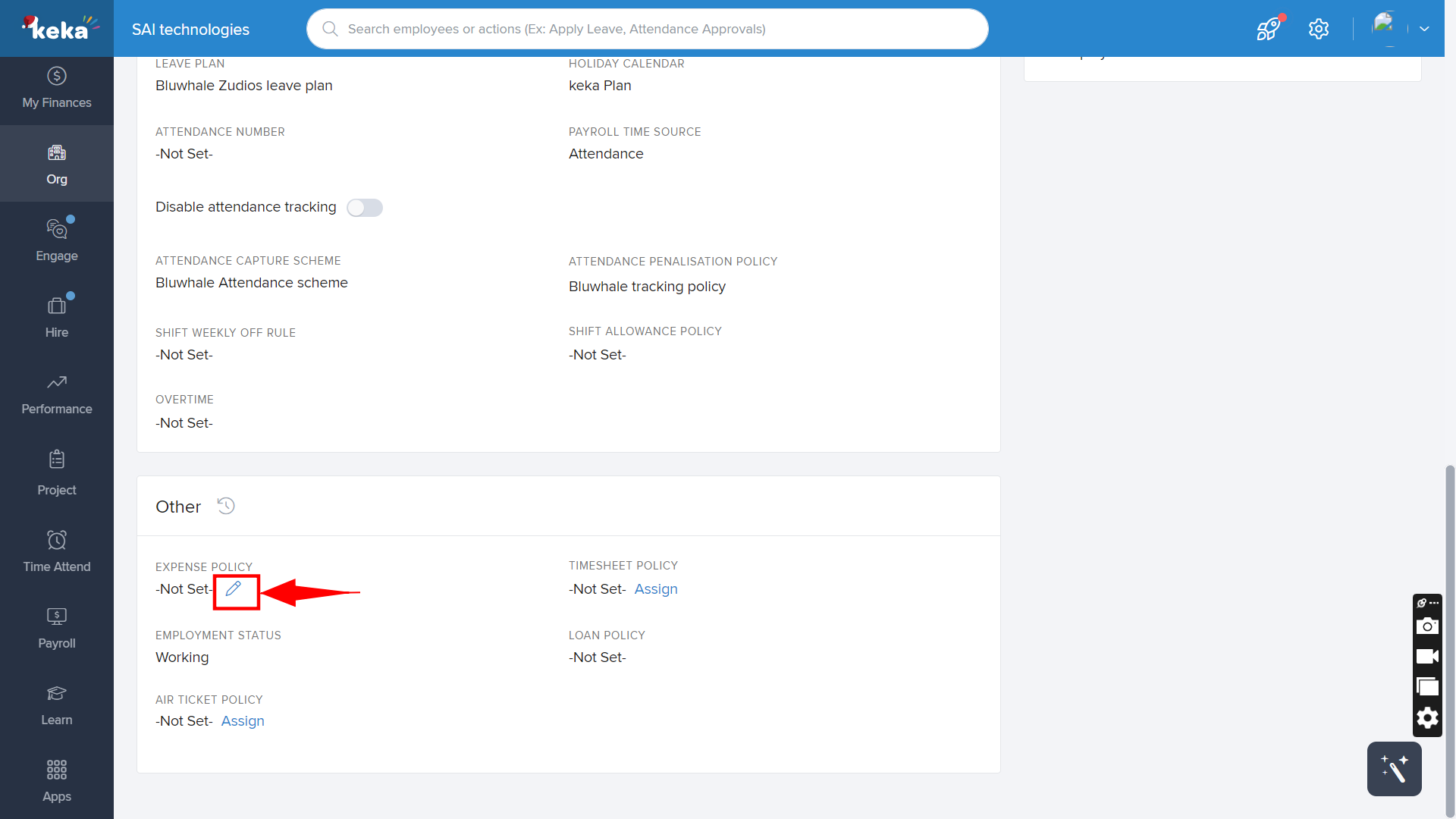
Hover over the Expense Policy field, and a pencil icon will appear. Click on the pencil icon to add/edit the Expense policy.
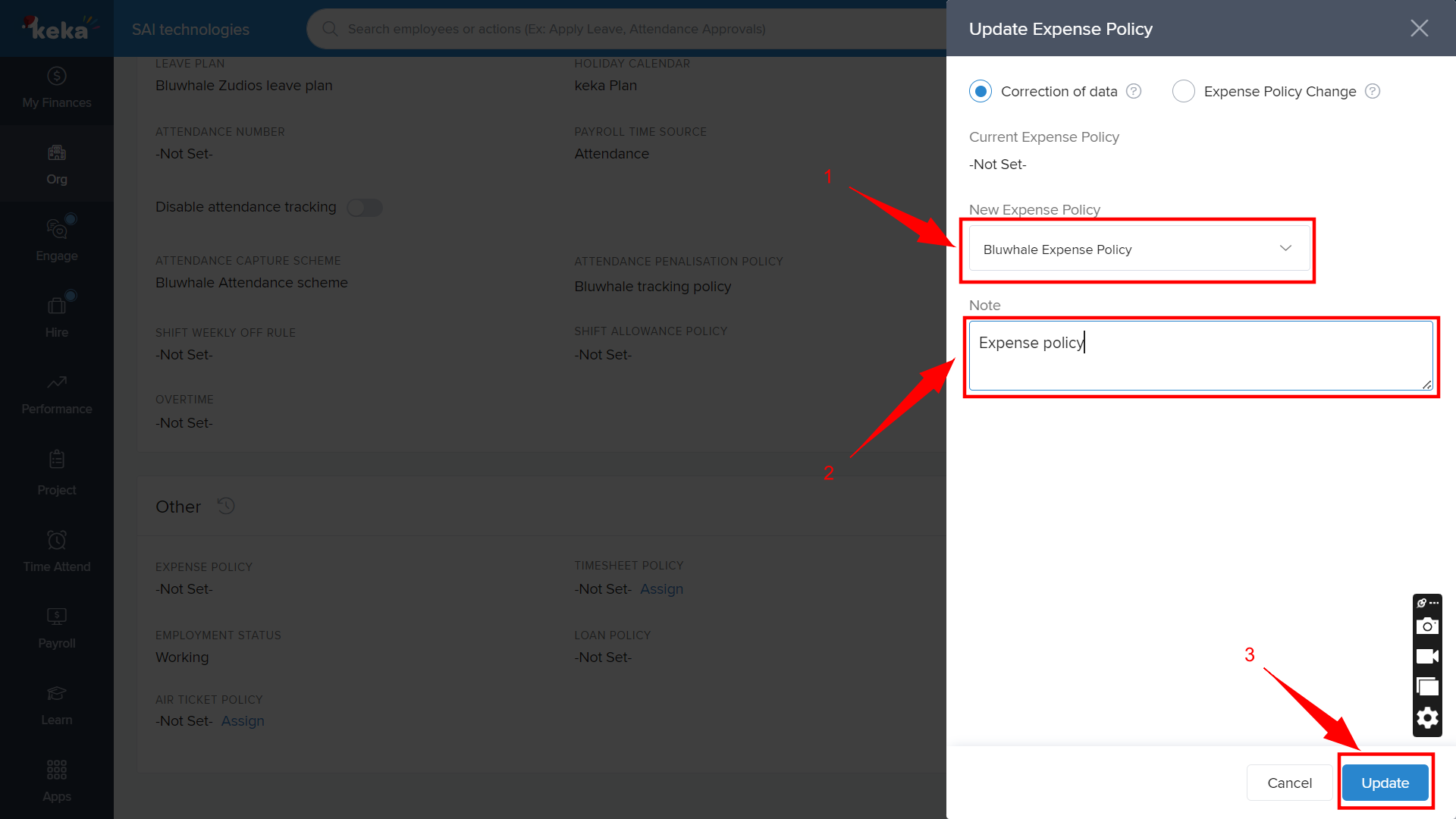
The Update Expense Policy window will then pop up. From the (1)New Expense Policy dropdown, select the appropriate policy, and make sure to add a (2)note (as it is mandatory). Finally, click the (3)Update button at the bottom to save the changes.
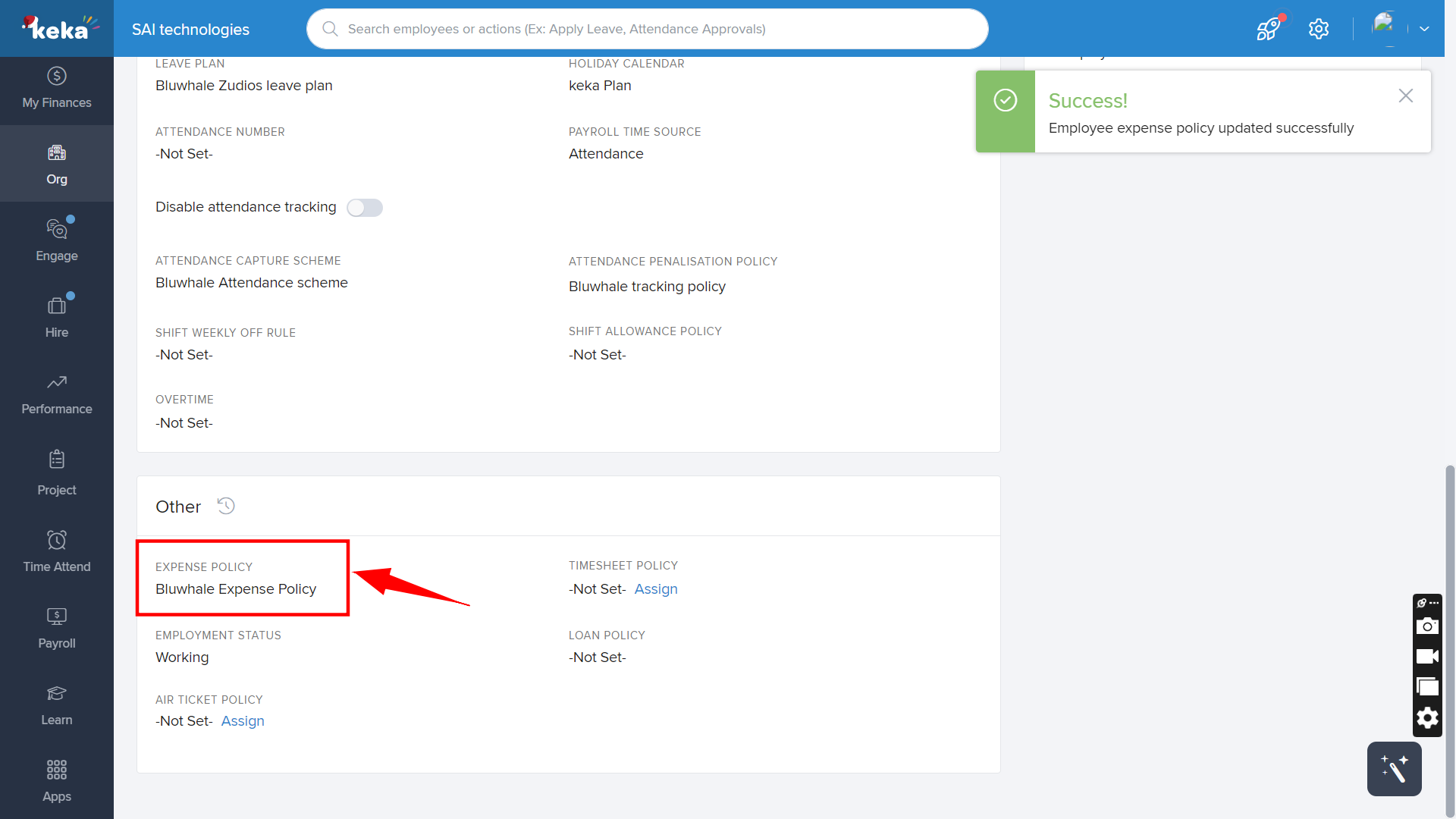
The expense policy is now successfully assigned to the employee. You can view the updated policy in the Expense Policy section of the employee's profile.
Comments
0 comments
Please sign in to leave a comment.