- Go to Time Attend > Leave.
- Navigate to the Leave Plans tab.
- Select the relevant Leave Plan for which year-end processing needs to be done.
- Go to Year End Processing and click on Begin Year End Process.
- In the Leave Balance Actions section (Step 2), click on the pen icon next to the employee name under Days Encashed.
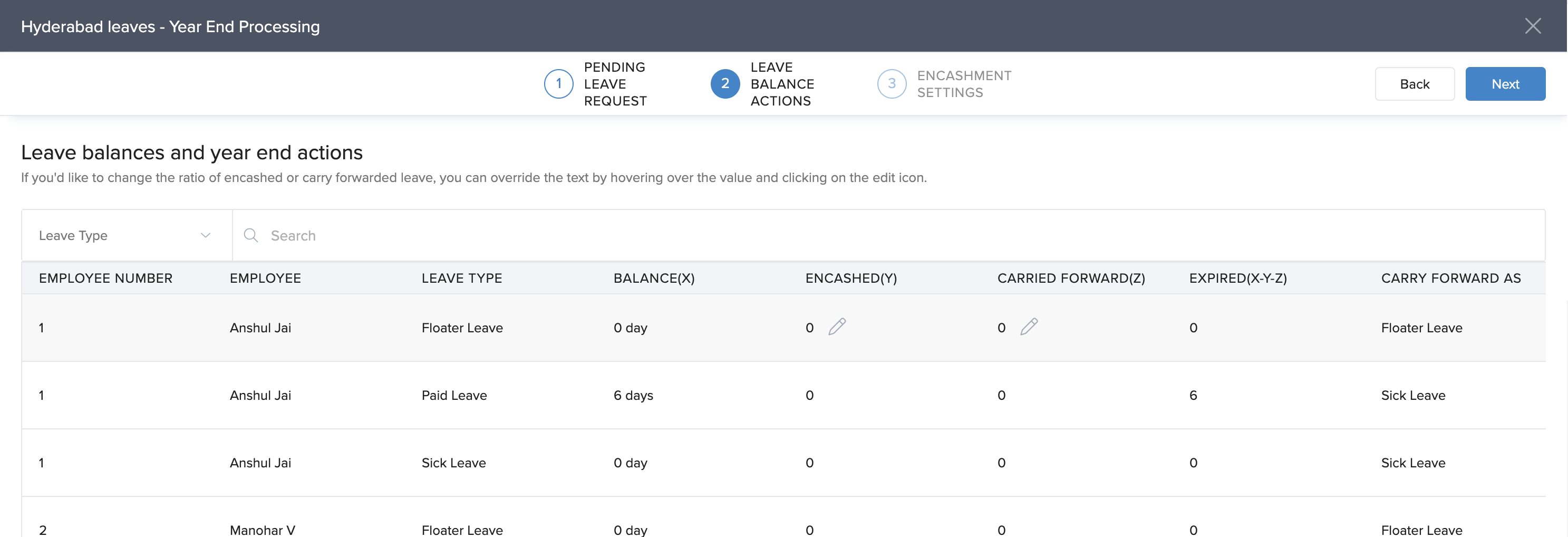
- Enter the number of leave days that need to be encashed and click Next.
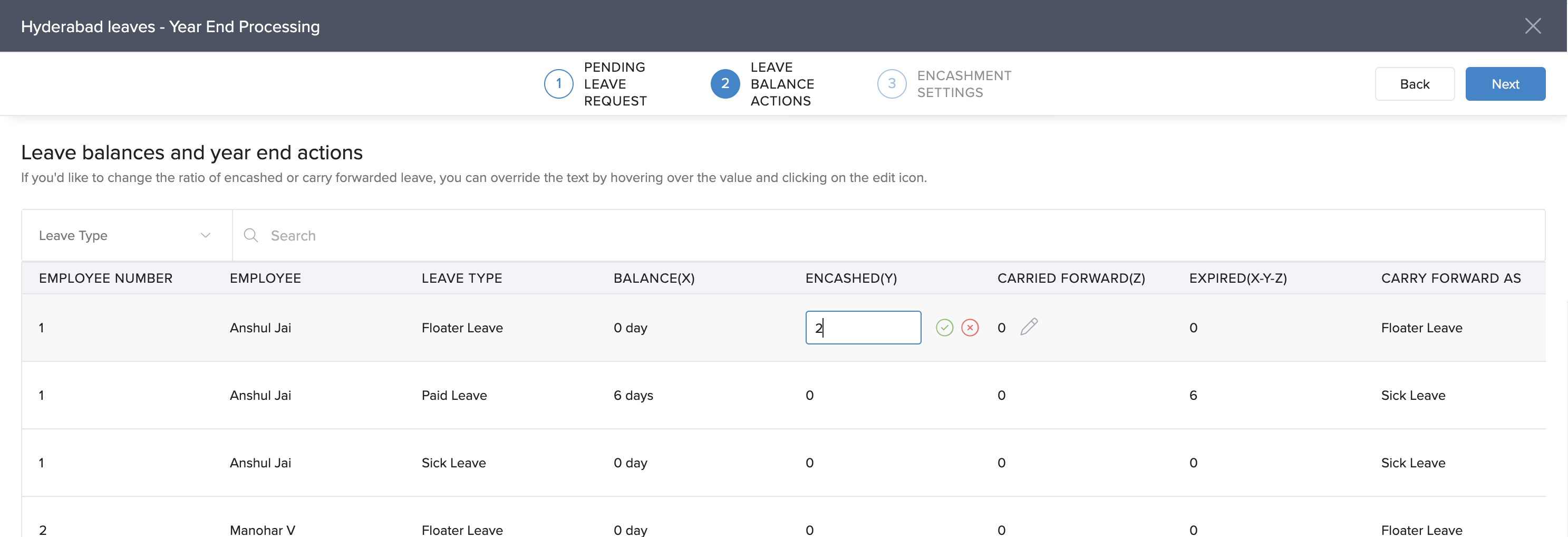
This will complete the leave encashment process during the year-end procedure.
Comments
0 comments
Please sign in to leave a comment.