Expense claims are requests made by employees to get reimbursed for official expenses they've incurred. With Keka, managers can easily view the expense claims submitted by their direct or indirect reports. Here's how you can access these claim requests:
Go to the My Team (1) section of the Keka Portal and click on Expense & Travel (2). Then click on Waiting On Approval (3).
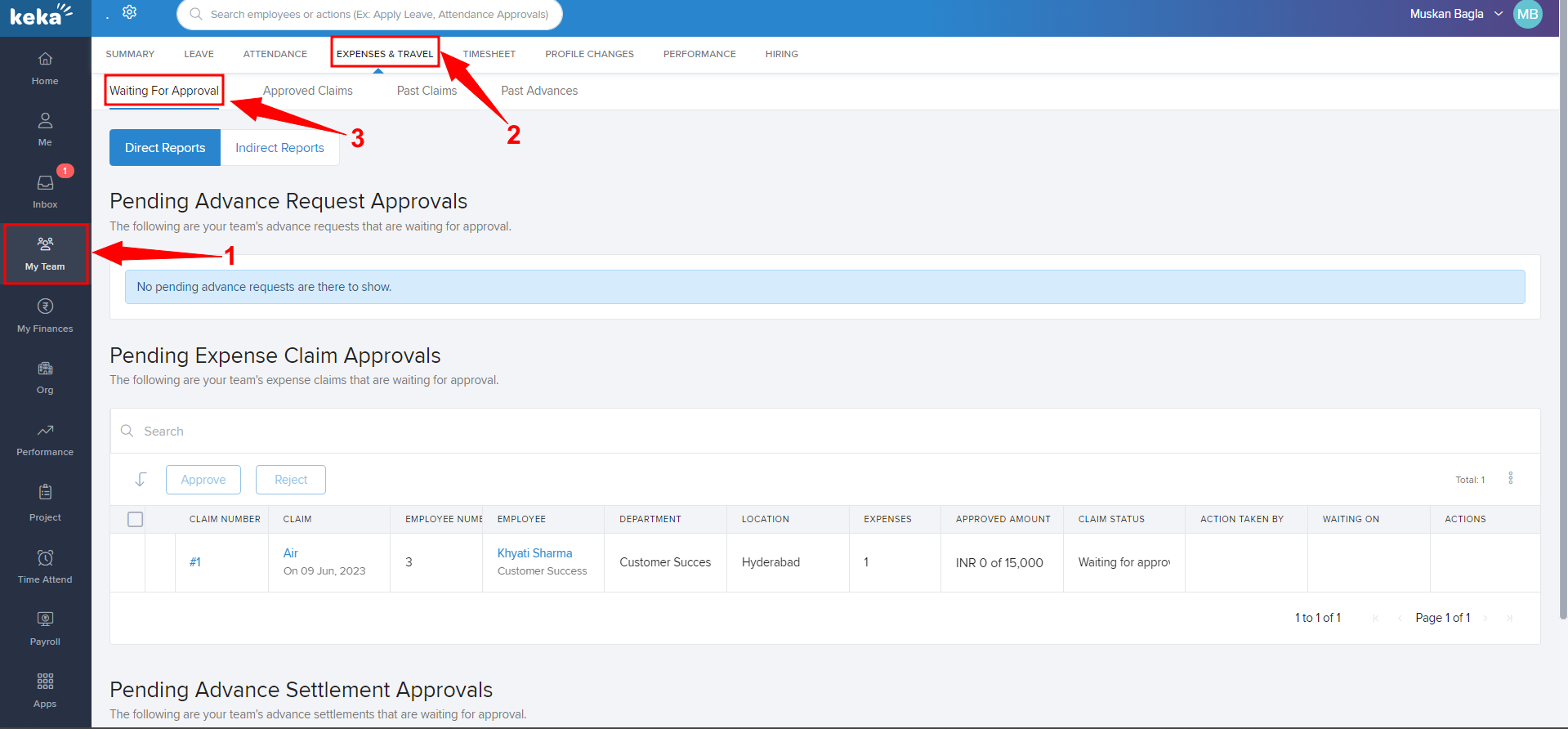
Approved Claims Past Claims
Then go to Direct or Indirect reports as per the request and tick the check box (1) of the employee and on the extreme right corner, click on the green tick to approve or click on the red cross to reject the expense.
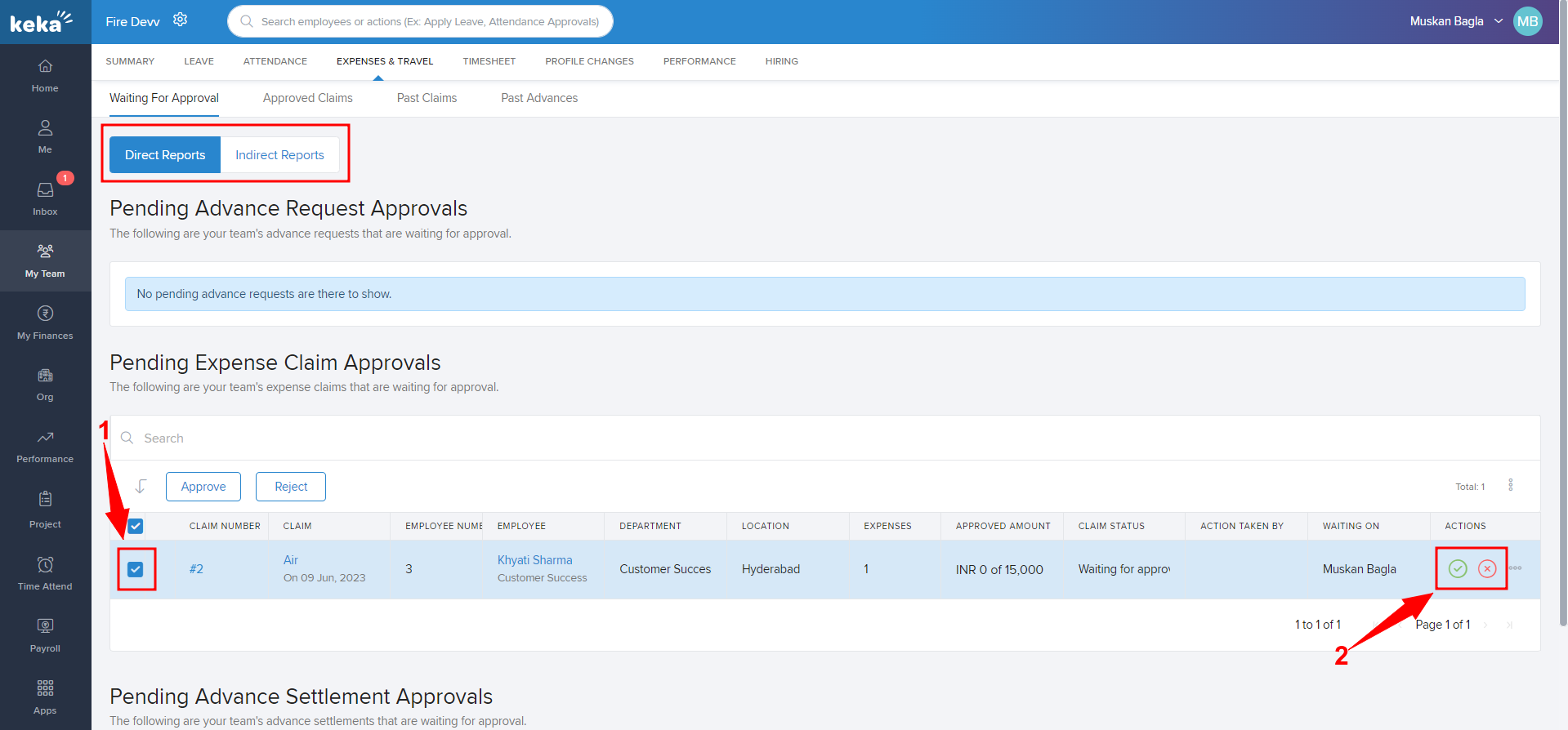
This is how a manager can see as well as reject or approve the claims raised by any of the team members.
Comments
0 comments
Please sign in to leave a comment.