An expense is defined as the cost incurred due to the purchase of any goods, services, facility, or any other cost in an organization that works to generate revenue.
The Expenses & Travel section on the Keka portal performs several functions and it allows employees to submit their expenses related to travel, accommodation, meals, etc. incurred while they are on duty on behalf of the company. Keka allows you to track employees' locations using Keka's mobile app for traveling expenses by calculating the distance traveled.
Let us take a look at how can we configure mobile location tracking for expense claims.
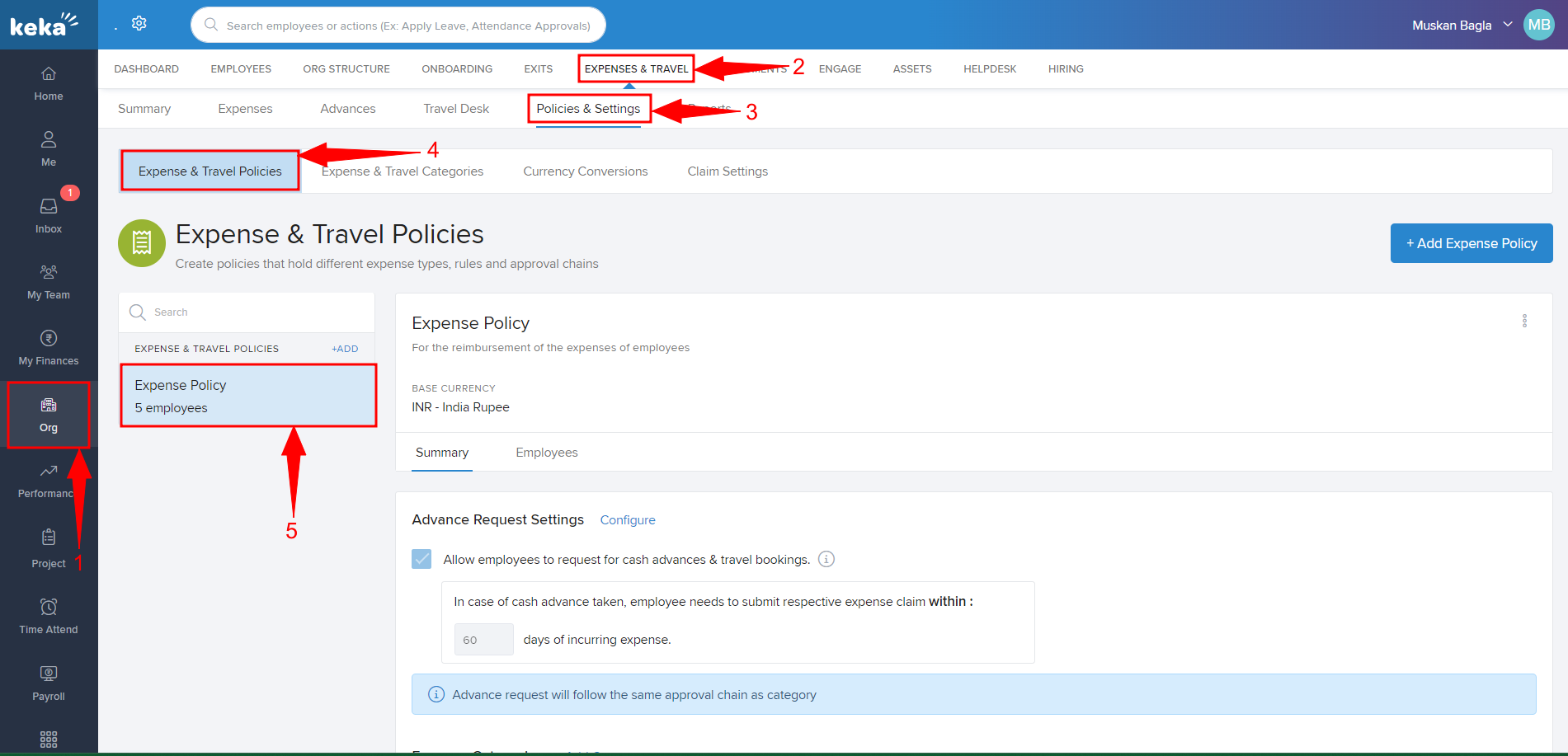
Navigate to Org (1), then select Expenses & Travel (2), and under Policies & Settings (3), you will be directed to Expense & Travel Policies (4). You will find the various expense policies you have configured in the system, here. Select the Expense Policy (5) that you wish to make changes to.
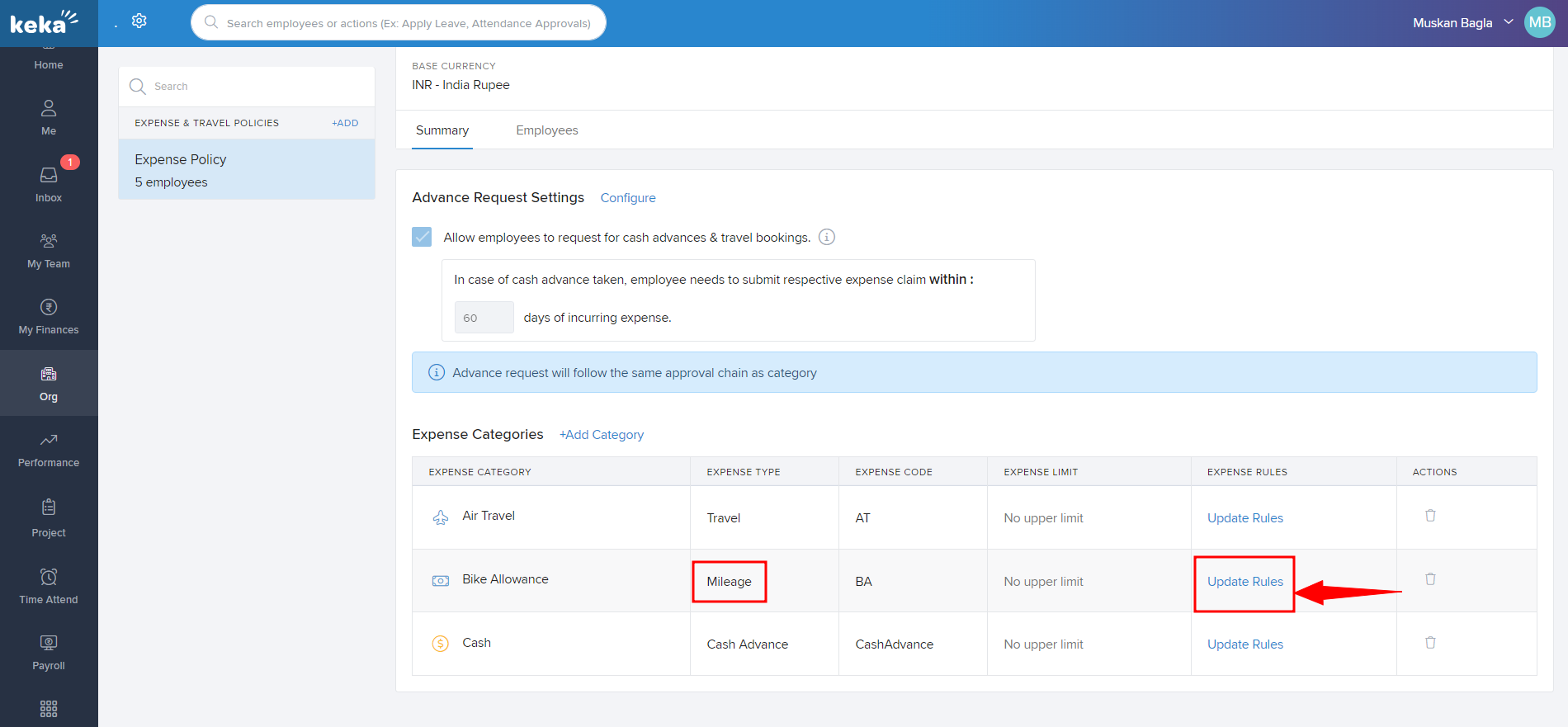
Here, you will find the Expense Categories added to the selected policy. Under the Expense Rules column, click on Update Rules to make the changes to the expense category created under the Expense Type as Mileage.
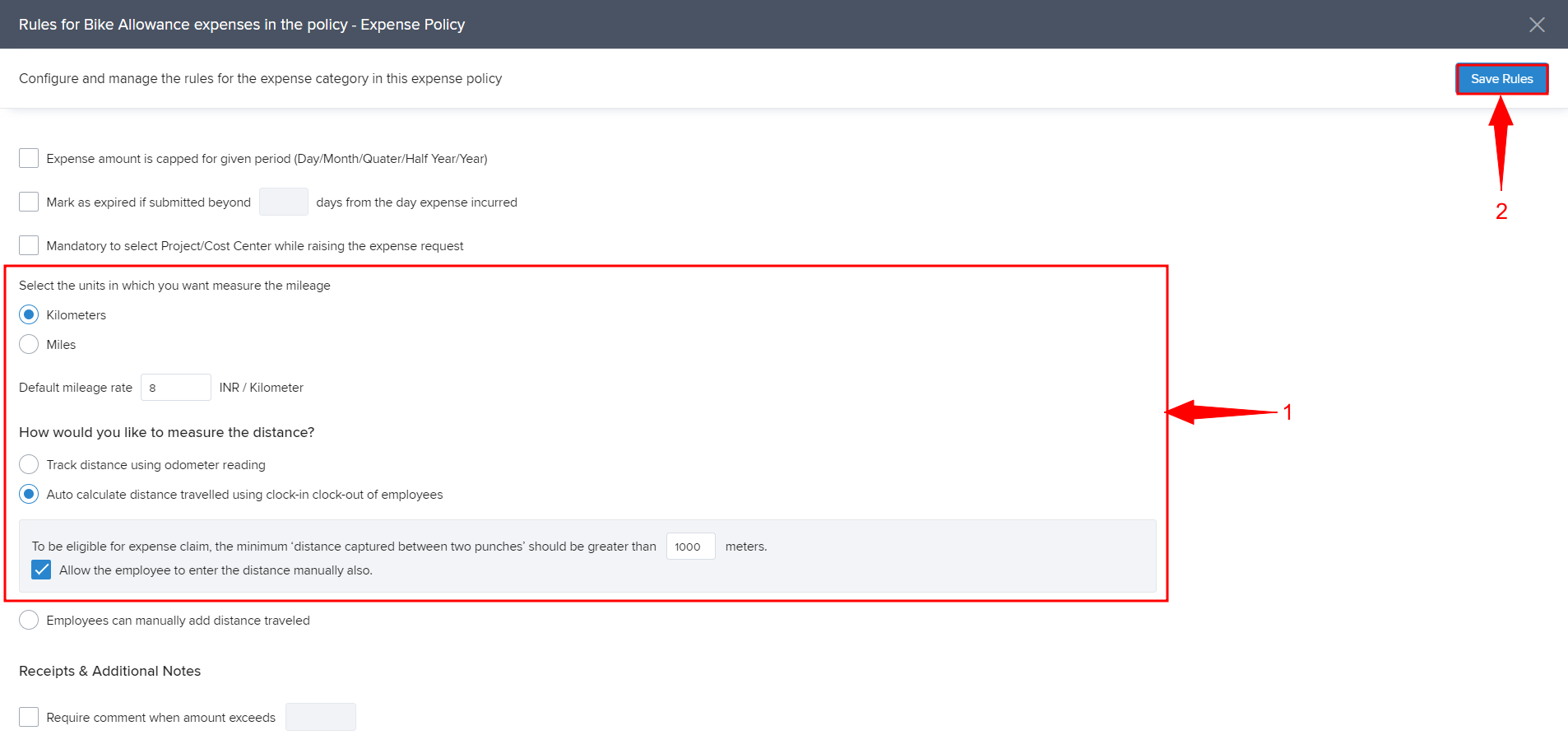
Here, you can select the measurement units, default mileage rate, and the way to measure the distance traveled. Setup the Rules (1) as per your requirements and click on Save Rules (2).
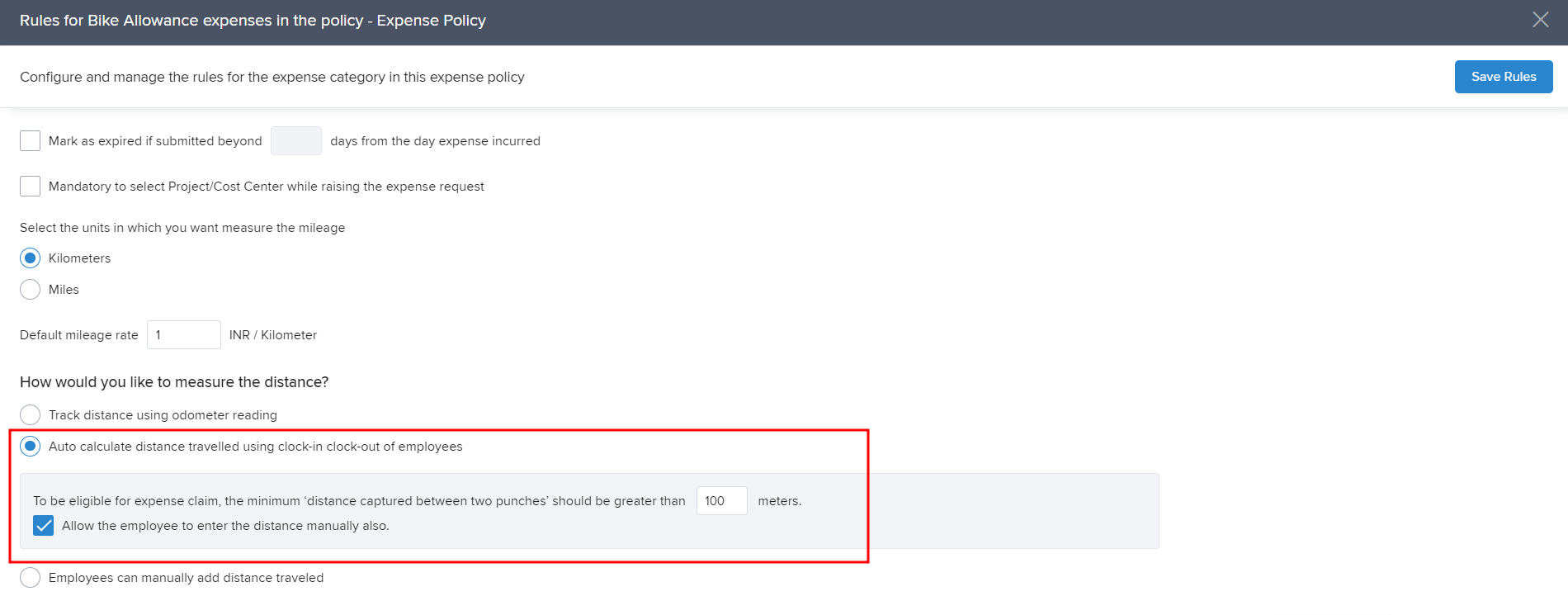
For the Keka system to be able to automatically calculate based on clock-in and clock-out of the employees, make sure the setting "Auto calculate distance traveled using clock-in clock-out of employees" is enabled. Also, if you want to provide flexibility to the employees to be able to manually add the distance then you can enable the setting "Allow the employee to enter the distance manually also".
Comments
0 comments
Please sign in to leave a comment.