An expense claim breakup report gives you a detailed breakdown of every expense incurred by an employee within a claim. These reports are regularly reviewed by the finance team to plan their budgets and payrolls accordingly.
Here's how an admin can download the expense claim breakup report -
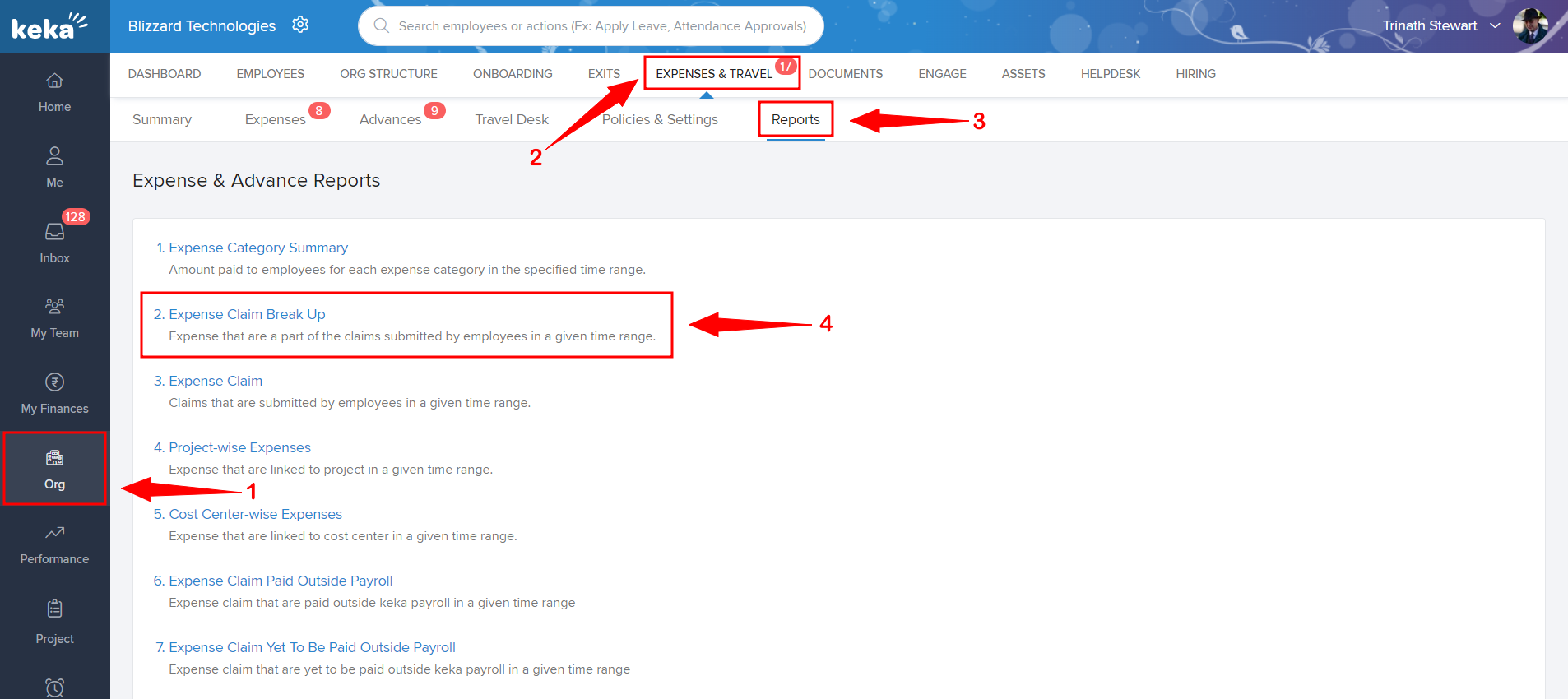
Go to the Org (1) module and into the Expenses and Travel (2) tab where you'll see the Reports (3) section. Download the second report Expense Claim Break Up (4)
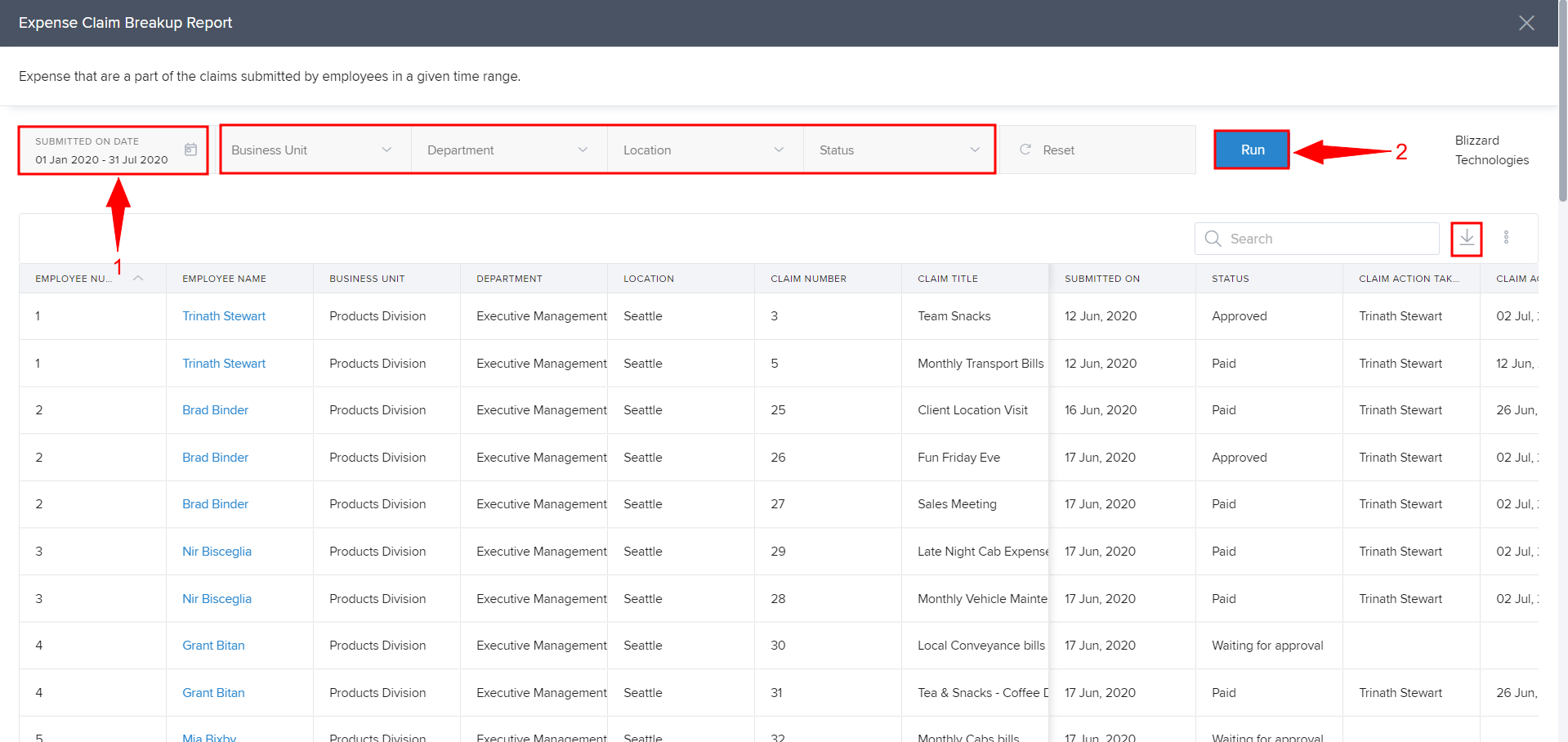
Select the Date Range(1) that you wish you generate the report for and click on Run(2) to generate the same.
Comments
0 comments
Please sign in to leave a comment.