Introduction
Reports in Keka Learn give you deeper insights into both learners and courses. With these, you can quickly track enrollments, completion status, and learner engagement time.
Currently, Keka Learn provides three key reports you can access from the platform.
How to use the reports
1. Access Reports
Go to Keka Learn from the left navigation menu.
Select the Reports tab.
Here you’ll see all available report categories. To open a report, select a category and click the report title.
2. Choose Filters and Run Reports
Select the report type you want to view.
Use the available filters (such as learners, courses, status, or date ranges) to refine the results.
Click Run to generate the report.
The report will display detailed data based on your selections.
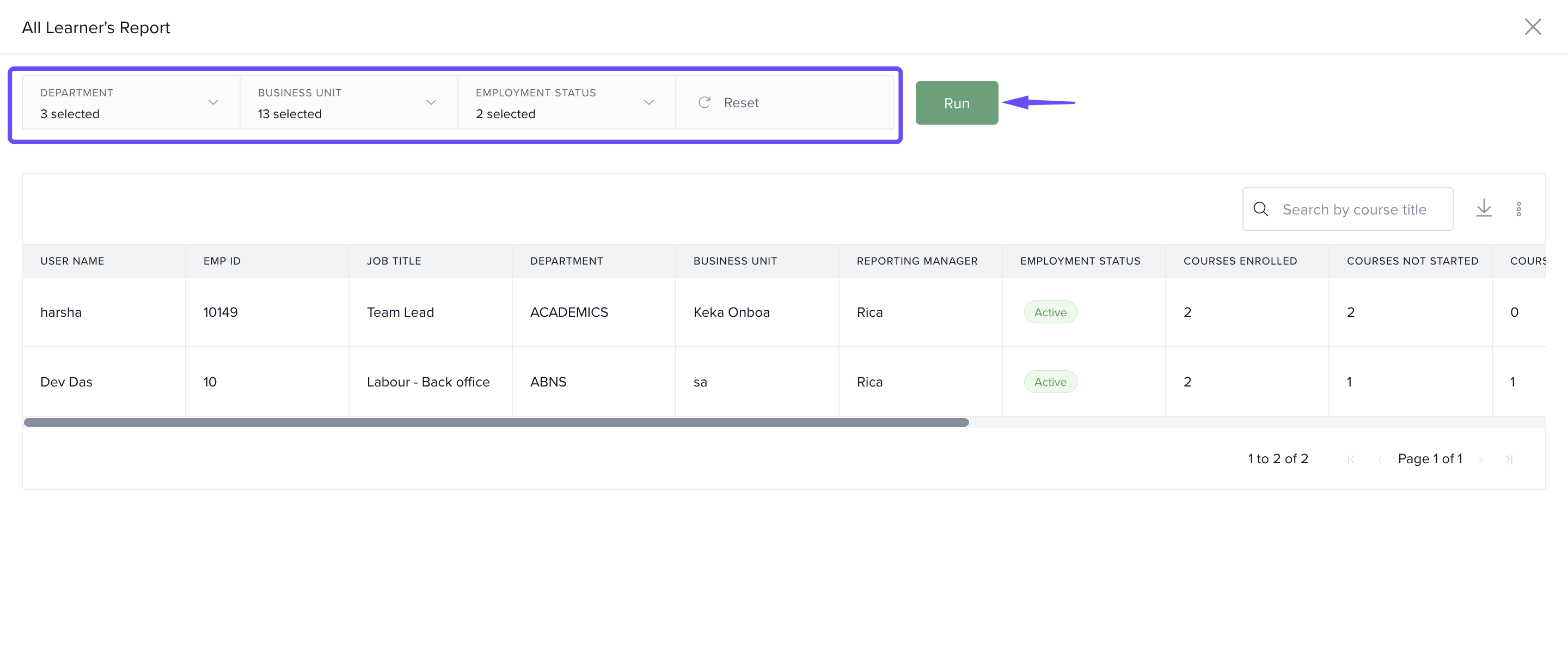
Note: You can re-run any report with different filters to compare learner or course performance over time.
Available Reports
1. All Learner’s Report
Provides an overview of every learner in Keka Learn.
Number of courses assigned per learner
Completion status of each assigned course
2. Course Overdue Report
Shows the list of learners who are overdue in completing the course.
Number of overdue learners
Overdue condition
3. Course Status Report
Shows the performance of each course you’ve created.
Number of learners enrolled
Completion status across learners
4. Learner Status Report
Gives a detailed view of learner progress within each course.
Completion status per learner
Total time spent on course activities
Comments
0 comments
Please sign in to leave a comment.